📘 ARAS Security manuals • Free online PDFs
ARAS Security logo

ARAS Security Manuals & User Guides

ARAS Security is a value-added distributor and manufacturer of electronic security systems, including access control, video surveillance, and intrusion detection solutions.

Tip: include the full model number printed on your ARAS Security label for the best match.

About ARAS Security manuals on Manuals.plus

ARAS Security is a leading Value Added Distributor (VAD) and developer of electronic security systems, primarily serving the European market. The company specializes in providing integrated solutions for access control, video surveillance (CCTV), and intrusion detection. In addition to distributing major third-party security brands, ARAS Security develops its own hardware and software modules to bridge gaps between systems, such as the ARAS интеграциялық интерфейсі және GSM4ACCES Mobile to Wiegand device.

With a strong focus on technical expertise, ARAS Security supports system integrators and installers with project advice, training, and support services. Their product lineup ranges from cloud-based sensors and smart access readers to complex management software integrations, ensuring robust security infrastructure for commercial and residential applications.

ARAS Security manuals

Ең соңғы нұсқаулықтар manuals+ осы бренд үшін құрастырылған.

ARAS SECURITY ARAS интеграциялық интерфейсінің пайдаланушы нұсқаулығы

5 жылғы 2024 желтоқсан
ARAS ҚАУІПСІЗДІГІ ARAS интеграция интерфейсінің сипаттамалары Өнім атауы: WinKAS үшін ARAS интеграция интерфейсі Нұсқасы: 1.0 Авторы: Роберт Банасиак Күні: 15.08.2024 Өнімді пайдалану нұсқаулары Сипаттамасы WinKAS үшін ARAS интеграция интерфейсі…

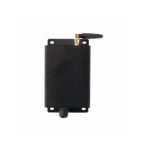
ARAS SECURITY GSM4ACCES ұялы телефонынан Wiegand құрылғысына пайдаланушы нұсқаулығы

20 жылдың 2023 наурызы
ARAS ҚАУІПСІЗДІК GSM4ACCES Мобильдіден Вигандқа құрылғы GSM4ACCES - телефон нөмірлерін карта нөмірлеріне және телефондағы пернелерді басуды перне басуға түрлендіретін мобильдіден Вигандқа құрылғы...

ARAS SECURITY E5FD3D1B1439 Koop uw адаптер тақтасы ақ түсті for Bullet пайдаланушы нұсқаулығы

7 ақпан, 2023 жыл
ҚАУІПСІЗДІК E5FD3D1B1439 Oq қорапшасына арналған ақ түсті Koop uw адаптер тақтасы Пайдаланушы нұсқаулығы E5FD3D1B1439 Oq қорапшасына арналған ақ түсті Koop uw адаптер тақтасы Қажетті мазмұн: Адаптер тақтасын орнату Қайсысын анықтаңыз...

ARAS SECURITY F64056801C2B Koop uw Ауа-райы тақтасы White for Bullet пайдаланушы нұсқаулығы

7 ақпан, 2023 жыл
ҚАУІПСІЗДІК F64056801C2B Koop uw ақ түсті ауа райы тақтасы оқ қорабының құрамына арналған пайдаланушы нұсқаулығы F64056801C2B Koop uw ақ түсті ауа райы тақтасы оқ қорабының құрамына арналған Қажетті: T20 бұрағыш Ауа райы қалқанын орнату…

ARAS SECURITY SIMS Config 6.1.5 Конфигурациялау нұсқаулығы

Конфигурация нұсқаулығы
ARAS SECURITY SIMS Config 6.1.5 қауіпсіздікті басқару жүйесіне арналған толық конфигурация нұсқаулығы. Жүйе параметрлерін, дабылды өңдеуді, пайдаланушыны басқаруды, жүйе интеграциясын және қолдауды қамтиды.

GSM4ACCESS нұсқаулығы - ARAS қауіпсіздік

нұсқаулық
Бұл нұсқаулық орнатуды, конфигурациялауды және пайдалануды қамтитын ARAS Security GSM4ACCESS құрылғысының егжей-тегжейлі нұсқаулары мен техникалық сипаттамаларын береді.

ARAS Security support FAQ

Нұсқаулықтар, тіркеу және осы брендті қолдау туралы жиі қойылатын сұрақтар.

  • What is the GSM4ACCES device used for?

    The GSM4ACCES is a Mobile to Wiegand device that converts incoming phone numbers and keypad presses into Wiegand signals, allowing a mobile phone to function as an access card and keypad for security systems.

  • How do I record custom messages on the GSM4ACCES?

    To record custom messages, set DIP switch 5 to ON (Message recording enable). Call the device, and follow the voice prompts to record messages for slots 1-5. Press # to end a recording or * to restart.

  • What is the ARAS Integration Interface for WinKAS?

    This software interface synchronizes user and booking data from the WinKAS booking system with the SIMS/NOX security management system, enabling automated access rights based on bookings.

  • How do I reset the GSM4ACCES to default recordings?

    In recording mode (DIP 5 ON), call the device and enter '0' as the message number to delete all custom recordings and revert to the default English messages.