Кіріспе
Thank you for choosing the GOBOULT Crown Smart Watch. This manual provides essential information for the proper setup, operation, and maintenance of your device. Please read it thoroughly to ensure optimal performance and longevity of your smartwatch.
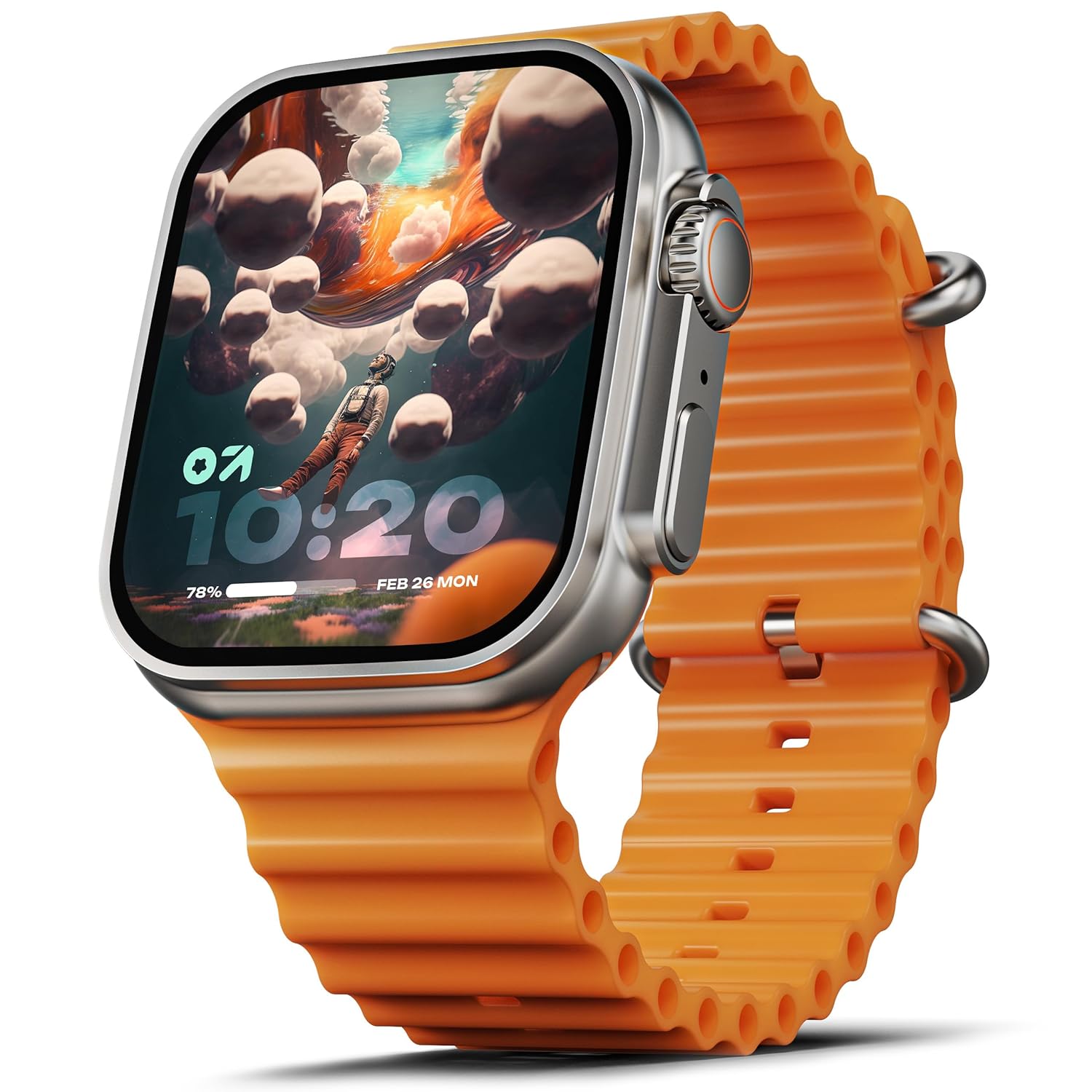
Image: The GOBOULT Crown Smart Watch, featuring a large display and an orange silicone strap.
Қорапта не бар
Қорапты ашқан кезде, келесі заттардың барлығының бар екеніне көз жеткізіңіз:
- GOBOULT Crown Smart Watch
- Зарядтау кабелі
- Пайдаланушы нұсқаулығы
- Кепілдік картасы
Бастау
1. Смарт сағатты зарядтау
Before initial use, fully charge your GOBOULT Crown Smart Watch. Connect the provided charging cable to the charging port on the back of the watch and to a standard USB power adapter. The watch display will indicate charging status.
2. Қосу / Өшіру
To power on, press and hold the side button until the GOBOULT logo appears. To power off, navigate to the settings menu on the watch, select 'Power Off', and confirm.
3. Смартфоныңызбен жұптастыру
- Download the official GOBOULT companion app from your smartphone's app store (available for Android and iOS).
- Смартфонда Bluetooth қосылғанына көз жеткізіңіз.
- Open the GOBOULT app and follow the on-screen instructions to search for and pair with your Crown Smart Watch.
- Телефонда да, сағатта да жұптастыру сұрауын растаңыз.
Пайдалану нұсқаулары
Дисплей және навигация

Image: Close-up of the smartwatch display, highlighting its 1.95-inch size and 900 Nits brightness for clear visibility.
- 1.95 дюймдік HD дисплей: The large, high-definition screen provides clear visuals and responsive touch interaction.
- 900 нит жарықтығы: Тіпті ашық ауада да тамаша көрінуді қамтамасыз етеді.
- Working Rotating Crown: Use the functional rotating crown on the side of the watch to scroll through menus, zoom in/out, and switch watch faces.
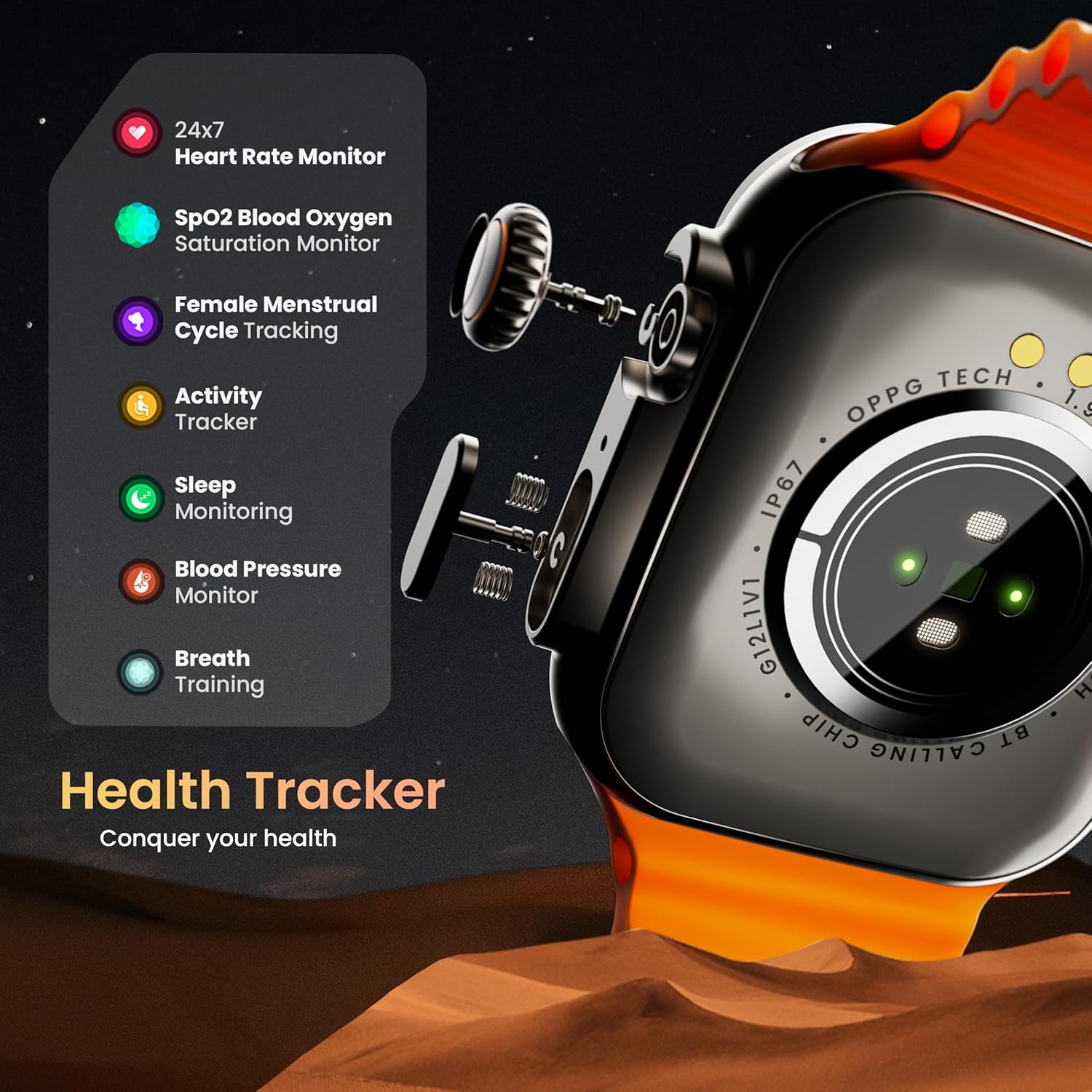
Сурет: жарылған view illustrating the internal mechanism of the working rotating crown, used for navigation and control.
Bluetooth қоңырауы

Image: The smartwatch screen showing an incoming call, alongside diagrams explaining Bluetooth 5.2 calling features like call answer/reject, dial pad, and contact sync.
The GOBOULT Crown Smart Watch supports Bluetooth Calling 5.2, allowing you to make and receive calls directly from your wrist. It features a built-in speaker and microphone for clear communication.
- Қоңырауларға жауап беру/қабылдамау: Tap the green icon to answer or the red icon to reject an incoming call.
- Теру тақтасы: Access the dial pad on the watch to make outgoing calls.
- Контактілерді синхрондау: Sync your phone's contacts to the watch via the companion app.
Денсаулықты бақылау
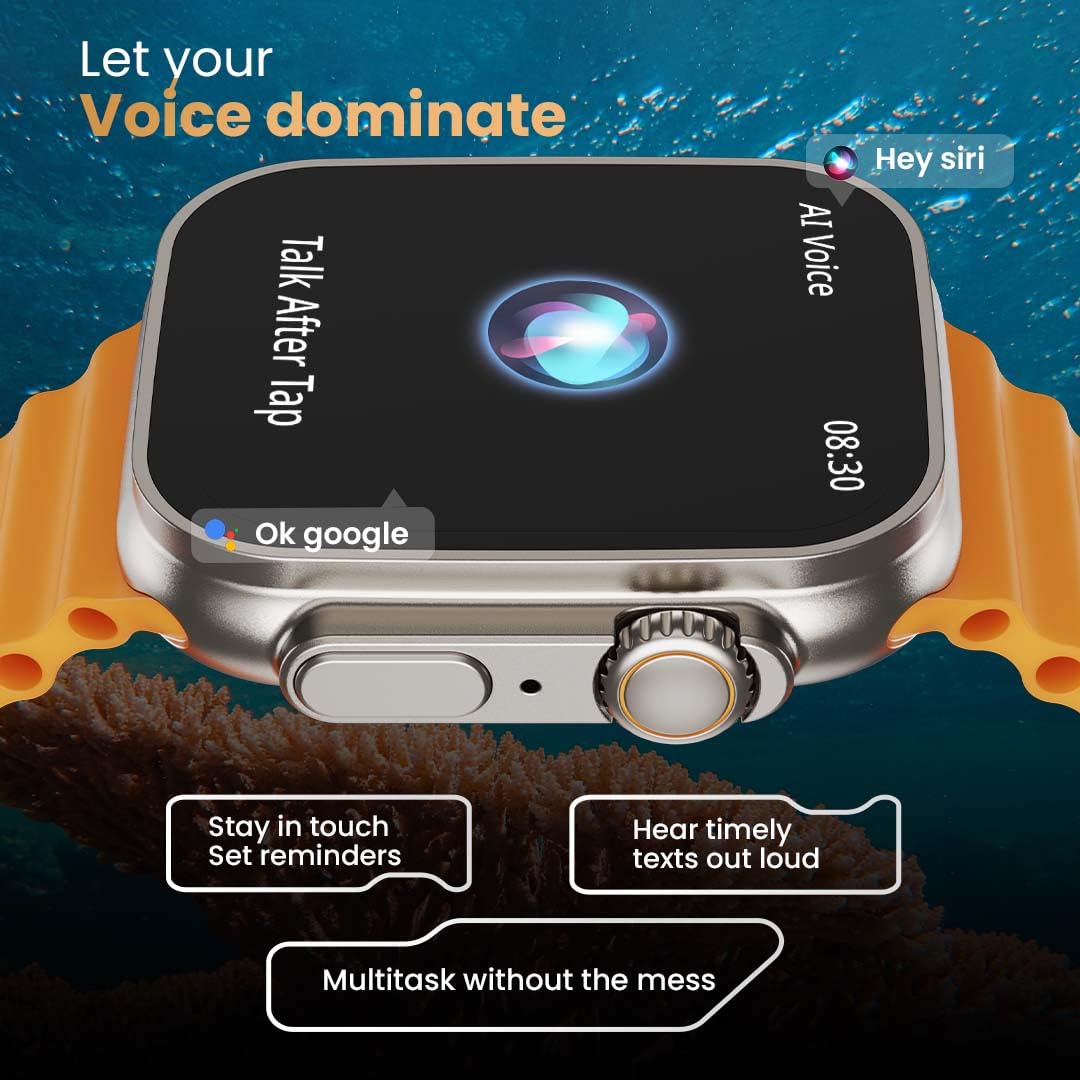
Image: The rear of the smartwatch showing its health sensors, accompanied by a list of health metrics it tracks, including heart rate, SpO2, and sleep.
The watch is equipped with an advanced health suite to help you monitor your well-being:
- 24/7 Heart Rate Monitor: Күні бойы жүрек соғу жиілігін бақылайды.
- SpO2 Blood Oxygen Saturation Monitor: Қандағы оттегінің деңгейін өлшейді.
- Ұйқының мониторингі: Ұйқы үлгілері мен сапасын талдайды.
- Әрекетті бақылау құралы: Records steps, distance, and calories burned.
- Әйелдердің етеккір циклін бақылау: Менструальдық цикл туралы түсініктер мен болжамдар береді.
- Тыныс алу жаттығулары: Релаксацияға арналған тыныс алу жаттығулары.
Спорт режимдері
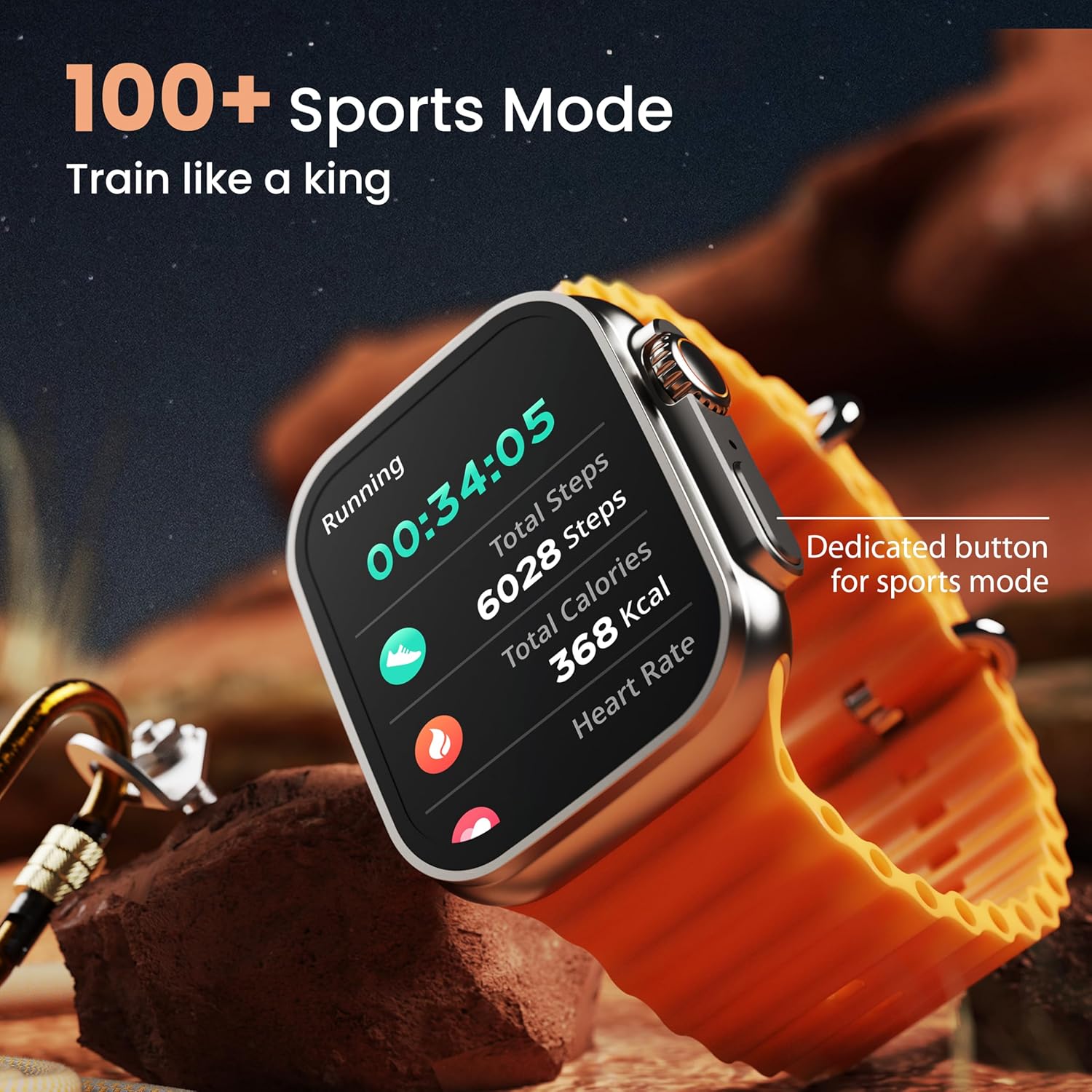
Image: The smartwatch screen showing a 'Running' sports mode with real-time metrics like duration, total steps, calories, and heart rate. A dedicated button for sports mode is also visible.
With over 120 sports modes, the GOBOULT Crown Smart Watch can track a wide range of physical activities. Select your desired sport from the watch menu to record real-time metrics, performance insights, and track your progress.
Баптау

Сурет: коллаж шоуыasing various watch faces, including custom and animated options, along with different UI styles available for personalization on the smartwatch.
Ақылды сағат тәжірибеңізді жекелендіріңіз:
- 100+ Cloud-Based Watch Faces: Choose from a wide selection of watch faces available through the companion app.
- Теңшеу опциялары: Customize your screen with widgets, backgrounds, and layouts to match your style.
- 8 UI Styles: Select from different user interface styles for menu navigation.
Қосымша функциялар
- AI дауыстық көмекшісі: Interact with your watch using voice commands (e.g., "Hey Siri" or "Ok Google") for tasks like setting reminders or hearing texts aloud.
- Менің телефонымды табу: If your paired phone is misplaced, use this feature on your watch to make it ring/vibrate.
- Шағын ойындар: Enjoy pre-installed mini-games directly on your watch.
- Хабарландырулар мен еске салғыштар: Receive SMS, WhatsApp, social media, and mail notifications. Set goal achievement reminders.
- Калькулятор: A basic calculator function is available on the watch.
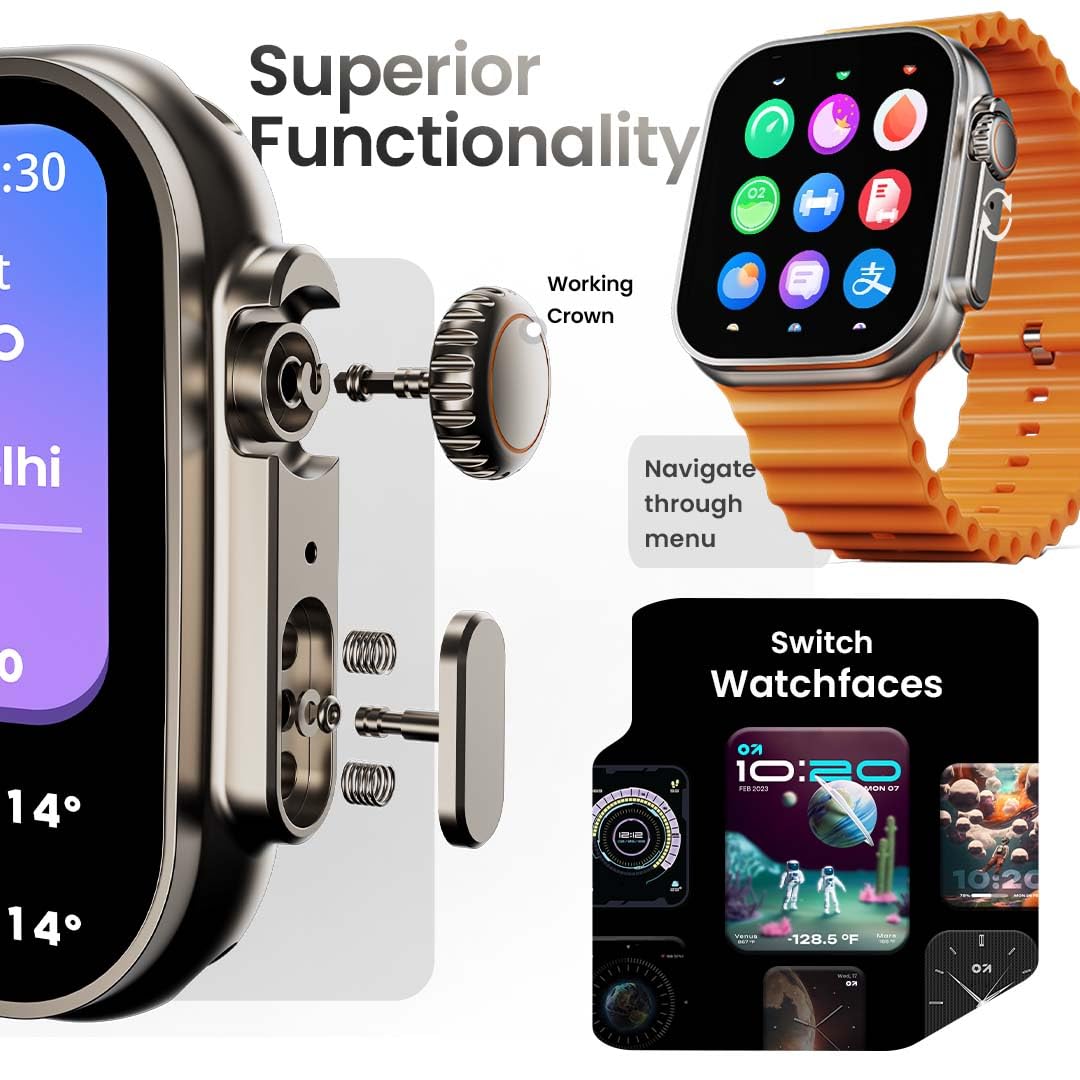
Image: The smartwatch screen showing the AI Voice Assistant interface, indicating support for voice commands like "Hey Siri" and "Ok Google".
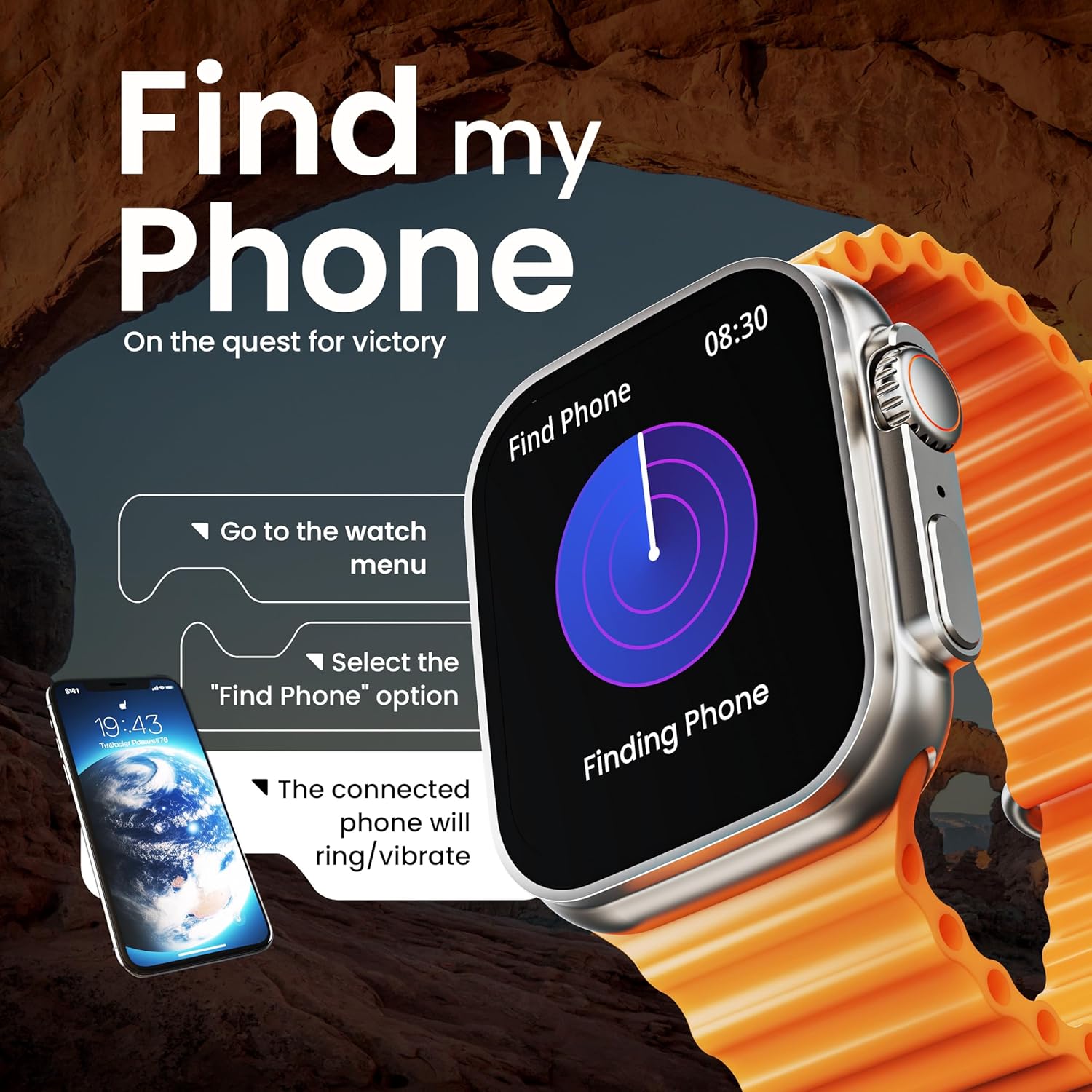
Image: The smartwatch screen illustrating the 'Find Phone' feature, with instructions on how to activate it to locate a connected smartphone.
Сурет: Ақылды сағаттың экрандық көрінісіasing a selection of mini-games available on the device, such as 'Young Bird', 'Hamster', and 'Battleships'.

Image: The smartwatch screen showing a calculator interface, along with a pop-up notification and a list of reliable and robust features like sync notifications and reminders.
Техникалық қызмет көрсету
Тазалау
Regularly clean your smartwatch and strap to prevent skin irritation and maintain device hygiene. Use a soft, lint-free cloth. If necessary, slightly dampшүберекке су құйыңыз. Қатты химиялық заттардан немесе абразивті материалдардан аулақ болыңыз.
Суға төзімділік
The GOBOULT Crown Smart Watch is IP67 water resistant. This means it is protected against dust and can withstand immersion in water up to 1 meter for up to 30 minutes. It is suitable for daily use and light splashes but not recommended for swimming, showering, or diving.
Бау күтімі
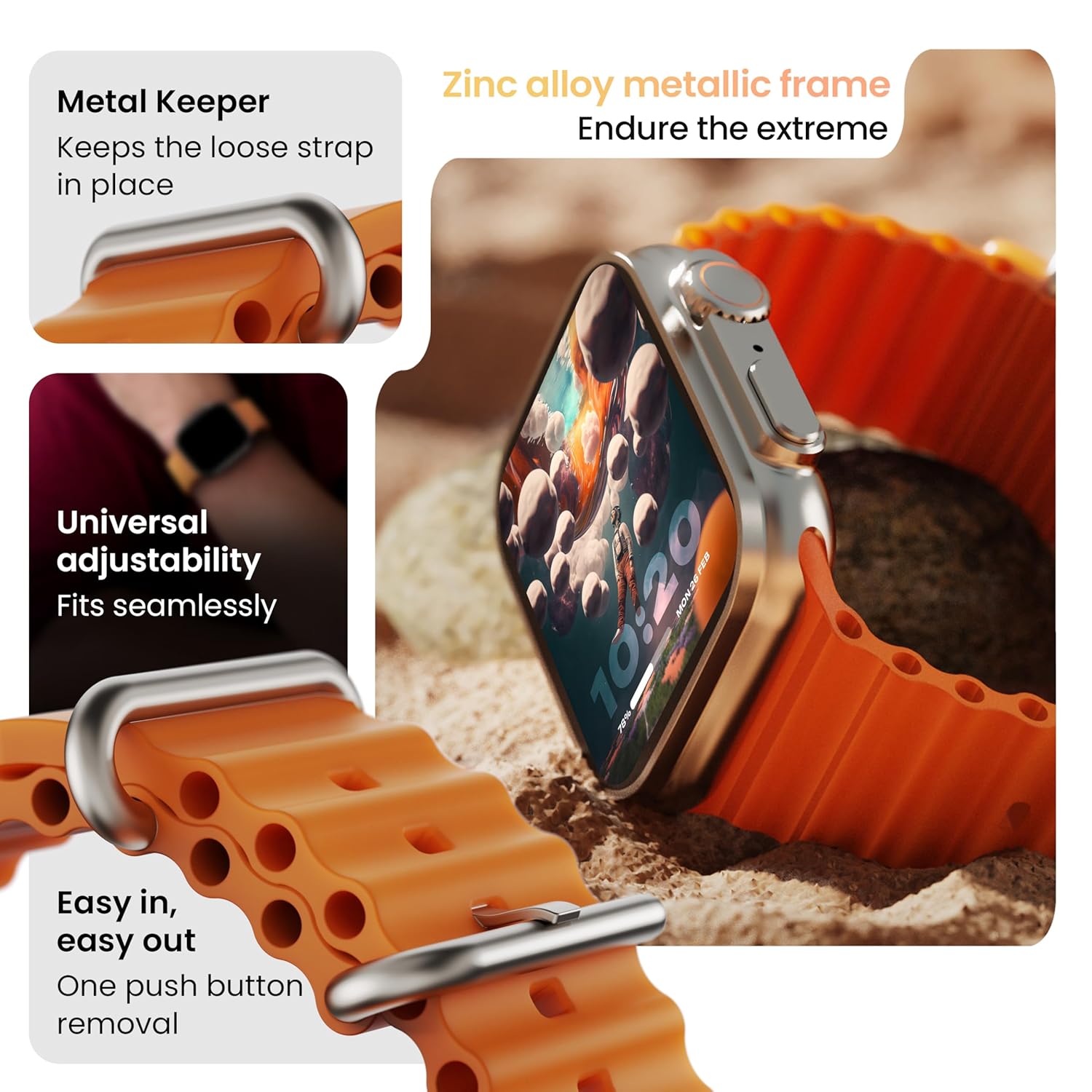
Сурет: егжей-тегжейлі view of the smartwatch strap, highlighting features such as the metal keeper for securing the loose end, universal adjustability for a seamless fit, and a push-button mechanism for easy removal.
The skin-friendly silicone strap is designed for comfort. Ensure it is not too tight or too loose for accurate health tracking. Clean the strap regularly, especially after workouts, to remove sweat and dirt.
Ақаулықтарды жою
«Қосу жоқ» бөлімін қараңыз
- Сағаттың толық зарядталғанына көз жеткізіңіз. Оны зарядтағышқа кемінде 30 минут қосыңыз.
- Мәжбүрлі қайта іске қосу үшін бүйірлік түймені 10-15 секунд басып тұрыңыз.
Жұптастыру мәселелері
- Телефонда және сағатта Bluetooth қосылғанын тексеріңіз.
- Ensure the watch is within the Bluetooth range (approximately 10 meters).
- Телефонды да, сағатты да қайта іске қосыңыз.
- Clear the Bluetooth cache on your phone or forget the device and try pairing again.
Дұрыс емес денсаулық деректері
- Сағаттың білегіңізге мықтап тағылғанына, бірақ тым тығыз емес екеніне көз жеткізіңіз.
- Сағаттың артындағы сенсорларды тазалаңыз.
- Avoid excessive movement during measurements for better accuracy.
Хабарландырулар көрсетілмейді
- Check if the watch is properly connected to your phone via Bluetooth.
- Verify notification permissions for the GOBOULT app in your phone's settings.
- Ensure 'Do Not Disturb' mode is not active on either your phone or watch.
Техникалық сипаттамалар
| Ерекшелік | Мәлімет |
|---|---|
| Бренд | GOBOULT |
| Үлгі | Crown смарт сағаты |
| Дисплей өлшемі | 1.95 дюйм |
| Дисплей жарықтығы | 900 Ниц |
| Қосылу мүмкіндігі | Bluetooth 5.2 |
| Операциялық жүйе | Android Wear 1.0, iOS compatible |
| Батареяның қызмет ету мерзімі (орташа) | 7 күн |
| Батареяны зарядтау уақыты | 150 минут |
| Батарея сыйымдылығы | 300 млнamp Сағат |
| Суға төзімділік | IP67 |
| Элемент салмағы | 40 г |
| Қосылған құрамдас бөліктер | Smartwatch, Charging Cable, User Manual, Warranty Card |
Кепілдік және қолдау
Your GOBOULT Crown Smart Watch comes with a Warranty Card included in the box. Please refer to this card for detailed information regarding warranty coverage and terms. For technical support or further assistance, please contact GOBOULT customer service through the contact information provided on the warranty card or the official GOBOULT webсайт.


