Кіріспе
This manual provides comprehensive instructions for the setup, operation, and maintenance of your AOPICK 7" LCD Digital Microscope. Designed for detailed observation and analysis, this microscope is suitable for various applications including electronic repair, coin identification, and biological observation. Please read this manual thoroughly before using the device to ensure optimal performance and longevity.
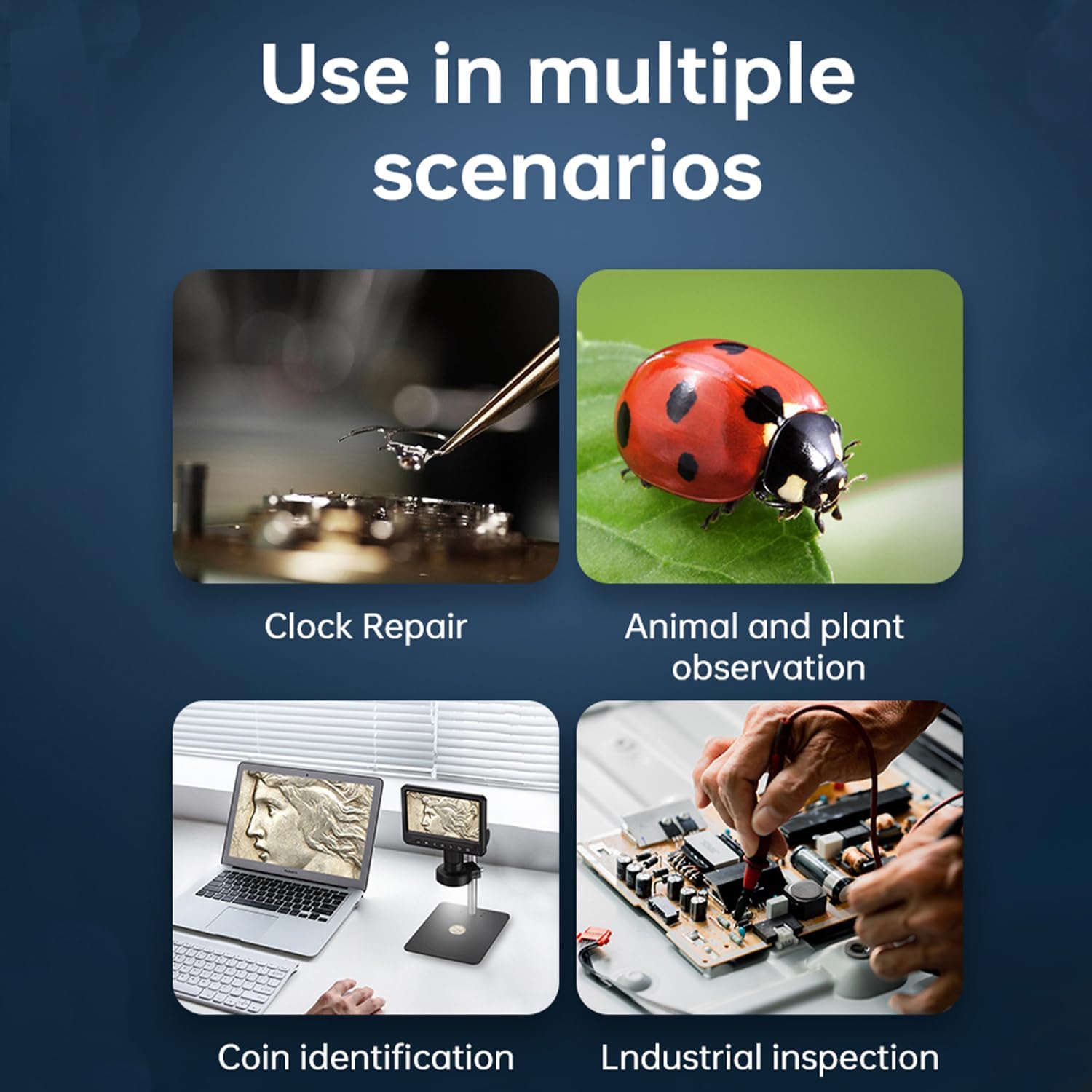
1-сурет: The AOPICK digital microscope is versatile, suitable for applications such as clock repair, observing plants and animals, coin identification, and industrial inspection.
Пакет мазмұны
- AOPICK 7" LCD Digital Microscope Unit
- Metal Stand Assembly (Base, Pillar, Holder)
- Сымсыз қашықтан басқару құралы
- 32 ГБ Micro SD картасы
- USB-C кабелі
- Пайдаланушы нұсқаулығы (бұл құжат)
Өнім аяқталдыview
Familiarize yourself with the components and key features of your digital microscope.
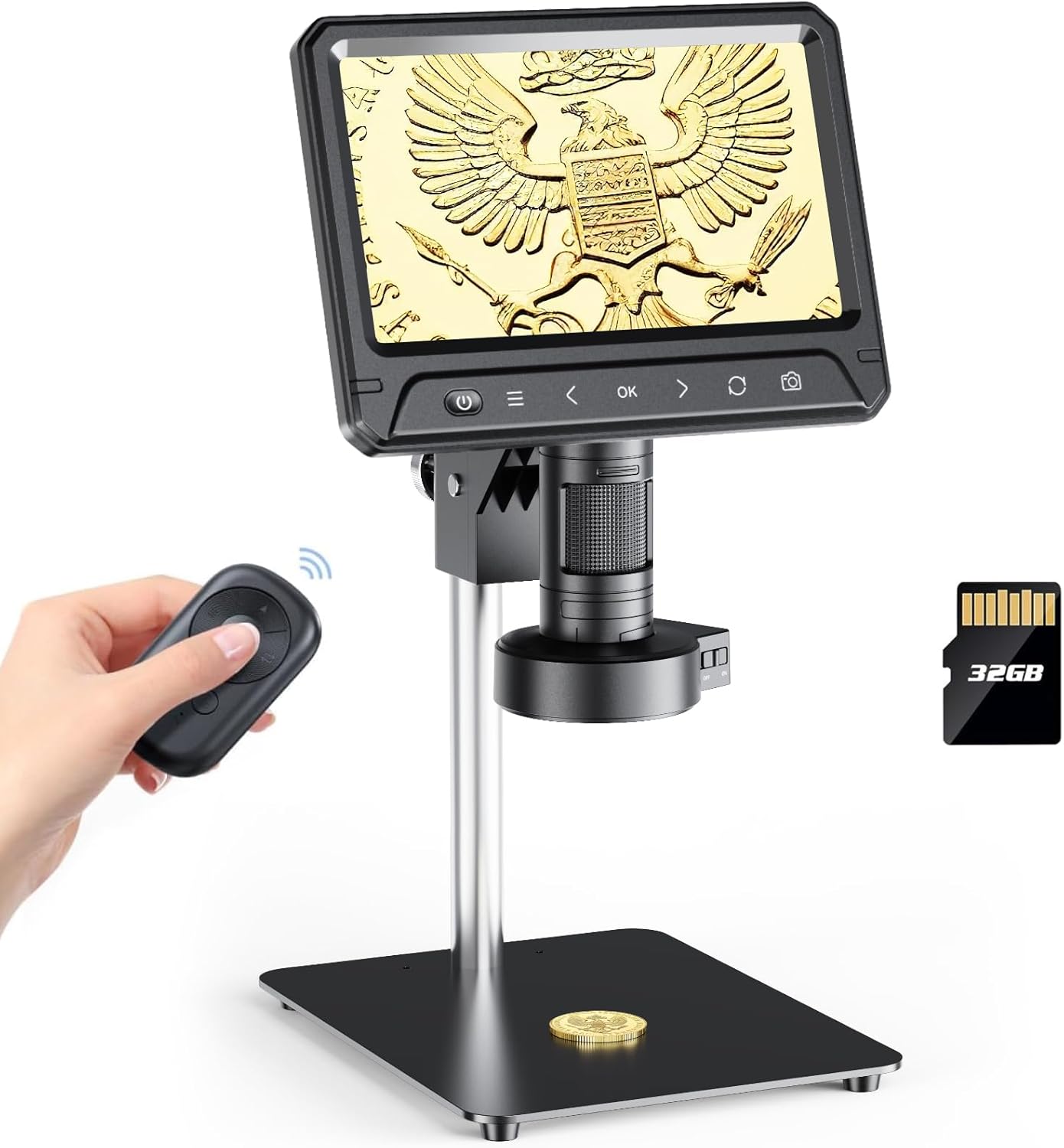
2-сурет: Main components of the AOPICK 7" LCD Digital Microscope, including the display unit, stand, remote control, and Micro SD card.

3-сурет: Detailed product dimensions for the AOPICK 7" LCD Digital Microscope, showing height, width, and depth measurements.
Негізгі ерекшеліктері:
- 7 дюймдік IPS экраны: Ыңғайлы болу үшін үлкен дисплей viewing and detailed analysis.
- 12 МП камера сенсоры: Captures high-resolution images and 1080P HD video.
- 30-жарықдиодты сақиналы шам: Provides uniform and bright illumination for clear observation.
- 50X-1600X үлкейту: Adjustable magnification for various levels of detail.
- Sensitive Touch Control & 2.4G Wireless Remote: Оңай және дәл жұмыс істеу.
- 6.9" Metal Workspace: Spacious and stable platform for objects.
- ДК үйлесімділігі: Connects to Windows/MacOS for larger display and data analysis.
- Photo and Video Functions: Records observations directly to a Micro SD card.
- Эргономикалық дизайн: Screen rotates 90 degrees for comfortable viewбұрыштар.
- Solid Metal Frame: Durable aluminum alloy construction for stability.

4-сурет: Examples of the 50-1200 times magnification capability, showcasing rich layers and detailed views of various objects.
Орнату
- Стендті құрастыру: Secure the metal pillar to the base. Attach the microscope holder to the pillar.
- Микроскоп блогын орнату: Slide the microscope display unit into the holder and tighten the securing knob.
- Micro SD картасын салыңыз: Locate the Micro SD card slot on the microscope unit and insert the provided 32GB card until it clicks into place.
- Қуат қосулы: Connect the USB-C cable to the microscope and a power source (e.g., USB adapter, computer USB port). The microscope has a built-in battery; ensure it is charged for portable use.
Пайдалану нұсқаулары
Негізгі операция:
- Қуатты қосу/өшіру: Press and hold the power button on the microscope unit or remote control to turn the device on or off.
- Үлкейту мен фокусты реттеу: Rotate the focus knob on the microscope lens to achieve a clear image. Adjust the height of the microscope unit on the stand to change the working distance and overall magnification.
- Экранды айналдыру: The 7-inch IPS screen can be rotated up to 90 degrees for optimal viewбұрыштар.
- Adjusting LED Illumination: The 30-LED ring light provides uniform illumination. Use the controls on the microscope or remote to adjust brightness levels.

5-сурет: The 7-inch HD screen offers clear picture quality and can be rotated 90 degrees for ergonomic viewing.

6-сурет: The 30-LED ring light provides comfortable, even illumination without ghosting, with adjustable brightness settings.
Фото және бейнежазба:
- Press the "Photo" button on the microscope or remote to capture still images.
- Press the "Video" button to start and stop video recording.
- All captured images and videos are saved to the inserted Micro SD card.
ДК қосылымы:
The microscope can be connected to a Windows or MacOS computer for a larger display and data analysis.
- Connect the microscope to your computer using the provided USB-C cable.
- For Windows, open the default "Windows Camera" application.
- For MacOS, open the "Photo Booth" application.
- The microscope should be recognized as a webcam, displaying the live feed on your computer screen.

7-сурет: The microscope can be connected to a PC (Windows XP/Vista/7/8/10/11, MacOS X 11.0 or higher) for a larger viewтәжірибесі.
Техникалық қызмет көрсету
- Объектив пен экранды тазалау: Use a soft, lint-free cloth specifically designed for optical surfaces to clean the lens and screen. Do not use abrasive cleaners or solvents.
- Денені тазарту: Wipe the microscope body and stand with a dry or slightly damp мата.
- Сақтау орны: Store the microscope in a clean, dry, and dust-free environment when not in use.
- Батареяға күтім жасау: For optimal battery life, avoid fully discharging the battery frequently. Charge the device regularly, especially if stored for long periods.

8-сурет: The microscope is equipped with a high-quality 3000mAh lithium battery, providing approximately 120 minutes of use on a 180-minute charge.
Ақаулықтарды жою
| Мәселе | Ықтимал себебі | Шешім |
|---|---|---|
| Микроскоп қосылмайды. | Батарея төмен немесе қуат кабелі қосылмаған. | Charge the battery or ensure the USB-C cable is securely connected to a power source. |
| Кескін бұлыңғыр. | Incorrect focus or working distance. | Adjust the focus knob and/or the height of the microscope on the stand. |
| Қосылған кезде компьютерде кескін жоқ. | Incorrect software selected or USB connection issue. | Ensure "Windows Camera" (Windows) or "Photo Booth" (MacOS) is open and the microscope is selected as the camera source. Check USB-C cable connection. |
| Фотосуреттерді/бейнелерді сақтау мүмкін емес. | Micro SD card full, not inserted correctly, or corrupted. | Check if the Micro SD card is properly inserted. Delete old files or replace the card if full/corrupted. Ensure the card is formatted correctly (FAT32). |
Техникалық сипаттамалар
| Ерекшелік | Мәлімет |
|---|---|
| Модель атауы | 331B |
| Экран өлшемі | 7 дюймдік IPS |
| Камера сенсоры | 12 мегапиксель |
| Бейне ажыратымдылығы | 1080P HD |
| Үлкейту диапазоны | 50X - 1600X |
| Жарық көзі | 30-LED Ring Light |
| Сақтау | Micro SD Card (up to 128GB, 32GB included) |
| ДК үйлесімділігі | Windows XP/Vista/7/8/10/11, MacOS X 11.0 or higher |
| Батарея сыйымдылығы | 3000 мАч |
| Материал | Aluminum Alloy (Stand), Plastic (Microscope Unit) |
| Өнім өлшемдері | 11.41"L x 5.11"W x 13.85"H |
| Элемент салмағы | 4.6 фунт |
Кепілдік және қолдау
For warranty information and technical support, please refer to the contact details provided with your purchase or visit the official AOPICK webсайт. Сатып алу түбіртегін кепілдік талаптары үшін сатып алудың дәлелі ретінде сақтаңыз.
Онлайн ресурстар:
- AOPICK Official Store: https://www.amazon.com/stores/Aopick/page/3554E35C-AFDE-482E-B0EC-8FD4AF1B0AF6


