1. Кіріспе
This manual provides essential instructions for the proper setup, operation, and maintenance of your TODO Under Desk Treadmill Remote Control. This remote is designed as a replacement for the original remote control of the TODO Under Desk Treadmill, specifically compatible with Model AD-4000.
Please read this manual thoroughly before using the remote control to ensure safe and efficient operation.
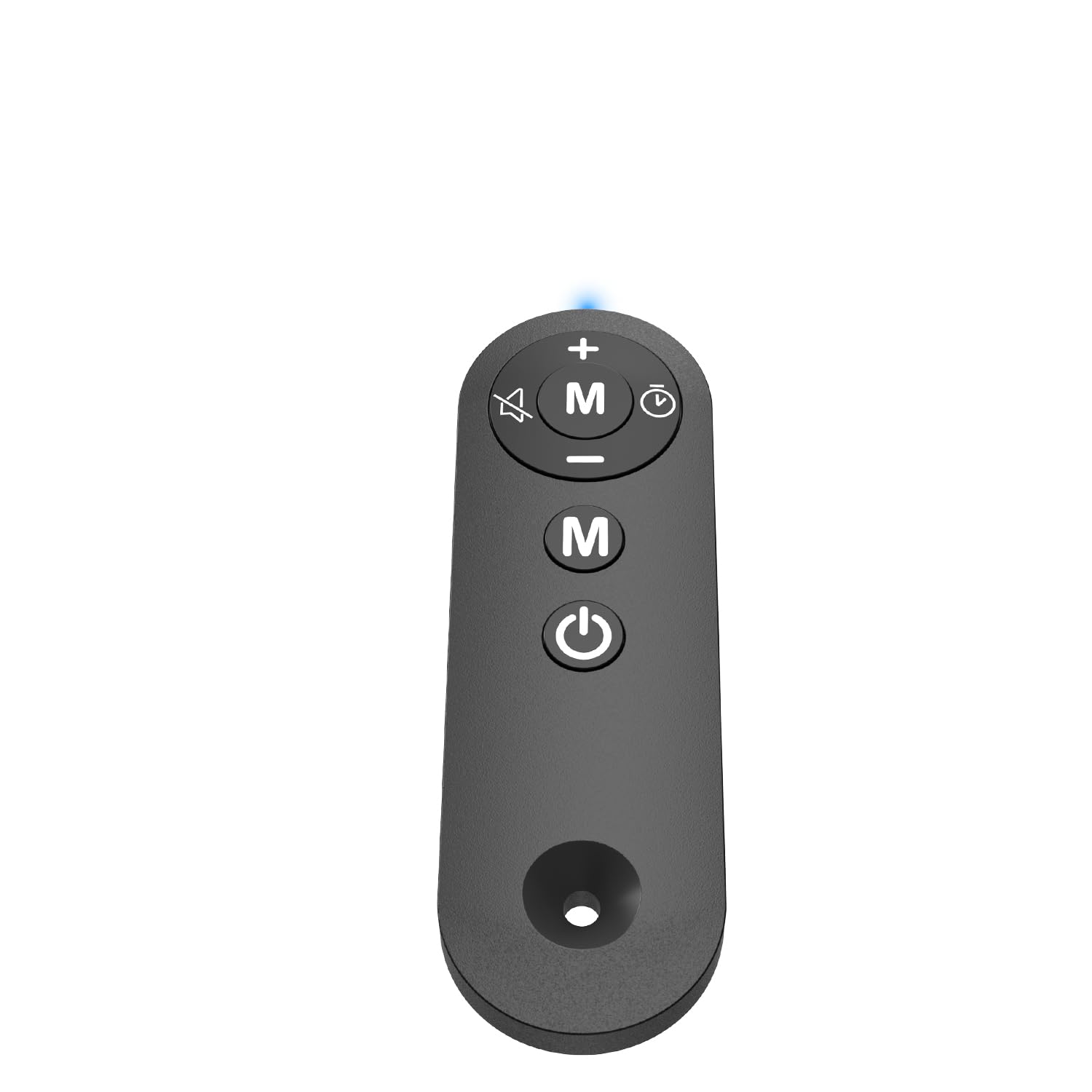
Figure 1: TODO Under Desk Treadmill Remote Control
2. Өнім аяқталдыview
The TODO Remote Control is a compact and portable device designed for convenient operation of your compatible under-desk treadmill. It features intuitive buttons for speed adjustment, mode selection, and power control.
2.1. Қашықтан басқару құралының мүмкіндіктері
- Материал: Acrylonitrile Butadiene Styrene (ABS) for durability.
- Қосылу мүмкіндігі: Infrared (IR) technology for reliable communication with the treadmill.
- Сезімтал түймелер: Responsive controls for precise adjustments.
- Портативті дизайн: Жеңіл және өңдеуге оңай.
1-бейне: аяқталдыview of the Treadmill Remote Control. This video demonstrates the physical features and button layout of the remote control.
3. Орнату
3.1. Батареяны орнату
Қашықтан басқару құралына екі AAA батареясы қажет (жинаққа кірмейді). Батареяларды орнату үшін:
- Қашықтан басқару құралының артқы жағындағы батарея бөлігінің қақпағын табыңыз.
- Қақпақты сырғытып ашыңыз.
- Дұрыс полярлықты (+ және -) қамтамасыз ете отырып, екі AAA батареясын салыңыз.
- Батарея бөлігінің қақпағын мықтап жабыңыз.
Video 2: Treadmill Remote Control Replacement. This video illustrates the process of opening the battery compartment and inserting batteries.
3.2. Бастапқы пайдалану
Before first use, remove the insulating plastic sheet located on the side of the remote control. Once removed, the indicator light in front of the remote should illuminate with a blue light, confirming the remote is ready for use.
Video 3: Treadmill Remote Control Replacement. This video demonstrates the removal of the insulating plastic sheet and the remote's activation.
4. Пайдалану нұсқаулары
Point the remote control directly at the treadmill's receiver for optimal performance. The remote allows you to control various functions of your TODO Under Desk Treadmill.
4.1. Түйме функциялары
- Қуат түймесі (қосу/өшіру): Press to turn the treadmill on or off.
- '+' түймесі: Increases the treadmill speed.
- '-' түймесі: Decreases the treadmill speed.
- 'M' түймесі (режим): Cycles through different operating modes or programs on the treadmill.
Video 4: Walking Pad Remote Replacement. This video demonstrates the functionality of the remote control buttons with a compatible treadmill.
5. Техникалық сипаттамалар
| Бренд | TODO |
| Модель атауы | ҚАШЫҚТЫҚ |
| Өнім өлшемдері | 1.97"D x 0.79"W x 0.28"H |
| Элемент салмағы | 0.07 фунт |
| Материал | Акрилонитрил бутадиен стироны (ABS) |
| Қосылу технологиясы | Инфрақызыл |
| Қуат көзі | Батареямен жұмыс істейді (2x AAA, жинаққа кірмейді) |
| Қосылған құрамдас бөліктер | Қашықтан басқару құралы |
6. Ақаулықтарды жою
6.1. Қашықтан басқару құралы жауап бермейді
- Батареяны тексеру: Батареялардың дұрыс орнатылғанына және заряды жеткілікті екеніне көз жеткізіңіз. Қажет болса ауыстырыңыз.
- Remove Insulating Strip: Verify that the plastic insulating strip has been completely removed from the battery compartment.
- Көру сызығы: Ensure there is a clear line of sight between the remote control and the treadmill's receiver. Obstructions can block the infrared signal.
- Үйлесімділік: Confirm that your treadmill is a TODO brand, specifically Model AD-4000. This remote is designed for this specific model.
6.2. Indicator Light Not On
- Батареяның орнатылуын және зарядталуын тексеріңіз.
- Ensure the insulating plastic sheet is removed.
7. Техникалық қызмет көрсету
To ensure the longevity and proper functioning of your remote control:
- Keep the remote clean and dry. Wipe with a soft, damp қажет болса шүберек.
- Пультті түсіріп алмаңыз немесе қатты соққыларға ұшыратпаңыз.
- Тікелей күн сәулесінен және төтенше температурадан алыс салқын, құрғақ жерде сақтаңыз.
- Қашықтан басқару құралы ұзақ уақыт бойы пайдаланылмаса, ағып кетпеу үшін батареяларды шығарып алыңыз.
8. Кепілдік және қолдау
For warranty information or technical support, please refer to the documentation provided with your TODO Under Desk Treadmill or contact TODO customer service directly. Contact information can typically be found on the manufacturer's webсайтында немесе өнімнің түпнұсқа қаптамасында көрсетілген.

Figure 2: TODO Brand Logo


