Кіріспе
This manual provides essential instructions for the safe and efficient operation, maintenance, and troubleshooting of your BONECO S250 Steam Humidifier. Please read this manual thoroughly before using the appliance and retain it for future reference. Proper use ensures optimal performance and longevity of your humidifier.
Өнім аяқталдыview және Негізгі мүмкіндіктер
The BONECO S250 is a high-performance steam humidifier designed to provide hygienic humidity in rooms up to 480 square feet. It features a digital display and offers both manual and automatic operation modes.
Негізгі ерекшеліктері:
- Hygienic Steam Humidification: Produces clean, warm mist without the need for filter pads or additives.
- Ылғалдылықты автоматты реттеу: Unit automatically adjusts to your desired relative humidity level using a programmable hydrostat.
- Warm Mist Output: A unique cooling fan ensures the mist is cooled to a warmer, safer temperature, suitable for environments with children and pets.
- Сандық дисплей: Provides clear information and allows for easy control.
- Эфир майының үйлесімділігі: Includes a fragrance container for use with essential oils.
- Жеңіл техникалық қызмет көрсету: Features a cleaning mode for simplified descaling.
- Шағын дизайн: Dimensions of 12.4 inches (W) x 6.8 inches (D) x 11 inches (H).

1-сурет: Алдыңғы view of the BONECO S250 Steam Humidifier, showing the water level indicator and digital control panel.

Figure 2: Diagram highlighting key features such as automatic humidity adjustment, smart functions with programmable hydrostat, and suitability for essential oils.

Figure 3: Visual representation of the BONECO S250's dimensions (11 in H, 6.8 in D, 12.4 in W) and capacity (480 sq ft room size, 1.9 gal/day humidity output).
Орнату
1. Қаптаманы ашу
Carefully remove the humidifier from its packaging. Ensure all components are present: the main unit, removable water tank, and fragrance container.
2. Орналастыру
Place the humidifier on a firm, level, and water-resistant surface. Ensure it is positioned away from walls and furniture to allow for optimal mist distribution. The recommended room size for effective humidification is up to 480 square feet.
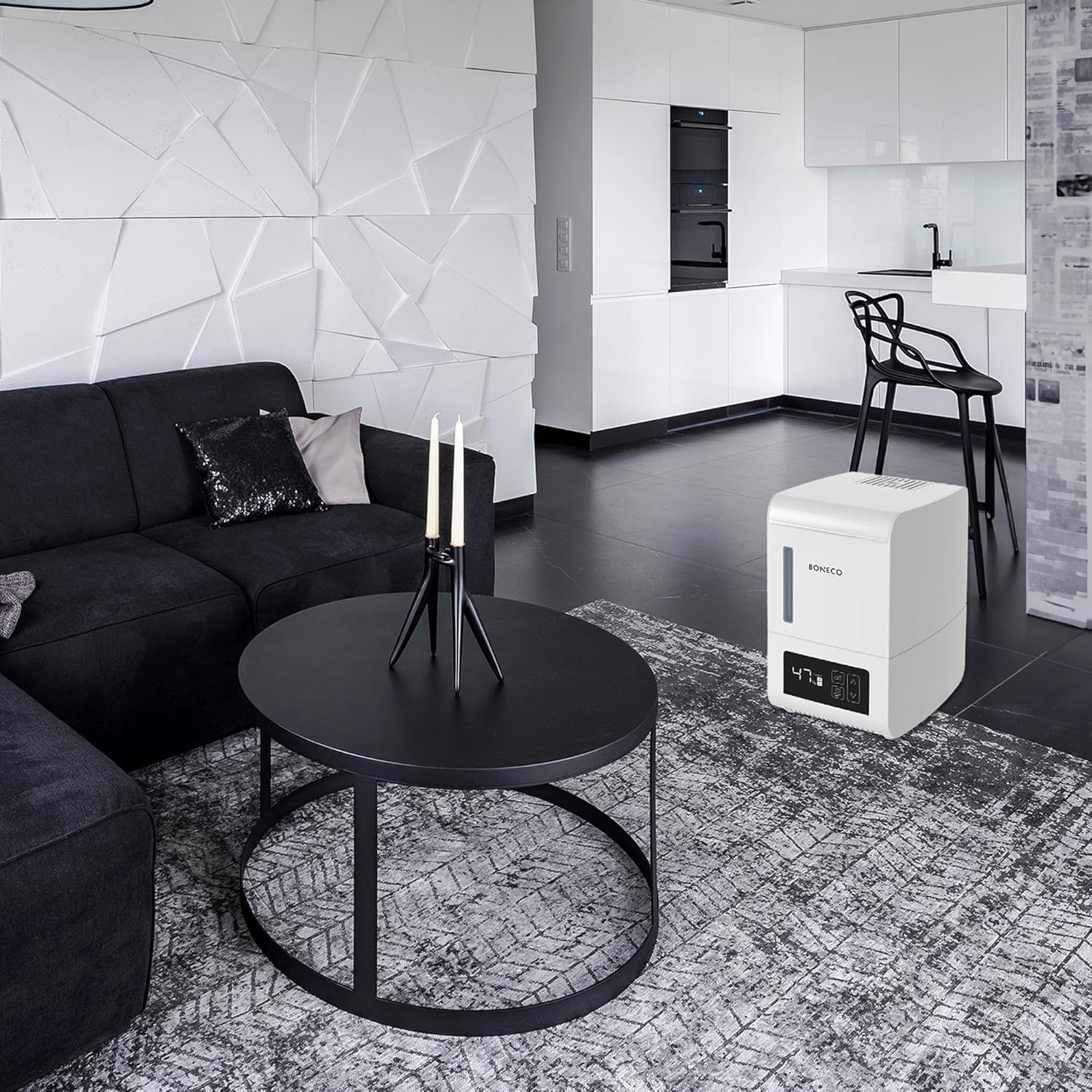
4 -сурет: Мысалыample placement of the BONECO S250 in a living room environment.
3. Су ыдысын толтыру
- Су ыдысын негізгі қондырғыдан алыңыз.
- Unscrew the tank cap and fill the tank with clean, cool tap water. The water capacity is 0.8 gallons.
- Резервуар қақпағын мықтап бұраңыз.
- Place the filled water tank back onto the main unit, ensuring it is seated correctly.
4. Қуат қосылымы
Plug the power cord into a suitable electrical outlet. The digital display will illuminate.
Пайдалану нұсқаулары
1. Қуатты қосу/өшіру
Қуат түймесін басыңыз (⑂) on the digital display to turn the humidifier on or off.
2. Setting Desired Humidity
пайдаланыңыз ▲ (Жоғары) және ▼ (Down) buttons to adjust the desired relative humidity level. The humidifier will automatically work to maintain this level. The digital display shows the current humidity percentage.
3. Жұмыс режимдері
The BONECO S250 offers both manual and automatic operation. Refer to the digital display for mode selection. In automatic mode, the unit will adjust its output to reach and maintain the set humidity level.
4. Using Essential Oils
To use essential oils, add a few drops directly into the designated fragrance container. Do not add essential oils directly into the water tank, as this can damage the unit.

5-сурет: Жақыннан view of the digital display showing humidity percentage and control buttons for power, mode, and adjustment.
Техникалық қызмет көрсету
Regular maintenance ensures the hygienic operation and extends the lifespan of your humidifier. The S250 does not require filter pads.
1. Күнделікті техникалық қызмет көрсету
- Су ыдысын таза, таза сумен толтырыңыз.
- If using essential oils, clean the fragrance container as needed.
2. Weekly Cleaning and Descaling
To prevent mineral buildup (scale) on the heating element, regular descaling is necessary. The S250 features a dedicated cleaning mode.
- Ылғалдатқышты өшіріп, розеткадан ажыратыңыз.
- Remove the water tank and empty any remaining water from both the tank and the base unit.
- Follow the instructions in the user interface to activate the cleaning mode. This typically involves adding a descaling solution (e.g., citric acid or a specialized descaler) to the base unit and running the cleaning cycle.
- After the cleaning cycle, thoroughly rinse the base unit and heating element to remove all descaling solution and loosened scale.
- Барлық беттерді жұмсақ шүберекпен сүртіңіз, damp мата.
Ескерту: Using distilled water can significantly reduce the frequency of descaling required.

Figure 6: Internal diagram showing the water boiling process and steam release, emphasizing the heating element that requires regular cleaning.
Ақаулықтарды жою
If you encounter issues with your BONECO S250, consult the following table before contacting customer support.
| Мәселе | Ықтимал себебі | Шешім |
|---|---|---|
| No mist output. | Water tank empty; Unit not powered on; Heating element scaled; Safety shut-off activated. | Refill water tank; Ensure power is connected and unit is on; Perform descaling procedure; Check for proper assembly. |
| Digital display shows incorrect humidity. | Sensor obstruction; Inaccurate sensor reading. | Ensure nothing is blocking the sensor area; Allow time for the sensor to stabilize; Consider external hygrometer for comparison. |
| Unit is noisy (boiling sound). | Normal operation for steam humidifiers; Mineral buildup on heating element. | A gentle boiling sound is normal for steam humidifiers; If excessive, perform descaling. |
| Құрылғыдан су ағып жатыр. | Water tank not seated correctly; Tank cap not tightened; Unit damaged. | Re-seat the water tank; Tighten the tank cap securely; If damage is suspected, discontinue use and contact support. |
Техникалық сипаттамалар
| Техникалық сипаттама | Мән |
|---|---|
| Бренд | BONECO |
| Модель атауы | S250 |
| Өнім өлшемдері (L x W x H) | 12.4"W x 6.8"D x 11"H |
| Элемент салмағы | 6.2 фунт |
| Room Size (Recommended) | 480 шаршы футқа дейін |
| Су сыйымдылығы | 0.8 галлон |
| Ылғалдылықтың шығуы | 1.9 Gallons per Day |
| Ватtage | 145 ватт |
| Жұмыс режимі | Қолмен, автоматты |
| Бақылау әдісі | Touch (Digital Display) |
| Арнайы мүмкіндіктер | Digital Display, Quiet Operation, Essential Oil Compatible |
| Қосылған құрамдас бөліктер | Humidifier unit, removable water tank, fragrance container |
Кепілдік және қолдау
For information regarding the product warranty, please refer to the warranty card included with your purchase or visit the official BONECO website. For technical support, replacement parts, or further assistance, please contact BONECO customer service.
You can often find contact details on the manufacturer's webсайт: www.boneco.com


