
1. Кіріспе
This manual provides essential information for setting up, operating, and maintaining your RebotAi A9 Android Tablet. Please read it thoroughly before using the device to ensure proper functionality and safety.

Сурет 1.1: Алдыңғы және артқы view of the RebotAi A9 Android Tablet.

1.2-сурет: аяқталдыview of the RebotAi A9 Android Tablet highlighting its 8.68-inch 90Hz IPS display, MediaTek Helio G100 processor, 7.8mm thickness, 360g weight, 18GB RAM, 128GB ROM, 5000mAh battery, 2.4GHz+5GHz WiFi, GPS, and BT5.2.
2. Негізгі мүмкіндіктер
- Процессор: Latest MediaTek Helio G100 (MT8781) octa-core CPU (up to 2.2GHz) for enhanced performance and energy efficiency.
- Жад және сақтау: 18GB RAM (6GB physical + 12GB virtual) and 128GB internal storage, expandable up to 1TB via microSD.
- Көрсеткіш: 8.68-inch high-definition IPS LCD display with 1340x800 resolution, 90Hz refresh rate, and 450 nits brightness.
- Қосылу мүмкіндігі: Dual nano SIM 4G LTE support (B1 / B3 / B7 / B8 / B19 / B20), high-speed 5G Wi-Fi, Bluetooth 5.2, and integrated high-precision GPS.
- Камералар: 13-megapixel autofocus rear camera and 5-megapixel front camera.
- Батарея: 5000mAh large-capacity battery with 20W PD fast charging support.
- Дизайн: Ultra-thin 7.8mm and lightweight 360g nano-coated metal body.
- Бағдарламалық қамтамасыз ету: Runs on Android 15 with GMS certification, supporting various AI applications and features like face recognition (for unlocking).
3. Орнату
3.1 Пакет мазмұны
Барлық элементтер пакетте бар екенін тексеріңіз:
- RebotAi A9 Tablet x1
- Зарядтағыш x1
- USB-C кабелі x1
- Stylus Pen x1
- Screen Protector (pre-applied) x1
- Instruction Manual (Japanese) x1
- SIM Card Pin x1

Image 3.1: Illustration of the RebotAi A9 tablet and its included accessories.
3.2 Бастапқы зарядтау
Before first use, fully charge the tablet using the provided USB-C cable and charger. Connect the USB-C cable to the tablet's charging port and the charger to a power outlet.
Video 3.1: This video demonstrates the physical features of the RebotAi A9 tablet, including its rear camera, side buttons, USB-C port, and speaker grille. It also shows the tablet being charged and powered on, displaying the RebotAi logo.
3.3 SIM картасы мен MicroSD картасын орнату
Locate the card slot on the side of the tablet. Use the provided SIM card pin to open the tray. Insert up to two nano SIM cards and/or one microSD card (up to 1TB) into the tray, ensuring correct orientation. Gently push the tray back into the slot until it clicks into place.
4. Пайдалану нұсқаулары
4.1 Қуатты қосу/өшіру
- Қосу үшін: Press and hold the power button until the RebotAi logo appears.
- Қуатты өшіру үшін: Қуат түймесін басып тұрыңыз, содан кейін экрандағы опциялардан «Қуатты өшіру» тармағын таңдаңыз.
- Қайта бастау үшін: Press and hold the power button, then select 'Restart' from the options on the screen.
4.2 Негізгі шарлау
The tablet uses a touch-sensitive screen for navigation:
- Түртіңіз: Элементті таңдау немесе қолданбаны ашу үшін экранды бір рет түртіңіз.
- Ұзақ баспасөз: Қосымша опциялар үшін элементті түртіп, ұстап тұрыңыз.
- Сырғыту: Беттер арасында жылжу немесе шарлау үшін саусағыңызды экран бойымен сүйреңіз.
- Шымшу: Суреттерді үлкейту немесе кішірейту үшін екі саусақты пайдаланыңыз web беттер.
4.3 Бөлінген экран функциясы
The tablet supports split-screen mode, allowing you to use two applications simultaneously. This feature is useful for multitasking, such as watching a video while chatting or browsing information.

Image 4.1: The tablet demonstrating split-screen mode, allowing two applications to be viewбір мезгілде ed.
5. Қосылу мүмкіндігі
5.1 Wi-Fi қосылымы
The RebotAi A9 supports dual-band 2.4GHz and 5GHz Wi-Fi (802.11ac) for fast and stable internet access.
- өтіңіз Параметрлер > Желі және Интернет > Сымсыз дәлдiк.
- Wi-Fi қосыңыз.
- Тізімнен қалаған желіні таңдап, қажет болса, құпия сөзді енгізіңіз.
5.2 4G LTE Mobile Data and Calls
With dual nano SIM support, you can use 4G LTE for mobile data and voice calls. The tablet supports bands B1 / B3 / B7 / B8 / B19 / B20.
- Ensure SIM cards are correctly installed.
- өтіңіз Параметрлер > Желі және Интернет > Мобильді желі.
- Configure your mobile data settings as per your carrier's instructions.
5.3 Bluetooth қосылымы
The tablet features Bluetooth 5.2 for connecting wireless accessories.
- өтіңіз Параметрлер > Қосылған құрылғылар > Блютез.
- Bluetooth қосыңыз.
- Select the device you wish to pair from the list and follow the on-screen prompts.
5.4 GPS навигациясы
The integrated high-precision GPS supports navigation and location-based services, compatible with Beidou, Galileo, and GLONASS.

Image 5.1: The tablet displaying GPS navigation, indicating its capability for accurate positioning.
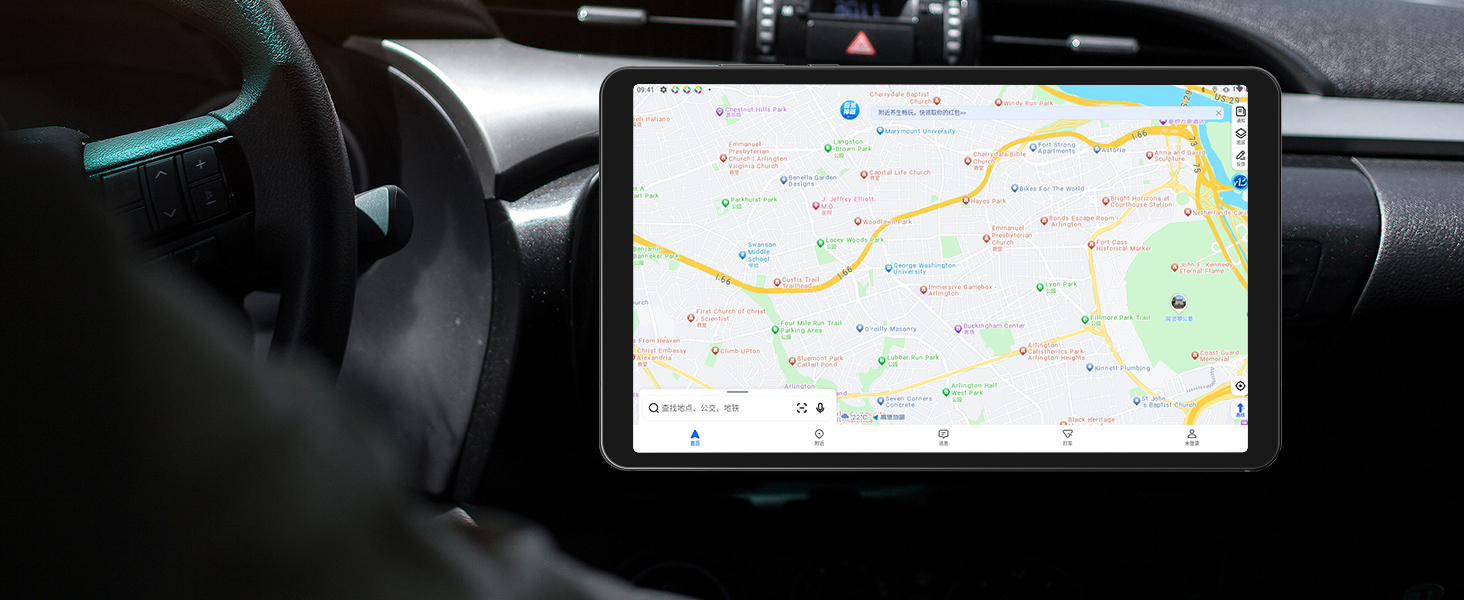
Image 5.2: The RebotAi A9 tablet being used for in-car navigation, demonstrating its GPS functionality.
6. Display and Multimedia
6.1 High-Definition Display
The 8.68-inch IPS LCD display offers a 1340x800 resolution, 90Hz refresh rate, and 450 nits brightness. Its full lamination structure ensures vibrant colors and clear visuals for videos, games, photos, and documents.

Image 6.1: The tablet screen displaying a visual representation of its 90Hz refresh rate.

Image 6.2: The RebotAi A9 tablet showcasing a colorful image on its IPS display, emphasizing visual quality.
6.2 Widevine L1 тірегі
With Widevine L1 certification, the tablet allows high-quality, full HD content streaming from services like Amazon Prime Video, Netflix, Disney+, and Hulu.

Image 6.3: The tablet highlighting its Widevine L1 support for high-definition streaming from various platforms.
6.3 Аудио шығысы
The tablet features dual BOX speakers for clear audio and a 3.5mm headphone jack for private listening.

6.4-сурет: Планшеттің көрінісіasing its dual BOX speakers for enhanced audio experience.
6.4 Сымсыз проекция
The tablet supports wireless projection, allowing you to easily connect to a large-screen TV for sharing content.
7. Камера
The RebotAi A9 is equipped with a 13-megapixel autofocus rear camera and a 5-megapixel front camera, suitable for photography, video calls, and QR code scanning.

7.1-сурет: жақыннан view of the RebotAi A9 tablet's rear camera module.

Image 7.2: Visual representation of the tablet's 5MP front and 13MP rear cameras.
8. Сақтау және өнімділік
8.1 Процессор
The tablet is powered by the MediaTek Helio G100 (MT8781) octa-core processor, featuring two Cortex-A76 and six Cortex-A55 cores, clocked up to 2.2GHz. This configuration provides an AnTuTu score exceeding 400,000, ensuring smooth performance for various applications, including gaming.

Image 8.1: Details of the MTK Helio G100 processor, highlighting its performance and efficiency.
8.2 Жад және сақтау
The RebotAi A9 comes with 18GB RAM (6GB physical + 12GB virtual) and 128GB of internal storage. Storage can be expanded up to 1TB using a microSD card, providing ample space for applications, media, and documents.

Image 8.2: Visual representation of the tablet's 18GB RAM and 128GB ROM, with 1TB expansion capability.

Image 8.3: Illustration of the tablet's large storage capacity, including 6GB+12GB virtual memory, 128GB storage, and 1TB expansion.
8.3 Ойын және ойын-сауық
The combination of the Helio G100 processor, Mali-G76 GPU, 90Hz display, and 6-axis gyroscope provides a responsive and immersive experience for gaming and multimedia consumption.

Image 8.4: The tablet displaying a racing game, demonstrating its smooth performance for gaming.

Image 8.5: A user playing a game on the RebotAi A9 tablet, highlighting its suitability for gaming.

Image 8.6: A user reading comics on the RebotAi A9 tablet, showcasing its display quality for reading.
9. Батарея және зарядтау
The tablet is equipped with a 5000mAh battery and supports 20W PD fast charging, providing extended usage times for various activities such as reading, online classes, video viewing, and work.
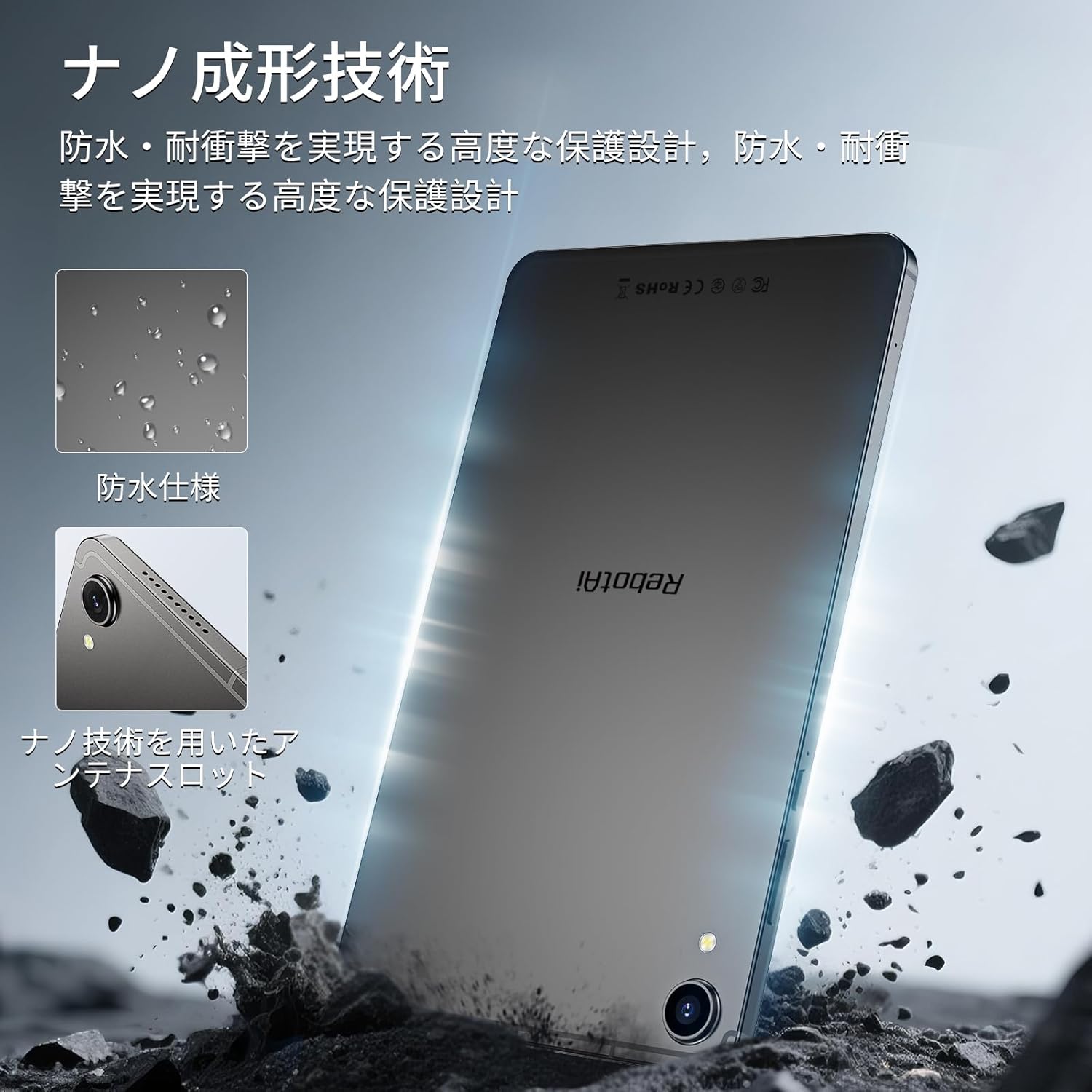
Image 9.1: The RebotAi A9 tablet connected to its charger, indicating its charging capability.

Image 9.2: Details of the tablet's 5000mAh battery and 20W fast charging, with estimated usage times for different activities.
10. Physical Design and Durability
The RebotAi A9 features a nano-coated metal body, offering a smooth and premium feel. Its ultra-thin 7.8mm profile and lightweight 360g design make it highly portable. The nano-molding technology provides enhanced protection against water and impacts.

Image 10.1: The tablet highlighting its water-resistant features and nano-molding technology for durability.

Image 10.2: The RebotAi A9 tablet emphasizing its thinness (7.8mm) and light weight (360g).

10.3-сурет: Егжей-тегжейлі view of the tablet's nano-molding technology, contributing to its robust design.
11. Техникалық сипаттамалар
| Ерекшелік | Техникалық сипаттама |
|---|---|
| Бренд | RebotAi |
| Модель атауы | A9 |
| Операциялық жүйе | Android 15 |
| Процессор | MediaTek Helio G100 (Octa-core, up to 2.2 GHz) |
| GPU | Мали-G76 |
| Жедел Жадтау Құрылғысы | 18 ГБ (6 ГБ физикалық + 12 ГБ виртуалды) |
| Ішкі жад | 128 ГБ |
| Кеңейтілетін сақтау орны | microSD арқылы 1 ТБ дейін |
| Экран өлшемі | 8.68 дюйм |
| Дисплей түрі | IPS СКД |
| Ажыратымдылық | 1340x800 пиксель |
| Жаңарту жылдамдығы | 90 Гц |
| Жарықтық | 450 нит |
| Аспект қатынасы | 16:10 |
| Артқы камера | 13 МП (автофокус) |
| Алдыңғы камера | 5 МП |
| Батарея сыйымдылығы | 5000 мАч |
| Зарядталуда | 20 Вт PD жылдам зарядтау |
| Сымсыз дәлдiк | 802.11ac (2.4GHz/5GHz) |
| Блютез | 5.2 |
| Мобильді желі | 4G LTE (Dual Nano SIM, Bands: B1/B3/B7/B8/B19/B20) |
| GPS | Integrated (Supports Beidou, Galileo, GLONASS) |
| Сенсорлар | 6-axis Gyroscope, Light Sensor, Gravity Sensor, Hall Sensor, Proximity Sensor |
| Порттар | USB 2.0 Type-C, 3.5mm Headphone Jack |
| Өлшемдері | қалыңдығы 7.8 мм |
| Салмағы | Шамамен 360 г |
| Түс | Gray-Metallic |
| Сертификаттар | PSE, TELEC, GMS |
12. Техникалық қызмет көрсету
12.1 Тазалау
Use a soft, lint-free cloth to clean the tablet screen and body. Avoid using harsh chemicals or abrasive materials that could damage the device.
12.2 Бағдарламалық құралды жаңарту
Оңтайлы өнімділік пен қауіпсіздікті қамтамасыз ету үшін жүйелік жаңартуларды тексеріңіз және орнатыңыз. өтіңіз Параметрлер > Жүйе > Жүйені жаңарту.
12.3 Сақтауды басқару
To maintain performance, periodically clear unnecessary files and applications. You can check storage usage in Параметрлер > Сақтау.
13. Ақаулықтарды жою
13.1 Планшет қосылмайды
- Батарея зарядталғанына көз жеткізіңіз. Зарядтағышты қосып, қайта қосу әрекетінен бұрын бірнеше минут күтіңіз.
- Қайта іске қосу үшін қуат түймесін кемінде 10-15 секунд басып тұрыңыз.
13.2 Баяу өнімділік
- Фондық режимде жұмыс істейтін пайдаланылмаған қолданбаларды жабыңыз.
- Жиі қолданылатын қолданбалар үшін кэш деректерін тазалаңыз.
- Check for available system updates.
- Егер мәселелер шешілмесе, зауыттық параметрлерді қалпына келтіруді қарастырыңыз (алдымен деректеріңіздің сақтық көшірмесін жасаңыз).
13.3 Wi-Fi қосылымының ақаулары
- Планшетте Wi-Fi қосылғанына көз жеткізіңіз.
- Wi-Fi маршрутизаторын қайта іске қосыңыз.
- Планшет параметрлерінде желіні ұмытып, қайта қосылыңыз.
14. Кепілдік және қолдау
The RebotAi A9 tablet comes with a 2-year product warranty. This product has obtained all official certifications based on Japanese regulations, including PSE (Electrical Appliance and Material Safety Act), TELEC (Radio Act), and GMS (Google official certification).
14.1 Қолдау қызметіне хабарласу
For any inquiries or issues, please contact the seller through your Amazon purchase history. Alternatively, on the product page, click the store name below the 'Add to Cart' button, then click 'Ask a question' in the upper right corner.

Image 14.1: Warranty and support information for the RebotAi A9 tablet.