
1. Кіріспе
Thank you for choosing the THOMSON TDF-1001P Digital Photo Frame. This device allows you to display your favorite photos and videos, play music, and utilize features like a calendar, clock, and alarm. With Wi-Fi connectivity, you can easily share media and receive weather updates. Please read this manual thoroughly before operating the device to ensure proper use and maintenance.
2. Қауіпсіздік туралы ақпарат
- Құрылғыны ылғалға, жаңбырға немесе төтенше температураға ұшыратпаңыз.
- Құрылғыны жылу көздеріне жақын немесе тікелей күн сәулесі түсетін жерге қоймаңыз.
- Тек берілген қуат адаптерін пайдаланыңыз. Рұқсат етілмеген адаптерлерді пайдалану құрылғыны зақымдауы және кепілдікті жарамсыз етуі мүмкін.
- Құрылғыны өзіңіз бөлшектеуге немесе жөндеуге әрекеттенбеңіз. Барлық қызмет көрсетуді білікті мамандарға тапсырыңыз.
- Құрылғыны күшті магнит өрістерінен алыс ұстаңыз.
- Clean the screen with a soft, dry cloth. Do not use liquid cleaners or sprays directly on the screen.
3. Пакет мазмұны
Пакетте келесі элементтердің бар-жоғын тексеріңіз:
- THOMSON TDF-1001P Digital Photo Frame
- Қуат адаптері
- Пайдаланушы нұсқаулығы (бұл құжат)
- Стенд (бар болса)
4. Өнім аяқталдыview
Familiarize yourself with the components of your digital photo frame.
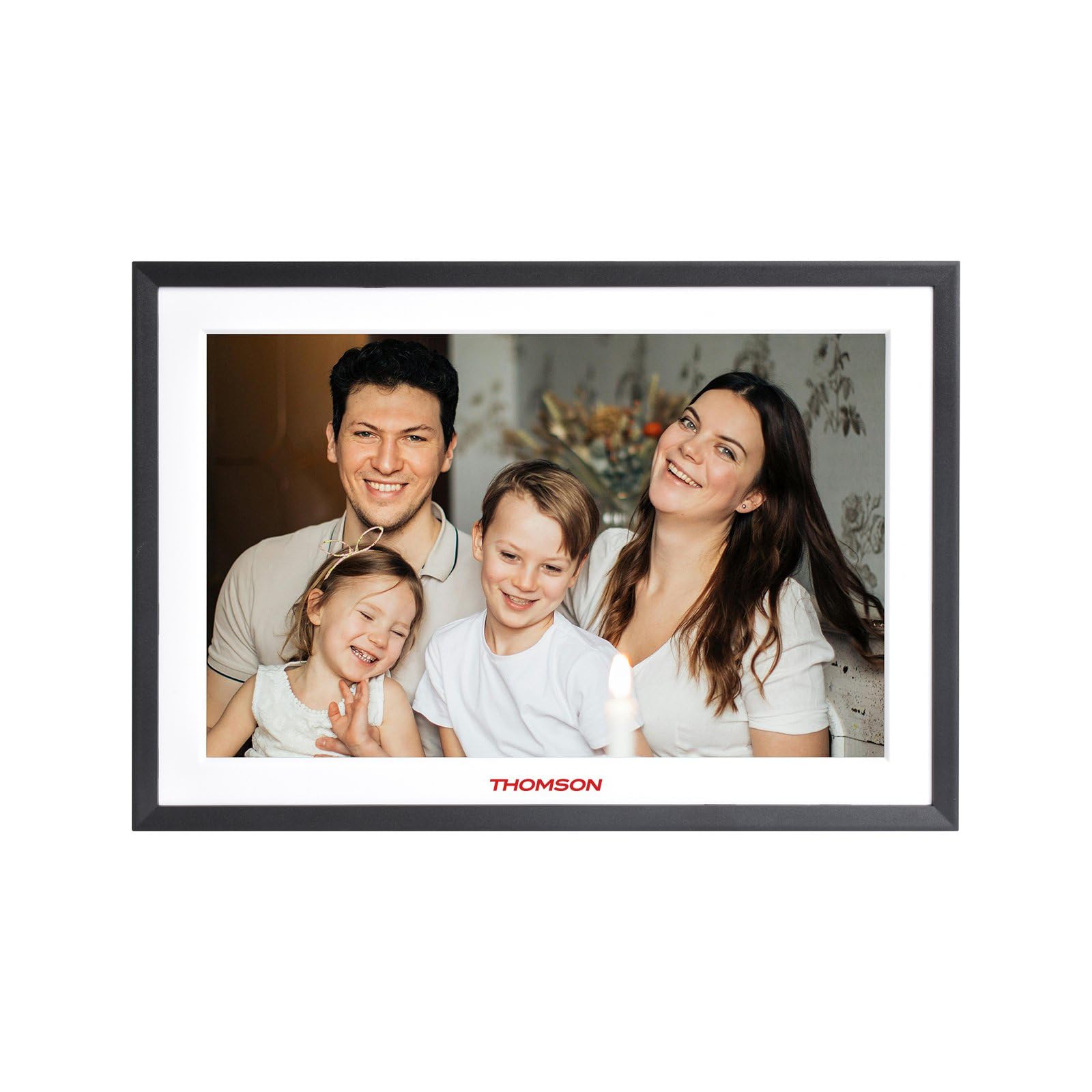
4.1-сурет: Алдыңғы view of the THOMSON TDF-1001P Digital Photo Frame. This image shows the 10.1-inch IPS display with a black frame, designed for clear photo and video playback.
4.1. Алдыңғы панель
- 10.1 дюймдік IPS сенсорлық экраны: The main display for viewing content and interacting with the device.
4.2. Артқы панель және порттар
The rear panel typically includes various ports for connectivity and power.
- Қуат кірісі: Берілген қуат адаптеріне қосылады.
- USB порты: For connecting USB drives to transfer media.
- SD картасы ұясы: For inserting SD cards to expand storage or transfer media.
- Қалпына келтіру түймесі: A small pinhole button to reset the device if necessary.
5. Орнату
5.1. Бастапқы қосу
- Unpack the digital photo frame and its accessories.
- Attach the stand to the back of the frame, ensuring it is securely fastened.
- Қуат адаптерін жақтаудағы қуат кіріс портына қосыңыз.
- Қуат адаптерін қабырға розеткасына қосыңыз. Рама автоматты түрде қосылады.
- Тілді және аймақты таңдау үшін экрандағы нұсқауларды орындаңыз.
5.2. Wi-Fi қосылымы
Connecting to Wi-Fi enables online features like photo sharing and weather updates.
- From the main menu, tap on 'Settings'.
- Select 'Wi-Fi' or 'Network Settings'.
- Toggle Wi-Fi to 'On'. The frame will scan for available networks.
- Тізімнен қалаған Wi-Fi желісін таңдаңыз.
- Экрандағы пернетақтаны пайдаланып Wi-Fi құпия сөзін енгізіп, «Қосылу» түймесін басыңыз.
- Once connected, a Wi-Fi icon will appear on the status bar.
5.3. App Setup for Sharing
To share photos and videos via Wi-Fi, you will need to install the dedicated app on your smartphone.
- Locate the app name or QR code in the frame's settings under 'Cloud Services' or 'App Connection'.
- Download and install the app on your smartphone from your device's app store.
- Қолданбаны ашып, тіркелгі жасаңыз немесе жүйеге кіріңіз.
- Follow the app's instructions to pair your smartphone with the digital photo frame, typically by scanning a QR code displayed on the frame or entering a unique device ID.
- Once paired, you can send photos and videos directly from your smartphone to the frame.
6. Operating the Digital Photo Frame
6.1. Интерфейсті шарлау
The frame features a touch screen for easy navigation. Tap icons to open applications and swipe to browse content or menus.
6.2. Photo and Video Playback
- From the main menu, tap the 'Photos' or 'Gallery' icon.
- Select the source of your media (Internal Storage, SD Card, USB Drive, or Cloud/App).
- Browse through your albums or individual files. Tap on a photo or video to view ол.
- During playback, you can typically swipe left/right to navigate between files, or tap the screen to reveal playback controls (play/pause, next, previous, rotate, delete).
6.3. Музыканы ойнату
- Tap the 'Music' icon from the main menu.
- Select the source of your music files.
- Browse and tap on a song to begin playback.
- Use the on-screen controls for play/pause, skip, volume adjustment, and repeat modes.
6.4. Calendar, Clock, and Alarm
- Күнтізбе: Tap the 'Calendar' icon to view the current date and month. Some models may allow adding events.
- Сағат: The current time is usually displayed on the home screen. Time settings can be adjusted in the 'Settings' menu.
- Дабыл: Access the 'Alarm' function via the main menu or 'Settings'. You can set multiple alarms with custom times and sounds.
6.5. Weather Updates
If connected to Wi-Fi, the frame can display local weather information.
- Раманың Wi-Fi желісіне қосылғанына көз жеткізіңіз.
- Go to 'Settings' and find 'Weather' or 'Location Services'.
- Enable weather updates and set your location (either automatically or manually).
- The weather forecast will then be displayed on the home screen or a dedicated weather widget.
7. Техникалық қызмет көрсету
7.1. Құрылғыны тазалау
- Тазалау алдында құрылғыны әрқашан өшіріп, розеткадан ажыратыңыз.
- Экран мен жақтауды ақырын сүрту үшін жұмсақ, талшықсыз матаны пайдаланыңыз.
- Экрандағы қиын дақтар үшін ақырын басыңызampen the cloth with water or a screen-safe cleaning solution, then wipe gently. Do not spray liquids directly onto the screen.
- Абразивті тазартқыштардан немесе еріткіштерден аулақ болыңыз.
7.2. Сақтау
When not in use for extended periods, store the digital photo frame in a cool, dry place, away from direct sunlight and extreme temperatures. It is recommended to keep the original packaging for storage.
8. Ақаулықтарды жою
Бұл бөлім сізде кездесетін жалпы мәселелерді қарастырады.
| Мәселе | Ықтимал себебі | Шешім |
|---|---|---|
| Жақтау қосылмайды. | Қуат адаптері қосылмаған немесе ақаулы. | Қуат адаптерінің жақтауға және жұмыс істейтін розеткаға мықтап қосылғанына көз жеткізіңіз. Басқа розетканы қолданып көріңіз. |
| Wi-Fi желісіне қосылу мүмкін емес. | Дұрыс емес құпия сөз, байланыс аясынан тыс жерде немесе маршрутизатор мәселесі. | Verify the Wi-Fi password. Move the frame closer to the router. Restart your Wi-Fi router. |
| Photos/videos not displaying. | Қолдау көрсетілмейді file пішім, бүлінген files, or incorrect source selected. | Қамтамасыз ету files are in supported formats (e.g., JPEG for photos, MP4 for videos). Check if the files are corrupted. Select the correct storage source (SD card, USB, internal). |
| Сенсорлық экран жауап бермейді. | Уақытша бағдарламалық құрал ақауы. | Restart the frame by unplugging and replugging the power adapter. If the issue persists, use a pin to press the reset button on the back. |
9. Техникалық сипаттамалар
| Ерекшелік | Техникалық сипаттама |
|---|---|
| Үлгі | TDF-1001P |
| Дисплей өлшемі | 10.1 дюйм |
| Ажыратымдылық | 800 * 1280 IPS |
| Аспект қатынасы | 16:10 |
| Internal Flash Storage | 32 ГБ |
| Сенсорлық экран | G+P Type |
| Қосылу мүмкіндігі | Сымсыз дәлдiк |
| Функциялар | Photo, Music, Video, Calendar, Clock, Alarm, Weather, Wi-Fi Sharing |
| Материал | Plastic black frame and white middle frame |
| Элемент өлшемдері (L x W) | 7.25"L x 10.44"W |
| Қуат көзі | Сымды электр |
10. Кепілдік туралы ақпарат
The THOMSON TDF-1001P Digital Photo Frame comes with a 1 жылдық шектеулі кепілдік from the date of purchase. This warranty covers manufacturing defects in materials and workmanship under normal use. It does not cover damage caused by misuse, accidents, unauthorized modifications, or external causes such as power surges.
Please retain your proof of purchase for warranty claims. For detailed warranty terms and conditions, refer to the warranty card included in your package or contact customer support.
11. Тұтынушыларға қолдау көрсету
If you have any questions, require technical assistance, or need to make a warranty claim, please contact THOMSON customer support. Refer to the contact information provided on the product packaging or the official THOMSON webсайт.
When contacting support, please have your product model number (TDF-1001P) and proof of purchase readily available.