
Кіріспе
The Roku Hiro 32-inch 720p HD Smart TV offers an integrated Roku streaming experience. This television features an HD display for clear picture quality and speakers with enhanced audio. It supports Bluetooth for private listening with headphones and includes Wi-Fi for internet connectivity. The Roku operating system provides a customizable home screen, access to numerous streaming channels, and automatic updates, making it suitable for various living spaces.
Қорапта не бар
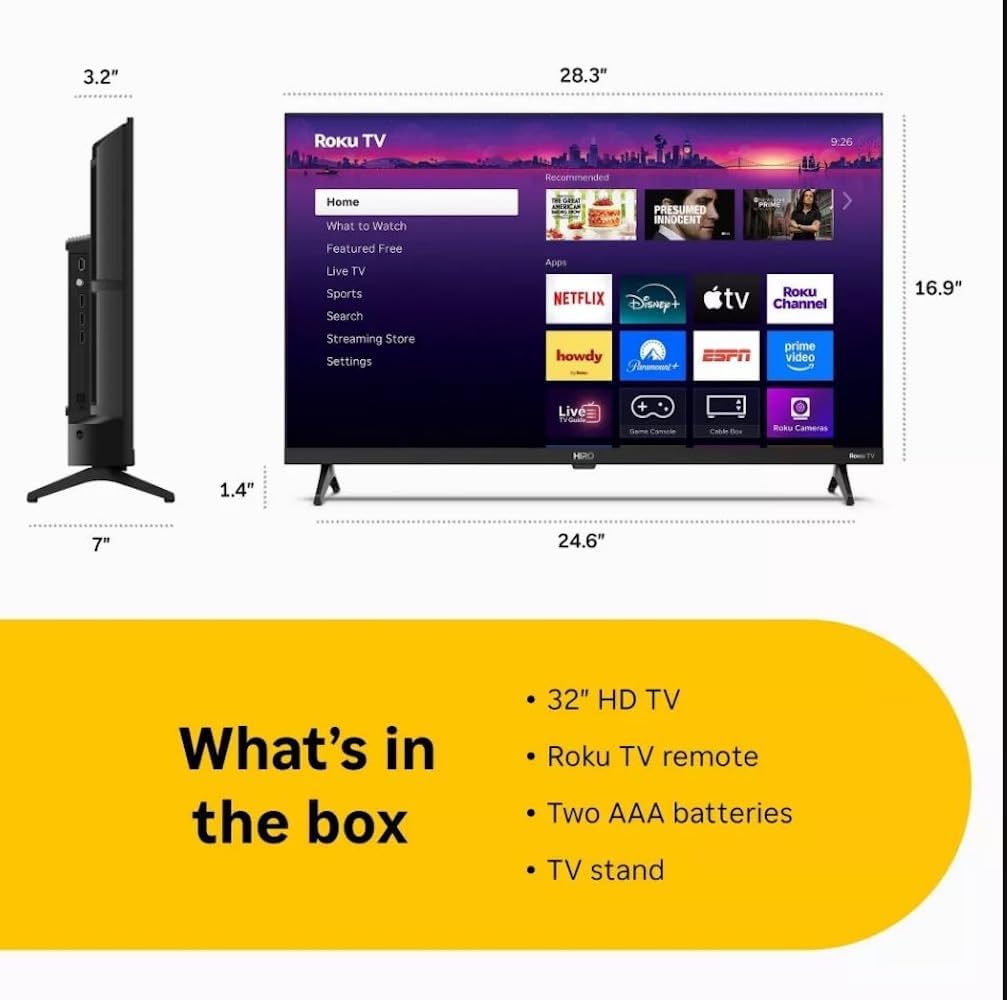
Diagram showing the dimensions of the Roku Hiro 32-inch TV and a list of included accessories: 32-inch HD TV, Roku TV remote, two AAA batteries, and TV stand.
- Hiro 32" 720p HD Smart TV Flat Screen LED Television with Roku TV
- Қашықтан басқару құралы
- Теледидар тірегі
- Қуат кабелі
- Пайдаланушы нұсқаулығы
Орнату
1. Стенд орнату
Carefully place the TV screen-down on a soft, clean surface to prevent damage. Align the TV stand with the designated slots on the bottom of the TV. Secure the stand using the provided screws. Ensure the stand is firmly attached before proceeding.
2. Құрылғыларды қосу

Артқы view of the Roku Hiro TV, showing the input/output ports including USB, HDMI, and antenna connections.
- Қуат: Қуат кабелін теледидардың қуат көзіне, одан кейін қабырға розеткасына қосыңыз.
- HDMI: Connect external devices such as Blu-ray players, game consoles, or cable boxes to the HDMI ports. This TV features 3 HDMI ports.
- USB: USB дискісінен мультимедианы ойнату үшін USB портын пайдаланыңыз.
- Оптикалық аудио: Connect an external sound system using an optical audio cable for enhanced sound.
- Антенна/кабель: Connect an antenna or cable TV feed to the RF input for over-the-air or cable channels.
3. Бастапқы орнату
After connecting all necessary cables, power on the TV. Follow the on-screen instructions to:
- Тіліңізді таңдаңыз.
- Wi-Fi желісіне қосылыңыз.
- Activate your Roku account (or create a new one).
- Scan for available channels if an antenna is connected.
Пайдалану нұсқаулары
Қашықтан басқару функциялары

Close-up of the Roku TV remote control, highlighting buttons for TV power, volume, mute, sleep timer, instant replay, options, and app shortcuts.
- Қуат түймесі: Теледидарды қосады немесе өшіреді.
- Бағыт тақтасы (D-Pad): Мәзірлерді шарлайды және элементтерді таңдайды.
- Жарайды түймесі: Таңдауларды растайды.
- Басты түймесі: Roku негізгі экранына оралады.
- Артқа түймесі: Алдыңғы экранға оралады.
- Дыбыс деңгейін жоғарылату/төмендету: Теледидардың дыбыс деңгейін реттейді.
- Дыбысты өшіру түймесі: Теледидардың дыбысын өшіреді немесе қосады.
- Қолданба пернелер тіркесімдері: Direct access to popular streaming services (e.g., Netflix, Disney+, Apple TV+, Prime Video).
- Ұйқы таймері: Теледидардың автоматты түрде өшуіне таймер орнатады.
- Лезде толтыру: Jumps back a few seconds in supported content.
- Опциялар: Accesses additional settings or information for the current content.
Navigating the Roku OS

The Roku TV home screen interface, showing recommended content and various streaming applications.
The Roku home screen provides access to all your streaming channels, inputs, and settings. Use the D-Pad on your remote to navigate through the menu options on the left and the app grid on the right. You can customize the order of your channels by highlighting an app, pressing the * (Options) button, and selecting 'Move channel'.
Ағынды мазмұн
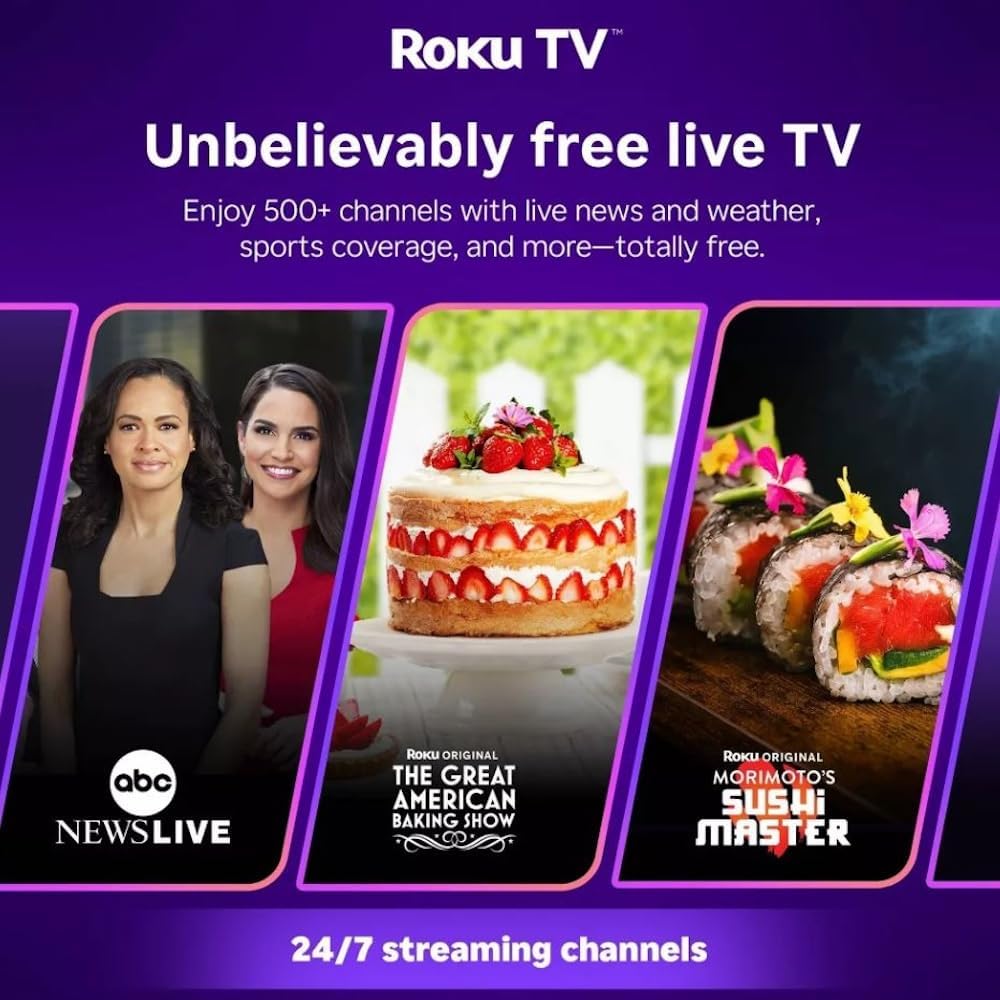
Roku TV interface promoting free live TV channels, featuring examples like ABC News Live, The Great American Baking Show, and Morimoto's Sushi Master.
Access a wide range of streaming services and free content through the Roku Channel Store. The Roku platform offers over 500 free channels, including live television, movies, and news. Use the 'Search' function on the home screen to find specific titles or channels.
Аудио мүмкіндіктері

Roku Hiro TV displaying the home screen with various streaming apps, emphasizing enhanced audio quality.
The TV features enhanced audio quality. For private listening, you can pair Bluetooth headphones directly with the TV. Navigate to Settings > Remotes & devices > Bluetooth devices > Pair new device to connect your headphones.
Техникалық қызмет көрсету
Теледидарды тазалау
- Тазалау алдында теледидарды розеткадан ажыратыңыз.
- Экран мен шкафты ақырын сүрту үшін жұмсақ, талшықсыз шүберекті пайдаланыңыз.
- Қыңыр белгілер үшін жеңіл dampшүберекті сумен немесе жұмсақ, абразивті емес экран тазалағышпен. Тазартқышты тікелей экранға шашпаңыз.
- Қатты химиялық заттарды, абразивті жастықшаларды немесе еріткіштерді пайдаланбаңыз.
Бағдарламалық құрал жаңартулары
The Roku TV automatically checks for and installs software updates when connected to the internet. To manually check for updates, go to Параметрлер > Жүйе > Бағдарламалық құралды жаңарту.
Ақаулықтарды жою
| Мәселе | Шешім |
|---|---|
| Қуат жоқ | Қуат кабелінің теледидарға да, жұмыс істейтін электр розеткасына да мықтап жалғанғанын тексеріңіз. Басқа розеткаға кіріп көріңіз. |
| Сурет жоқ, бірақ дыбыс бар | Кіріс көзін тексеріңіз. түймесін басыңыз Үй button on the remote and select the correct input. Ensure all HDMI cables are securely connected. |
| Дыбыс жоқ, бірақ сурет бар | Дыбыс деңгейін тексеріп, теледидардың дыбысы өшірілмегеніне көз жеткізіңіз. Сыртқы аудионы пайдалансаңыз, қосылымдар мен параметрлерді тексеріңіз. |
| Wi-Fi желісіне қосылу мүмкін емес | Verify your Wi-Fi password. Restart your router and modem. Go to Параметрлер > Желі > Байланысты орнату to reconfigure. |
| Қашықтан басқару пульті жұмыс істемейді | Қашықтан басқару пультіндегі батареяларды ауыстырыңыз. Қашықтан басқару пульті мен теледидардың инфрақызыл сенсоры арасында кедергілер жоқ екеніне көз жеткізіңіз. |
Техникалық сипаттамалар
| Модель атауы | H32C2C4 |
| Экран өлшемі | 32 дюйм |
| Көрсету технологиясы | Жарық диодты индикатор |
| Ажыратымдылық | 720p |
| Жаңарту жылдамдығы | 60 Гц |
| Операциялық жүйе | Roku ОЖ |
| Қосылу технологиясы | Bluetooth, HDMI, Optical Audio, USB, Wi-Fi |
| Total Number of HDMI Ports | 3 |
| Жалпы USB порттары | 1 |
| Өнім өлшемдері (D x W x H) | 3.2"D x 28.3"W x 16.9"H |
| Элемент салмағы | 7.5 фунт |
| Тtage | 120 вольт (AC) |
| Монтаждау түрі | Үстел орнату |
| Түс | Қара |
Кепілдік туралы ақпарат
This Roku Hiro TV is covered by a 90-day Replacement Warranty. Please retain your proof of purchase for any warranty claims. For detailed terms and conditions, refer to the warranty documentation included with your product or visit the official Roku support webсайт.
Қолдау
For further assistance, troubleshooting guides, or to contact customer support, please visit the official Roku support website. You can find comprehensive FAQs and contact information there.