
1. Кіріспе
This manual provides detailed instructions for the LAUNCH Creader Elite V3.0 OBD2 Scanner, a professional diagnostic tool designed specifically for Land Rover and Jaguar vehicles. It covers device setup, operational procedures for various diagnostic and service functions, software updates, and troubleshooting tips. Please read this manual thoroughly before operating the device to ensure correct usage and optimal performance.
2. Өнім аяқталдыview
2.1. Қорапта не бар
- 1 * JLR үшін LAUNCH Creader Elite V3.0 OBD2 сканері
- 1 * OBD2 диагностикалық кабелі
- 1 * Жылдам бастау нұсқаулығы
- 1 * Пайдаланушы нұсқаулығы
2.2. Негізгі мүмкіндіктер
The LAUNCH Creader Elite V3.0 offers a comprehensive suite of features for vehicle diagnostics and maintenance:
- Enhanced Hardware: Features Android 8.1 operating system, 32GB ROM, 3000mAh battery, and 2.4&5GHz dual-band Wi-Fi for improved performance.
- DoIP Protocol Support: Supports the new DoIP protocol for Land Rover & Jaguar models manufactured after 2017 (requires an adapter).
- Толық жүйе диагностикасы: Provides in-depth scanning for all available vehicle modules, including engine, transmission, ABS, SRS, and more.
- Екі бағытты басқару (белсенді сынақ): Allows control of vehicle components and systems for active testing, such as windows, mirrors, wipers, and horn.
- Comprehensive Service Functions: Includes Oil Reset, Electronic Parking Brake (EPB) Reset, Battery Management System (BMS) Reset, Steering Angle Sensor (SAS) Calibration, Injector Coding, Throttle Relearn, Height Calibration, Transmission Adaptation, Crankshaft/Camshaft Relearn, Sunroof Calibration, and more.
- 4-і 1 тікелей деректер ағыны: Displays real-time data from multiple sensors simultaneously in a graphical format, with recording and playback capabilities.
- Smart Diagnostic Functions: Features Auto VIN for automatic vehicle identification, DTC Lookup for code explanations, and the ability to generate and share diagnostic reports.
- Толық OBD2 функциялары: Supports all 10 OBD2 test modes for universal vehicle compatibility (post-1996 models).
- Өмір бойы тегін жаңартулар: Provides lifetime free software updates specifically for Land Rover and Jaguar vehicle brands.
2.3. Device Comparison
The Creader Elite V3.0 offers significant upgrades over previous versions:

Image: Comparison of Creader Elite V3.0, V2.0, and V1.0, highlighting V3.0's superior features like DoIP, Android 8.1, 32GB memory, and 2.4&5GHz WiFi.
2.4. Физикалық сипаттамасы
The device features a durable orange casing with a 4-inch touchscreen display. The back of the device includes product identification details such as the model number, FCC ID, and serial number.
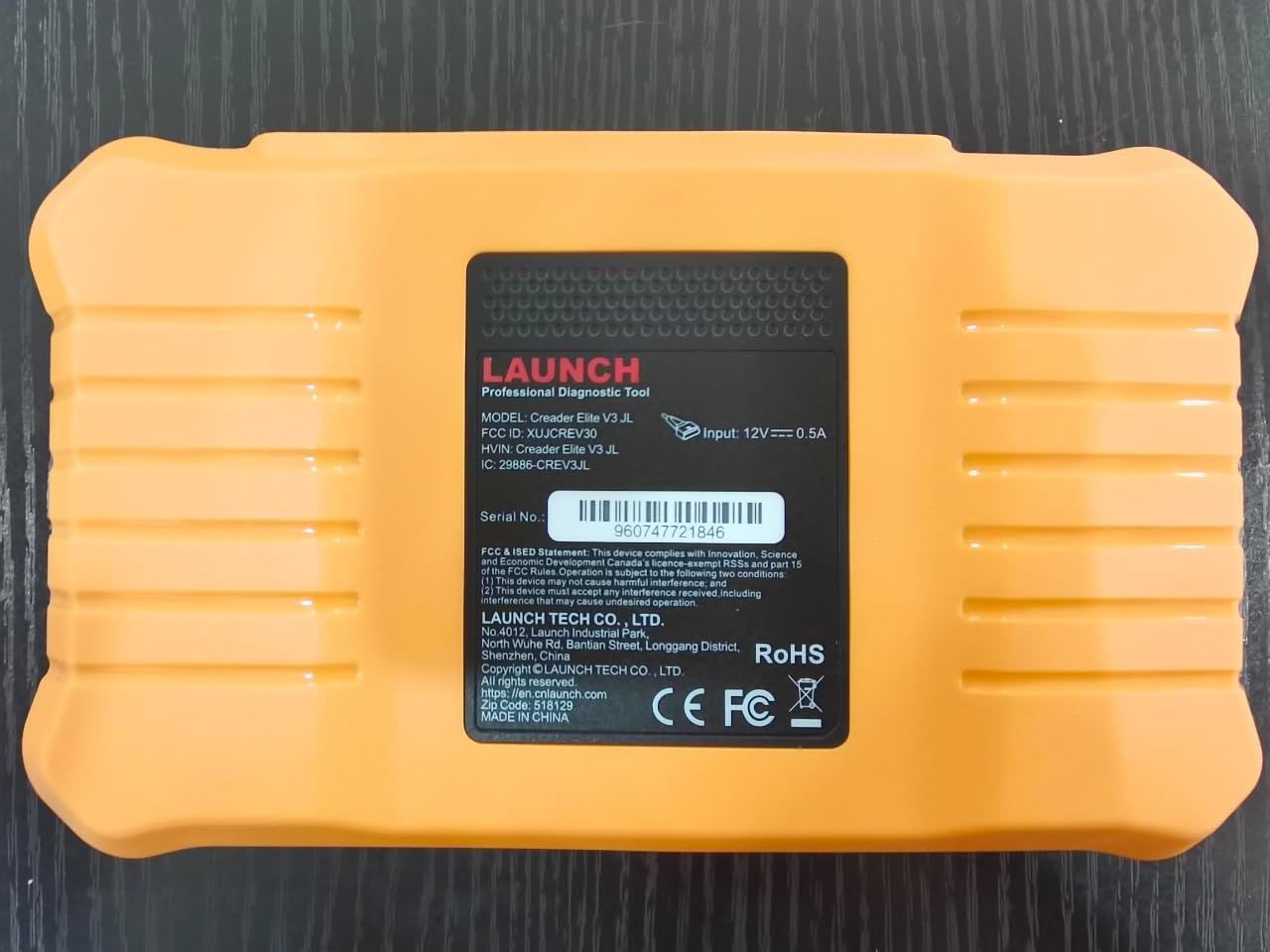
Сурет: артқы view of the LAUNCH Creader Elite V3.0, displaying the model number, FCC ID, and serial number (e.g., 960747721846).
3. Орнату
3.1. Бастапқы қуат қосулы
- Құрылғының толық зарядталғанын немесе қуат көзіне қосылғанын тексеріңіз.
- Экран жанғанша қуат түймесін басып тұрыңыз.
- Қалаған тіл мен аймақты таңдау үшін экрандағы нұсқауларды орындаңыз.
3.2. Wi-Fi қосылымы
- Негізгі мәзірден тармағына өтіңіз Параметрлер.
- таңдаңыз Сымсыз дәлдiк және оны қосыңыз.
- Тізімнен қажетті Wi-Fi желісін таңдап, сұралған жағдайда құпия сөзді енгізіңіз.
- Confirm the connection. A stable internet connection is required for software updates and online resources.
3.3. Тіркеу және іске қосу
Upon first use or after a factory reset, you may be prompted to register your device. Follow the on-screen instructions to create an account or log in. This step is crucial for accessing software updates and technical support.
4. Пайдалану нұсқаулары
4.1. Connecting to the Vehicle
- Locate the vehicle's OBD2 diagnostic port, typically under the dashboard on the driver's side.
- Ensure the vehicle's ignition is in the ON position (engine off or running, depending on the test).
- Connect the OBD2 diagnostic cable to the vehicle's OBD2 port and to the LAUNCH Creader Elite V3.0 device.
- The device will automatically power on or prompt you to do so.
4.2. Full Systems Diagnostics
This function allows you to scan all available electronic control units (ECUs) in the vehicle.

Image: Display showing OE-level all system diagnostics, including Auto VIN, fault codes, 4-in-1 live data, and MIL reset.
- Негізгі мәзірден таңдаңыз Жергілікті диагностика.
- Choose the vehicle brand (Land Rover or Jaguar).
- таңдаңыз Автоматты іздеу or Қолмен таңдау. Auto Search (Auto VIN) will attempt to automatically identify the vehicle.
- Once the vehicle is identified, select Денсаулық туралы есеп or Жүйені сканерлеу to perform a comprehensive scan of all modules.
- Review the diagnostic trouble codes (DTCs) and ECU information. You can then choose to clear codes if necessary.
4.3. Қызметтік функциялар
The Creader Elite V3.0 provides numerous maintenance and reset services. Access these functions via Diagnose > Brand > System Selection > Special Function.

Сурет: аяқталдыview of various service functions including Oil Reset, Brake Reset, SAS Calibration, Start-Stop Reset, TPMS Reset, Injector Coding, Battery Reset, ABS Bleeding, Seat Calibration, and Height Calibration.
Common services include:
- Майды қалпына келтіру: Resets the engine oil life system.
- EPB қалпына келтіру: Resets the electronic parking brake after replacement.
- SAS калибрлеуі: Руль бұрышы сенсорын калибрлейді.
- Инжекторды кодтау: Codes new injector numbers into the ECU.
- Дроссельді қайта үйрену: Дроссель корпусының қалпын қайта үйренеді.
- Биіктікті калибрлеу: Calibrates the vehicle's suspension height.
- Батареяны қалпына келтіру: Registers a new battery replacement.
- ABS қан кетуі: Performs ABS brake bleeding procedures.
Note: The availability of specific service functions may vary depending on the vehicle model and year. Always check compatibility before performing a service.
4.4. Bi-Directional Control (Active Tests)
Active tests allow you to send commands to vehicle systems and components to verify their functionality.

Image: Depicts bi-directional active tests, showing the device sending commands to vehicle actuators like wipers, windows, clutch, and injectors to check their status.
- Navigate to the desired vehicle system within the diagnostic menu.
- таңдаңыз Белсенді сынақ or Екі бағытты басқару.
- Choose the specific component or system you wish to test (e.g., 'Wiper Test', 'Window Test', 'Horn Test').
- Follow the on-screen instructions to activate and observe the component's response.
4.5. Full OBD2 Functions
For universal vehicle diagnostics (all OBD2 compliant vehicles after 1996), use the OBD II мәзір опциясы.
- Кодтарды оқу: Retrieves generic (P0, P2, P3, U0) and manufacturer specific (P1, P3, U1) codes.
- Таза кодтар: Clears diagnostic trouble codes and turns off the Malfunction Indicator Light (MIL).
- Тікелей деректер: Көлік сенсорларынан нақты уақыт режимінде деректер ағынын көрсетеді.
- I/M дайындығы: Checks the readiness of emission-related monitors.
- Фреймді қатыру: Шығарындыларға байланысты ақаулық орын алған кездегі жұмыс жағдайларының суретін көрсетеді.
- O2 сенсорлық сынағы: O2 сенсорының мониторының сынақ нәтижелерін алады.
- Борттық мониторды сынау (6-режим): Шығарындыларға қатысты қозғалтқыш компоненттері мен жүйелері бойынша нәтижелерді шығарады.
- EVAP жүйесінің сынағы (8-режим): Булану шығарындыларын басқару жүйесін сынауды бастайды.
- Көлік туралы ақпарат: Көлік құралының сәйкестендіру нөмірін (VIN), калибрлеу идентификаторын (CALID) және калибрлеуді тексеру нөмірін (CVN) алады.
4.6. Real-Time Monitoring and Data Stream
Monitor various vehicle parameters in real-time to diagnose intermittent issues or verify repairs.

Image: Real-time monitoring screen showing battery voltage, transmission oil temperature, coolant temperature, and vehicle speed, with a detailed 4-in-1 data stream graph below.
- From the diagnostic menu, select Тікелей деректер.
- Бақылағыңыз келетін параметрлерді таңдаңыз.
- The device can display up to four data streams simultaneously in a graphical format.
- пайдаланыңыз Жазба және Ойнату functions to capture and review data for later analysis.
4.7. Smart Diagnostic Features
The device includes features to streamline the diagnostic process:
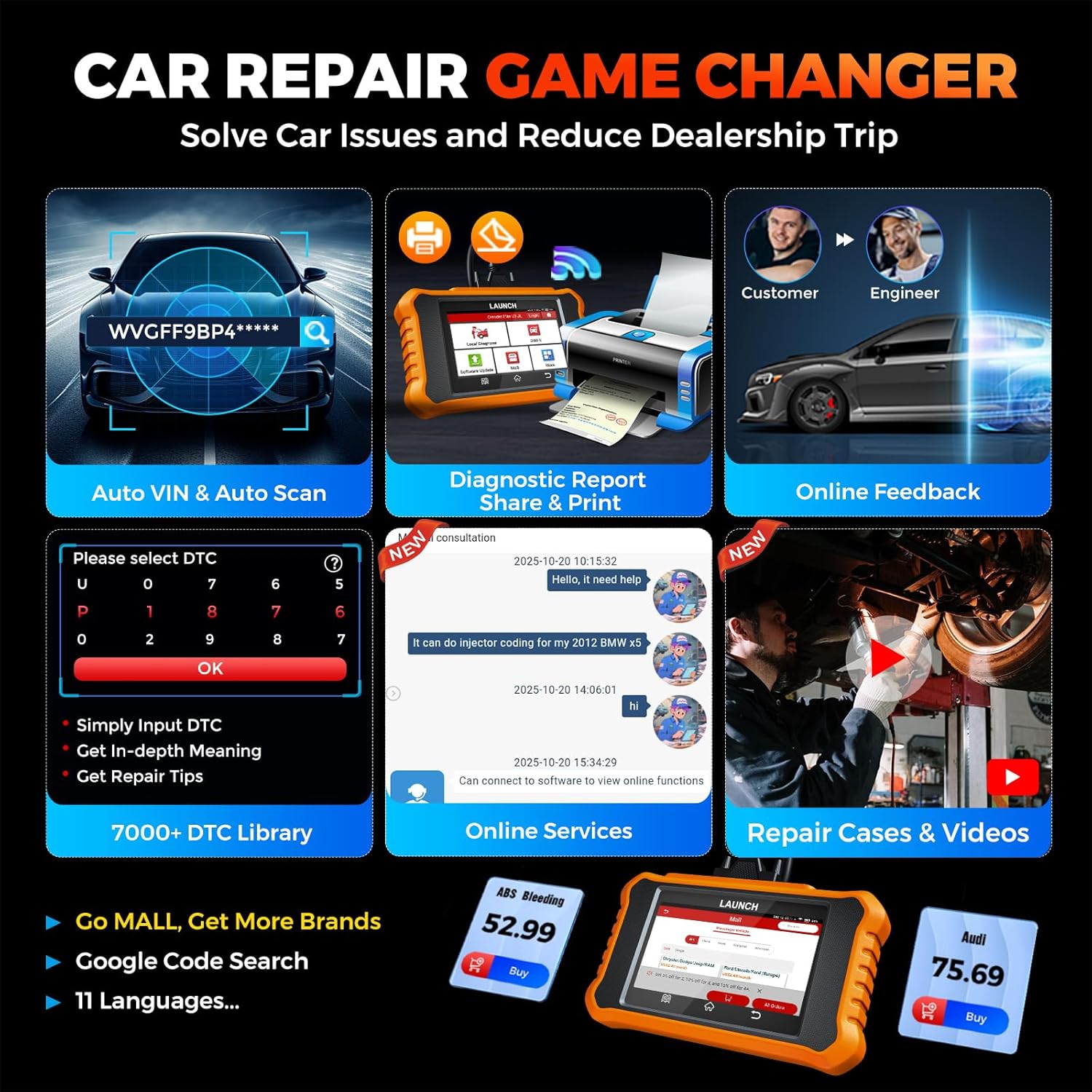
Image: Smart diagnostic features such as Auto VIN, diagnostic report generation and printing, online feedback, 7000+ DTC library, and access to online services.
- Автоматты VIN: Automatically identifies vehicle information (year, make, model) for quicker diagnostics.
- DTC іздеу: Provides detailed explanations for diagnostic trouble codes.
- Диагностикалық есеп: Generates a professional diagnostic report that can be shared or printed.
- Онлайн кері байланыс: Allows users to submit feedback or issues directly to technical support.
5. Техникалық қызмет көрсету және жаңартулар
5.1. Бағдарламалық құралды жаңарту
The LAUNCH Creader Elite V3.0 offers lifetime free software updates for Land Rover and Jaguar brands.
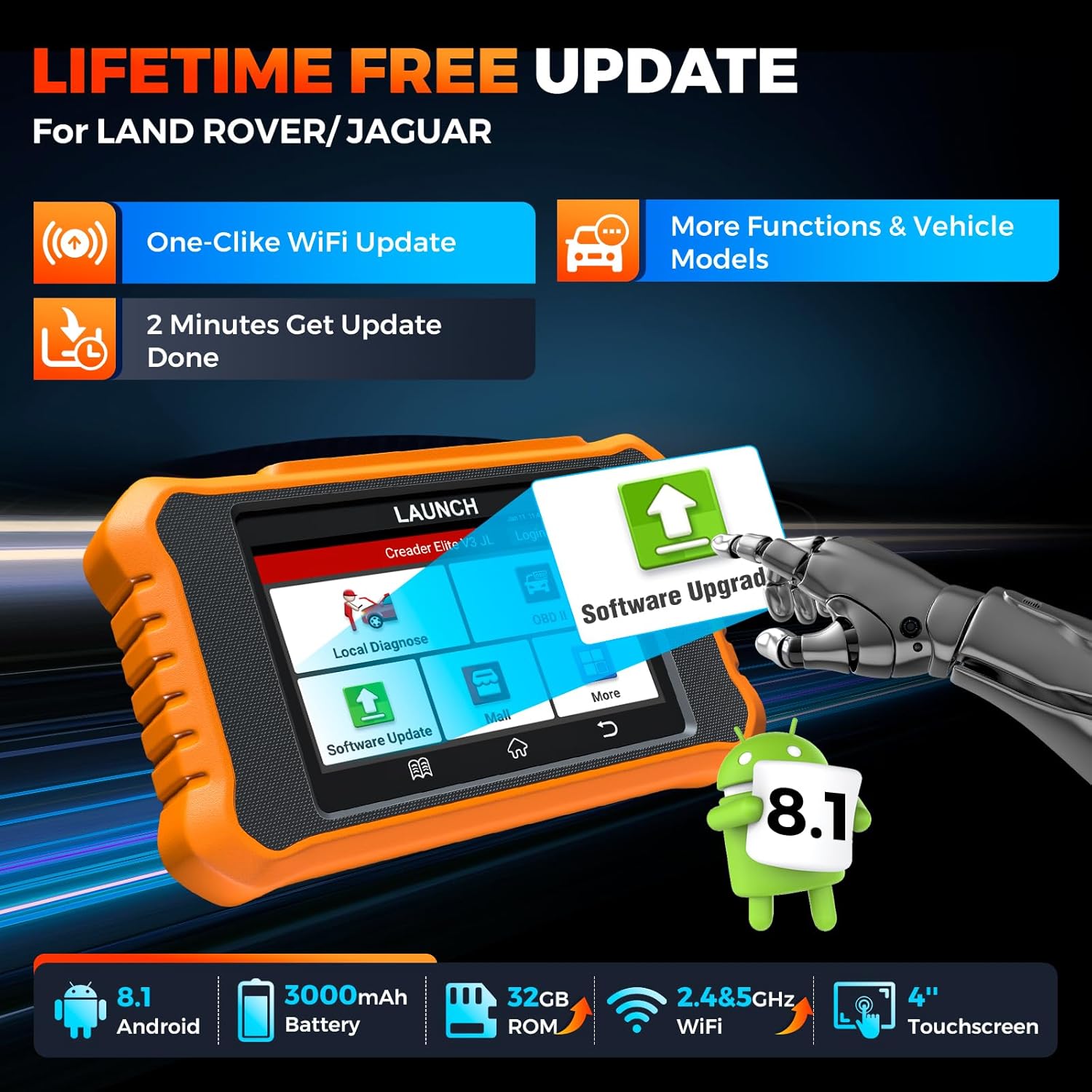
Image: Device screen illustrating the one-click Wi-Fi update process, emphasizing lifetime free updates for Land Rover/Jaguar and the ability to get more functions and vehicle models.
- Құрылғының тұрақты Wi-Fi желісіне қосылғанына көз жеткізіңіз.
- Негізгі мәзірден таңдаңыз Бағдарламалық құралды жаңарту.
- The device will check for available updates.
- Select the updates you wish to install and follow the on-screen prompts. Updates typically take a few minutes.
5.2. Expanding Vehicle Coverage (Mall)
If you require diagnostic capabilities for other vehicle brands beyond Land Rover and Jaguar, you can purchase additional software packages from the Сауда орталығы application on the device. Please note that software purchased from the Mall is typically valid for one year and may require re-purchase after expiry.
5.3. Құрылғы күтімі
- Құрылғыны шаң мен ылғалдан таза, таза ұстаңыз.
- Құрылғыны түсіріп алмаңыз немесе қатты соққыларға ұшырамаңыз.
- Құрылғыны пайдаланбаған кезде салқын, құрғақ жерде сақтаңыз.
- Тек берілген зарядтау кабелін және керек-жарақтарды пайдаланыңыз.
6. Үйлесімділік
The LAUNCH Creader Elite V3.0 is primarily designed for:

Image: Device interface showing diagnostic options for Land Rover (Defender, Discovery, Range Rover, Evoque) and Jaguar (E-Pace, F-Pace, F-Type, S-Type, X-Type, XE, XF, XJ, XK) models, with a note on DoIP protocol for models after 2017.
- Landrover: Compatible with models such as Defender, Discovery, Discovery Sport, Range Rover, Range Rover Evoque, etc.
- Ягуар: Compatible with models such as E-Pace, F-Pace, F-Type, S-Type, X-Type, XE, XF, XJ, XK, etc.
- DoIP Protocol: Supports Land Rover & Jaguar models after 2017, requiring a separate DoIP adapter.
- Universal OBD2: Fully compatible with all OBD2 compliant vehicles manufactured after 1996 for basic OBD2 functions.
For specific vehicle compatibility, it is recommended to contact technical support via obdbox21@163.com.
7. Техникалық сипаттамалар
| Үлгі | LAUNCH Creader Elite 3.0-JL |
| Операциялық жүйе | Android 8.1 |
| Экран өлшемі | 4 дюйм |
| Ішкі жад (ROM) | 32 ГБ |
| Батарея сыйымдылығы | 3000 мАч |
| Сымсыз дәлдiк | 2.4 & 5GHz Dual-band |
| Қуат көзі | Батареядан қуат алады |
| Элемент салмағы | 1.49 фунт |
| Пакет өлшемдері | 8 x 7.5 x 1.5 дюйм |
| Автомобильге сәйкес келетін түрі | Universal Fit (for OBD2 functions) |
8. Ақаулықтарды жою
8.1. Құрылғы қосылмайды
- Check battery level. Connect the device to a charger and allow it to charge for at least 30 minutes.
- Ensure the power button is pressed and held correctly.
- If connected to the vehicle, ensure the vehicle's ignition is on and the OBD2 cable is securely connected.
8.2. Communication Error with Vehicle
- Verify the OBD2 cable is securely connected to both the device and the vehicle's port.
- Ensure the vehicle's ignition is in the ON позиция.
- Confirm that the vehicle is OBD2 compliant (generally 1996 and newer for US vehicles).
- Try a different OBD2 compliant vehicle to rule out a vehicle-specific issue.
- Ensure the correct vehicle brand software is installed and up to date.
8.3. Software Update Failure
- Check your Wi-Fi connection for stability and signal strength.
- Ensure the device has sufficient battery charge or is connected to power during the update process.
- Verify that there is enough free storage space on the device.
- Restart the device and attempt the update again.
8.4. Inaccurate Readings or Functions Not Working
- Ensure the vehicle's make, model, and year are correctly identified by the device.
- Verify that the specific function is supported for your vehicle model and year. Refer to the compatibility section or contact support.
- Ensure the device software is fully updated.
9. Кепілдік және қолдау
9.1. Кепілдік туралы ақпарат
The LAUNCH Creader Elite V3.0 comes with an Extended 60-Day Return & Replacement policy and a 5-Year Quality Backup. Please retain your proof of purchase for warranty claims.
9.2. Техникалық қамтамасыз ету
For any technical assistance, questions, or compatibility inquiries, please contact our support team:
- Электрондық пошта: obdbox21@163.com
- Our support team is available 24/7/365.
Note: Please direct all support inquiries to the provided email address. Do not contact LAUNCH Tech USA for support related to this specific product.