
1. Маңызды қауіпсіздік нұсқаулары
Please read these safety instructions carefully before installing or operating your FSP FlexGURU Pro 650W power supply. Failure to follow these instructions may result in electric shock, fire, or damage to the product and connected components.
- Электрлік қауіп: Қуат блогын ашпаңыз. Жоғары томtages are present inside, even when the unit is unplugged. There are no user-serviceable parts inside.
- Желдету: Ensure adequate airflow around the power supply. Do not block ventilation openings. Overheating can lead to performance degradation or failure.
- Ылғалдылық: Keep the power supply away from water, humidity, and liquids. Do not operate in damp немесе ылғалды жағдайлар.
- Қуат көзі: Қуат көзін тек дұрыс вольтты жерге қосылған розеткаға қосыңызtage және құрылғының жапсырмасында көрсетілген жиілік.
- Орнату: Install the power supply in a well-ventilated computer chassis. Ensure all cables are properly connected and secured.
- Өңдеу: Handle the power supply with care. Avoid dropping or subjecting it to strong impacts.
- Балалар: Keep the power supply and its components out of reach of children.
2. Өнім аяқталдыview
The FSP FlexGURU Pro 650W is a high-efficiency Flex ATX power supply designed for compact systems requiring stable and reliable power. It complies with the latest ATX 3.1 and Flex ATX V2.1 standards, offering robust performance for current and future high-end hardware. With 80 PLUS Platinum certification, it ensures up to 92% efficiency, reducing power loss and heat generation.

Image: The FSP FlexGURU Pro 650W power supply, illustrating its compact dimensions of 5.90 inches (L) x 3.20 inches (W) x 1.59 inches (H).
3. Негізгі мүмкіндіктер
- New-Gen ATX 3.1 & Flex ATX V2.1 Compliance: Fully compliant with both the latest ATX 3.1 and Flex ATX V2.1 regulations, ensuring exceptional system stability and peak performance when paired with current and future high-end hardware in compact chassis.
- 80 PLUS Platinum тиімділігі: Achieves the prestigious 80 PLUS Platinum standard, delivering up to 92% efficiency to significantly reduce power loss and energy costs. This high-efficiency design minimizes heat generation, allowing for ultra-quiet operation and extending the lifespan of your components.
- Optimized Low-Noise Performance: Equipped with a 40mm ball-bearing fan, smart fan control, and unique shielding design to significantly lower acoustic noise and deliver a consistent, near-silent computing experience.
- High Compatibility & Versatile Installation: Includes a universal fix bracket, allowing this 650W model to easily integrate and transform into reliable 1U IPC (Industrial PC), Networking, or Surveillance power supplies.
- Premium Japanese Electrolytic Capacitors: The FlexGURU PRO series utilizes main Japanese electrolytic capacitors to ensure exceptionally stable outputs, maximum longevity, and long-term reliability under continuous operation.
- Complete Protection for Diverse Applications: Designed and tested to the highest standards, featuring full protections (UVP, OVP, SCP, OPP, OTP, SIP, NLO). Ideal for specialized solutions like Edge Computing, NAS, HTPC, POS terminals, and Industrial PC builds.
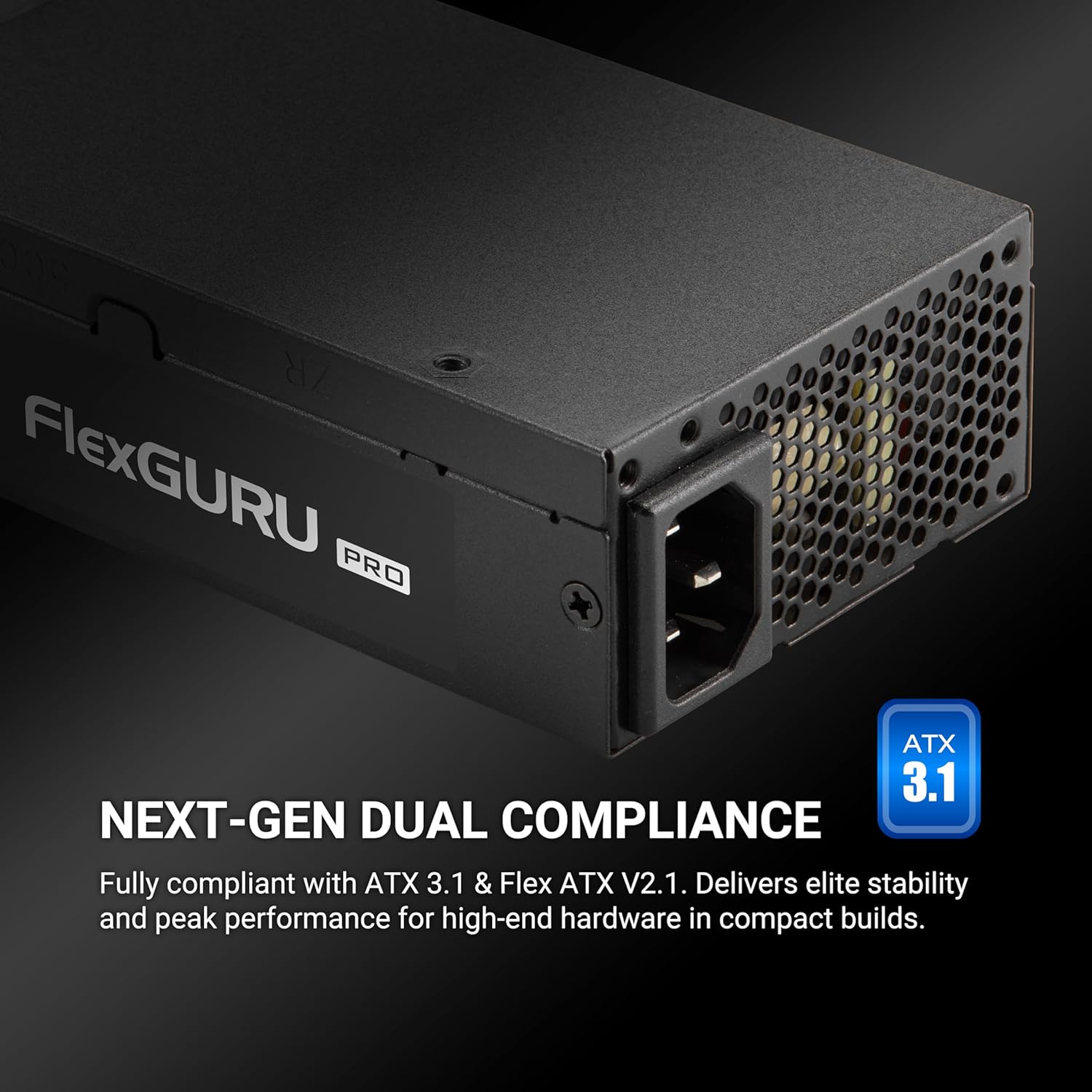
Image: The FSP FlexGURU Pro power supply highlighting its ATX 3.1 and Flex ATX V2.1 dual compliance for modern systems.

Image: A graph illustrating the 92% typical efficiency conversion of the FlexGURU Pro 650W power supply at various load levels for both 115V and 230V inputs.

Сурет: жақыннан түсірілген view of a Japanese electrolytic capacitor, emphasizing the quality components used in the FlexGURU Pro series for stable outputs and reliability.
4. Пакет мазмұны
Пакетте барлық элементтердің бар екенін тексеріңіз:
- FSP FlexGURU Pro 650W Power Supply Unit
- Айнымалы ток қуат сымы
- Modular Cable Set (if applicable, this model is non-modular but includes various fixed cables)
- 1U Universal Fix Bracket
- Орнату бұрандалары
- Пайдаланушы нұсқаулығы (бұл құжат)

Image: A diagram showing the types and quantities of all black round cables included with the power supply: 1x MB 20+4 PIN, 2x CPU 8 PIN / 4+4 PIN, 2x PCIe 6+2 PIN, 2x 2 SATA, and 1x 2 MOLEX / FLOPPY.
5. Орнату нұсқаулығы
5.1 Орнату алдындағы бақылау тізімі
- Компьютер жүйесінің толығымен өшірілгеніне және розеткадан ажыратылғанына көз жеткізіңіз.
- Discharge any residual power by pressing the power button on your PC for a few seconds.
- Gather necessary tools: screwdriver, zip ties (optional for cable management).
5.2 Қуат көзін орнату
The FSP FlexGURU Pro 650W can be installed in standard Flex ATX chassis or adapted for 1U IPC applications using the included bracket.
- Carefully remove your old power supply (if applicable).
- Position the FSP FlexGURU Pro 650W into the power supply bay of your chassis.
- Secure the power supply using the provided mounting screws. For 1U IPC applications, attach the universal fix bracket to the power supply first, then mount it into the 1U chassis.

Image: The FlexGURU Pro power supply shown with the 1U bracket attached, demonstrating its adaptability for 1U IPC power supply applications.
5.3 Қосылатын кабельдер
Connect the power supply cables to the corresponding components in your system. Refer to your motherboard and component manuals for specific connection points.
- 20+4 Pin Main Power Connector: Connect to the motherboard.
- CPU 8 Pin / 4+4 Pin Connector: Connect to the CPU power input on the motherboard.
- PCIe 6+2 Pin Connector: Connect to graphics cards or other PCIe devices requiring auxiliary power.
- SATA қуат қосқыштары: Connect to SATA hard drives, SSDs, and optical drives.
- MOLEX / Floppy Connectors: Ескі перифериялық құрылғыларға немесе корпус желдеткіштеріне қосыңыз.
Ensure all connections are firm and secure. Improper connections can cause system instability or damage.
6. Операция
After installation, ensure all components are correctly connected and the power supply is securely mounted.
- Connect the AC power cord to the power supply and then to a grounded wall outlet.
- Flip the power switch on the back of the power supply to the 'ON' (I) position.
- Press the power button on your computer case to start the system.
The power supply's 40mm ball-bearing fan will operate automatically, controlled by smart fan technology to maintain optimal temperature and minimize noise.
7. Техникалық қызмет көрсету және күту
To ensure the longevity and optimal performance of your FSP FlexGURU Pro 650W power supply, follow these maintenance guidelines:
- Тазалау: Periodically clean the exterior of the power supply and its fan grille to prevent dust buildup. Use compressed air to gently clear dust from the fan and vents. Ensure the power supply is unplugged before cleaning.
- Қоршаған орта: Operate the power supply in a clean, dry, and well-ventilated environment. Avoid extreme temperatures.
- Кабельдерді басқару: Ensure cables are neatly routed and do not obstruct airflow within the chassis.
- Тексеру: Occasionally inspect power cables for any signs of damage or fraying. Replace damaged cables immediately.
8. Ақаулықтарды жою
Қуат көзіне қатысты мәселелерге тап болсаңыз, келесі жалпы ақауларды жою қадамдарын қараңыз:
- Қуат жоқ:
- Айнымалы ток қуат сымының қуат көзіне де, қабырға розеткасына да мықтап жалғанғанын тексеріңіз.
- PSU артындағы қуат қосқышы «ON» (I) күйінде екеніне көз жеткізіңіз.
- Басқа құрылғыны қосу арқылы қабырға розеткасының жұмыс істеп тұрғанын тексеріңіз.
- Check all internal power connections (20+4 pin, CPU, PCIe) to ensure they are firmly seated.
- Жүйе тұрақсыздығы/кездейсоқ өшірулер:
- Вт қуат көзін қамтамасыз етіңізtage is sufficient for all your system components.
- Check for proper ventilation within the chassis to prevent overheating.
- Verify that all power cables are correctly connected and not loose.
- Мүмкін болса, мәселені анықтау үшін қуат көзін басқа компоненттер жиынтығымен немесе басқа жүйеде тексеріңіз.
- Желдеткіштің қатты шуы:
- Ensure the power supply fan grille is free from dust and obstructions.
- Verify that the system is not under excessive load, causing the fan to spin faster.
- Ensure adequate case airflow to prevent the PSU from drawing in hot air.
If the problem persists after attempting these steps, please contact FSP customer support for further assistance.
9. Техникалық шарттар
Detailed specifications for the FSP FlexGURU Pro 650W Power Supply (FSP650-50FUB):
| Ерекшелік | Техникалық сипаттама |
|---|---|
| Үлгі | FSP650-50FUB |
| Бренд | FSP |
| Форма факторы | Flex ATX |
| Шығу Wattage | 650 Вт |
| Тиімділік сертификаты | 80 PLUS Platinum (Up to 92%) |
| Сәйкестік | ATX 3.1, Flex ATX V2.1 |
| Салқындату әдісі | Air (40mm ball-bearing fan) |
| Элемент өлшемдері (L x W x H) | 5.91 x 1.59 x 3.21 дюйм |
| Элемент салмағы | 2.18 фунт |
| Қуат көзі дизайны | Модульдік емес |
| Кіріс көлеміtage | 100-240 Вольт (AC) |
| Енгізу жиілігі | 50-60Гц |
| Қорғаныстар | UVP, OVP, SCP, OPP, OTP, SIP, NLO |
| Конденсаторлар | Japanese Electrolytic Capacitors |
| Кепілдік | 5 жыл |

Image: A table detailing the AC Input and DC Output specifications for the FlexGURU Pro 650W, including Max Output Current and Max Combined Power for +3.3V, +5V, +12V, +5Vsb, and -12V rails, with a total power of 650W.
10. Жан-жақты қолданбалар
The FSP FlexGURU Pro 650W power supply is designed for a wide range of applications due to its compact size, high efficiency, and robust protections:
- Industrial PC (IPC) builds
- Point of Sale (POS) terminals
- Network communication devices
- Surveillance systems
- Edge Computing solutions
- Home Theater Personal Computers (HTPC)
- Network Attached Storage (NAS) servers
- Gaming & Creator PCs (in compact chassis)

Image: Icons depicting versatile industrial applications for the FlexGURU Pro series, including Industrial PC, Point of Sale System, Network communication, Surveillance, Edge Computer, Home Theater Personal Computer, NAS Server, and Gaming & Creator PC.
11. Кепілдік және қолдау
The FSP FlexGURU Pro 650W Power Supply (FSP650-50FUB) comes with a 5 жылдық кепілдік сатып алған күннен бастап. Бұл кепілдік қалыпты пайдалану кезіндегі материалдар мен жұмыс ақауларын қамтиды.
For warranty claims, technical support, or any product-related inquiries, please contact FSP customer service through their official website or the retailer where the product was purchased. Please have your proof of purchase and product model number (FSP650-50FUB) ready when contacting support.
Онлайн ресурстар: For additional information, FAQs, and driver downloads, please visit the official FSP webсайт: www.fspgroupusa.com