
Кіріспе
The LOFREE Pudding Dual Mode Wireless Mouse (Model OE929) is designed for versatile use across various operating systems and devices. It offers both Bluetooth and 2.4G wireless connectivity, adjustable DPI settings, and a comfortable, ergonomic design. This manual provides instructions for setup, operation, maintenance, and troubleshooting to ensure optimal performance of your device.
Пакет мазмұны
- LOFREE Pudding Dual Mode Wireless Mouse
- USB қабылдағыш (2.4G)
- Charging Cable (USB-C to USB-A, typically)
- Пайдаланушы нұсқаулығы
Өнім аяқталдыview
The LOFREE Pudding mouse features a unique transparent texture and an ergonomic design for comfortable use. It includes an adjustable ambient light feature and a scroll wheel with integrated button functionality.

Сурет: The LOFREE Pudding mouse showcasing its high transparency texture and sleek design.

Сурет: A hand holding the LOFREE Pudding mouse, illustrating its comfortable, skin-like touch and ergonomic grip.
Орнату
1. Тінтуірді зарядтау
Before first use, ensure the mouse is fully charged. Connect the provided charging cable to the mouse's charging port and to a USB power source. The ambient light may indicate charging status (e.g., breathing light while charging, solid when full).

Сурет: The LOFREE Pudding mouse, highlighting its approximately 100 hours of battery life on a single charge.
2. Dual-Mode Connection
The mouse supports two wireless connection methods: 2.4G via USB receiver and Bluetooth.
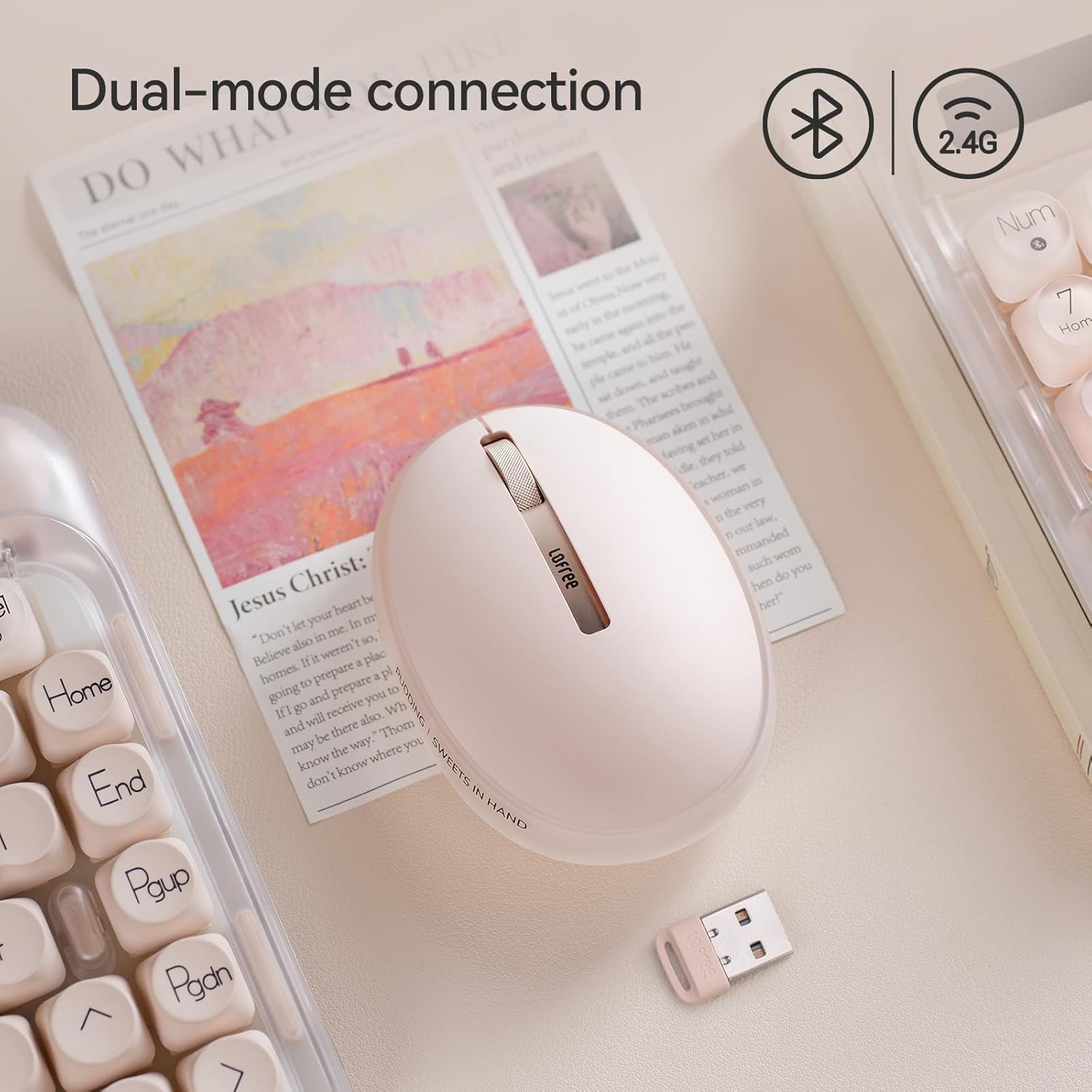
Сурет: The LOFREE Pudding mouse demonstrating its dual-mode connection capability, supporting both Bluetooth and 2.4G wireless technologies.
2.1. 2.4G сымсыз қосылым
- Locate the USB receiver, typically stored in a compartment on the mouse or in the packaging.
- USB ресиверін компьютердегі қол жетімді USB портына қосыңыз.
- Тінтуірді қосыңыз. Компьютер қажетті драйверлерді автоматты түрде анықтап, орнатуы керек.
- Ескерту: For systems below Windows 7, the 2.4G connection is recommended as Bluetooth mode may not be supported.
2.2. Bluetooth қосылымы
- Құрылғының Bluetooth қосылғанына көз жеткізіңіз.
- Switch the mouse to Bluetooth mode (refer to the mouse's bottom switch or button for mode selection).
- On your device, search for Bluetooth devices. The mouse should appear as "LOFREE Pudding Mouse" or similar.
- Жұптастыру үшін тінтуірді таңдаңыз. Жұптастыру процесін аяқтау үшін экрандағы кез келген нұсқауларды орындаңыз.
3. Үйлесімділік
The LOFREE Pudding mouse is compatible with a wide range of operating systems and devices, including:
- Windows (Windows 7 and above for Bluetooth)
- macOS
- iOS
- Android
- PC, Mac, Laptop, and other compatible devices.
Пайдалану нұсқаулары
1. Adjusting DPI Levels
The mouse features 5 adjustable DPI levels to suit different tasks and preferences. You can cycle through these settings by pressing the DPI button, usually located near the scroll wheel or on the bottom of the mouse.
- Available DPI settings: 600, 800, 1200, 1600, 3600.
- Press the DPI button to switch between levels. The mouse cursor speed will change accordingly.

Сурет: A hand demonstrating the adjustment of DPI levels on the LOFREE Pudding mouse, with available settings of 600, 800, 1200, 1600, and 3600.
2. Ambient Light Modes
The mouse is equipped with an adjustable ambient light feature, offering two modes:
- Constant Always On: The light remains steadily illuminated.
- Тыныс алу режимі: The light gently pulses on and off.
To switch between these modes, refer to the dedicated light control button or combination of buttons on the mouse. In dormant state, the ambient light will turn off and can be reactivated by clicking any button on the mouse.

Сурет: The LOFREE Pudding mouse displaying its adjustable ambient light feature, with options for "Always On" or "Breathing" modes.
3. Қуатты басқару
The mouse is designed to conserve battery life. It will enter a dormant state after a period of inactivity, turning off the ambient light. To wake the mouse, simply click any button.
Техникалық қызмет көрсету
1. Тазалау
- Use a soft, dry, lint-free cloth to clean the mouse surface.
- Қатты кір үшін, аздап dampшүберекті сумен немесе жұмсақ, абразивті емес тазалағышпен.
- Avoid using harsh chemicals, solvents, or abrasive materials, as these can damage the mouse's finish.
- Тінтуірдің ішкі бөліктеріне сұйықтық кірмейтініне көз жеткізіңіз.
2. Батареяны күту
- Батареяның жұмыс істеу қабілетін сақтау үшін тінтуірді үнемі зарядтап отырыңыз.
- Батареяны жиі толық зарядсыздандырудан аулақ болыңыз.
- If storing the mouse for an extended period, charge it to approximately 50% to prevent deep discharge.
Ақаулықтарды жою
Mouse Not Responding / Disconnecting
- Батареяны тексеру: Ensure the mouse is charged. Connect it to a power source.
- 2.4G қосылымы:
- USB ресиверінің жұмыс істейтін USB портына мықтап қосылғанына көз жеткізіңіз.
- Басқа USB портын қолданып көріңіз.
- Тінтуірдің 2.4G режиміне ауысқанына көз жеткізіңіз.
- Bluetooth қосылымы:
- Құрылғыда Bluetooth қосылғанына көз жеткізіңіз.
- Ensure the mouse is switched to Bluetooth mode.
- Unpair and re-pair the mouse from your device's Bluetooth settings.
- Ensure your device's operating system supports Bluetooth for mice (e.g., Windows versions below 7 may have limited support).
- Интерференция: Тінтуірді қабылдағышқа/құрылғыға жақындатыңыз. Кедергі тудыруы мүмкін басқа сымсыз құрылғылардың жанында пайдаланбаңыз.
DPI өзгермейді
- Дұрыс DPI реттеу түймешігін басқаныңызға көз жеткізіңіз.
- If the mouse is unresponsive, try restarting it (turn off and on).
Ambient Light Not Working
- Check if the mouse is in a dormant state; click a button to wake it.
- Батарея жеткілікті түрде зарядталғанына көз жеткізіңіз.
- Verify you are using the correct button or combination to cycle through light modes.
Техникалық сипаттамалар
| Ерекшелік | Мәлімет |
|---|---|
| Үлгі нөмірі | OE929 |
| Қосылу технологиясы | Bluetooth, 2.4G Radio Frequency |
| Қозғалысты анықтау технологиясы | Оптикалық |
| DPI деңгейлері | 600, 800, 1200, 1600, 3600 (Adjustable) |
| Батарея сыйымдылығы | 500 мАч |
| Батареяның қызмет ету мерзімі | Шамамен 100 сағат |
| Арнайы мүмкіндіктер | LED Lights (Ambient), Lightweight, Rechargeable, Wireless |
| Үйлесімділік | Windows, macOS, iOS, Android (PC, Mac, Laptop) |
| Элемент салмағы | 8.9 унция |
| Пакет өлшемдері | 5.2 x 4.13 x 2.4 дюйм |
Кепілдік және қолдау
LOFREE products are manufactured to high-quality standards. For warranty information, technical support, or service inquiries, please refer to the official LOFREE webсайтына немесе тұтынушыларға қолдау көрсетуге тікелей хабарласыңыз. Кепілдік шағымдары үшін сатып алу түбіртегін сақтаңыз.
Қосымша ақпарат алу үшін мына сайтқа кіріңіз LOFREE Store on Amazon.