
Өнім аяқталдыview
The LEICKE DAB+ Radio Tube (Model EP19035) is a versatile portable audio device combining a DAB+/FM radio with a powerful Bluetooth speaker. It features a robust 4500 mAh battery for extended playtime, dynamic RGB LED lighting, and multiple connectivity options including Micro SD and AUX-In. This manual provides essential information for setup, operation, and maintenance.
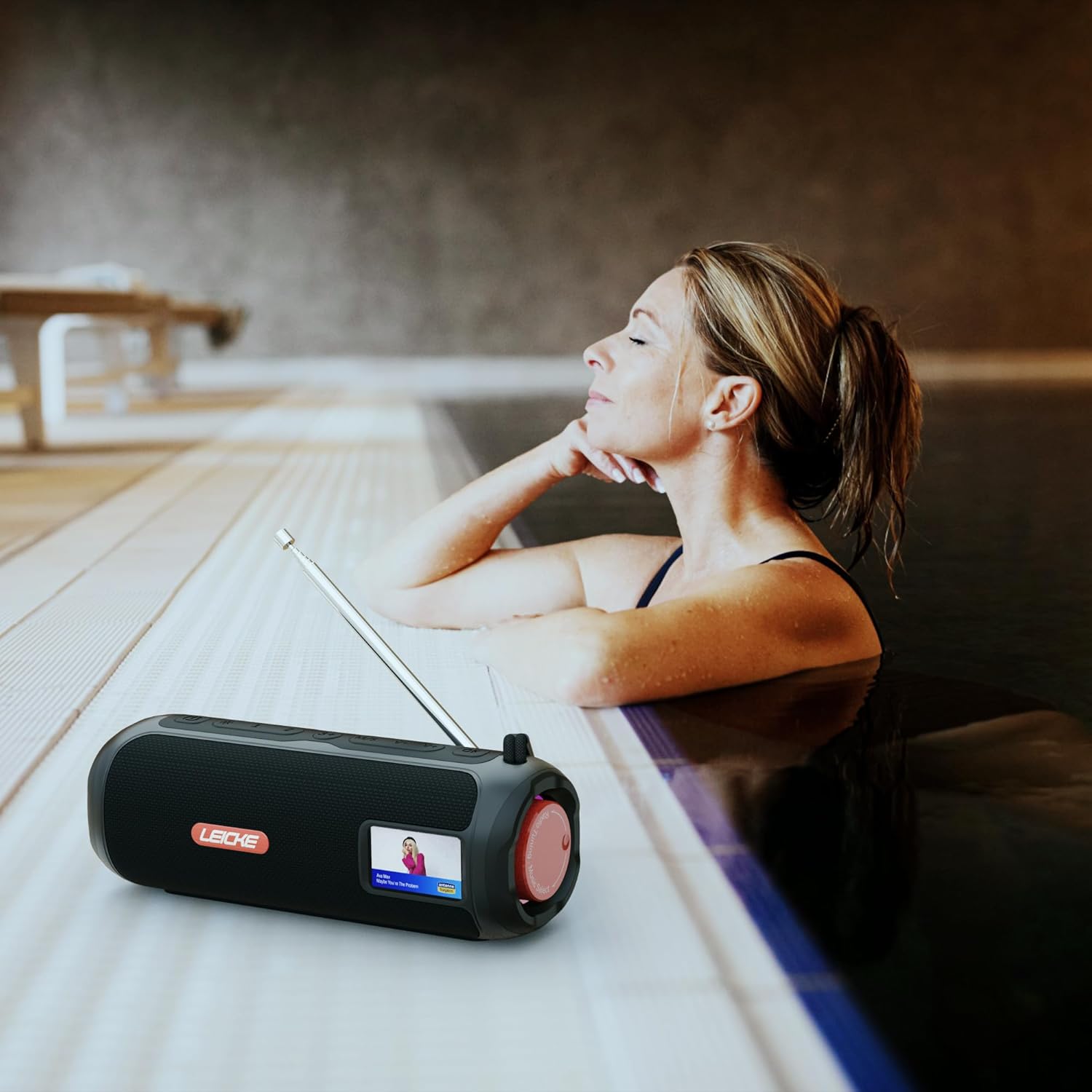
Image: The LEICKE DAB+ Radio Tube, showcasing its portable design, suitable for various environments like a poolside.
Негізгі ерекшеліктері:
- Қуатты стерео дыбыс: Two 5W speakers deliver rich, clear audio with dynamic effects and powerful bass.
- Ұзартылған батареяның қызмет ету мерзімі: Integrated 4500 mAh rechargeable battery provides up to 12 hours of playtime.
- DAB+ & FM Radio: Enjoy noise-free digital DAB+ and traditional FM radio with 30 station presets.
- Atmospheric RGB Lighting: Features cool color-changing LED lights for enhanced ambiance.
- Әмбебап қосылым: Bluetooth 5.3 for wireless streaming, Micro SD card slot, and 3.5 mm AUX-In.
- Ыңғайлы зарядтау: USB-C port for quick and easy charging.
- Қосымша функциялар: Includes an integrated alarm clock, sleep timer, and equalizer settings.
Пакет мазмұны
Пакетте келесі элементтердің бар-жоғын тексеріңіз:
- LEICKE DAB+ Radio Tube (Model EP19035)
- USB-C зарядтау кабелі
- Пайдаланушы нұсқаулығы
- (Note: Specific accessories like AUX cable may vary by region or package. Please refer to your product packaging.)
Басқару элементтері және қосылымдар
Familiarize yourself with the various buttons, ports, and indicators on your LEICKE DAB+ Radio Tube.

Сурет: алдыңғы view of the LEICKE DAB+ Radio Tube, highlighting the display, SD card slot, AUX input, and USB-C port.

Сурет: артқы view of the LEICKE DAB+ Radio Tube, showing the extendable antenna, AUX port, USB-C port, and Micro SD slot.
Порттың сипаттамасы:
- Micro SD ұяшығы: Insert a Micro SD card for playing stored audio files.
- AUX-In (3.5mm): Сыртқы аудио құрылғыларын 3.5 мм аудио кабель арқылы қосыңыз.
- USB-C порты: Құрылғыны зарядтау үшін қолданылады.
- Антенна: Extend for optimal DAB+ and FM radio reception.
(Note: Specific button functions will be detailed in the 'Operating' section.)
Орнату
1. Бастапқы зарядтау
- Бірінші пайдалану алдында құрылғыны толығымен зарядтаңыз.
- Connect the provided USB-C cable to the USB-C port on the speaker and the other end to a compatible USB power adapter (not included) or a computer's USB port.
- The charging indicator on the display will show the charging status. Once fully charged, the indicator will change.
2. Қосу / Өшіру
- Қосу үшін: Қуат түймесін басып тұрыңыз (әдетте ... белгісімен белгіленген) ⏻ or ҚУАТ) for a few seconds until the display lights up.
- Қуатты өшіру үшін: Press and hold the Power button again for a few seconds until the display turns off.
Пайдалану нұсқаулары
Режимді таңдау
түймесін басыңыз РЕЖИМ button to cycle through available modes: DAB+ Radio, FM Radio, Bluetooth, Micro SD, and AUX-In.
1. DAB+ радиосының жұмысы
- Жақсы қабылдау үшін антеннаны толығымен кеңейтіңіз.
- пайдаланып DAB+ режимін таңдаңыз РЕЖИМ түймесі.
- The radio will automatically scan for available DAB+ stations on first use or if no stations are found.
- пайдаланыңыз Алдын ала/КЕЛЕСІ buttons to navigate through the list of available stations.
- түймесін басыңыз ENTER/PLAY станцияны таңдау үшін батырманы басыңыз.
- Алдын ала орнатуларды сақтау: While listening to a station, press and hold the АЛДЫНДАҒЫ ОРНАТУ түймесі. Қолдану Алдын ала/КЕЛЕСІ алдын ала орнатылған нөмірді (1-30) таңдау үшін, содан кейін түймесін басыңыз ENTER/PLAY сақтау үшін.
- Алдын ала орнатылған параметрлерді еске түсіру: түймесін қысқаша басыңыз АЛДЫНДАҒЫ ОРНАТУ түймесін басыңыз, содан кейін пайдаланыңыз Алдын ала/КЕЛЕСІ to select a saved station and press ENTER/PLAY.
2. FM радиосының жұмысы
- Жақсы қабылдау үшін антеннаны толығымен кеңейтіңіз.
- пайдаланып FM режимін таңдаңыз РЕЖИМ түймесі.
- Автоматты сканерлеу: түймесін басып тұрыңыз ОЙНАТУ/ТОҚТАТУ қол жетімді FM станцияларын автоматты түрде сканерлеу және сақтау үшін түймесін басыңыз.
- Қолмен баптау: Қысқа басыңыз Алдын ала/КЕЛЕСІ жиілікті дәл реттеу үшін.
- Алдын ала орнатуларды сақтау: Similar to DAB+ mode, press and hold АЛДЫНДАҒЫ ОРНАТУ to save, and briefly press to recall.
3. Bluetooth жұптастыру
- пайдаланып Bluetooth режимін таңдаңыз РЕЖИМ button. The display will show "Bluetooth" and an icon will flash, indicating it's in pairing mode.
- On your smartphone, tablet, or laptop, enable Bluetooth and search for new devices.
- Select "LEICKE DAB+ Tube" from the list of available devices.
- Once paired, the speaker will emit a confirmation sound, and the Bluetooth icon on the display will stop flashing.
- Енді қосылған құрылғыңыздан дыбысты динамик арқылы ойната аласыз.
4. Micro SD Playback
- Insert a Micro SD card (with supported audio files) Micro SD ұяшығына.
- Select Micro SD mode using the РЕЖИМ button. The device will automatically start playing music from the card.
- Қолдану ОЙНАТУ/ТОҚТАТУ to control playback, and Алдын ала/КЕЛЕСІ жолдарды өткізіп жіберу.
5. AUX-In Connection
- Connect one end of a 3.5mm audio cable (not included) to the AUX-In port on the speaker.
- Екінші ұшын сыртқы құрылғының құлақаспап ұясына немесе аудио шығысына қосыңыз.
- Select AUX-In mode using the РЕЖИМ түймесі.
- Сыртқы құрылғыңыздан ойнатуды және дыбыс деңгейін басқарыңыз.
6. Дыбыс деңгейін басқару
Use the dedicated Volume Up (+) және дыбыс деңгейін азайту (-) buttons to adjust the audio level.
7. Эквалайзер параметрлері
түймесін басыңыз EQ button (if available) to cycle through preset equalizer modes such as Pop, Rock, Classic, Jazz, etc. There is no manual equalizer adjustment.
8. RGB жарықдиодты шамдар
The RGB LED lights will automatically activate when the device is powered on. There may be a dedicated button to change light modes or turn them off (refer to device specific button layout if available).
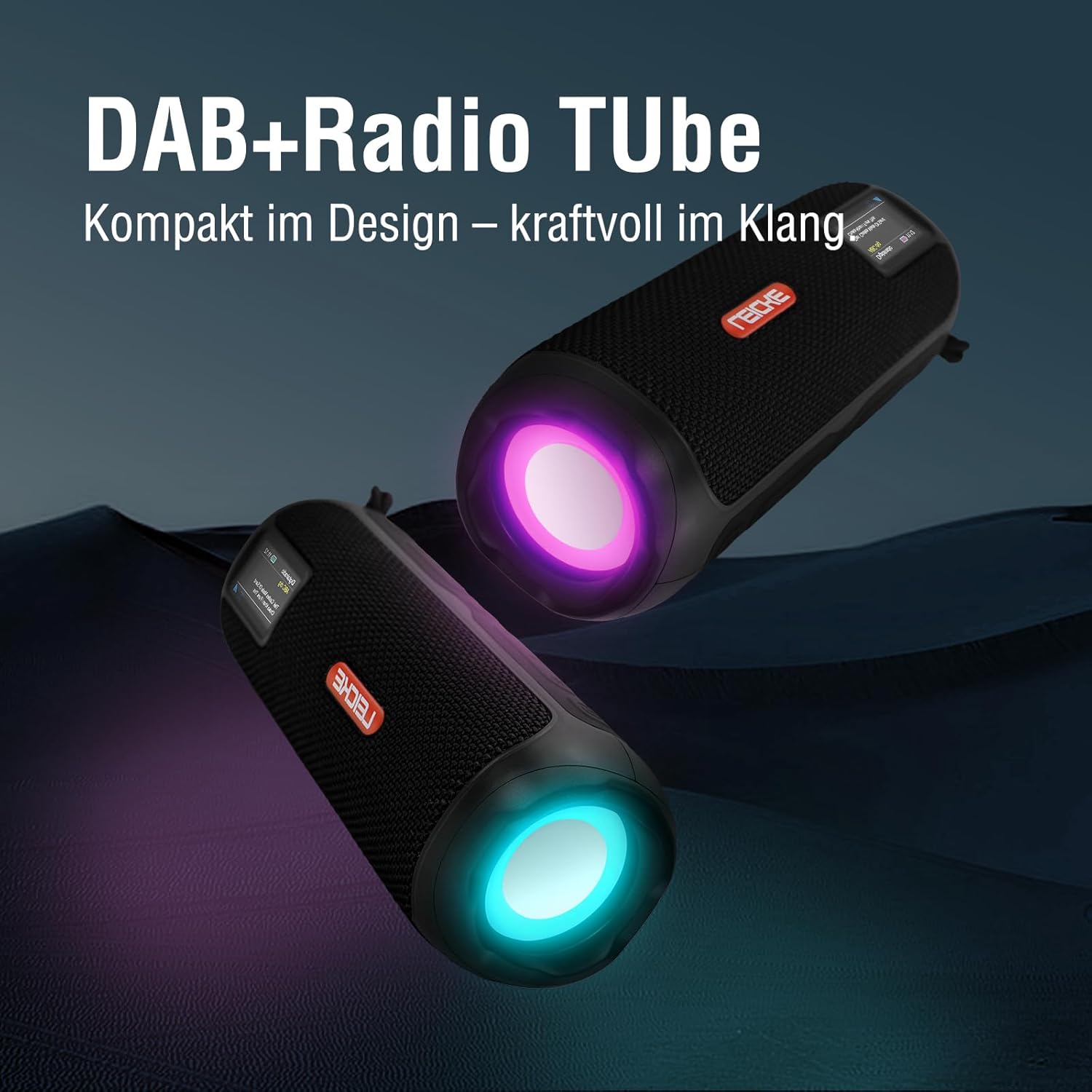
Image: Two LEICKE DAB+ Radio Tubes displaying their vibrant RGB LED lighting feature.
9. Оятқыш және ұйқы таймері
Access the menu settings (usually by pressing a МӘЗІР or ОРНАТУ button) to configure the alarm clock and sleep timer functions. Follow the on-screen prompts to set times and preferences.
Техникалық қызмет көрсету
Тазалау
- Тазалау алдында құрылғының өшірілгеніне және кез келген қуат көзінен ажыратылғанына көз жеткізіңіз.
- Сыртқы беттерді сүрту үшін жұмсақ, құрғақ, мамықсыз шүберекті пайдаланыңыз.
- Абразивті тазартқыштарды, балауызды немесе еріткіштерді пайдаланбаңыз, себебі олар әрлеуді зақымдауы мүмкін.
- Кез келген саңылауларға ылғалдың түсуін болдырмаңыз.
Батареяға күтім жасау
- Батареяның қызмет ету мерзімін ұзарту үшін батареяны жиі толық зарядсыздандырудан аулақ болыңыз.
- Батареяның қызмет ету мерзімін сақтау үшін, тіпті пайдаланылмаса да, құрылғыны үнемі зарядтап отырыңыз.
- Құрылғыны ұзақ уақыт пайдаланбаған кезде салқын, құрғақ жерде сақтаңыз.
Сақтау
- When storing the device for a long time, ensure it is charged to about 50-70% to prevent deep discharge.
- Құрылғыны шектен тыс температурадан, тікелей күн сәулесінен және жоғары ылғалдылықтан алыс ұстаңыз.
Ақаулықтарды жою
| Мәселе | Ықтимал себебі | Шешім |
|---|---|---|
| Құрылғы қосылмайды. | Төмен батарея; Қуат түймесі дұрыс басылмады. | Құрылғыны толығымен зарядтаңыз. Қуат түймесін бірнеше секунд басып тұрыңыз. |
| Дыбыс жоқ. | Дыбыс деңгейі тым төмен; Дұрыс емес режим таңдалған; Құрылғы жұпталмаған (Bluetooth). | Increase volume. Ensure correct mode (DAB+, FM, BT, SD, AUX) is selected. Re-pair Bluetooth device. |
| Нашар радио қабылдау. | Antenna not extended; Weak signal area. | Fully extend the antenna. Try moving the device to a different location. |
| Bluetooth құрылғысы жұпталмайды. | Speaker not in pairing mode; Device too far; Already connected to another device. | Ensure speaker is in Bluetooth pairing mode. Move devices closer. Disconnect from other devices. |
| Micro SD картасы танылмады. | Card inserted incorrectly; Unsupported file format; Corrupted card. | Reinsert the card correctly. Ensure files are in a supported format. Try a different Micro SD card. |
Техникалық сипаттамалар
| Ерекшелік | Мәлімет |
|---|---|
| Бренд | СІЗ |
| Үлгі нөмірі | EP19035 |
| Тюнер технологиясы | DAB Plus, FM |
| Қосылу мүмкіндігі | Bluetooth 5.3, Micro SD, 3.5mm AUX-In, USB-C (charging) |
| Аудио шығысы | 10W Stereo Sound (2 x 5W speakers) |
| Батарея сыйымдылығы | 4500 мАч литий-ион |
| Ойын уақыты | 12 сағатқа дейін (пайдалануға байланысты өзгереді) |
| Арнайы мүмкіндіктер | RGB LED Lights, Equalizer, Alarm Clock, Sleep Timer, 30 DAB+/FM Presets |
| Қуат көзі | Battery Operated, Wired (USB-C) |
| Өнім өлшемдері | 3.2 x 3.2 x 12 см; 660 гр |
Кепілдік туралы ақпарат
LEICKE products are designed and manufactured to the highest quality standards. This product is covered by a standard manufacturer's warranty. Please refer to the warranty card included in your package or visit the official LEICKE webаймағыңызға тән егжей-тегжейлі кепілдік талаптары мен шарттарын алуға болатын сайт.
Сатып алу түбіртегін кез келген кепілдік талаптары үшін сатып алудың дәлелі ретінде сақтаңыз.
Тұтынушыларды қолдау
If you encounter any issues or have questions regarding your LEICKE DAB+ Radio Tube that are not covered in this manual, please contact LEICKE customer support.
- Желідегі қолдау: Visit the official LEICKE webЖиі қойылатын сұрақтар, қолдау ресурстары және байланыс формалары сайты.
- Электрондық поштаны қолдау: Refer to your product packaging or the LEICKE webтиісті қолдау электрондық пошта мекенжайы үшін сайтқа кіріңіз.
Please have your product model number (EP19035) and purchase details ready when contacting support.