
1. Кіріспе
Welcome to the NIMO N15A 15.6" Laptop User Manual. This guide provides essential information for setting up, operating, maintaining, and troubleshooting your new laptop. Please read this manual thoroughly to ensure optimal performance and longevity of your device.
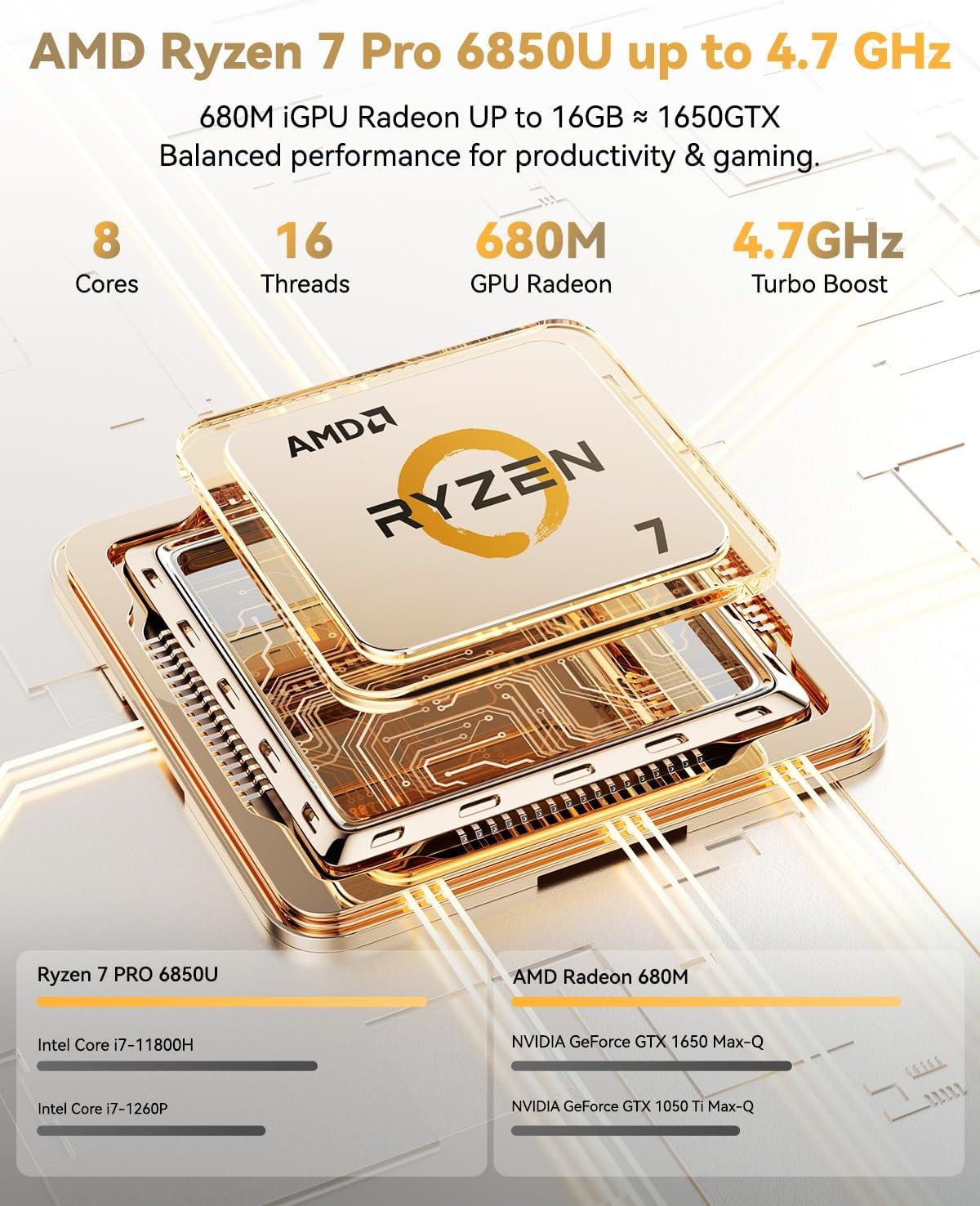
Figure 1: NIMO N15A 15.6" Laptop
2. Қауіпсіздік туралы ақпарат
To prevent damage to your NIMO N15A laptop and ensure your safety, please observe the following guidelines:
- Use only original chargers and regularly inspect cables for any signs of damage.
- Handle the laptop by its base and consider using a protective case to prevent physical damage.
- Ноутбукке ауыр заттарды қоймаңыз.
- Ensure the laptop is placed on a hard, flat surface to allow for proper ventilation and prevent overheating.
- Keep the device away from extreme temperatures and moisture.
- Do not overcharge the battery. Discontinue use immediately if the battery shows signs of swelling or damage.
- Set strong passwords, keep your software updated, use antivirus protection, and regularly back up your data.
- Сұйықтық төгілген жағдайда, ноутбукты дереу розеткадан ажыратып, қосуға тырыспас бұрын толық кептіріңіз.
- For any issues, consult qualified professionals. Do not attempt to disassemble or repair the laptop yourself, as this may void the warranty and cause further damage.
3. Қорапта не бар
Your NIMO N15A laptop package includes the following items:
- 1 x NIMO N15A Laptop
- 1 x Type-C 100 Вт PD жылдам зарядтағыш
- 1 x Пайдаланушы нұсқаулығы (осы құжат)
- Windows 11 Home (pre-installed)
- Кепілдік туралы ақпарат (2 жыл кепілдік, 90 күн қайтару)
Video 1: Unboxing and Initial Setup of the NIMO 15.6" Laptop. This video demonstrates the contents of the package and the first steps to power on the device.
4. Өнім аяқталдыview
4.1. Физикалық ерекшеліктері
The NIMO N15A laptop features a durable metal shell, combining a sleek aesthetic with robust protection. Its slim profile and lightweight design (3.75 lbs) make it highly portable.
4.2. Порттар және қосылым
The laptop is equipped with a variety of ports for versatile connectivity:
- Micro SD картасын оқу құрылғысы
- USB 2.0 порты
- USB 3.2 Ports (multiple)
- Құлаққап ұясы
- Кенсингтон құлпының ұясы
- HDMI порты
- Type-C (Multifunction) Ports (multiple, supporting 100W PD fast charging)
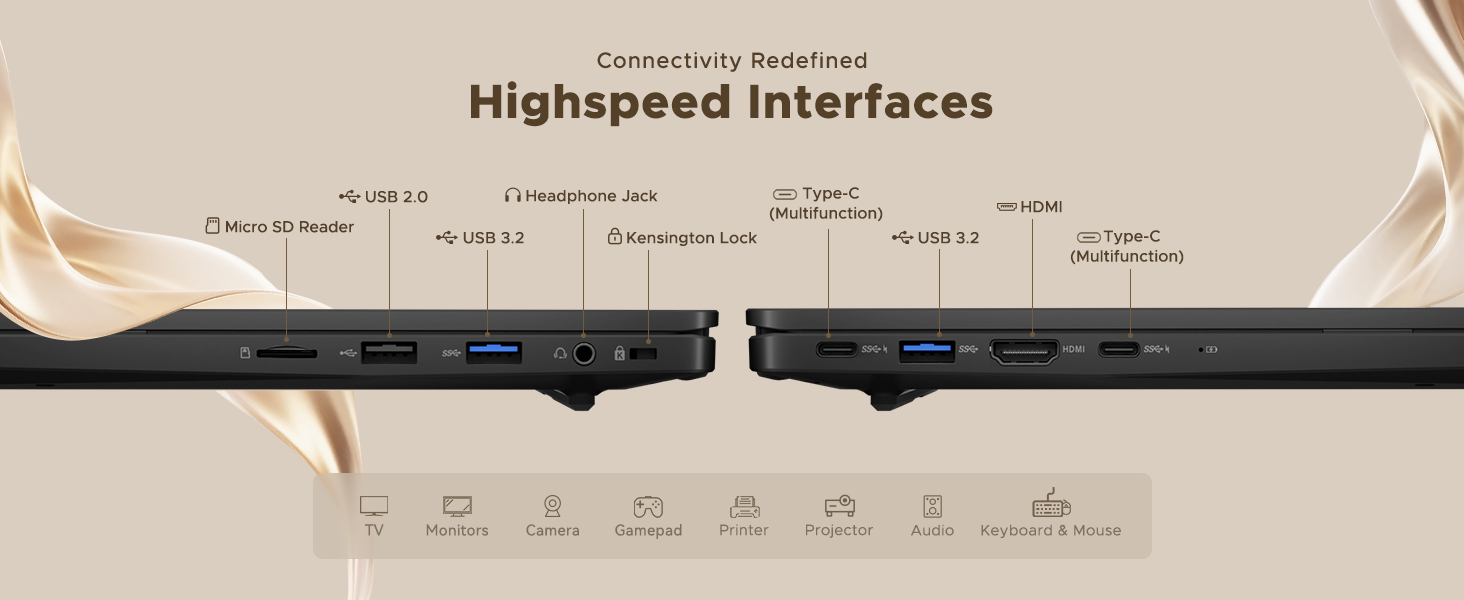
Figure 2: High-Speed Interfaces and Ports
Video 2: NIMO Laptop Overview. This video highlights the laptop's design, display, camera, keyboard, and various ports.
5. Орнату
5.1. Бастапқы қуат қосулы
- Unpack your NIMO N15A laptop and all accessories from the box.
- Connect the 100W Type-C PD Fast Charger to the laptop's Type-C port and a power outlet.
- Ноутбуктің қақпағын ашыңыз. Ноутбук автоматты түрде қосылуы мүмкін немесе қуат түймесін басу қажет болуы мүмкін.
- Тілді, аймақты, желі қосылымын және пайдаланушы тіркелгісін жасауды қоса, Windows 11 Home орнатуды аяқтау үшін экрандағы нұсқауларды орындаңыз.
5.2. Wi-Fi желісіне қосылу
During the initial setup or at any time, you can connect to a Wi-Fi network:
- Click the Wi-Fi icon in the taskbar (bottom right corner of the screen).
- Тізімнен қалаған Wi-Fi желісін таңдаңыз.
- Сұралса, желі құпия сөзін енгізіп, «Қосылу» түймесін басыңыз.
6. Ноутбукті пайдалану
6.1. Дисплей
The NIMO N15A features a 15.6" Full HD (1920x1080) IPS anti-glare display with an 85% screen-to-body ratio, providing clear and vibrant visuals for work, entertainment, and light gaming.
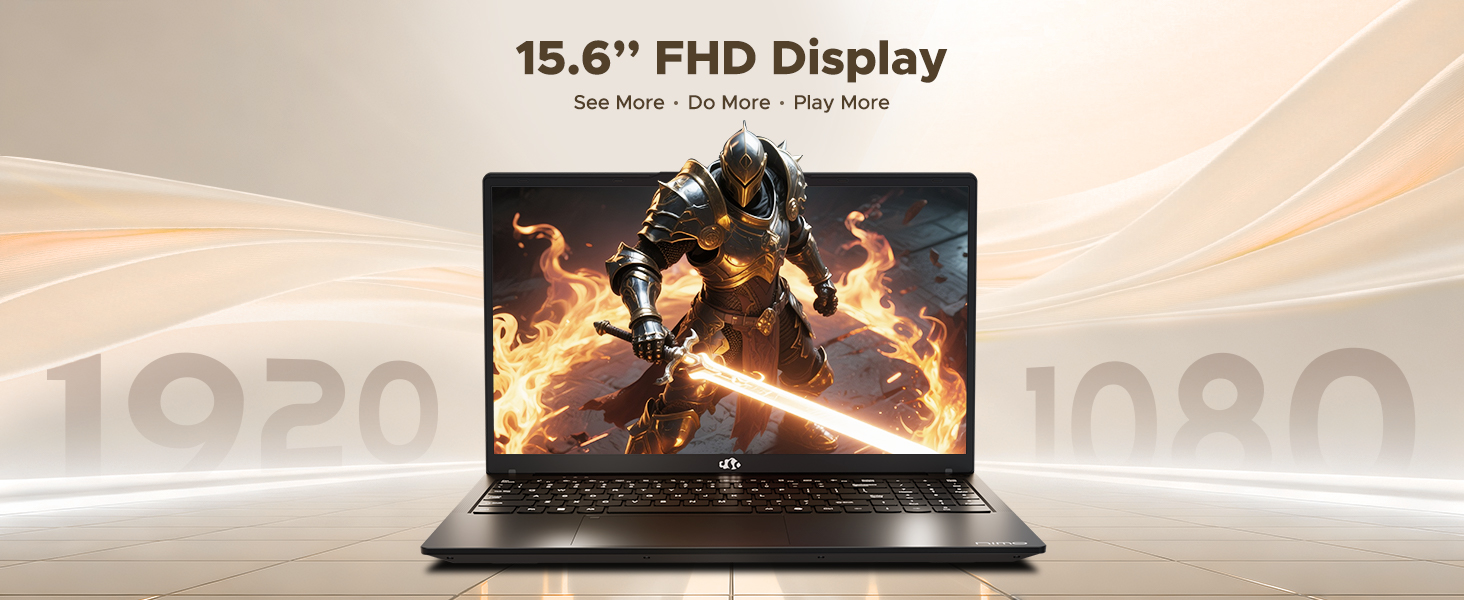
Figure 3: 15.6" FHD IPS Display
6.2. Пернетақта және сенсорлық тақта
The laptop includes an ergonomic backlit keyboard for comfortable typing in various lighting conditions and a precision gesture touchpad for smooth navigation.
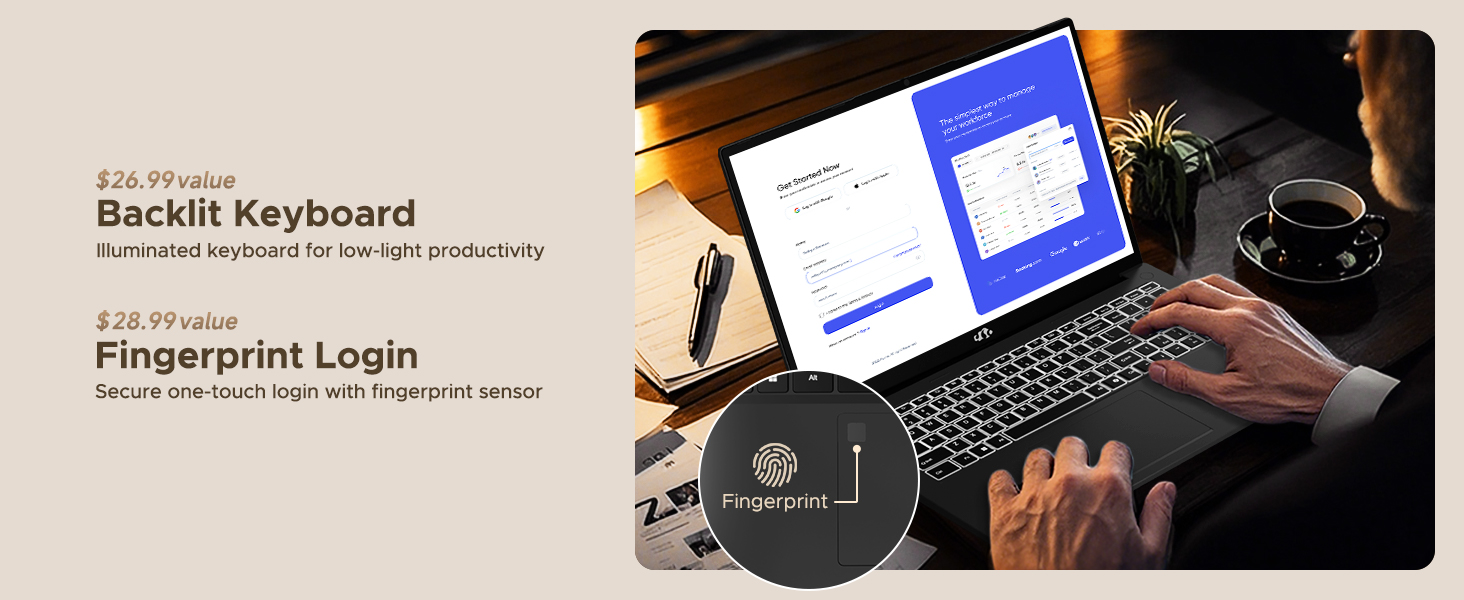
Figure 4: Backlit Keyboard and Fingerprint Sensor
6.3. Fingerprint Login
For enhanced security and convenience, the laptop features a fingerprint reader integrated into the touchpad. You can set up fingerprint login through Windows Settings for quick and secure access.
6.4. Камера
The integrated 2MP front camera is suitable for video calls and online meetings. It includes a privacy shutter for when the camera is not in use.

Figure 5: Privacy-Focused Camera Convenience
6.5. Өнімділік
Powered by the AMD Ryzen 7 Pro 6850U processor (8 cores, 16 threads, up to 4.7GHz) and AMD Radeon 680M GPU, the NIMO N15A delivers balanced performance for productivity, content creation, and light gaming.
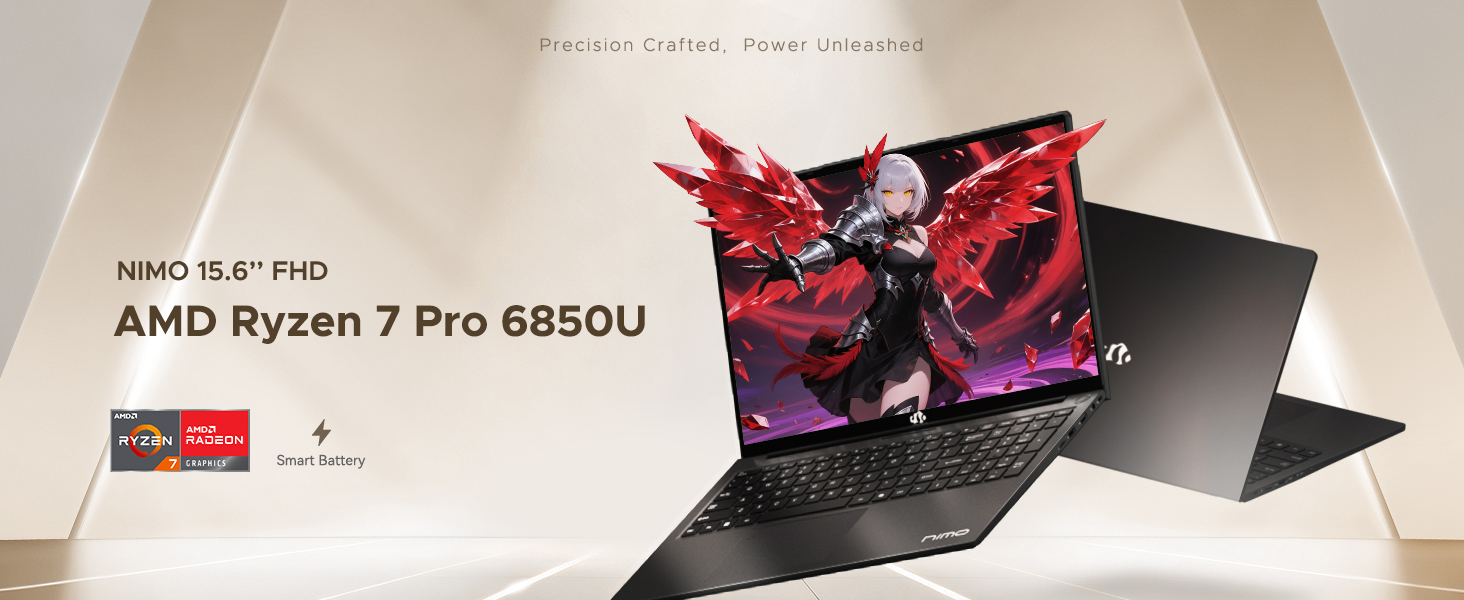
Figure 6: AMD Ryzen 7 Pro 6850U Processor Details
Video 3: NIMO Gaming Laptop Demonstration. This video showcases the laptop's performance in gaming and creative applications.
7. Зарядтау және батарея
The NIMO N15A is equipped with a 53.58 Watt-Hour Lithium Polymer battery, offering up to 9 hours of typical use and 12.75 hours of standby time. It supports 100W USB-C PD fast charging, allowing for approximately 2 hours of use from just a 15-minute charge.
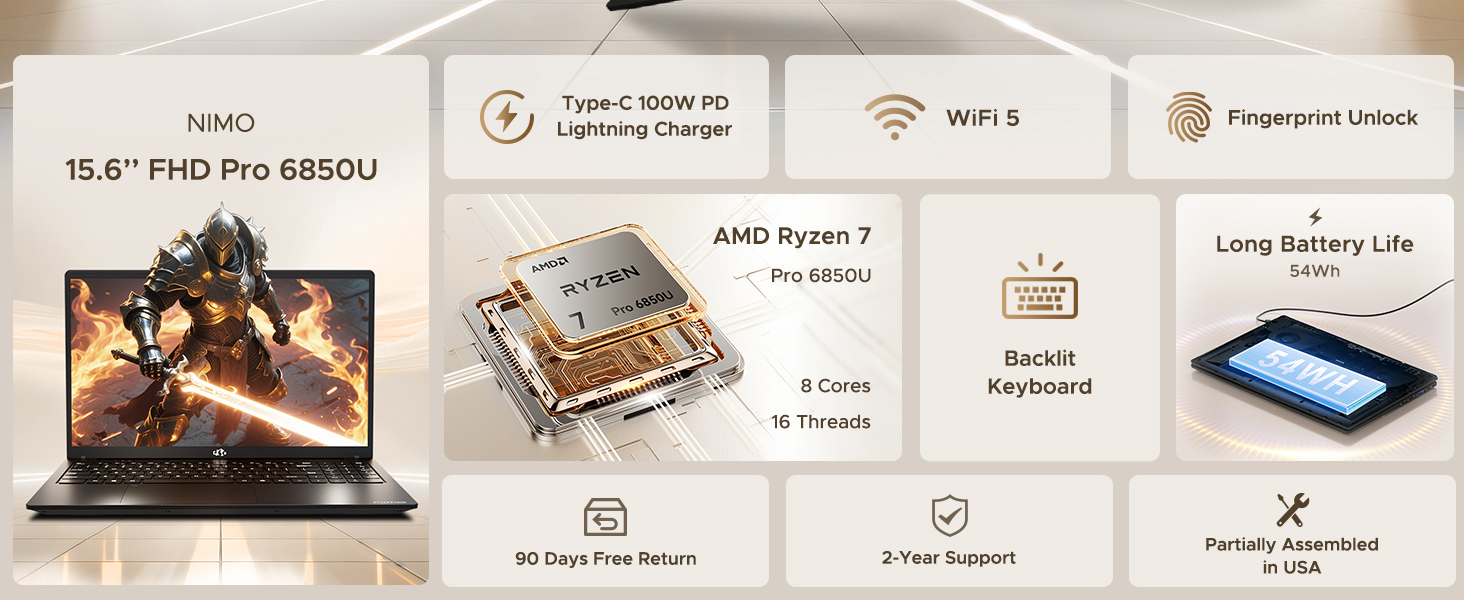
Figure 7: 100W USB-C Fast Charging
8. Сақтау және жад
The laptop features 16GB of lightning-fast LPDDR5 RAM (6400 MHz) for seamless multitasking and a pre-installed 1TB PCIe 4.0 SSD for rapid boot times and file аударымдар.
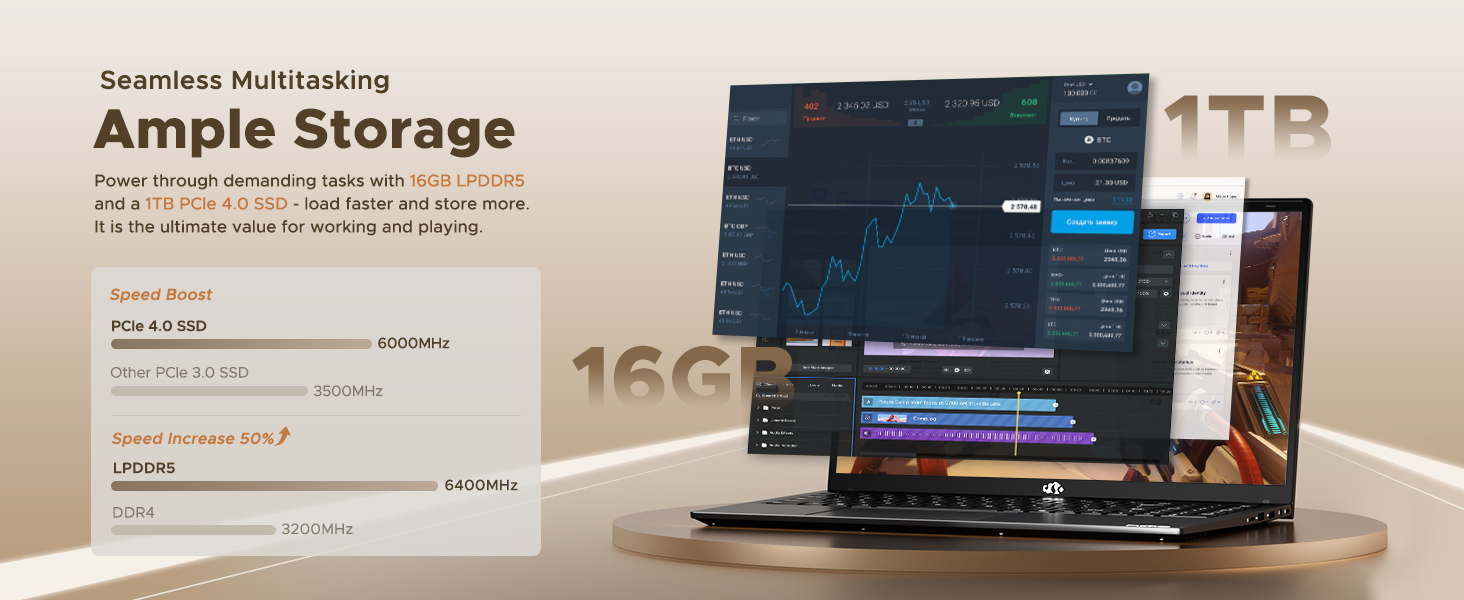
Figure 8: 16GB LPDDR5 RAM and 1TB PCIe 4.0 SSD
9. Техникалық қызмет көрсету
Regular maintenance helps ensure the longevity and optimal performance of your NIMO N15A laptop:
- Тазалау: Экранды және сыртын тазалау үшін жұмсақ, талшықсыз шүберекті пайдаланыңыз. Қатты дақтар үшін, аздап dampшүберекті сумен немесе экранға қауіпсіз тазалағышпен салыңыз. Қатты химиялық заттардан аулақ болыңыз.
- Бағдарламалық құрал жаңартулары: Regularly install operating system and driver updates to ensure security and performance improvements.
- Желдету: Keep the ventilation openings clear of obstructions to prevent overheating. Avoid using the laptop on soft surfaces like beds or couches for extended periods.
- Батареяға күтім жасау: To prolong battery life, avoid fully discharging the battery frequently. If storing the laptop for a long time, charge it to about 50-60%.
- Деректердің сақтық көшірмесі: Маңызды деректердің сақтық көшірмесін мерзімді түрде жасаңыз fileдеректердің жоғалуын болдырмау үшін сыртқы дискіге немесе бұлттық жадқа.
10. Ақаулықтарды жою
If you encounter issues with your NIMO N15A laptop, try the following basic troubleshooting steps:
- Ноутбук қосылмайды: Ensure the charger is securely connected and the power outlet is functional. Try a different outlet or charger if available.
- Экран бос: Connect an external monitor to check if the display is the issue. If the external monitor works, the laptop's screen may require service.
- Баяу өнімділік: Close unnecessary applications, check for malware, ensure sufficient free storage space, and update drivers.
- Wi-Fi байланысы мәселелері: Restart your router and modem. Ensure Wi-Fi is enabled on your laptop and try reconnecting to the network.
- Пернетақта немесе сенсорлық тақта жауап бермейді: Restart the laptop. If the issue persists, check for driver updates.
For more complex issues, please refer to the support section or contact NIMO customer service.
11. Техникалық сипаттамалар
Below are the detailed specifications for the NIMO N15A laptop:
| Ерекшелік | Техникалық сипаттама |
|---|---|
| Бренд | NIMO |
| Модель атауы | NIMO N15A |
| Экран өлшемі | 15.6 дюйм |
| Ажыратымдылық | 1920x1080 пиксель (FHD IPS) |
| Түс | Қара |
| CPU моделі | AMD Ryzen 7 Pro 6850U (8 Cores, 16 Threads, up to 4.7 GHz) |
| Графикалық сопроцессор | AMD Radeon 680M (біріктірілген) |
| Орнатылған жедел жад өлшемі | 16 ГБ LPDDR5 (6400 МГц) |
| Қатты диск өлшемі | 1024 GB (1TB PCIe 4.0 SSD) |
| Операциялық жүйе | Windows 11 Home |
| Арнайы мүмкіндіктер | Артқы жарықтандырылған пернетақта, саусақ ізін оқу құрылғысы, HD аудио, сандық пернетақта |
| Қосылу технологиясы | Bluetooth, Wi-Fi (802.11a/b/g/n/ac) |
| Жалпы USB порттары | 5 |
| Жалпы HDMI порттары | 1 |
| Батареяның қызмет ету мерзімі | 9 Hours (typical use), 12.75 Hours (standby) |
| Батарея қуатының мөлшері | 53.58 Ватт сағат |
| WebКамера мүмкіндігі | Yes (2 MP Front Camera) |
| Элемент салмағы | 3.75 фунт |
| Item Dimensions L x W x Thickness | 14.07"Ұ x 8.98" Е x 0.76" мың |
12. Кепілдік және қолдау
12.1. Кепілдік туралы ақпарат
Your NIMO N15A laptop comes with a 2 жылдық өндірушінің кепілдігі from NIMO Direct Inc. This warranty covers manufacturing defects and ensures peace of mind for your purchase.
12.2. Қайтару саясаты
A 90-day hassle-free return policy is provided, allowing you to return the product if you are not completely satisfied.
12.3. Тұтынушыларға қолдау көрсету
For any technical assistance, warranty claims, or support inquiries, please contact NIMO customer service. Our dedicated support team is ready to provide quick and effective assistance.
Please visit the official NIMO website or refer to the contact information provided with your product for the most up-to-date support details.