
Өнім аяқталдыview
The DIERYA DK68 is a 60% compact mechanical keyboard designed for versatility and performance. It features triple-mode connectivity, allowing seamless switching between Bluetooth 5.0, 2.4GHz wireless, and USB-C wired connections. Equipped with clicky blue mechanical switches and vibrant RGB backlighting, it offers a responsive and customizable typing experience for both gaming and office use.

Figure 1: DIERYA DK68 Wireless Mechanical Keyboard showcasinоның ықшам дизайны және RGB жарықтандыруы.
Пакет мазмұны
Пакетте барлық элементтер бар екеніне көз жеткізіңіз:
- DIERYA DK68 Wireless Mechanical Keyboard
- USB-C-USB-A кабелі
- Пернетақтаны тарту құралы
- 2.4GHz USB Receiver (stored in the keyboard's back compartment)
- Пайдаланушы нұсқаулығы (бұл құжат)
Орнату және қосылу мүмкіндігі
The DK68 keyboard supports three connection modes: USB-C wired, 2.4GHz wireless, and Bluetooth 5.0. Choose the mode that best suits your needs.
1. USB-C сымды режимі
- Берілген USB-C кабелін пернетақтаның USB-C портына жалғаңыз.
- Кабельдің USB-A ұшын компьютердегі қол жетімді USB портына жалғаңыз.
- Пернетақта автоматты түрде танылады және пайдалануға дайын болады.
2. 2.4 ГГц сымсыз режим
- Locate the 2.4GHz USB receiver in the compartment on the back of the keyboard.
- Remove the receiver and plug it into an available USB port on your computer.
- Turn on the keyboard using the switch located on the back.
- The keyboard should automatically connect to the receiver. If not, press Fn + G (labeled '2.4G' on the key) to activate 2.4GHz pairing mode.

Figure 2: Triple-mode connectivity options including 2.4GHz wireless.
3. Bluetooth 5.0 режимі
Пернетақта үш Bluetooth құрылғысына дейін қосыла алады.
- Turn on the keyboard using the switch on the back.
- басып тұрыңыз Fn+Z (labeled 'BT1'), Fn + X (labeled 'BT2'), or Fn + C (labeled 'BT3') for 3-5 seconds until the corresponding key's backlight flashes rapidly. This indicates pairing mode.
- On your device (PC, laptop, tablet, phone), enable Bluetooth and search for "DIERYA DK68".
- Select the keyboard to pair. The key's backlight will stop flashing once connected.
- Жұптастырылған Bluetooth құрылғылары арасында ауысу үшін жай ғана түймесін басыңыз Fn + Z/X/C.

Figure 3: Bluetooth connectivity for multiple devices.
Пайдалану нұсқаулары
RGB артқы жарықтандыруды басқару
The DK68 features 20 built-in RGB lighting effects and 16.8 million customizable colors. Use the following key combinations to control the lighting:
- Fn + Backspace: Turn backlighting On/Off.
- Fn + Shift: Switch light colors.
- Fn + Enter: Switch light modes (20 dynamic RGB modes).
- Fn + Жоғары көрсеткі: Жарықтықты арттырыңыз.
- Fn + төмен көрсеткі: Жарықтықты азайтыңыз.
- Fn + Сол жақ көрсеткі: Decrease light speed.
- Fn + оң жақ көрсеткі: Increase light speed.

Figure 4: RGB lighting control key combinations for the DK68 keyboard.
Негізгі теңшеу және макростар
The DIERYA DK68 supports full key anti-ghosting and N-Key Rollover (NKRO) for accurate input. For advanced customization, including key remapping, macro programming, and additional lighting effects, dedicated software is available. Please refer to the official DIERYA webбағдарламалық жасақтаманы жүктеу және нұсқаулықтар алуға арналған сайт.

Figure 5: Full N-Key Rollover and software customization capabilities.
Механикалық көк қосқыштар
The keyboard is equipped with clicky blue mechanical switches, providing a distinct tactile bump and an audible click with each keystroke. These switches are ideal for users who prefer clear feedback and a satisfying typing experience. They feature a medium 60gf actuation force (±15gf) and 2.3mm travel (±0.6mm), with a lifespan of 50 million clicks.

6-сурет: Егжей-тегжейлі view of mechanical blue switches and their specifications.
Техникалық қызмет көрсету
Батареяны басқару
The keyboard is powered by a 3000mAh lithium battery. To charge, connect the keyboard via the USB-C cable to a power source. The keyboard can be used while charging.
- Usage Time (Backlighting On): 12 сағатқа дейін.
- Usage Time (Backlighting Off): 333 сағатқа дейін.
- Автоматты ұйқы режимі: The keyboard enters auto-sleep mode after 3 minutes of inactivity to conserve power.
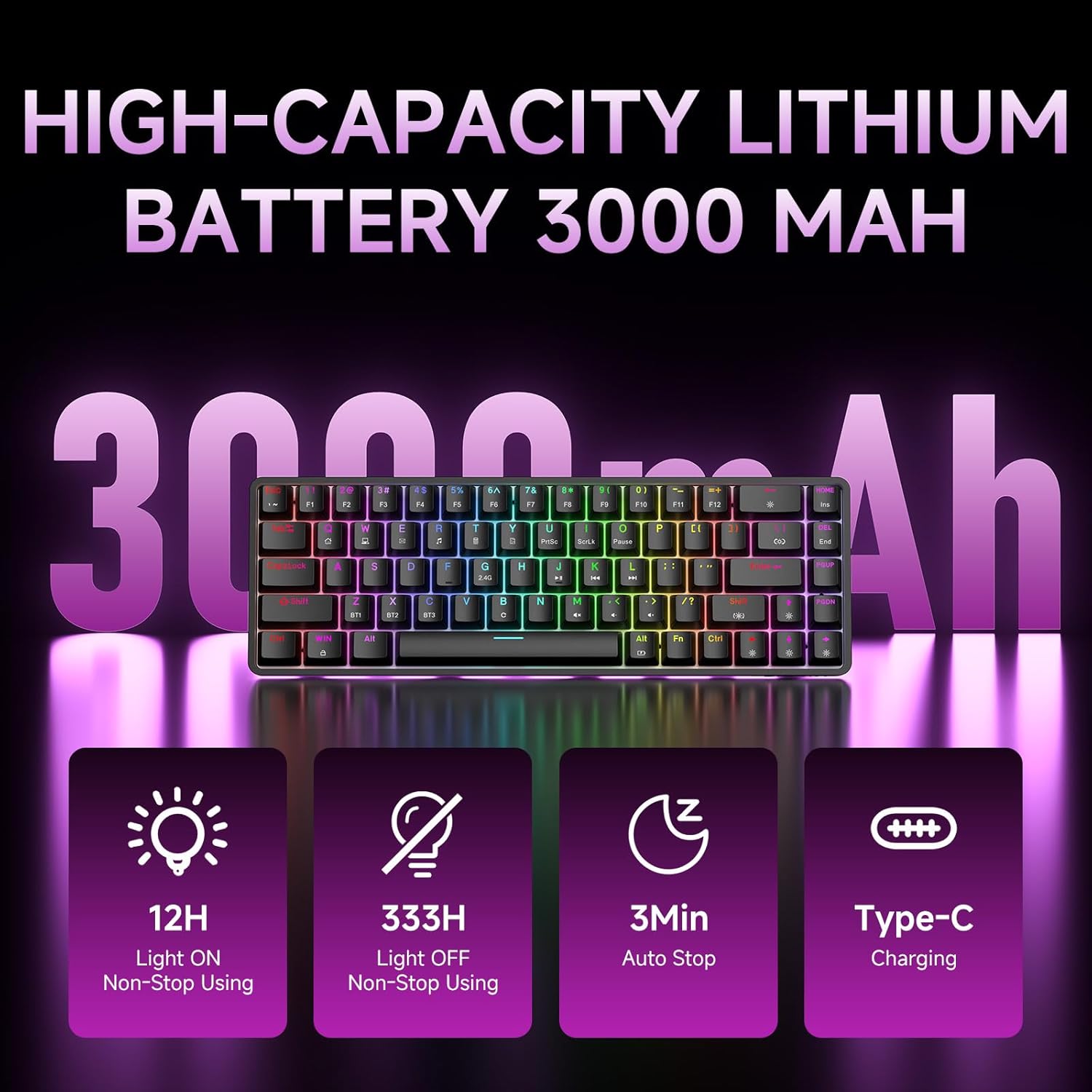
Figure 7: Battery capacity and power-saving features of the DK68.
Тазалау және күту
- Use the provided keycap puller to carefully remove keycaps for cleaning.
- Пернетақта бетін жұмсақ шүберекпен тазалаңыз, damp мата. Шамадан тыс ылғалдан аулақ болыңыз.
- Қатты химикаттар немесе абразивті тазартқыш заттарды қолданбаңыз.
- Тазалау алдында пернетақтаның өшірілгеніне көз жеткізіңіз.
Ақаулықтарды жою
- Пернетақта жауап бермейді:
- Check the power switch on the back of the keyboard.
- Ensure the correct connection mode (wired, 2.4GHz, or Bluetooth) is selected.
- 2.4 ГГц үшін USB ресиверінің сенімді түрде жалғанғанын тексеріңіз.
- For Bluetooth, ensure the keyboard is paired and selected on your device. Try re-pairing if necessary.
- If using wired mode, try a different USB port or cable.
- Артқы жарықтандыру жұмыс істемейді:
- түймесін басыңыз Fn + Backspace to toggle the backlighting.
- Батарея деңгейін тексеріңіз; батареяның аздығы артқы жарықты өшіруі мүмкін.
- Кілттер тіркелмейді:
- Пернетақтаның дұрыс жалғанғанына және қуат көзіне қосылғанына көз жеткізіңіз.
- If specific keys are not working, try removing and re-seating their keycaps.
Техникалық сипаттамалар
| Ерекшелік | Мәлімет |
|---|---|
| Үлгі нөмірі | DK68 |
| Қосылу технологиясы | 2.4 ГГц сымсыз, Bluetooth 5.0, USB-C сымды |
| Ауыстыру түрі | Clicky Blue Mechanical Switches |
| Кілттердің орналасуы | 68 перне (60% орналасу) |
| Артқы жарықтандыру | RGB (16.8 миллион түс, 20 әсер) |
| Батарея сыйымдылығы | 3000 мАч литий полимері |
| Үйлесімді құрылғылар | Ойын консолі, ноутбук, компьютер, планшет |
| Елеске қарсы | Full Key Anti-Ghosting & NKRO |
| Материал | Пластмасса |
| Элемент салмағы | 1.76 фунт (шамамен 800 г) |
| Пакет өлшемдері | 14.33 x 4.37 x 1.73 дюйм |

Figure 8: Keyboard dimensions and compact 68-key layout.
Кепілдік және қолдау
For warranty information and technical support, please refer to the documentation included with your product or visit the official DIERYA website. Amazon's return policy for this product is 30 days from the date of receipt.


