
1. Кіріспе
This manual provides detailed instructions for the setup, operation, maintenance, and troubleshooting of your GMKtec Nucbox G10 Mini PC. The Nucbox G10 is a compact and powerful desktop computer designed for various applications, from office tasks to multimedia entertainment, featuring an AMD Ryzen 5 3500U processor, 16GB DDR4 RAM, and a 1TB NVMe SSD.
2. Пакет мазмұны
Төменде тізімделген барлық заттардың бумаңызда бар екенін тексеріңіз:
- GMKtec Nucbox G10 AMD Ryzen 5 3500U Mini PC Computer
- Қуат көзі және кабель
- HDMI кабелі
- VESA Mount and Screws
- Пайдаланушы нұсқаулығы (бұл құжат)

Image: Retail Boxed Packaging. This image displays the GMKtec Nucbox G10 Mini PC, power supply, HDMI cable, VESA mount, screws, and user manual, illustrating the complete contents of the product package.
3. Өнім аяқталдыview
3.1 Негізгі мүмкіндіктер
- Процессор: AMD Ryzen 5 3500U (4 Cores, 8 Threads, up to 3.70GHz Turbo Boost)
- Графика: Integrated AMD Radeon Vega 8 Graphics (1200 MHz)
- Жад: 16GB Dual Channel DDR4 RAM (expandable up to 64GB)
- Сақтау орны: 1TB M.2 2280 NVMe SSD (expandable up to 16TB via dual M.2 2280 PCIe 3.0 slots)
- Желі: 2.5GbE Ethernet, WiFi 5, Bluetooth 5.0
- Дисплей шығысы: Triple 4K display support via HDMI 2.1, DisplayPort 1.4, and Full Function USB-C
- Салқындату: Silent Turbo Cooling Fan system

Image: Nucbox G10 Feature Overview. This image provides a visual summary of the mini PC's core components including the AMD Ryzen 5 3500U CPU, Radeon Vega 8 Graphics, DDR4 RAM, M.2 SSD, 2.5GbE LAN, WiFi 5, Bluetooth 5.0, triple display support, and cooling system.
3.2 Порттар мен қосқыштар
The Nucbox G10 features a comprehensive set of ports for connectivity:
- Алдыңғы: 1x CTIA Audio Jack, 2x USB 3.2 (5Gbps), 1x Power Button
- Артқы: 1x Type-C (PD Only), 1x USB 2.0, 1x 2.5G Giga LAN, 1x HDMI 2.1 (4K@60Hz), 1x DP 1.4 (4K@60Hz), 1x Full Function USB-C (PD/DP/Data), 1x Kensington Lock slot

Image: Front Panel Ports. This image shows the front of the Nucbox G10, highlighting the power button, two USB 3.2 ports, and the CTIA audio jack.

Image: Rear Panel Ports. This image illustrates the rear of the Nucbox G10, detailing the USB-C (PD Only), USB 2.0, 2.5G LAN, HDMI 2.1, DisplayPort 1.4, Full Function USB-C, and Kensington Lock slot.
4. Орнату нұсқаулығы
4.1 Перифериялық құрылғыларды қосу
- Монитор: Connect your monitor(s) to the Mini PC using the HDMI, DisplayPort, or USB-C ports. The Nucbox G10 supports up to three 4K displays simultaneously.
- Пернетақта мен тінтуір: USB пернетақтасы мен тінтуірді қол жетімді USB порттарына қосыңыз.
- Желі: For a wired connection, connect an Ethernet cable from your router/modem to the 2.5GbE LAN port. For wireless, ensure your WiFi network is available.
- Аудио: Connect speakers or headphones to the 3.5mm audio jack on the front panel if needed.
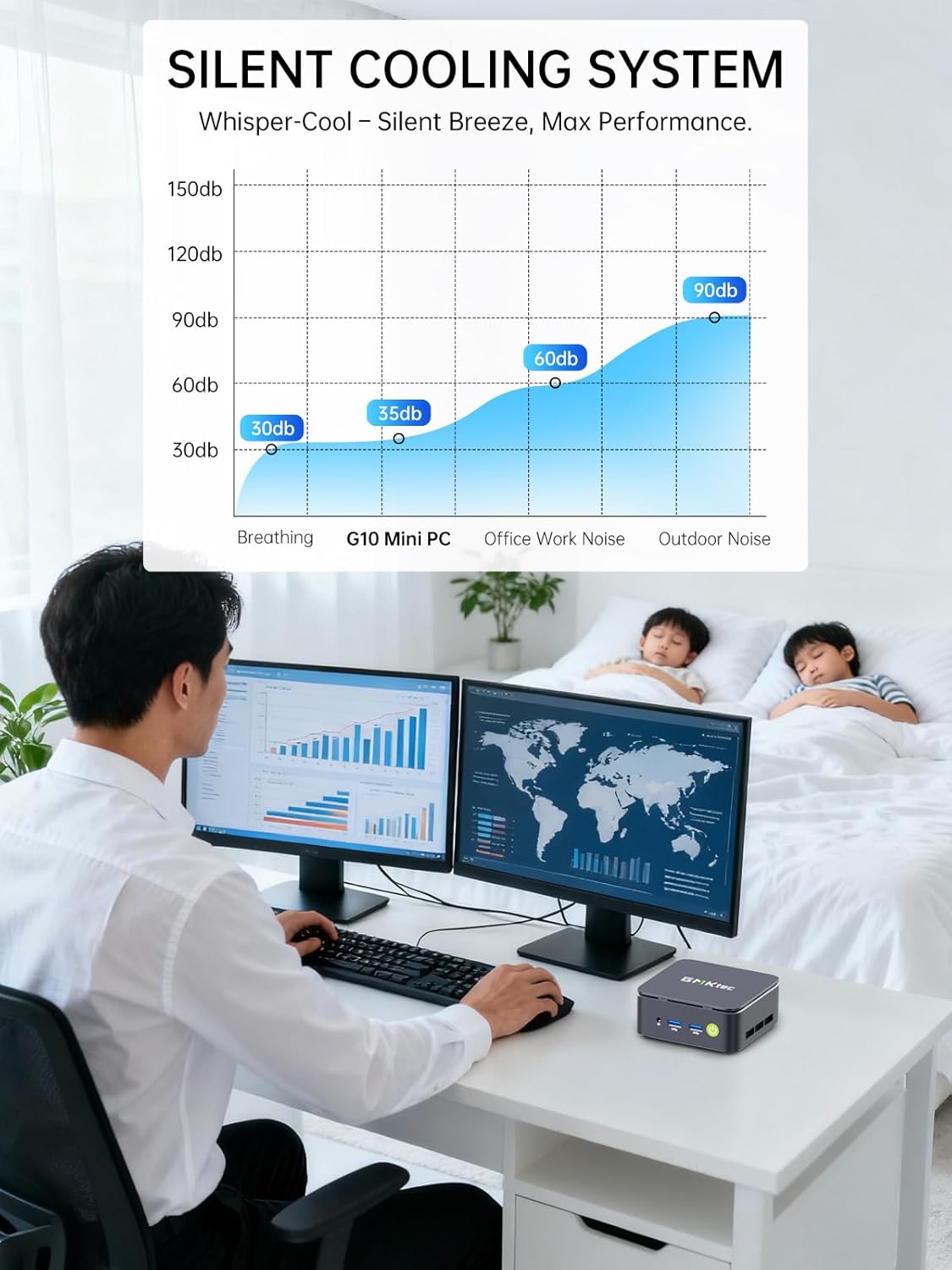
Image: Triple Display Setup. This image demonstrates the Nucbox G10 connected to two vertical monitors and a tablet, showcasing its triple display capability for enhanced productivity.
4.2 Қуат қосылымы
Connect the provided power adapter to the DC-in port on the Mini PC, then plug the power cable into a wall outlet. The Mini PC is designed for low power consumption.
4.3 Бастапқы жүктеу
Press the power button on the front panel. The Mini PC will boot into the pre-installed Windows 11 Pro operating system. Follow the on-screen instructions for initial Windows setup.
5. Пайдалану нұсқаулары
5.1 Қуатты қосу/өшіру
- Қуат қосулы: Қуат түймесін бір рет басыңыз.
- Қуат көзін өшіру: From Windows, go to Start > Power > Shut down. Alternatively, press and hold the power button for 5 seconds to force a shutdown (use only when necessary).
5.2 Операциялық жүйе
Your Nucbox G10 comes with Windows 11 Pro pre-installed. Ensure you keep your operating system updated for optimal performance and security.
5.3 Желіге қосылу мүмкіндігі
- Сымды (Ethernet): Once the Ethernet cable is connected, the system should automatically detect the network.
- Сымсыз (Wi-Fi): In Windows, click the Wi-Fi icon in the taskbar, select your network, enter the password, and connect.
- Блютез: To connect Bluetooth devices, go to Windows Settings > Bluetooth & devices, and pair your device.
6. Техникалық қызмет көрсету
6.1 Тазалау
Regularly clean the exterior of the Mini PC with a soft, dry cloth. Ensure ventilation openings are free from dust to maintain optimal cooling performance. Do not use liquid cleaners directly on the device.

Image: Ultra Efficient Cooling System. This image provides an internal view of the Nucbox G10, highlighting the silent turbo cooling fan designed for efficient heat dissipation.
6.2 Бағдарламалық құралды жаңарту
Keep your Windows operating system and drivers updated to ensure system stability, security, and performance. Windows Update can be accessed via Settings > Windows Update.
6.3 Сақтау және жадты кеңейту
The Nucbox G10 supports memory expansion up to 64GB DDR4 RAM and storage expansion up to 16TB via its dual M.2 2280 PCIe 3.0 slots. Consult a qualified technician for hardware upgrades to avoid voiding your warranty or damaging the device.
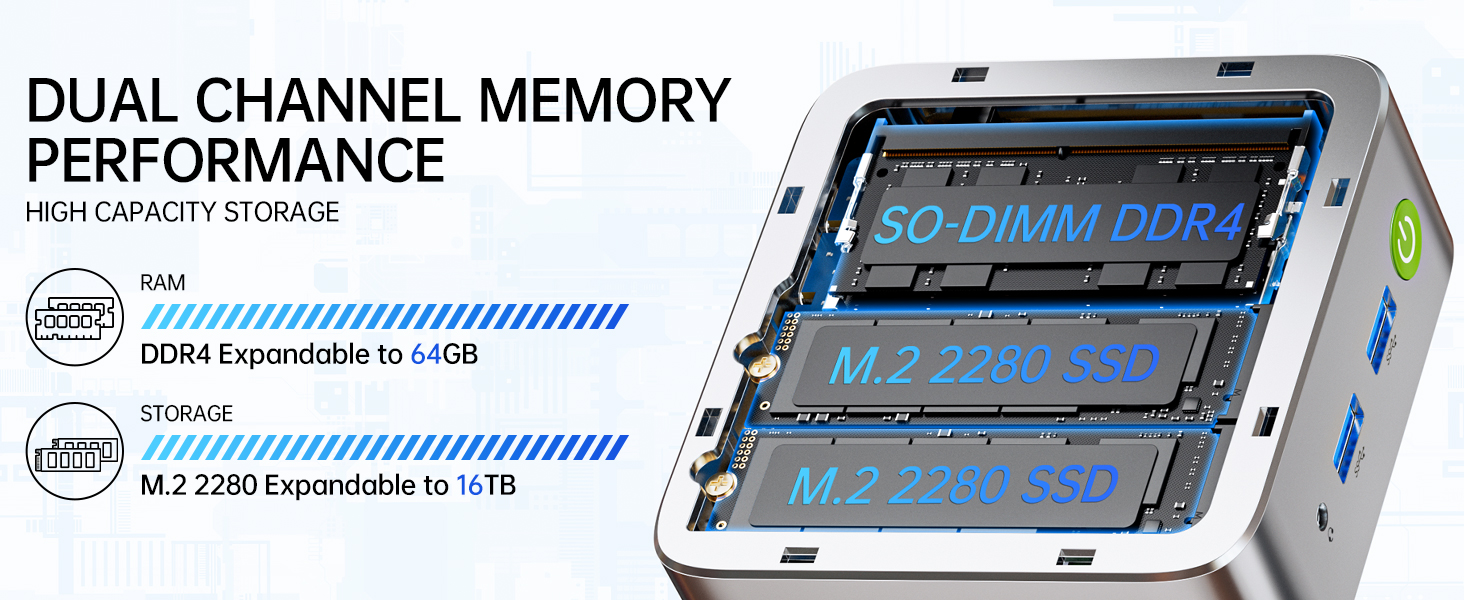
Image: Dual Channel Memory Performance and High Capacity Storage. This diagram illustrates the internal layout for SO-DIMM DDR4 RAM and M.2 2280 SSDs, indicating their expandability.
7. Ақаулықтарды жою
Егер сіз Mini PC компьютеріңізде мәселелерге тап болсаңыз, келесі жиі кездесетін мәселелер мен шешімдерді қараңыз:
- Қуат жоқ:
- Қуат адаптерінің шағын компьютерге де, жұмыс істейтін қуат розеткасына да сенімді жалғанғанын тексеріңіз.
- Басқа құрылғыны қосу арқылы розетканың жұмыс істеп тұрғанын тексеріңіз.
- Дисплей жоқ:
- Check that the HDMI, DisplayPort, or USB-C cable is firmly connected to both the Mini PC and the monitor.
- Монитордың қосулы екенін және дұрыс кіріс көзіне орнатылғанын тексеріңіз.
- Басқа дисплейге қосылып немесе басқа кабельді пайдаланып көріңіз.
- Желіге қосылу мәселелері:
- Сымды: Check the Ethernet cable connection. Restart your router/modem.
- Сымсыз: Ensure Wi-Fi is enabled in Windows settings. Verify your Wi-Fi password. Restart your router.
- Баяу өнімділік:
- Фондық режимде жұмыс істейтін қажет емес қолданбаларды жабыңыз.
- Ensure the system has adequate ventilation and is not overheating.
- Күтілетін Windows жаңартуларын немесе драйвер жаңартуларын тексеріп, орнатыңыз.
- Жад орнын босату үшін дискіні тазалауды іске қосыңыз.
8. Техникалық сипаттамалар
| Ерекшелік | Техникалық сипаттама |
|---|---|
| Бренд | GMKtec |
| Модель атауы | G10 |
| Операциялық жүйе | Windows 11 Pro |
| CPU моделі | AMD Ryzen 5 3500U |
| CPU жылдамдығы | 3.7 GHz (Boost) |
| Процессор саны | 4 |
| Графикалық сопроцессор | AMD Radeon Vega 8 Graphics 1200 MHz |
| Орнатылған жедел жад | 16 ГБ DDR4 |
| ЖЖҚ жадының максималды өлшемі | 64 ГБ |
| Жад жылдамдығы | 2400 Мт/с |
| Жад сақтау сыйымдылығы | 1 ТБ NVMe SSD |
| Қатты диск сипаттамасы | Dual Slot M.2 2280 PCIE Max. 16TB |
| Қосылу технологиясы | HDMI 2.1, RJ45 2.5GbE LAN, USB 3.2, USB-C (DP/DATA/PD), WIFI5/ BT 5.0 |
| Сымсыз үйлесімділік | 802.11a/b/g/n/ac (WiFi 5), Bluetooth 5.0 |
| Бейне шығысы | HDMI 2.1, DisplayPort, Type-C (Triple Display) |
| Дисплейдің максималды ажыратымдылығы | 4096 × 2160 Pixels (4K) |
| Жалпы USB порттары | 4 (2x USB 3.2, 1x USB 2.0, 1x USB-C Full Function) |
| Қуатты тұтыну | 25 Watts (Typical) |
| Элемент өлшемдері | 4.1 x 3.8 x 1.7 дюйм |
| Элемент салмағы | 0.95 келі |
| Салқындату әдісі | Dual Cooling Fan |
| Қосымша мүмкіндіктер | RTC Wake, Auto Power On, Wake On LAN, PXE Boot |
9. Кепілдік және қолдау
9.1 Кепілдік туралы ақпарат
GMKtec offers a 1 жылдық шектеулі кепілдік for each Mini PC, starting from the date of purchase. This warranty covers defects due to design and workmanship. Please retain your proof of purchase for warranty claims.
9.2 Тұтынушыларды қолдау қызметі
For technical assistance, warranty claims, or any questions regarding your GMKtec Nucbox G10 Mini PC, please contact GMKtec customer support. You can typically find contact information on the official GMKtec website or through the seller's contact page where you purchased the product (e.g., GMKtec-Direct on Amazon).