
1. Кіріспе
Welcome to the OnePlus 15 user manual. This guide provides essential information for setting up, operating, maintaining, and troubleshooting your new smartphone. The OnePlus 15 is designed for high performance and extended battery life, featuring a Snapdragon 8 Elite Gen 5 processor, a 7300mAh battery, and a triple 50 MP camera system. Please read this manual thoroughly to ensure optimal use of your device.
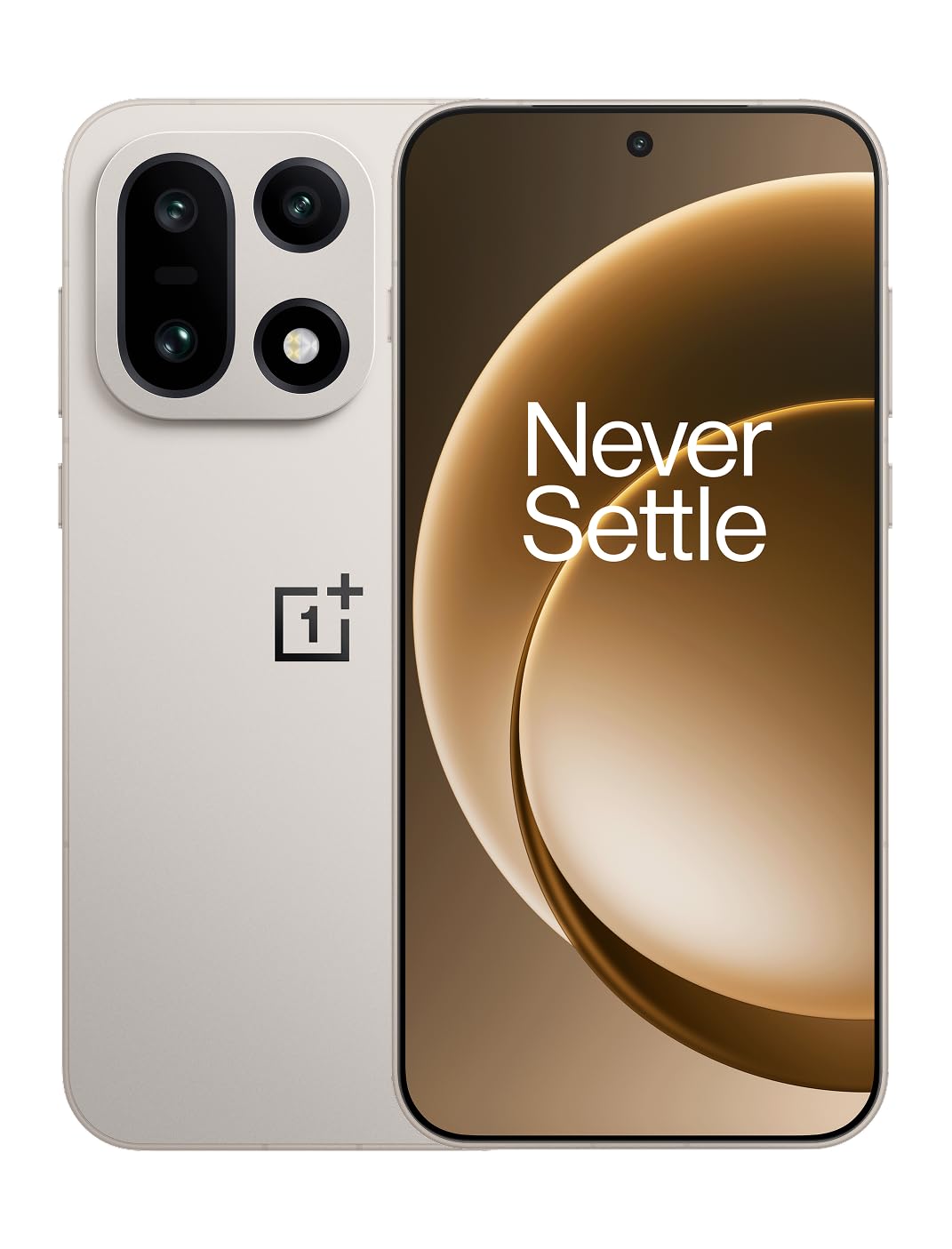
1-сурет: Алдыңғы view of the OnePlus 15 smartphone.
2. Қорапта не бар
Өнімнің қаптамасында барлық заттардың бар екенін тексеріңіз:
- OnePlus 15 Smartphone (x1)
- Зарядтағыш (x1)
- USB деректер кабелі (x1)
- SIM картаны шығару құралы (x1)
- Жылдам нұсқаулық (x1)
- Safety Guide (x1)

Figure 2: Included items in the OnePlus 15 package.
3. Орнату
3.1. SIM картасын орнату
The OnePlus 15 supports Dual-SIM functionality. To install your SIM card(s):
- Құрылғының бүйіріндегі SIM картасының науасын табыңыз.
- SIM шығару құралын науаның жанындағы кішкене тесікке салып, науа шыққанша қатты басыңыз.
- Nano-SIM картаңызды алтын түсті түйіспелерін төмен қаратып науаға салыңыз. Олардың дұрыс орнатылғанына көз жеткізіңіз.
- SIM картасының науасын телефонға абайлап қайта салыңыз.

3-сурет: жағы view of the OnePlus 15, highlighting the SIM card tray.
3.2. Бастапқы қуат қосу және орнату
Құрылғыны бірінші рет қосу үшін:
- Press and hold the Power button (located on the right side) until the OnePlus logo appears.
- Тілді таңдау, Wi-Fi қосылымы, Google есептік жазбасына кіру және қауіпсіздік параметрлері сияқты бастапқы орнатуды аяқтау үшін экрандағы нұсқауларды орындаңыз.
3.3. Батареяны зарядтау
The OnePlus 15 is equipped with a 7300mAh battery. To charge your device:
- Сымды зарядтау: Connect the provided USB Data Cable to the Type-C port on the bottom of the phone and the other end to the charger. Plug the charger into a power outlet.
- Сымсыз зарядтау: Place the phone on a compatible wireless charging pad. Ensure the phone is centered on the pad for efficient charging.
A full charge provides approximately 68.7 hours of talk time.

Figure 4: Illustration of the 7300mAh battery capacity.
4. Құрылғыны пайдалану
4.1. Дисплей
The OnePlus 15 features a 6.78-inch AMOLED display with a 2772x1272 resolution and a 165 Hz refresh rate. This provides smooth visuals and vibrant colors. Adjust display settings such as brightness, color mode, and refresh rate in the device settings menu.
4.2. Өнімділік
Powered by the Snapdragon 8 Elite Gen 5 processor and 16GB of RAM, the OnePlus 15 delivers fast and efficient performance for multitasking, gaming, and demanding applications. The Tri-Chip System, combining the Snapdragon 8 Elite Gen 5 with a dedicated Wi-Fi chip and CPU scheduler, optimizes for speed, connectivity, and power efficiency.
1-бейне: аяқталдыview of the OnePlus 15's performance capabilities and user experience.
4.3. Камера жүйесі
The device is equipped with a Triple 50 MP camera system, offering wide, ultra-wide, and telephoto lenses for versatile photography. The DetailMax Engine enhances photo quality in various lighting conditions, including day, night, and motion shots. Both front and rear cameras are available for capturing images and videos.

5-сурет: Артқы view of the OnePlus 15, showcasing үштік камера жүйесі.

Figure 6: DetailMax Engine for stunning photos.
4.4. Қосылу мүмкіндігі
The OnePlus 15 supports a range of connectivity options:
- Сымсыз: Wi-Fi, Bluetooth, NFC, Infrared.
- Сымды: USB Type-C.
- Навигация: Dual-band GPS (L1+L5) and Galileo (E1+E5a).
- SIM: Dual SIM support for managing multiple networks.
4.5. Операциялық жүйе
The device runs on Android 16 with OxygenOS 16, providing a fast and smooth user experience. Regular software updates will be provided to enhance features and security.
5. Техникалық қызмет көрсету
5.1. Төзімділік және қорғаныс
The OnePlus 15 is built with IP66/IP68/IP69 and IP19K ratings, offering resistance against dust and water. While designed to be durable, avoid exposing the device to extreme conditions or prolonged submersion in water.

Figure 7: OnePlus 15 demonstrating water resistance.
5.2. Құрылғыны тазалау
Use a soft, lint-free cloth to clean the screen and body of your phone. Avoid using abrasive materials or harsh chemicals, which can damage the display or finish.
5.3. Бағдарламалық құралды жаңарту
Periodically check for software updates in the device settings. Keeping your software up-to-date ensures you have the latest features, security patches, and performance improvements.
6. Ақаулықтарды жою
This section addresses common issues you might encounter with your OnePlus 15.
6.1. Құрылғы қосылмайды
- Батарея зарядталғанына көз жеткізіңіз. Телефонды зарядтағышқа қосып, қайта қосу әрекетінен бұрын бірнеше минут күтіңіз.
- Мәжбүрлеп қайта қосу үшін Қуат түймесін кем дегенде 10-15 секунд басып тұрыңыз.
6.2. Нашар желі қосылымы
- SIM картасының дұрыс салынғанын тексеріңіз.
- Verify that airplane mode is not enabled.
- Құрылғыны қайта іске қосыңыз.
- If issues persist, contact your network provider.
6.3. Қолданбалар бұзылып жатыр немесе қатып жатыр
- Қолданбаны жауып, қайта ашыңыз.
- Clear the app's cache and data in device settings.
- Қолданбаның соңғы нұсқасына жаңартылғанына көз жеткізіңіз.
- If the issue is widespread, consider restarting the phone.
6.4. Батареяның тез бітуі
- Reduce screen brightness and screen timeout duration.
- Disable unused features like Wi-Fi, Bluetooth, or GPS when not needed.
- Identify and close power-intensive applications running in the background.
- Check for recent software updates, as they often include battery optimizations.
7. Техникалық сипаттамалар
Detailed technical specifications for the OnePlus 15 (Model: CPH2749).
| Ерекшелік | Мәлімет |
|---|---|
| Модель атауы | OnePlus 15 |
| Элемент үлгі нөмірі | CPH2749 |
| Өнім өлшемдері | 6.36 x 3.02 x 0.32 дюйм |
| Элемент салмағы | 1.28 фунт |
| Операциялық жүйе | Android 16 |
| CPU моделі | Snapdragon 8 Elite 5 буыны |
| CPU жылдамдығы | 4.61 ГГц |
| Орнатылған жедел жад өлшемі | 16 ГБ |
| Жад сақтау сыйымдылығы | 512 ГБ |
| Тұрақты экран дисплей өлшемі | 6.78 дюйм |
| Ажыратымдылық | 2772*1272 |
| Жаңарту жылдамдығы | 165 Гц |
| Батарея сыйымдылығы | 7300 млнamp Сағат (7300мАч) |
| Телефонмен сөйлесу уақыты | 68.7 сағат |
| Қосылу технологиялары | Infrared, NFC, USB, Wi-Fi, Bluetooth |
| GPS | Dual band: GPS(L1+L5) Galileo(E1+E5a) |
| Арнайы мүмкіндіктер | Dual SIM, Wireless Charging |
| Аудио ұясы | Type-C headphones: supported Type-C digital headphones & Type-C analog headphones |
| Басқа камера мүмкіндіктері | Front, Rear (Triple 50 MP Camera System) |
| IP рейтингі | IP66/IP68/IP69 and IP19K rated |
| Түс | Sand Storm |
8. Кепілдік туралы ақпарат
Your OnePlus 15 device is covered by a limited manufacturer's warranty. Please refer to the included Safety Guide or visit the official OnePlus website for detailed warranty terms and conditions, including coverage duration and service procedures. Keep your proof of purchase for warranty claims.
9. Қолдау
For further assistance, technical support, or to access additional resources, please visit the official OnePlus support website or contact customer service. You can find contact details and FAQs on the OnePlus webсайт.
Онлайн ресурстар: www.oneplus.com/support


