
1. Кіріспе
The EVILTO RGB Digital Alarm Clock is designed to provide clear time display, dual alarm functionality, and ambient lighting options. It features a high-contrast screen that shows time, temperature, date, and day of the week. With customizable RGB display colors and ambient light settings, it complements various room decors while offering practical features like Daylight Saving Time (DST) adjustment and power-outage memory.
2. Қауіпсіздік нұсқаулары
- Ensure the device is placed on a stable, flat surface to prevent falling.
- Keep away from water or high humidity environments to avoid electrical hazards.
- Тікелей күн сәулесіне немесе жоғары температураға ұшыратпаңыз.
- Тек берілген қуат адаптері мен кабелін пайдаланыңыз.
- Балалардың қолы жетпейтін жерде сақтаңыз.
- Do not attempt to disassemble or repair the device yourself. Contact customer support if needed.
3. Пакет мазмұны
Барлық элементтер пакетте бар екенін тексеріңіз:
- EVILTO RGB Digital Alarm Clock Unit
- USB-C қуат кабелі
- Қуат адаптері
- Пайдаланушы нұсқаулығы
4. Өнім аяқталдыview
The alarm clock features a large digital display and intuitive controls. Familiarize yourself with the main components and buttons:
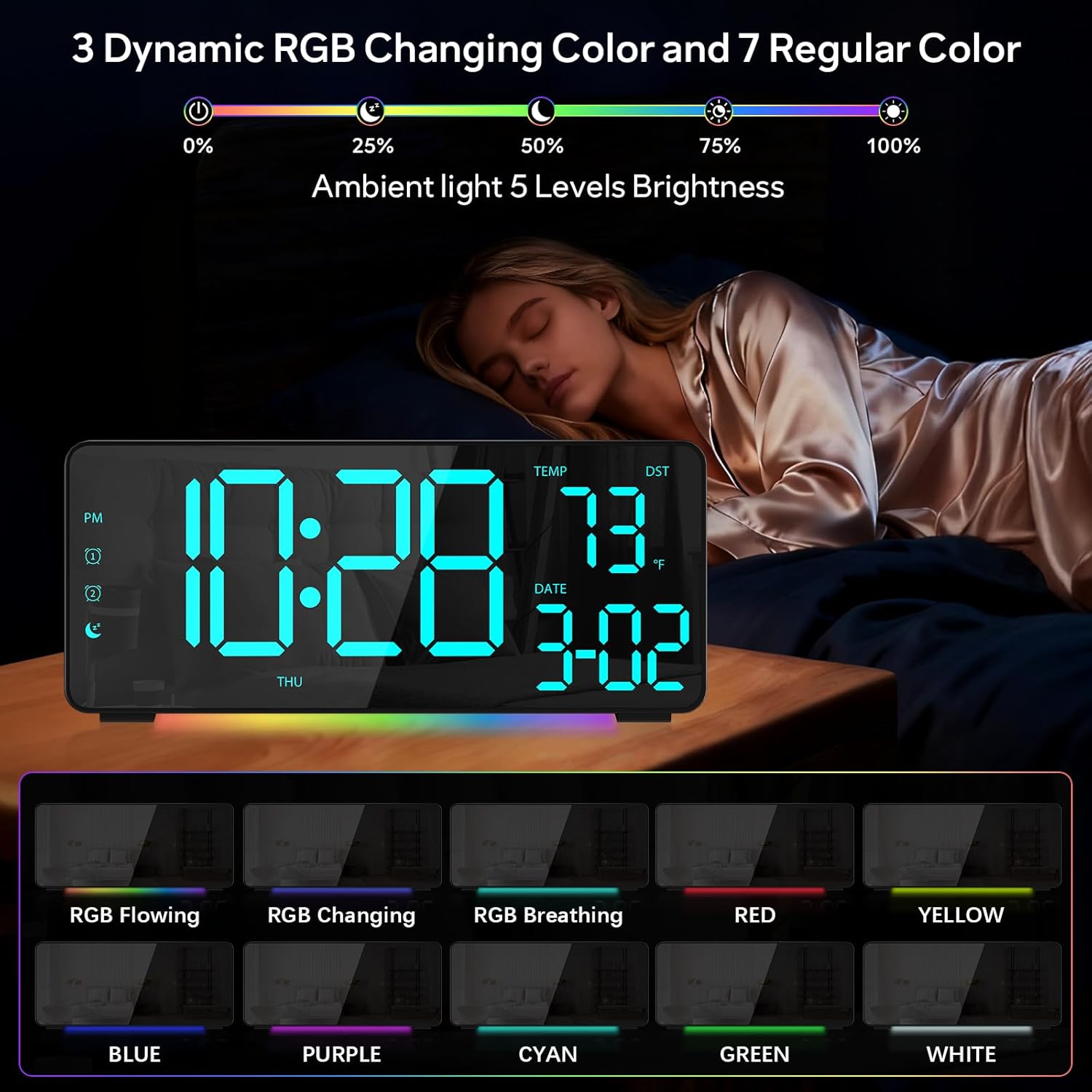
1-сурет: Алдыңғы view of the EVILTO RGB Digital Alarm Clock, showing the time, temperature, date, and day of the week. The display features vibrant RGB colors.

2-сурет: Артқы view of the EVILTO RGB Digital Alarm Clock, highlighting the control buttons for settings, alarms, display, and the USB-C input and USB output ports.
Басқару түймелері:
- SET батырмасы: Enters/confirms settings.
- Жарықтық түймесі: Дисплей жарықтығын реттейді.
- RGB түймесі: RGB дисплей түстері арқылы ауысады.
- 1/2 дабыл түймелері: Activates/deactivates and sets Alarm 1 or Alarm 2.
- Дыбыс деңгейі түймесі: Дабылдың дыбыс деңгейін реттейді.
- DST түймесі: Toggles Daylight Saving Time.
- 12/24H түймесі: Switches between 12-hour and 24-hour time format.
- °C/°F түймесі: Switches between Celsius and Fahrenheit for temperature display.
5. Орнату
5.1 Құрылғыны қуаттандыру
The alarm clock operates via a corded electric connection. For power-outage memory, install 3 AAA batteries (not included).
- Connect the USB-C power cable to the INPUT port on the back of the clock.
- Қуат адаптерін стандартты электр розеткасына қосыңыз.
- For backup power, open the battery compartment on the back and insert 3 AAA batteries, ensuring correct polarity.

Figure 3: The clock connected via USB-C for power, demonstrating its USB output for charging other devices.

Figure 4: Illustration of the power-outage memory function, showing the battery compartment for AAA batteries to retain settings during power interruptions.
6. Пайдалану нұсқаулары
6.1 Уақыт пен күнді орнату
- түймесін басып тұрыңыз ОРНАТУ button on the back of the clock for 3 seconds to enter time setting mode. The hour digits will begin to flash.
- пайдаланыңыз + және - түймелері сағатты реттеуге арналған.
- түймесін басыңыз ОРНАТУ минут параметріне өту үшін қайтадан басыңыз. Қолдану + және - минуттарды реттеу үшін.
- Басуды жалғастырыңыз ОРНАТУ әрқайсысын реттей отырып, жыл, ай және күн параметрлері бойынша айналдыру + және -.
- түймесін басыңыз ОРНАТУ параметр режимінен шығу үшін соңғы рет.
- To switch between 12-hour and 24-hour format, short press the 12/24 сағ түймесі.
- To switch between Celsius and Fahrenheit, short press the ° C / ° F түймесі.
6.2 Дабылдарды орнату
The clock supports two independent alarms with four modes (Daily, Weekday 1, Weekday 2, Weekend).
- түймесін басып тұрыңыз Дабыл 1 or Дабыл 2 button for 3 seconds to enter alarm setting mode. The hour digits will flash.
- пайдаланыңыз + және - қажетті оятқыш сағатын орнату үшін түймелерді басыңыз.
- түймесін басыңыз Дабыл button again to set the minutes, adjusting with + және -.
- түймесін басыңыз Дабыл button a third time to select the alarm mode (Daily, Weekday 1, Weekday 2, Weekend) using + және -.
- түймесін басыңыз Дабыл button one last time to confirm and exit.
- To activate or deactivate an alarm, short press its respective Дабыл 1 or Дабыл 2 button. An icon will appear/disappear on the display.
- Дабыл естілгенде түймесін басыңыз ҰЙЫҚТАУ button (top center) to activate snooze for 5 minutes. To turn off the alarm, press any other button.

Figure 5: The clock illustrating the setup for dual alarms with options for daily, weekday, or weekend modes.
6.3 Adjusting Display and Ambient Light
- Дисплей жарықтығы: түймесін қысқаша басыңыз Жарықтық button on the back to cycle through 5 adjustable brightness levels for the main display.
- RGB дисплей түстері: түймесін қысқаша басыңыз RGB button on the back to cycle through 15 vibrant RGB display colors, including 4 dynamic RGB modes, 7 regular colors, and 4 specific color options.
- Сыртқы жарықтандыру: The clock features 10 ambient lighting options. These can be adjusted independently from the main display colors. Refer to the specific instructions in the included manual for ambient light control.
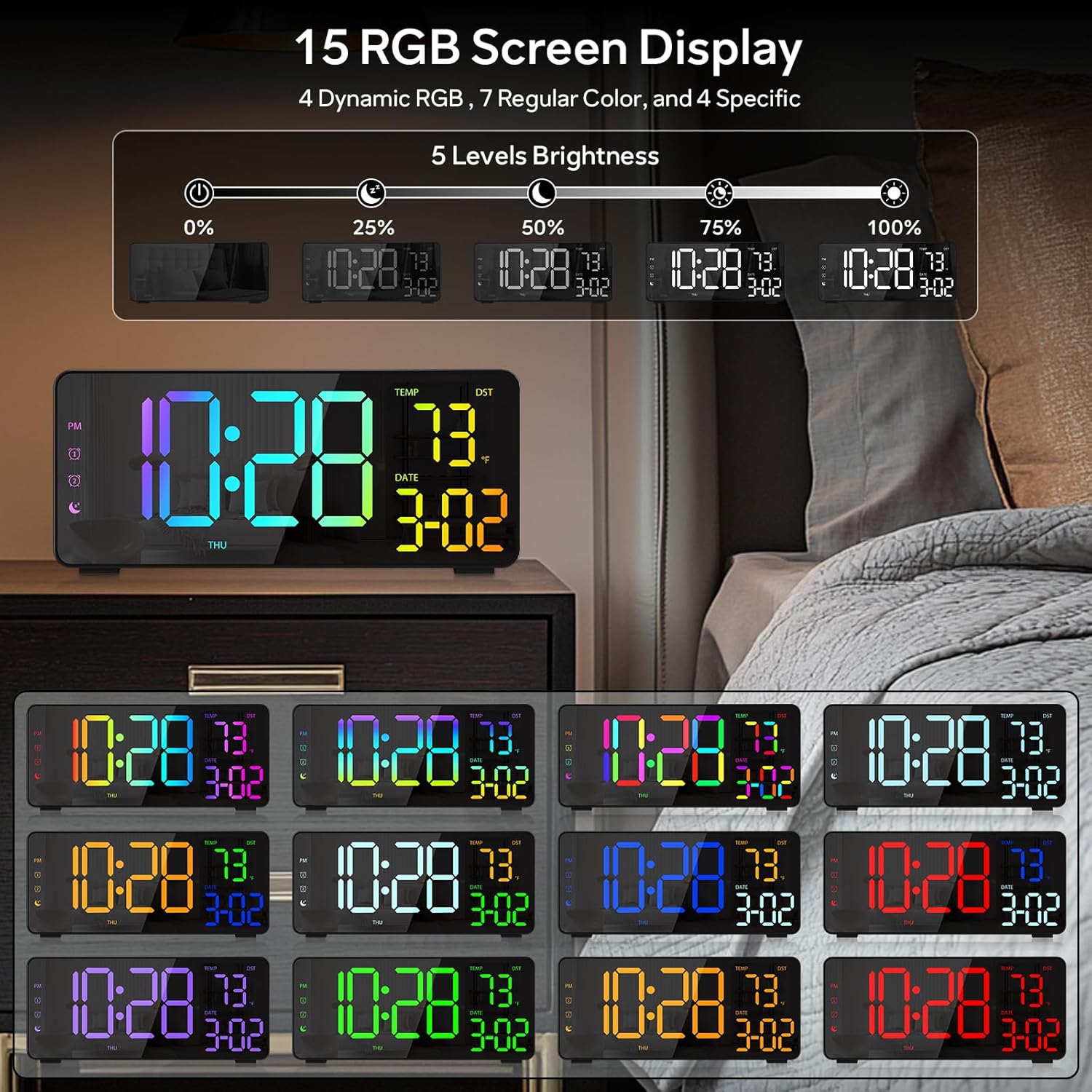
Figure 6: Various display color options and brightness levels of the digital alarm clock.
6.4 Жазғы уақытты (DST) реттеу
To adjust for Daylight Saving Time, simply press the DST button on the back of the clock. This will move the time forward or backward by 1 hour, keeping your clock synchronized with seasonal changes.
7. Техникалық қызмет көрсету
- Clean the clock's surface with a soft, dry cloth. Avoid abrasive cleaners or solvents.
- If the display appears scratched, gently remove any protective film that may be present.
- Ensure the USB-C port and USB output port are free from dust and debris.
8. Ақаулықтарды жою
8.1 Дисплей жанбайды
- Check if the power cable is securely connected to both the clock and the power outlet.
- Қуат адаптерінің дұрыс жұмыс істеп тұрғанына көз жеткізіңіз.
- If using battery backup, ensure batteries are correctly inserted and not depleted. Note that the display will not stay on continuously when running on battery power alone; it will only light up briefly when a button is pressed or an alarm sounds.
8.2 Дабыл естілмейді
- Verify that the alarm is activated (alarm icon visible on the display).
- Check the alarm volume setting using the Көлемі түймесі.
- Ensure the alarm time and mode are set correctly.
8.3 Дұрыс емес уақыт/күн
- 6.1 бөлімінде сипатталғандай уақыт пен күн параметрлерін қайта енгізіңіз.
- If DST is active, ensure it is correctly set for your region.
9. Техникалық сипаттамалар
| Ерекшелік | Мәлімет |
|---|---|
| Бренд | EVILTO |
| Үлгі нөмірі | RGBNZ |
| Түс | Қара |
| Дисплей түрі | Сандық |
| Арнайы мүмкіндіктер | Adjustable Brightness, Adjustable Volume, Large Display, Loud Alarm, Temperature Display |
| Өнім өлшемдері | 6.89"Е x 3.1"H |
| Қуат көзі | Сымды электр |
| Бөлме түрі | Bedroom, Home Office, Kid's Room, Living Room, Study Room |
| Материал | Пластмасса |
| Number of Alarms | 2 |
| Экран өлшемі | 8.1 дюйм |
| Элемент салмағы | 10.9 унция |
10. Кепілдік және қолдау
For warranty information or technical support, please refer to the contact details provided in the product packaging or contact EVILTO customer service directly. Keep your purchase receipt for warranty claims.