
1. Өнім аяқталдыview
This manual provides detailed instructions for the Gamrombo Wireless Controller, designed for use with Xbox One, Xbox Series X|S, PC, and Windows 10/11 operating systems. Please read this manual carefully before use.
1.1 Пакет мазмұны
- Gamrombo Wireless Controller (x2)
- 2.4GHz USB Adapter (x2)
- USB Type-C зарядтау кабелі (x2)
- Пайдаланушы нұсқаулығы (бұл құжат)
1.2 Контроллердің орналасуы
The Gamrombo Wireless Controller features a standard layout with responsive buttons, joysticks, and triggers for an enhanced gaming experience.

1.1-сурет: Алдыңғы view of the Gamrombo Wireless Controllers and 2.4GHz USB Adapters.

1.2-сурет: Егжей-тегжейлі view of controller buttons, joysticks, and triggers.
2. Орнату және қосылу
2.1 Connecting to Xbox Consoles (Xbox One, Xbox Series X|S)
- Ensure your Xbox console is powered on.
- Insert the 2.4GHz USB adapter into an available USB port on your Xbox console.
- Press and hold the Home button on the controller for 3 seconds to power it on. The indicator light on the controller will flash rapidly.
- Once the controller connects to the adapter, the indicator light will become solid, indicating a successful connection.
2.2 Компьютерге қосылу (Windows 10/11)
- Компьютеріңіз қосулы екеніне көз жеткізіңіз.
- Insert the 2.4GHz USB adapter into an available USB port on your PC. The system will automatically install the necessary drivers.
- Press and hold the Home button on the controller for 3 seconds to power it on. The indicator light on the controller will flash rapidly.
- Once the controller connects to the adapter, the indicator light will become solid. You can now use the controller for PC games.

Image 2.1: Controller compatibility with various platforms.
2.3 Контроллерді зарядтау
To charge the controller, connect the included USB Type-C cable to the charging port on the controller and the other end to a USB power source (e.g., console, PC, or USB wall adapter). The indicator light will show charging status and turn off when fully charged.
3. Пайдалану нұсқаулары
3.1 Қуатты қосу/өшіру
- Қуат қосулы: Негізгі түймені 3 секунд басып тұрыңыз.
- Қуат көзін өшіру: Press and hold the Home button for 5-8 seconds. The controller will automatically power off after 5 minutes of inactivity.
3.2 Турбо функциясы
The Turbo function allows for rapid, repeated input of a button press, which can be beneficial in certain games.
- Турбо түймесін басып тұрыңыз.
- While holding the Turbo button, press the desired action button (e.g., A, B, X, Y, LB, RB, LT, RT). The Turbo function is now activated for that button.
- To deactivate Turbo for a specific button, repeat the process: press and hold the Turbo button, then press the action button again.

Image 3.1: Instructions for activating the Turbo function.
3.3 Dual Vibration
The controller features dual motors for vibration feedback, providing an immersive gaming experience. Vibration intensity can vary based on game support and in-game settings.

Image 3.2: Dual-motor vibration feedback levels.
3.4 Audio Jack and Volume Control
The controller includes a standard 3.5mm stereo audio jack for connecting headsets. Volume can be adjusted directly on the controller.
- Дыбыс деңгейі: Push the volume slider to the right (+).
- Дыбыстың төмендеуі: Push the volume slider to the left (-).
- Дыбысты өшіру: Press and hold the middle of the volume slider to mute audio.

Image 3.3: Audio jack and volume control details.
4. Техникалық қызмет көрсету
- Тазалау: Басқару құралын тазалау үшін жұмсақ, құрғақ шүберекті пайдаланыңыз. Қатты химиялық заттарды немесе абразивті материалдарды пайдаланбаңыз.
- Сақтау орны: Контроллерді тікелей күн сәулесінен және төтенше температурадан алыс салқын, құрғақ жерде сақтаңыз.
- Батареяға күтім жасау: To prolong battery life, avoid fully discharging the controller frequently. Charge the controller regularly, even if not in active use.
5. Ақаулықтарды жою
5.1 Қосылым мәселелері
- Контроллер қосылмайды: Ensure the 2.4GHz USB adapter is securely plugged into the console/PC. Make sure the controller is charged. Try re-pairing by powering off and on the controller.
- Үзіліссіз қосылым: Ensure there are no strong wireless interference sources nearby. Try moving closer to the console/PC.
5.2 Controller Firmware Upgrade
If you experience persistent connection issues, particularly with Xbox consoles, a firmware upgrade may be required. The upgrade process is performed on a Windows PC.

Image 5.1: Information regarding controller firmware upgrade for connection issues.
- Upgrade Program Download: we.tl/t-I78iIsdPhP
- Video Upgrade Steps: youtu.be/2Q_x2bhtcUU
- The upgrade typically takes 2-3 minutes and ensures continued compatibility with Xbox devices.
5.3 Басқа мәселелер
- Түймелер жауап бермейді: Ensure the controller is powered on and connected. Restart the controller and try again.
- Діріл жұмыс істемейді: Діріл қосылғанына көз жеткізу үшін ойын ішіндегі параметрлерді тексеріңіз.
6. Техникалық сипаттамалар
| Ерекшелік | Мәлімет |
|---|---|
| Қосылу мүмкіндігі | 2.4 ГГц сымсыз |
| Үйлесімділік | Xbox One, Xbox Series X|S, PC (Windows 10/11) |
| Батарея сыйымдылығы | 650 мАч |
| Зарядтау уақыты | 2-3 сағат |
| Жұмыс уақыты | 8-10 сағат |
| Аудио ұясы | 3.5мм стерео |
| Діріл | Қос қозғалтқыштар |
| Қозғалыс сенсоры | 6-Axis (for supported games/platforms) |
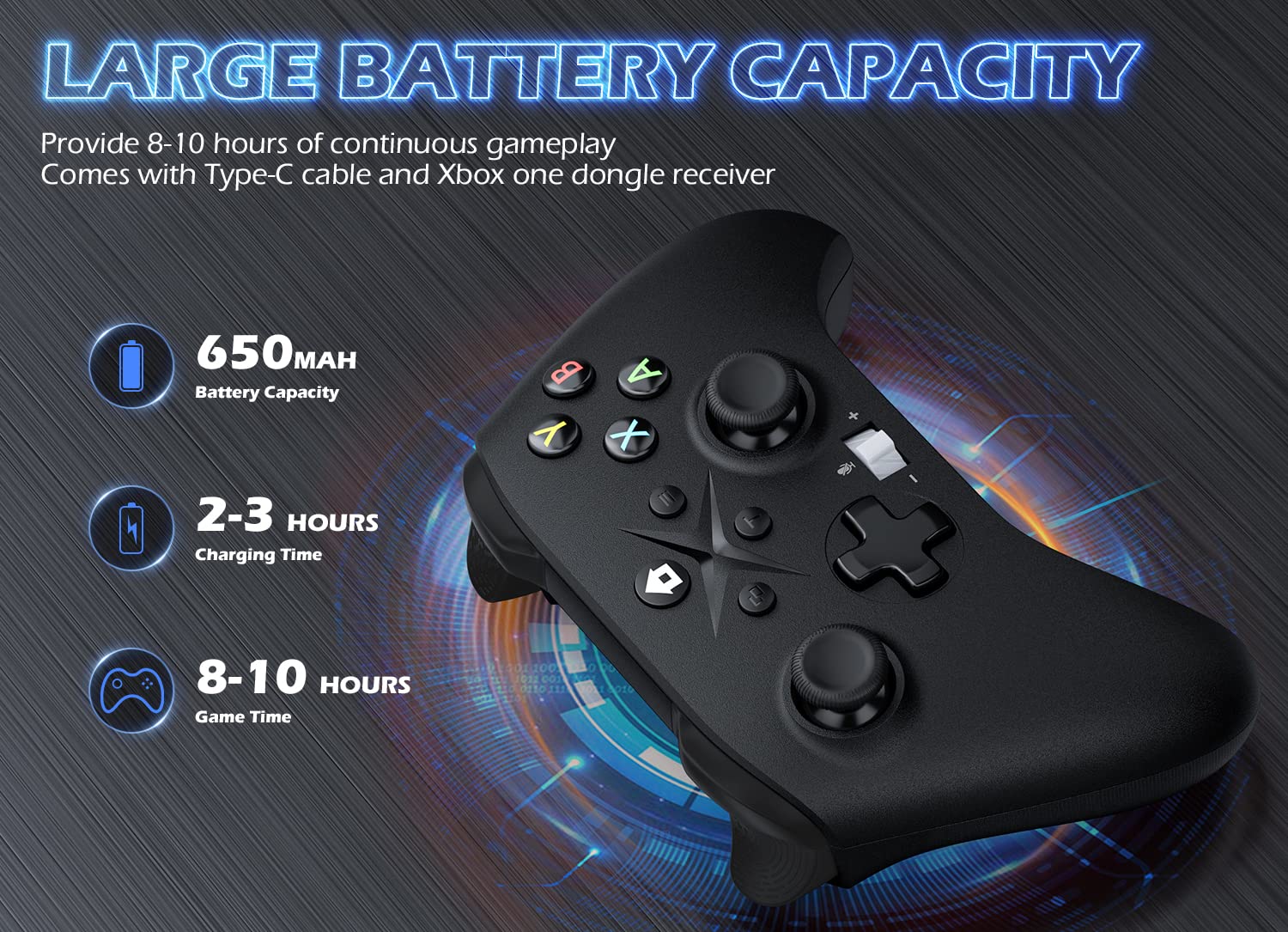
Image 6.1: Battery specifications.
7. Қауіпсіздік туралы маңызды ақпарат
- Басқару құралын шамадан тыс температураға, ылғалдылыққа немесе тікелей күн сәулесіне ұшыратпаңыз.
- Контроллерді құлатудан немесе қатты соққыларға ұшыраудан аулақ болыңыз.
- Do not attempt to disassemble or modify the controller. This may void the warranty and cause damage.
- Keep the controller and its accessories out of reach of small children.
- Тек берілген зарядтау кабелін немесе сертификатталған баламасын пайдаланыңыз.
8. Тұтынушыларға қолдау көрсету
For further assistance or inquiries, please contact Gamrombo customer support through the retailer's platform or the official Gamrombo webсайт.