
NIMO NIMO N15A
NIMO N15A 15.6 дюймдік FHD Light-ойын-ноутбугі пайдаланушы нұсқаулығы
Model: NIMO N15A | Brand: NIMO
1. Кіріспе
Welcome to your NIMO N15A 15.6" FHD Light-Gaming-Laptop. This manual provides essential information for setting up, operating, maintaining, and troubleshooting your device to ensure optimal performance and longevity.
2. Қорапта не бар
- 1 x NIMO N15A Laptop
- 1 x Type-C 100 Вт PD жылдам зарядтағыш
- 1 x Пайдаланушы нұсқаулығы
- Windows 11 Home (Pre-installed)
- 2 Years Warranty & 90 Days Return Information
3. Бастапқы орнату
3.1 Қаптаманы ашу
Қаптамадан барлық құрамдас бөліктерді абайлап алып тастаңыз. «Қорапта не бар» бөлімінде көрсетілген барлық заттардың бар екеніне көз жеткізіңіз.
3.2 Бастапқы зарядтау
Before first use, connect the provided 100W USB-C PD Fast Charger to the laptop's USB-C port and a power outlet. Allow the battery to charge fully. The charging LED indicator will show the charging status.
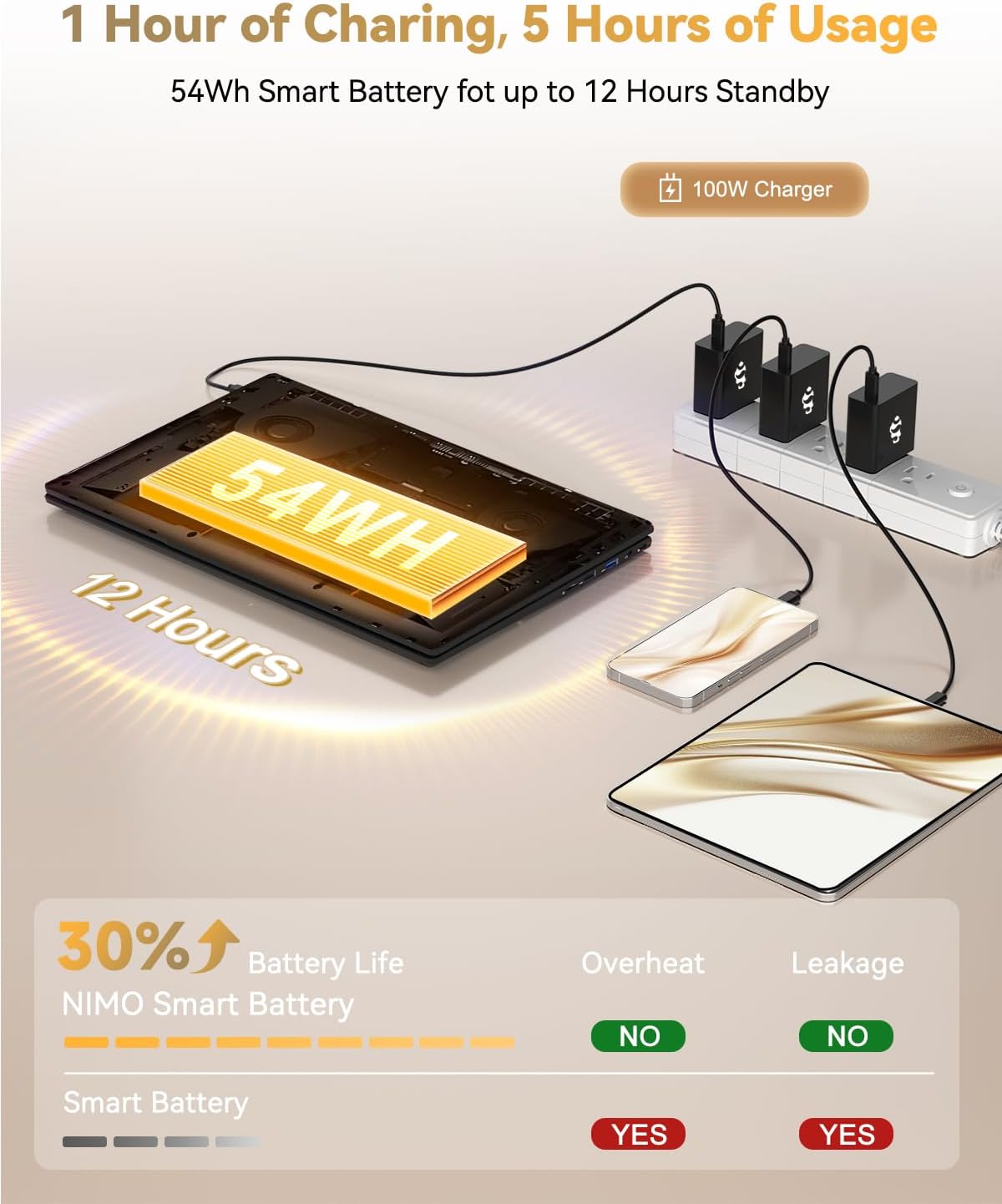
Figure 1: NIMO N15A Laptop connected to its 100W USB-C fast charger.
3.3 Power On and Windows Setup
Open the laptop lid and press the power button located on the keyboard. Follow the on-screen instructions to complete the Windows 11 Home setup, including language selection, region, network connection, and user account creation.

Figure 2: NIMO N15A Laptop displaying the Windows 11 desktop during initial setup.
4. Operating Your NIMO N15A Laptop
4.1 Дисплей
The NIMO N15A features a 15.6-inch Full HD (1920x1080) IPS anti-glare display, offering clear and vibrant visuals suitable for work, study, and entertainment.

Figure 3: The NIMO N15A display provides a lighting fast and smooth visual experience.
4.2 Өнімділік
Equipped with an AMD Ryzen 7 Pro 6850U processor (8 cores, 16 threads, up to 4.7GHz turbo speed) and an integrated AMD Radeon 680M GPU, this laptop delivers robust performance for demanding tasks, content creation, and light gaming. The 32GB LPDDR5 RAM ensures smooth multitasking, while the 1TB PCIe 4.0 SSD provides rapid data access and ampсақтау орны.
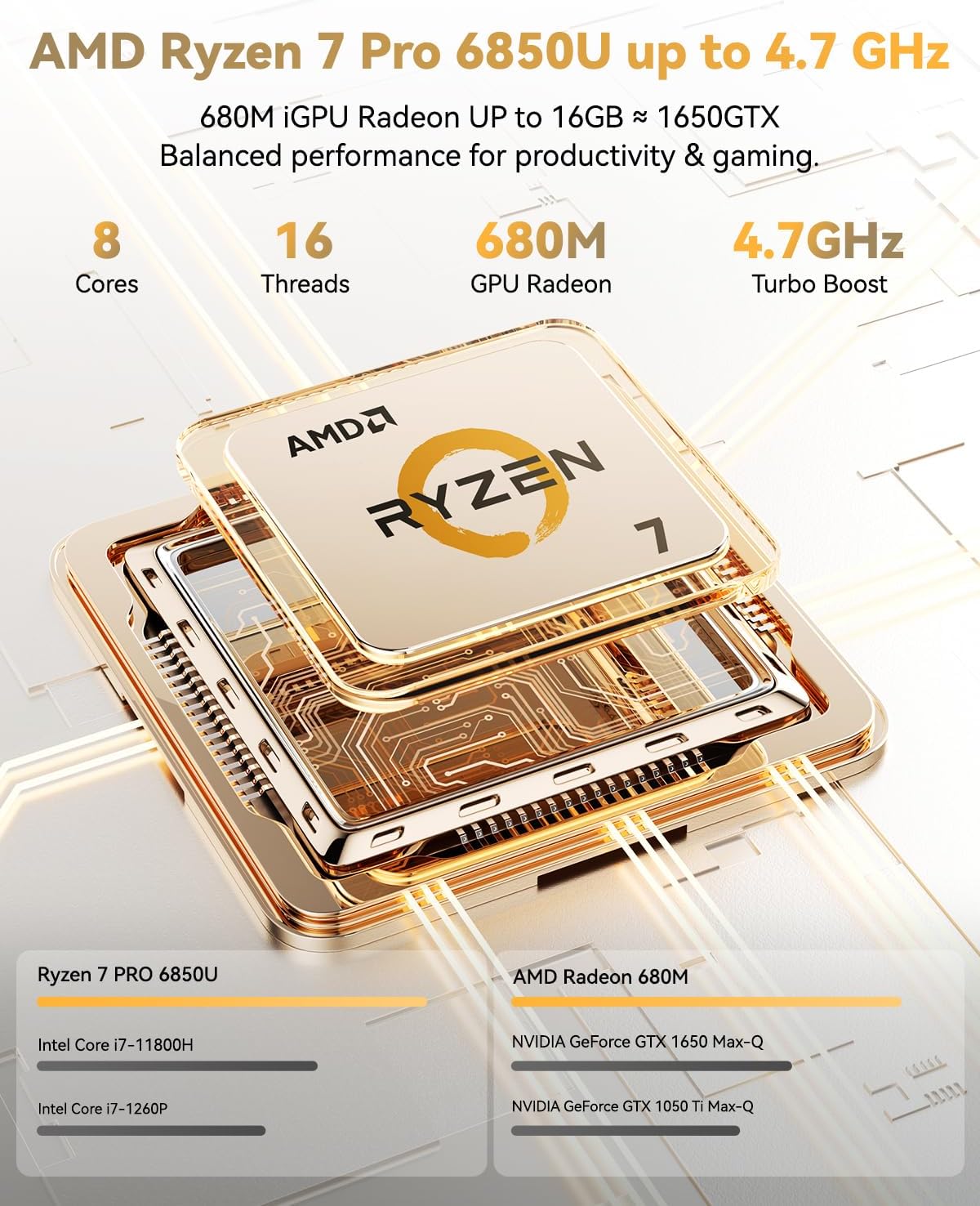
Figure 4: AMD Ryzen 7 Pro 6850U processor details.
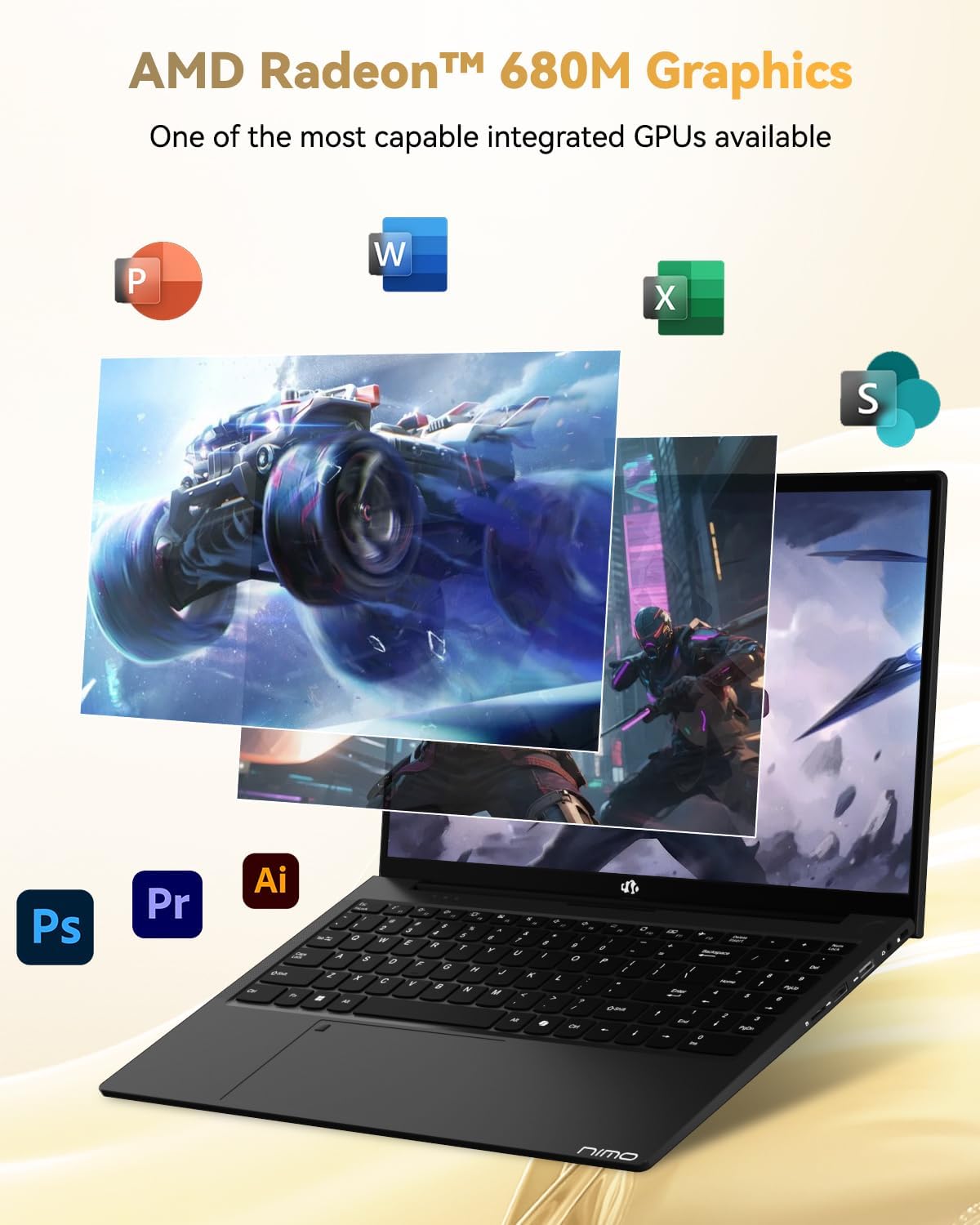
Figure 5: AMD Radeon 680M Graphics in action.

Figure 6: Seamless multitasking and ample storage capabilities.
4.3 Пернетақта және сенсорлық тақта
The ergonomic backlit keyboard ensures comfortable and accurate typing in low-light environments. The precision gesture touchpad includes an integrated fingerprint reader for secure and instant login, enhancing privacy and convenience.

Figure 7: Backlit keyboard and fingerprint reader for enhanced usability and security.
4.4 Connectivity (Ports)
The NIMO N15A offers a comprehensive selection of ports for versatile connectivity:
- Сол жағы: 2x USB-C (multifunction), 1x USB 3.2 Type-A, 1x HDMI 2.1
- Оң жағы: 1x Micro SD reader, 1x USB 2.0 Type-A, 1x USB 3.2 Type-A, 1x 3.5mm headphone/microphone combo jack, 1x Kensington Lock slot
For wireless connectivity, the laptop supports WiFi 6 and Bluetooth 5.2, ensuring fast and stable connections to networks and peripherals.
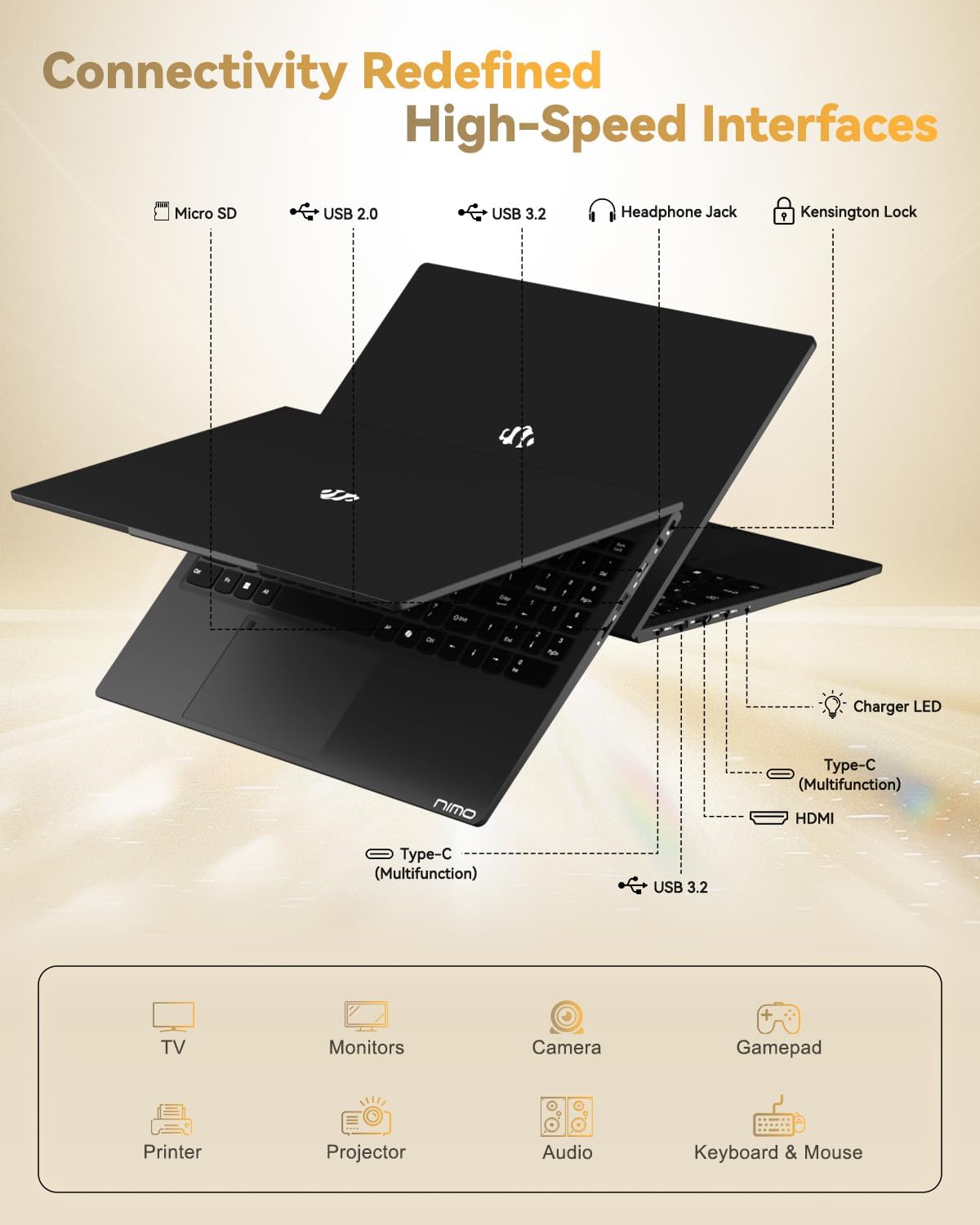
Figure 8: High-speed interfaces for next-generation connectivity.
4.5 Батарея және зарядтау
The 54Wh smart battery provides up to 9 hours of average battery life. The included 100W USB-C PD Fast Charger allows for quick power-ups, delivering up to 2 hours of use with just 15 minutes of charging. This compact charger is also versatile, capable of powering other compatible devices.
4.6 Webкамера
The laptop features a 2MP webcam, ideal for video calls and online meetings. It includes a physical privacy switch, allowing you to easily disable the webcam when not in use for enhanced security.
Video 1: A comprehensive introduction to the NIMO 15.6-inch laptop, showcasing оның ерекшеліктері мен дизайны.
Video 2: Demonstrating the NIMO 15.6-inch laptop's backlit keyboard and features for students.
Video 3: Highlighting the NIMO Laptop's suitability for work and study, anytime and anywhere.
5. Техникалық қызмет көрсету және күту
- Тазалау: Use a soft, lint-free cloth to gently clean the screen and chassis. Avoid using harsh chemicals or abrasive materials.
- Бағдарламалық құрал жаңартулары: Regularly check for and install operating system updates (Windows 11) and driver updates to ensure optimal performance, security, and compatibility.
- Сақтауды басқару: Мерзімді түрде қайтаview және қажетсіз жою files, applications, and temporary data to maintain the performance of your 1TB SSD.
- Батареяға күтім жасау: To prolong the lifespan of your 54Wh Lithium Polymer battery, avoid exposing it to extreme temperatures. It is recommended to keep the battery charged between 20% and 80% for daily use and avoid frequent full discharges.
6. Ақаулықтарды жою
6.1 Ноутбук қосылмайды
- Ensure the 100W USB-C PD Fast Charger is securely connected to both the laptop and a working power outlet.
- Verify that the charging LED indicator is lit.
- If the laptop does not respond, try holding the power button for 10-15 seconds to perform a hard reset.
6.2 Баяу өнімділік
- Фондық режимде жұмыс істейтін қажет емес қолданбаларды жабыңыз.
- Күтілетін Windows жаңартуларын немесе драйвер жаңартуларын тексеріп, орнатыңыз.
- Ensure your 1TB SSD has sufficient free space (at least 15-20% recommended).
6.3 Байланыс мәселелері (Wi-Fi/Bluetooth)
- Verify that Wi-Fi or Bluetooth is enabled in Windows settings.
- Restart your router/modem if experiencing Wi-Fi issues.
- Update your wireless and Bluetooth drivers from the NIMO support webсайт.
6.4 Дисплей ақаулары
- Adjust the screen brightness using the function keys (Fn + F-keys).
- If using an external monitor, ensure the HDMI cable is properly connected and the display settings are configured correctly.
- Графикалық драйверлерді жаңартыңыз.
7. Техникалық шарттар
| Ерекшелік | Техникалық сипаттама |
|---|---|
| Модель атауы | NIMO N15A |
| Дисплей | 15.6" FHD IPS Anti-Glare (1920x1080) |
| Процессор | AMD Ryzen 7 Pro 6850U (8 Cores, 16 Threads, up to 4.7 GHz) |
| Графика | AMD Radeon 680M (біріктірілген) |
| Жедел Жадтау Құрылғысы | 32GB LPDDR5 (6400 МГц) |
| Сақтау | 1TB PCIe 4.0 SSD (Upgradable to 2TB) |
| Операциялық жүйе | Windows 11 Home |
| Сымсыз қосылым | WiFi 6, Bluetooth 5.2 |
| Порттар | 2x USB-C (multifunction), 2x USB 3.2 Type-A, 1x USB 2.0 Type-A, 1x HDMI 2.1, 1x Micro SD Reader, 1x 3.5mm Audio Jack, 1x Kensington Lock |
| Webкамера | 2MP with Privacy Switch |
| Батарея | 54Wh Lithium Polymer (Up to 9 hours average use) |
| Зарядтағыш | 100 Вт USB-C PD жылдам зарядтағыш |
| Салмағы | 3.75 фунт (1.7 кг) |
| Өлшемдері (LxWxH) | 14.07 x 8.98 x 0.76 дюйм |
8. Кепілдік және қолдау
8.1 Кепілдік қамту
Your NIMO N15A laptop is backed by a 2-year manufacturer warranty, covering defects in materials and workmanship under normal use. This warranty ensures peace of mind and reliable performance.
8.2 Қайтару саясаты
NIMO offers a 90-day no-hassle return policy. Please refer to your purchase documentation for specific terms and conditions regarding returns.
8.3 Тұтынушыларды қолдау қызметі
For any product-related questions, technical assistance, or warranty claims, please contact NIMO customer support. You can find detailed contact information in the included user manual or by visiting the official NIMO webсайт.
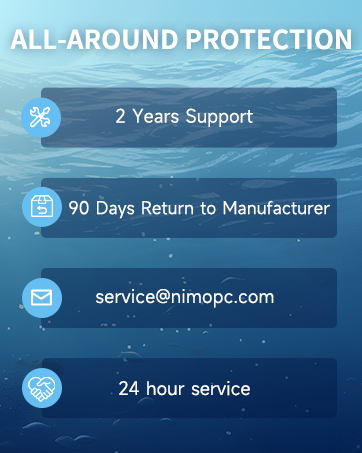
Figure 9: NIMO's professional customer assistance team.

Figure 10: NIMO products are covered by a 2-year support.

Figure 11: 90-day return policy for NIMO products.
Ask a question about this manual
Ask about setup, troubleshooting, compatibility, parts, safety, or missing instructions. Manuals+ will review the question and use this page’s manual context to help answer it.