
WESEARY WG2
WESEARY WG2 сымды ойын гарнитурасының пайдаланушы нұсқаулығы
Үлгі: WG2
1. Кіріспе
Thank you for choosing the WESEARY WG2 Wired Gaming Headset. This manual provides detailed instructions for setting up, operating, and maintaining your headset to ensure an optimal gaming experience. The WG2 headset is designed for immersive audio and clear communication across multiple gaming platforms.
2. Қорапта не бар
- WESEARY WG2 Gaming Headset (1 unit)
- 1 to 2 3.5mm Audio Jack Splitter Cable (1 unit)
- Пайдаланушы нұсқаулығы (осы құжат)
3. Өнім аяқталдыview
The WESEARY WG2 headset features 50mm drivers for rich stereo sound, an omnidirectional noise-canceling microphone for clear communication, and comfortable memory foam earcups. It is designed for multi-platform compatibility.
3.1 Негізгі мүмкіндіктер
- Иммерсивті стерео дыбыс: 50mm high-density neodymium drivers deliver detailed 3D stereo audio.
- Шуды болдырмайтын микрофон: 360° rotatable omnidirectional microphone with advanced noise cancellation for clear voice pickup.
- Эргономикалық жайлылық: Lightweight design with soft memory foam earcups and an adjustable headband for extended wear.
- Ережесіз басқару элементтері: In-line rotary volume control and one-button microphone mute.
- Тұрақты дизайн: Features a strong braided cable for longevity.
3.2 Гарнитураның компоненттері
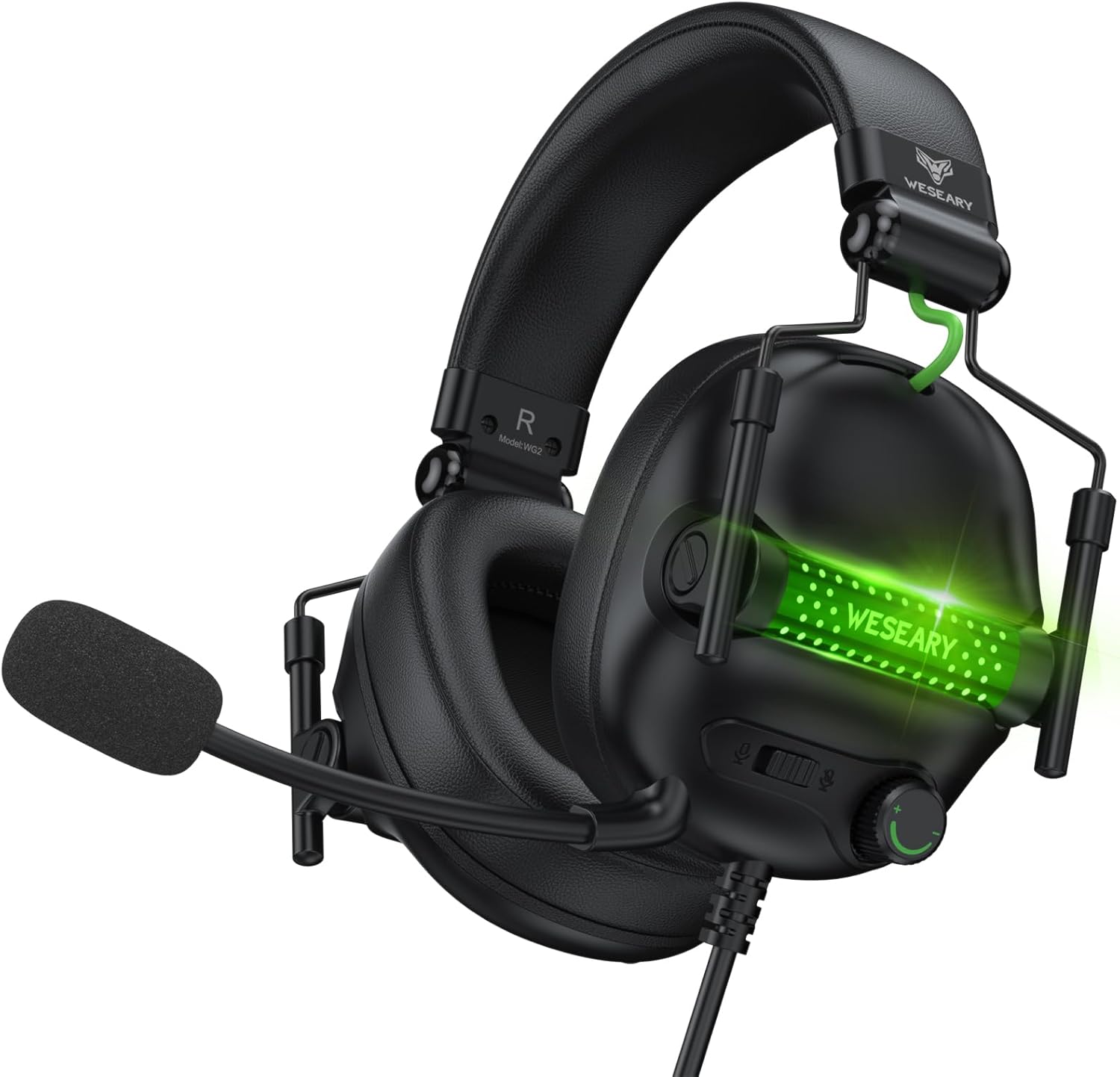


4. Орнату нұсқаулары
The WESEARY WG2 headset connects via a 3.5mm audio jack. Follow these steps to connect your headset to your device.
4.1 Connecting to PC/Laptop/Mac (with separate audio/mic ports)
- Locate the 3.5mm audio output port (headphone icon) and microphone input port (microphone icon) on your computer.
- Connect the 1 to 2 3.5mm Audio Jack Splitter Cable to the headset's 3.5mm jack.
- Plug the green connector of the splitter into your computer's audio output port.
- Plug the pink connector of the splitter into your computer's microphone input port.
- For LED lighting, connect the USB cable to an available USB port on your computer.
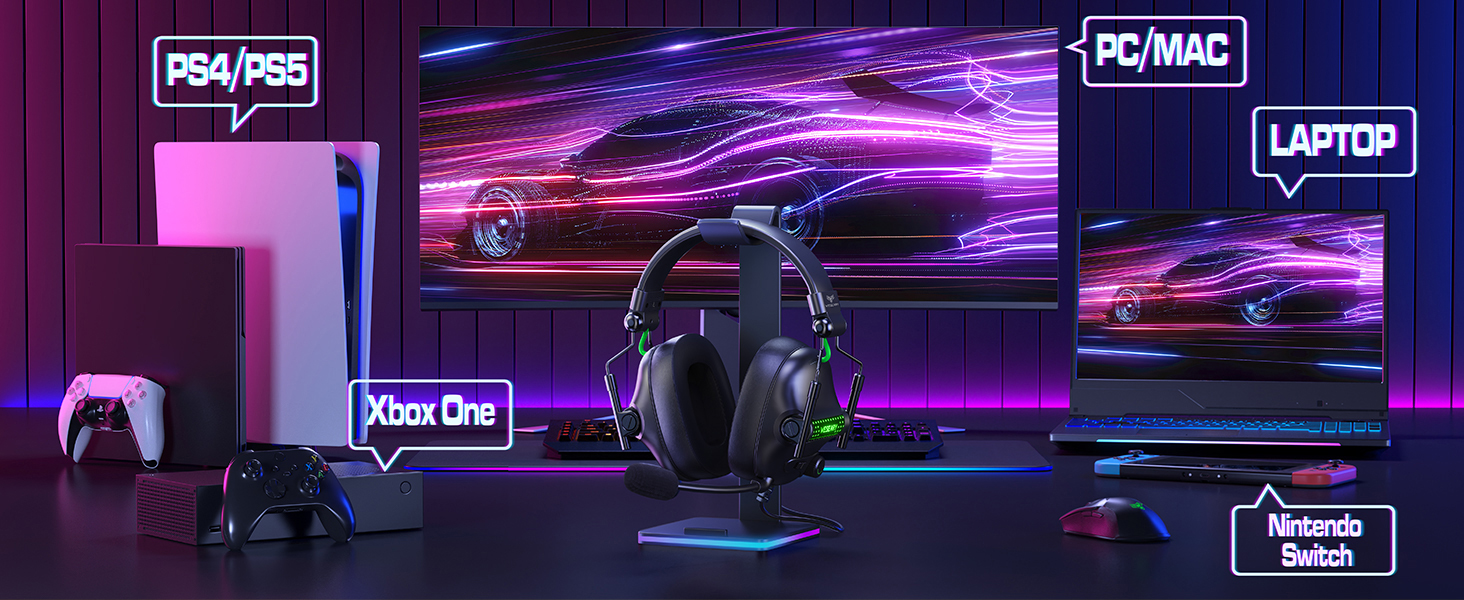
4.2 Connecting to PS4/PS5, Nintendo Switch, Xbox Series X|S, Mobile/Tablet (with single 3.5mm port)
- Plug the headset's 3.5mm jack directly into the 3.5mm audio port on your controller (PS4/PS5, Xbox Series X|S), console (Nintendo Switch), or mobile device.
- For LED lighting, connect the USB cable to an available USB port on your console or a USB power adapter.
- Note for Xbox One (older controllers): A Microsoft adapter (not included) is required for older Xbox One controllers that do not have a built-in 3.5mm jack.
- Үйлесімділік ескертпесі: This headset is not compatible with PS3 (without a 3.5mm adapter) or Xbox 360.

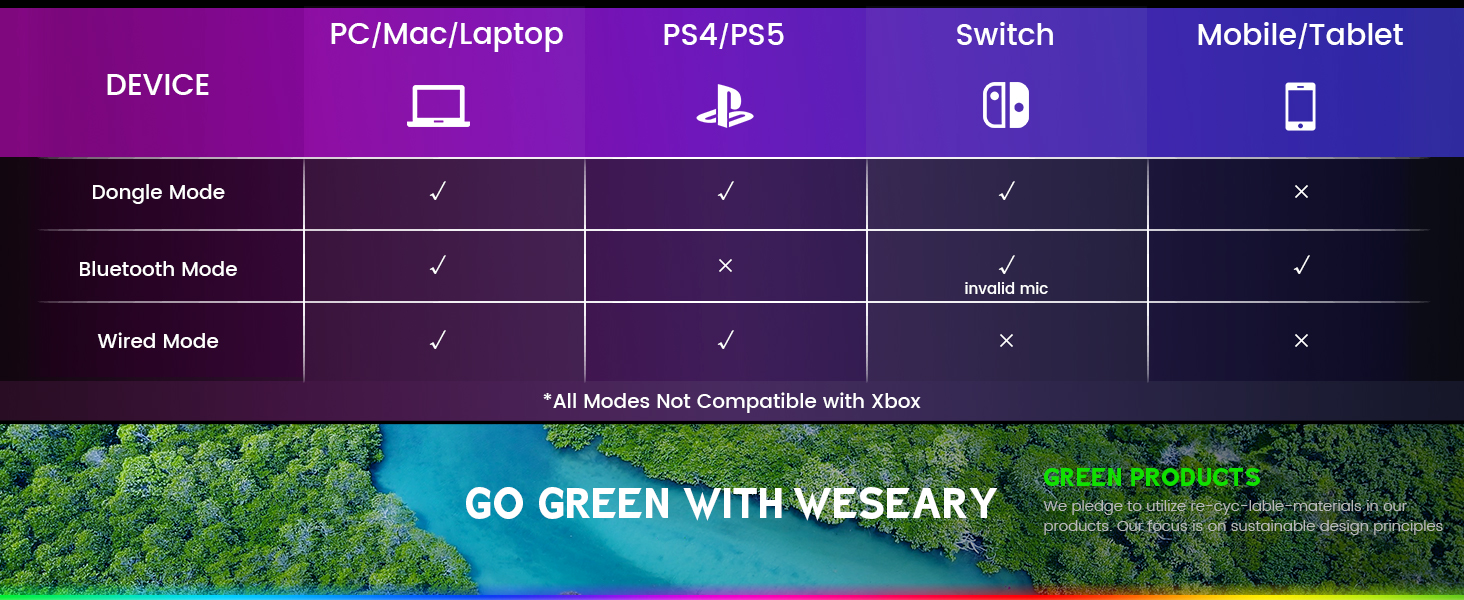
Маңызды ескерту: The WESEARY WG2 is a сымды gaming headset. Any references to "Dongle Mode" or "Bluetooth Mode" in external diagrams or marketing materials are not applicable to this specific model (WG2) which connects solely via its 3.5mm audio jack and USB for LED power.
5. Пайдалану нұсқаулары
5.1 Дыбыс деңгейін реттеу
- Locate the rotary volume control wheel on the left earcup or in-line control.
- Rotate the wheel upwards to increase volume.
- Rotate the wheel downwards to decrease volume.

5.2 Микрофонның дыбысын өшіру
- Locate the microphone mute button on the left earcup or in-line control.
- Press the button once to mute the microphone.
- Press the button again to unmute the microphone.
5.3 Adjusting the Microphone
- The microphone is 360° rotatable. Adjust its position for optimal voice pickup.
- Position the microphone approximately 1-2 inches from your mouth for best clarity.


5.4 Adjusting Headset Fit
- Adjust the headband by sliding the earcups up or down until the headset fits comfortably over your ears.
- Ensure the earcups fully enclose your ears for optimal sound isolation and comfort.
6. Multi-Platform Compatibility
The WESEARY WG2 Wired Gaming Headset is compatible with a wide range of devices:
- Ойын консольдері: PlayStation 5 (PS5), PlayStation 4 (PS4), Xbox Series X|S, Nintendo Switch.
- Компьютерлер: PC, Laptops, Mac.
- Мобильді құрылғылар: Mobile phones, Tablets.
Маңызды ескертулер:
- For older Xbox One controllers without a 3.5mm jack, a Microsoft adapter (not included) is required.
- The headset is not compatible with PS3 or Xbox 360 without additional adapters.
- The USB connection is solely for powering the LED lighting and does not transmit audio.
7. Техникалық қызмет көрсету
- Тазалау: Гарнитураны тазалау үшін жұмсақ, құрғақ шүберекті пайдаланыңыз. Қатты химиялық заттарды немесе абразивті материалдарды қолданбаңыз.
- Сақтау орны: Гарнитураны салқын, құрғақ жерде, тікелей күн сәулесінен және жоғары температурадан алыс сақтаңыз. Жиналмалы дизайны ықшам сақтауға мүмкіндік береді.
- Кабельге күтім жасау: Зақымдану үшін кабельді қатты иілуден немесе шамадан тыс тартудан аулақ болыңыз.
8. Ақаулықтарды жою
8.1 No Sound from Headset
- 3.5 мм аудио ұясы құрылғының аудио портына толығымен салынғанына көз жеткізіңіз.
- Check the volume control wheel on the headset and ensure it is turned up.
- Verify the audio output settings on your device (console, PC, etc.) are configured to use the headset.
- If using the splitter cable, ensure both green and pink jacks are correctly connected to their respective ports.
8.2 Микрофон жұмыс істемейді
- Ensure the microphone mute button on the headset is not activated.
- Check the microphone input settings on your device (console, PC, etc.) to ensure the headset microphone is selected and its volume is not muted.
- Ensure the 3.5mm audio jack (and pink splitter jack if applicable) is fully inserted.
- Микрофонның орнын аузыңызға жақынырақ реттеңіз.
8.3 Жарықдиодты шамдар жұмыс істемейді
- Ensure the USB cable is securely connected to a powered USB port on your device or a USB power adapter.
- USB кабелін басқа USB портына қосып көріңіз.
9. Техникалық сипаттамалар
| Модель атауы | WG2 |
| Қосылу технологиясы | Wired (3.5mm Audio Jack, USB for LED) |
| Аудио драйвер түрі | Dynamic Driver (50mm Neodymium) |
| Кедергі | 32 Ом |
| Құлақтың орналасуы | Құлақ үстінде |
| Шуды бақылау | Sound Isolation, Noise Cancellation (Microphone) |
| Микрофон | Omnidirectional, Noise-Canceling, 360° Rotatable |
| Материал | Composite, Plastic (with Memory Foam Earcups) |
| Өнім өлшемдері | 5.5 x 2.98 x 5.5 дюйм |
| Элемент салмағы | 14.8 унция |
| Түс | Rock Black |
| Өндіруші | WESEARY |
10. Кепілдік және қолдау
For warranty information and technical support, please refer to the documentation provided with your purchase or visit the official WESEARY webсайт. Кепілдік шағымдары үшін сатып алуды растайтын құжатты сақтаңыз.
Желідегі қолдау: Visit the WESEARY Store on Amazon
11. Өнім туралы бейне
Видео 1: WESEARY Wired Gaming Headset Overview. This video provides a brief visual overview of the headset's features and design, demonstrating its immersive sound and clear communication capabilities.
Ask a question about this manual
Ask about setup, troubleshooting, compatibility, parts, safety, or missing instructions. Manuals+ will review the question and use this page’s manual context to help answer it.