
Кіріспе
The Radtel RT13 Super Mini Walkie Talkie is a compact and lightweight two-way radio designed for clear and stable communication. This manual provides detailed instructions for setting up, operating, and maintaining your device to ensure optimal performance.
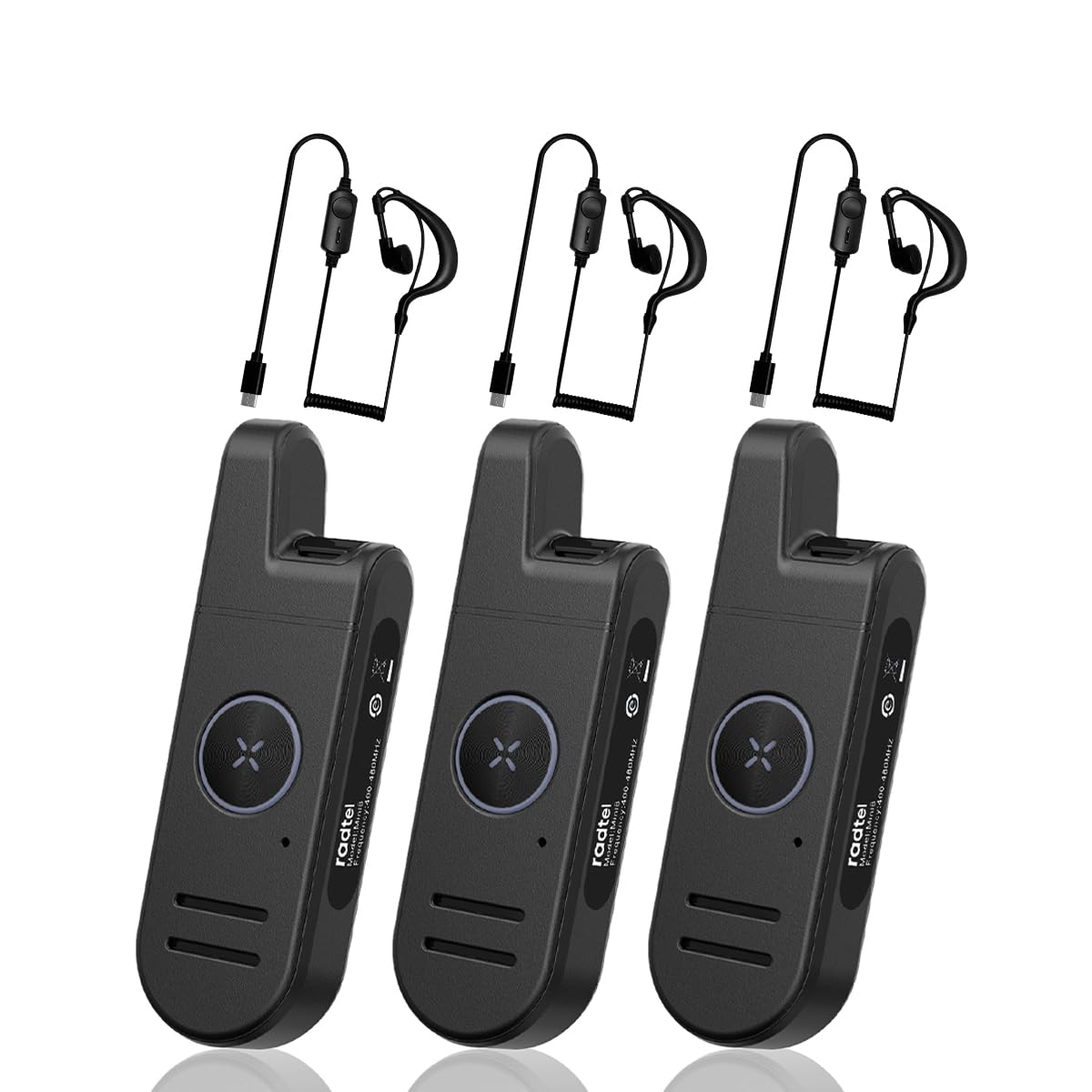
Image: The Radtel RT13 Super Mini Walkie Talkie, showcasing оның ықшам дизайны.
Қорапта не бар
- 3x Radtel RT13 Radio with built-in battery
- 3x USB-C Charger cable
- 3x Earpiece
- 3x белдік қысқышы
- 3x Пайдаланушы нұсқаулығы

Image: Components included with the Radtel RT13, such as the radio unit, earpiece, and charging cable.
Өнім ерекшеліктері
- Super Mini and Lightweight: The RT13 features a compact design, making it easy to hold, pocket, or clip onto clothing.
- Long Range & Clear Audio: Equipped with 1W power and a fixed antenna for stable communication. Effective in downtown areas, open spaces, and multi-floor buildings.
- Voice-Activated Launching (VOX): Allows hands-free operation. Includes frequency hopping, inverter, high/low power switching, battery saving, and busy lock functions.
- Батареяның ұзақ қызмет ету мерзімі: Features a 700mAh Li-ion battery for extended continuous use.
- Stylish and Durable: Designed with a simple, fashionable aesthetic and constructed from strong, fall-resistant materials for a longer service life.
Өнім аяқталдыview және Басқару элементтері
Familiarize yourself with the various parts and controls of your Radtel RT13 radio:

Image: Diagram illustrating the antenna, headphone/microphone/Type-C jack, power button, volume/channel buttons, PTT button, microphone, and speaker on the Radtel RT13.
- Антенна: Сигналдарды беру және қабылдау үшін біріктірілген.
- Headphone/Microphone/Type-C Jack: Multi-functional port for charging, connecting the earpiece, and external microphone.
- Қуат түймесі: Құрылғыны қосу және өшіру үшін қолданылады.
- Volume+/Channel+ Button: Increases volume or changes to the next channel.
- Volume-/Channel- Button: Decreases volume or changes to the previous channel.
- PTT (басу-сөйлесу) түймесі: Дауысыңызды жіберу үшін басып тұрыңыз.
- Микрофон: Captures your voice during transmission.
- Баяндамашы: Outputs incoming audio.
- Режимді ауыстыру түймесі: Used for various customizable functions (e.g., scan, keypad lock).
- Белдік қыстырғыш: For convenient attachment to clothing or a belt.

Image: Various angles of the Radtel RT13, highlighting its slim profile and integrated belt clip.
Орнату
Батареяны зарядтау
The RT13 comes with a built-in 700mAh Li-ion battery. Use the provided USB-C charging cable to charge the device. A power block (not included) or any USB charging port can be used.

Image: Close-up of the Type-C charging port on the Radtel RT13.
The LED indicator will display red during charging and turn blue when fully charged. A low battery warning will remind you to recharge.
Қуатты қосу/өшіру
To power ON: Press and hold the side power button until you hear "Welcome" and the current channel is announced. The LED indicator will light up green.
To power OFF: Press and hold the side power button until you hear two beeps ("ding-ding"), indicating the device is powered off. The LED indicator will flash red.
Video: Demonstrates how to power the Radtel RT13 on and off, including the voice prompts and LED indicator changes.
Арна таңдау
The radio has 22 channels. To select a channel, long press the Volume+ or Volume- side button. The radio will announce the current corresponding channel. Ensure all radios in your group are on the same channel for communication.
Дыбыс деңгейін реттеу
Short press the Volume+ side button to increase volume. Short press the Volume- side button to decrease volume.
Switching Language (Chinese/English)
You can switch between Chinese and English voice prompts through computer programming software or by pressing and holding the power button and the Volume- button simultaneously when powering on the device.
Пайдалану нұсқаулары
Тасымалдау
To transmit, press and hold the PTT (Push-to-Talk) button located on the front of the radio. Speak into the microphone in your normal tone of voice. The LED indicator will display red when transmitting. To maximize sound clarity, hold the transceiver three to eight centimeters from your mouth.

Image: The large PTT button on the Radtel RT13, illuminated red to indicate transmission.
Қабылдау
When not transmitting, the radio is in receive mode. The LED indicator will display green when receiving a signal.
VOX (Voice-Activated Transmission)
The VOX function allows for hands-free transmission. When enabled, the radio will automatically transmit when it detects your voice. The VOX gain level can be selected from 1 to 9 levels via programming software. This feature is useful when you need to communicate without pressing the PTT button.

Image: The Radtel RT13 demonstrating its voice-activated transmission (VOX) capability.
Монитор функциясы
Short press the 'M' button to activate the monitor function. This allows you to listen to weak signals on the current channel without squelch. Press again to deactivate.
Пернетақтаны құлыптау/құлыпты ашу
Long press the 'M' button to lock or unlock the keypad. This prevents accidental changes to settings.
Техникалық қызмет көрсету
Батареяға күтім жасау
To ensure long battery life, fully charge the device before first use. Avoid completely draining the battery frequently. Store the radio in a cool, dry place when not in use for extended periods.
Тазалау
Радионы жұмсақ шүберекпен сүртіңіз, damp cloth. Do not use harsh chemicals or abrasive cleaners. Ensure the charging port cover is securely closed to prevent dust and moisture ingress.
Суға төзімділік
The Radtel RT13 is moisture resistant, offering protection against light splashes or rain. It is not designed to be submerged in water. Ensure all port covers are sealed when exposed to moisture.
Ақаулықтарды жою
| Мәселе | Ықтимал себебі | Шешім |
|---|---|---|
| Қуат жоқ | Батарея заряды аз немесе таусылған. | Батареяны берілген USB-C кабелі арқылы зарядтаңыз. |
| Басқа радиолармен байланыса алмайды | Radios are on different channels. | Ensure all radios are set to the same channel. |
| Poor audio quality or short range | Obstructions (buildings, terrain) or interference. | Move to an open area. Ensure no large obstructions are between radios. |
| Пернетақта жауап бермейді | Пернетақта құлыпталған. | Long press the 'M' button to unlock the keypad. |
Техникалық сипаттамалар
- Элемент салмағы: 15.8 унция
- Өнім өлшемдері: 3.9 x 0.67 x 1.26 дюйм
- Элемент үлгі нөмірі: RT-13
- Батареялар: 700 мАч литий-ионды батарея (жинаққа кіреді)
- Арналар саны: 22 FRS арналары
- Ерекше ерекшелігі: Type-C Charging, Super Mini Pocket Radio
- Жиілік диапазоны: 462/467Mhz FRS
- Максималды сөйлесу диапазоны: 6 Kilometer (approx. 3.7 miles)
- Тtage: 7.4 вольт
- Суға төзімділік деңгейі: Ылғалға төзімді

Image: The Radtel RT13 walkie talkie with its compact dimensions highlighted.
Кепілдік және қолдау
The Radtel RT13 comes with a 1-Year Warranty. For any support inquiries, troubleshooting assistance, or warranty claims, please contact Radtel customer service through the retailer where the product was purchased or visit the official Radtel webсайт.
Қосымша ақпарат пен ресурстарды алу үшін мына сайтқа кіре аласыз Amazon сайтындағы Radtel дүкені.
Қолдану сценарийлері
The Radtel RT13 is versatile and suitable for various environments requiring reliable short-range communication:
- Бизнес: Ideal for hotels, warehouses, restaurants, hair salons, and security personnel.
- Ашық шытырман оқиғалар: c үшін тамашаamping, hiking, festivals, and other recreational activities.
- Жеке пайдалану: Great for families and friends to stay connected in close proximity.

Image: Collage showing the Radtel RT13 being used in diverse settings such as hotels, restaurants, car showrooms, and hair salons.
Бейне: қысқашаview of the Radtel RT13, highlighting its small size and ease of use in various scenarios.