
TIDRADIO TD-G100
TIDRADIO TD-G100 Nationwide 4G PoC Walkie Talkie Instruction Manual
Model: TD-G100
1. Кіріспе
The TIDRADIO TD-G100 is a state-of-the-art 4G PoC (Push-to-Talk over Cellular) walkie talkie designed for nationwide communication. Utilizing cellular networks, it offers unlimited range wherever AT&T signal is available, providing clear and instant communication. This manual will guide you through the setup, operation, and maintenance of your TD-G100 device.
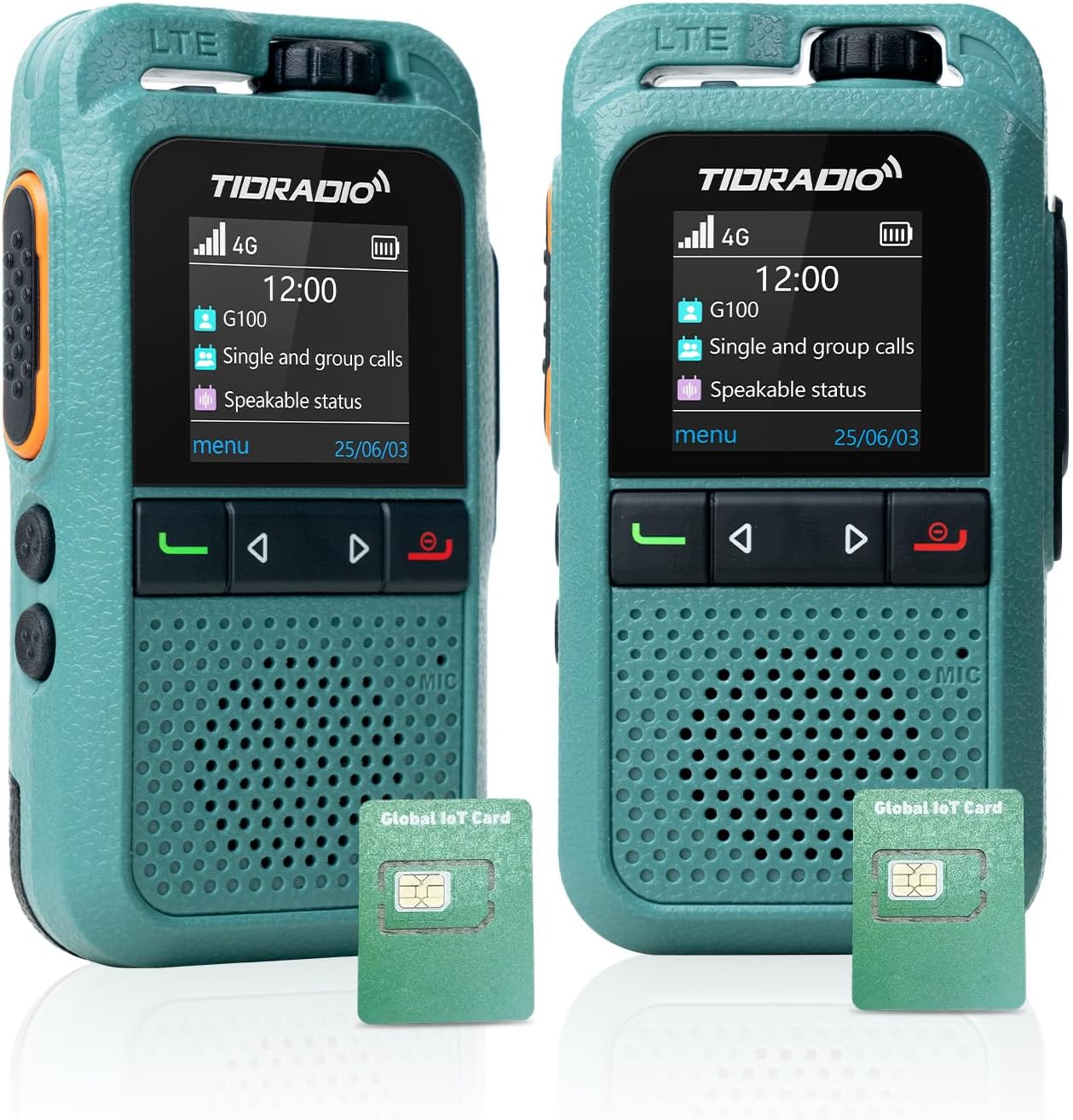
Сурет: алдыңғы view of the TIDRADIO TD-G100 walkie talkie, showcasinоның ықшам дизайны мен дисплейі.
2. Қорапта не бар
Your TIDRADIO TD-G100 package includes the following items:
- TIDRADIO TD-G100 Walkie Talkie Unit(s)
- C типті зарядтайтын кабель
- 2 x 12V Batteries (included)
- AT&T SIM Card (pre-installed, with 12 months complimentary data)
- Пайдаланушы нұсқаулығы (бұл құжат)
3. Өнім аяқталдыview және Басқару элементтері
Familiarize yourself with the physical components and controls of your TD-G100 walkie talkie.

Image: Diagram highlighting the key controls of the TD-G100, including Volume Control, PTT Button, Menu/Confirm, Groups list, Single Call, Power on/EXIT Button, Microphone, and Speaker.
- Дыбыс деңгейін басқару: Аудио шығыс деңгейін реттеу үшін бұраңыз.
- PTT түймесі (басу-сөйлесу): Press and hold to transmit your voice. Release to listen.
- Мәзір түймесі: Құрылғы мәзіріне кіру.
- ШЫҒУ түймесі: Exit current menu or function.
- Навигация түймелері: Use to select menu options.
- Groups List Button: Quickly access your configured talk groups.
- Бір реттік қоңырау шалу түймесі: Initiate a private call with a specific contact.
- Микрофон: Speak into the microphone for clear transmission.
- Баяндамашы: Audio output for incoming transmissions.
- Жасырын антенна: The device features an internal antenna for a compact design.
- Shock-Resistant Protection Bar: Provides enhanced durability.
4. Орнату нұсқаулығы
4.1 SIM картасы мен батареяны орнату
The TD-G100 comes with a pre-installed AT&T SIM card. If you need to access or re-install the SIM card or battery, follow these steps:

Image: Illustration showing the pre-installed SIM cards in the TD-G100, highlighting the 1-year free data plan.
- Open the Lock Buckle: Gently push the SIM card slot latch downward to open it.
- SIM картасын салыңыз: Place the SIM card into the designated slot. Ensure correct orientation.
- Close the Lock Buckle: Close the latch and gently push it upward to secure the SIM card.
- Батареяны орнату: Insert the provided 12V battery into its compartment.
- Қауіпсіз батарея қақпағы: Батарея қақпағын орнына салып, оның мықтап бекітілгеніне көз жеткізіңіз.
4.2 Odmaster App Download and Account Registration
The Odmaster app is essential for managing your TD-G100, including adding friends, creating groups, and managing your data plan. You can download the app by scanning the QR codes below or searching in your device's app market.

Image: Screenshot of the Odmaster app activation tutorial, showing QR codes for Android and iOS app downloads.
- Қолданбаны жүктеу: Scan the QR code for your device's operating system (Android or iOS) or visit odmaster.tid-china.com/odmasterAppDownload.
- Есептік жазбаны тіркеу: Open the Odmaster app and register a new account using your phone number or email. You can log in without verification if using email.
- Достарды қосу: From the app's main interface, you can add friends by scanning their QR code or entering their Odmaster ID.
- Топ құру: Create new talk groups within the app. You can name your group and invite friends to join.
4.3 Binding TD-G100 to Odmaster App
To link your TD-G100 walkie talkie to your Odmaster account:

Image: Visual guide for binding the TD-G100 to the Odmaster app, showing the steps to scan the device's QR code.
- Open Odmaster App: Navigate to the "Program" interface and click "Add Poc Radio".
- QR кодын сканерлеу: On your TD-G100, power it on and locate the QR code displayed on the screen. Use the Odmaster app to scan this QR code.
- Confirm Binding: Follow the on-screen prompts to confirm the binding. Once successful, your device will be listed in the app.
- Add Groups to Device: From the app, select your bound TD-G100 and add the desired talk groups to it. This will enable communication through these groups on your device.
5. Operating Your TD-G100
5.1 Негізгі коммуникация
The TD-G100 supports Full Call, Single Call, and Group Call functions.
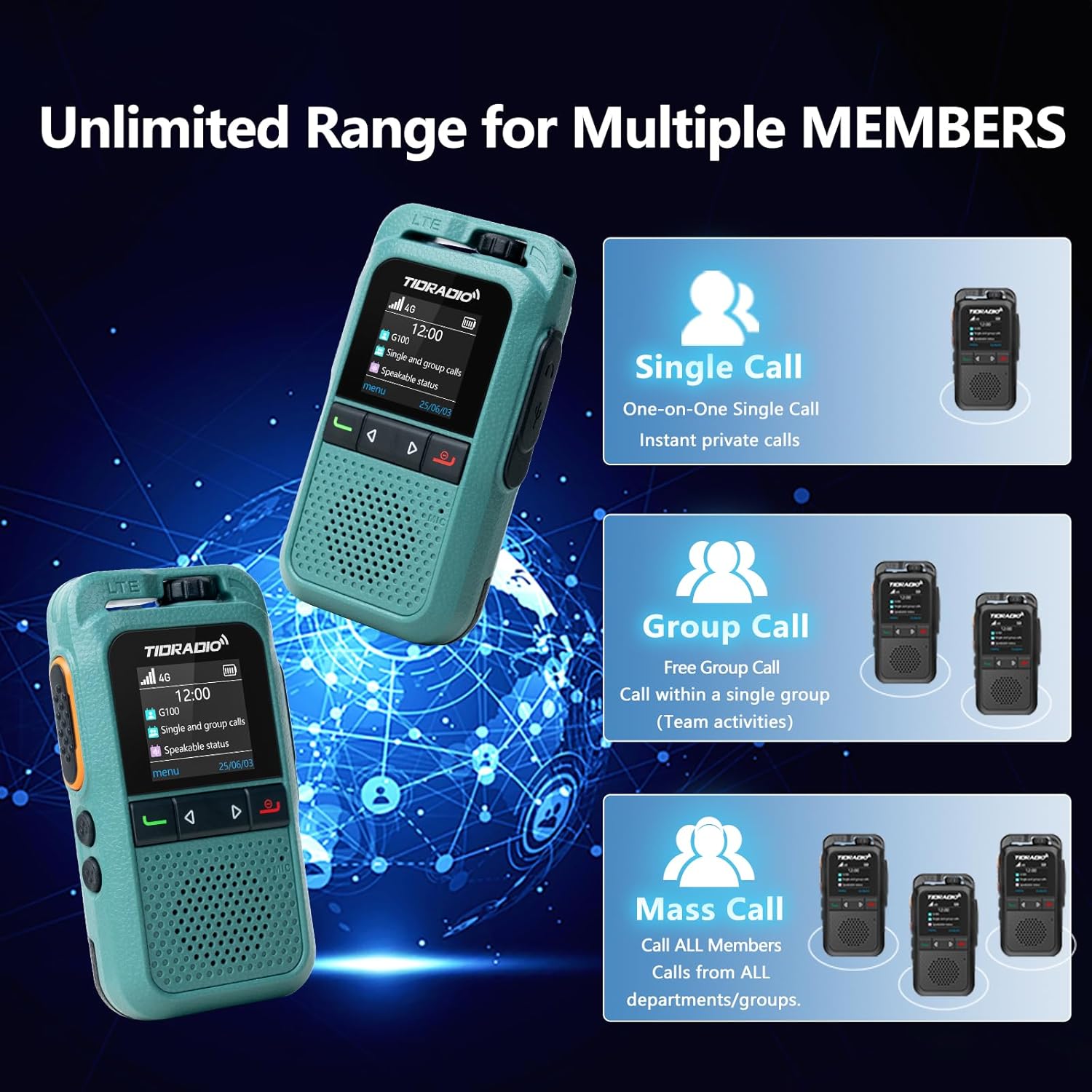
Image: Diagram illustrating the Single Call, Group Call, and Mass Call capabilities of the TD-G100.
- Full Call: To initiate a full call to all members in your current group, select the group using the Groups List button, then press and hold the PTT button to speak. Release to listen.
- Бір қоңырау: To make a private call, press the Single Call button, select the desired member from your contacts, then short press the PTT key to confirm. Press and hold the PTT key to speak.
- Топтық қоңырау: To communicate within a specific group, press the Groups List button, select the desired group, then press and hold the PTT button to speak.
5.2 Auto-Recording Function
The TD-G100 features an auto-recording function that captures all conversations within your groups. This ensures no important calls are missed and allows for reviewing chat history at any time.

Image: Visual representation of the auto-recording function, showing a walkie-talkie and a smartphone displaying chat history.
5.3 One-Click Auto-Update (OTA)
Your TD-G100 supports Over-The-Air (OTA) updates, allowing for seamless firmware optimizations and access to new features without needing a physical connection to a computer. This feature helps extend the device's life and ensures real-time parameter tuning.

Image: Graphic illustrating the OTA update process, emphasizing no computer is needed for effortless upgrades.
6. Техникалық қызмет көрсету
- Батареяға күтім жасау: The 3000mAh battery provides approximately 24 hours of average use. Charge the device using the provided Type-C charging cable. Avoid overcharging or fully discharging the battery for extended periods to prolong its lifespan.
- Тазалау: Құрылғыны тазалау үшін жұмсақ, құрғақ шүберекті пайдаланыңыз. Қатты химиялық заттарды немесе абразивті тазартқыштарды пайдаланбаңыз.
- Суға төзімділік: The TD-G100 has an IP54 waterproof rating, meaning it is protected from dust and splashing water. Avoid submerging the device in water.
- Бағдарламалық құрал жаңартулары: Regularly check for OTA updates through the Odmaster app to ensure your device has the latest features and performance improvements.
7. Ақаулықтарды жою
| Мәселе | Ықтимал себебі | Шешім |
|---|---|---|
| No signal / Cannot communicate | Out of AT&T network coverage; SIM card not properly installed; Data plan expired. | Move to an area with AT&T coverage; Re-install SIM card; Renew data plan via Odmaster App. |
| Device not binding to app | Incorrect QR code scanned; App not updated; Device offline. | Ensure correct QR code is scanned; Update Odmaster app; Check device power and network status. |
| Аудио сапасы нашар | Weak signal; Obstructions; Volume too low. | Move to an open area; Adjust volume control. |
| Батарея зарядталмай жатыр | Faulty cable/charger; Incorrect connection. | Ensure Type-C cable is properly connected; Try a different charging cable or adapter. |
8. Техникалық сипаттамалар
| Ерекшелік | Мәлімет |
|---|---|
| Бренд | TIDRADIO |
| Үлгі нөмірі | TD-G100 |
| Қосылу протоколы | 4G PoC LTE |
| Сөйлесу ауқымы максимум | 10000 Miles (Network Dependent) |
| Арналар саны | 200 |
| Батарея сыйымдылығы | 3000 мАч |
| Батареяның орташа қызмет ету мерзімі | 24 сағат |
| Зарядтау интерфейсі | C түрі |
| Суға төзімділік деңгейі | IP54 (Суға төзімді) |
| Арнайы мүмкіндіктер | 3W Loud Audio Speaker, Auto-recording Conversation, One-Click Auto-Update (OTA), Odmaster APP Support |
9. Кепілдік және қолдау
TIDRADIO is committed to providing the best communication experience. For any inquiries or support, please contact us.
- Кепілдік:
- 30-day free return or replacement
- 90 күндік сапа кепілдігі
- Lifetime after-sales service & OTA updates
- Қолдау электрондық поштасы: support@tidradio.com

Image: A thank you message from TIDRADIO with their support email address.
10. Бейне оқулықтар
For visual guidance on setting up and using your TD-G100, please refer to the official video tutorials below:
How to Use the G100 4G PoC Walkie-Talkie
Video: A comprehensive guide demonstrating the setup and operational procedures for the TIDRADIO TD-G100 4G PoC Walkie-Talkie.
Walkie Talkies Long Range Overview
Бейне: біттіview of the long-range capabilities and general use of TIDRADIO walkie talkies, including the TD-G100 model.
Қатысты құжаттар - TD-G100
 |
TIDRADIO M15 пайдаланушы нұсқаулығы: Орнату, мүмкіндіктер және пайдалану нұсқаулығы TIDRADIO M15 POC радиосына арналған толық пайдаланушы нұсқаулығы. SIM картасын орнату, құрылғыны тіркеу үшін Odmaster APP интеграциясы, топты басқару, қауіпсіздік шаралары, негізгі параметрлер және ақаулықтарды жою туралы біліңіз. |
 |
POC-1 Pro WiFi: User Manual and Guide for Poclink Global Walkie Talkie Comprehensive user manual for the Poclink POC-1 Pro WiFi global walkie talkie. Learn about setup, features, app integration, troubleshooting, specifications, safety, and regulatory compliance. |
 |
Clorgo BQ-268 Walkie Talkie User Manual User manual for the Clorgo BQ-268 4G POC Radio, providing operating instructions, features, indicator descriptions, basic operations, fault handling, and warranty information. |
 |
POC Watch Walkie Talkie U1 User Manual - Operation and FCC Information Comprehensive user manual for the POC Watch Walkie Talkie U1 (Model 2BN3L-U1), covering basic operations, settings, troubleshooting, and FCC compliance. |
 |
TID TD-V2 UHF радиобағдарламалау нұсқаулығы Өндірушінің бағдарламалық құралын немесе CHIRP көмегімен TID TD-V2 UHF радиосын бағдарламалауға арналған кешенді нұсқаулық. Оңтайлы радио өнімділігі үшін орнатуды, кабель талаптарын, бағдарламалық құралды орнатуды және параметрді реттеуді қамтиды. |
 |
HASAVLAN SIM Card User Manual: Activation and APN Configuration Guide Comprehensive guide for activating and configuring your HASAVLAN data-only SIM card for GPS tracking devices. Learn essential steps for self-activation, manual activation, and APN setup. |
Ask a question about this manual
Ask about setup, troubleshooting, compatibility, parts, safety, or missing instructions. Manuals+ will review the question and use this page’s manual context to help answer it.