
Кіріспе
Thank you for choosing the SuperRC M23 Mini RC Drone. This manual provides essential information for the safe operation, setup, maintenance, and troubleshooting of your drone. Please read this manual thoroughly before operating the drone to ensure proper function and to avoid damage or injury. This drone is designed for adult beginners and features a lightweight, portable design with an HD camera and intelligent flight functions.
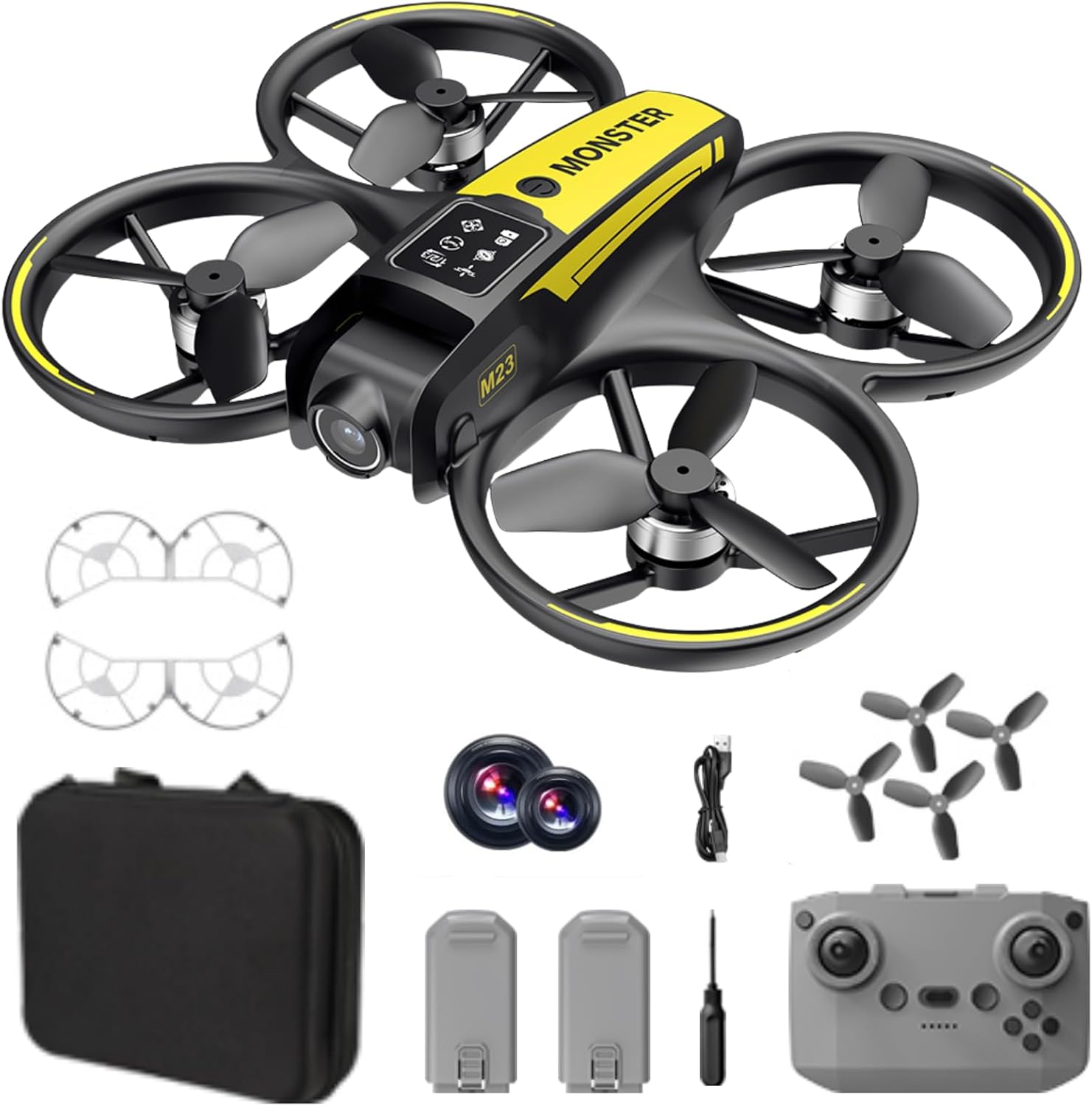
Қорапта не бар
The SuperRC M23 drone package includes the following components:
- M23 дроны
- Қашықтан басқару құралы
- 2 x 3.7V 1050mAh қайта зарядталатын батареялар
- 4 x қосалқы пропеллерлер
- 2 x пропеллер қорғанысы
- Жад картасы
- Карта оқу құралы
- Бұрауыш
- USB зарядтау кабелі
- Сақтау сөмкесі
- Пайдаланушы нұсқаулығы (бұл құжат)

Өнім аяқталдыview
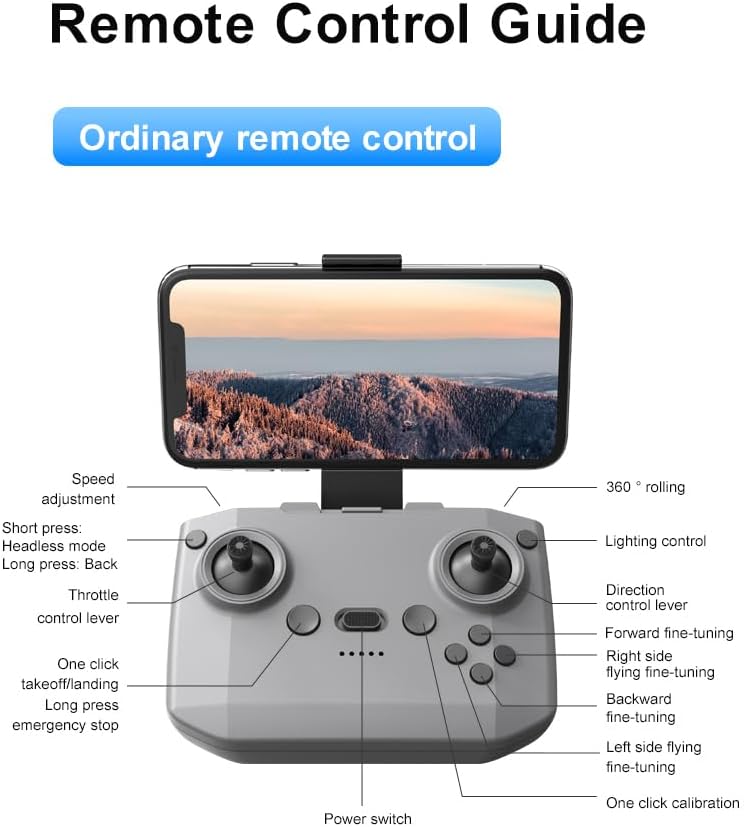
Қашықтан басқару құралының орналасуы
Familiarize yourself with the remote control buttons and their functions before flight.
Орнату
1. Батареяны орнату
- Ensure the drone and remote control are powered off.
- Дрондағы батарея бөлімін табыңыз.
- Insert a charged 3.7V 1050mAh battery into the compartment until it clicks securely into place.
- For the remote control, open the battery cover and insert the required batteries (not specified in product data, assume standard AA/AAA, user should refer to physical manual for exact type).
2. Пропеллерді орнату
The drone comes with propellers pre-installed. If replacement is needed:
- Identify the 'A' and 'B' markings on the propellers and the corresponding motor arms.
- Attach 'A' propellers to 'A' motor shafts and 'B' propellers to 'B' motor shafts. Ensure they are firmly secured.
3. Пропеллер қорғаныштарын орнату
For added safety, attach the propeller guards:
- Align each propeller guard with the designated slots on the drone's motor arms.
- Gently push until they snap into place.
4. Зарядтау
Charge the drone batteries using the provided USB charging cable.
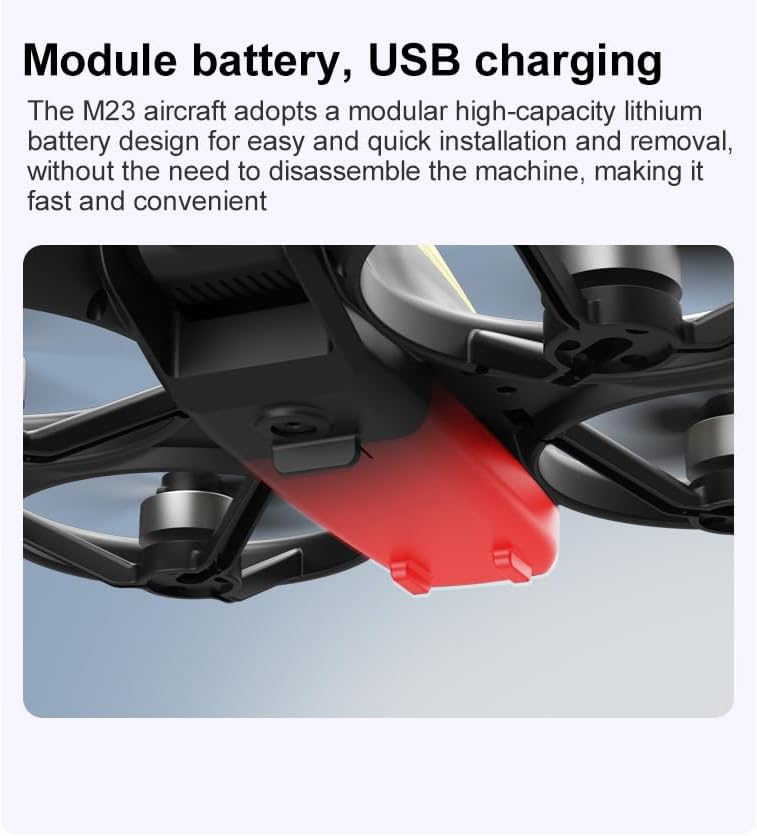
- USB зарядтау кабелін дрон батареясына қосыңыз.
- Plug the other end into a USB power source (e.g., computer, USB wall adapter).
- The indicator light on the cable will show charging status (refer to physical manual for specific light indications).
- Толық зарядтау үшін зарядтау уақыты шамамен 60-90 минут.
Пайдалану нұсқаулары
Ұшу алдындағы бақылау тізімі
- Дрон мен қашықтан басқару пультінің батареяларының толық зарядталғанына көз жеткізіңіз.
- Пропеллерлер дұрыс орнатылған және қауіпсіз.
- Propeller guards are attached (recommended for beginners).
- Choose an open, clear area free from obstacles, people, and animals.
- Check local drone regulations before flying.
Негізгі ұшу операциялары
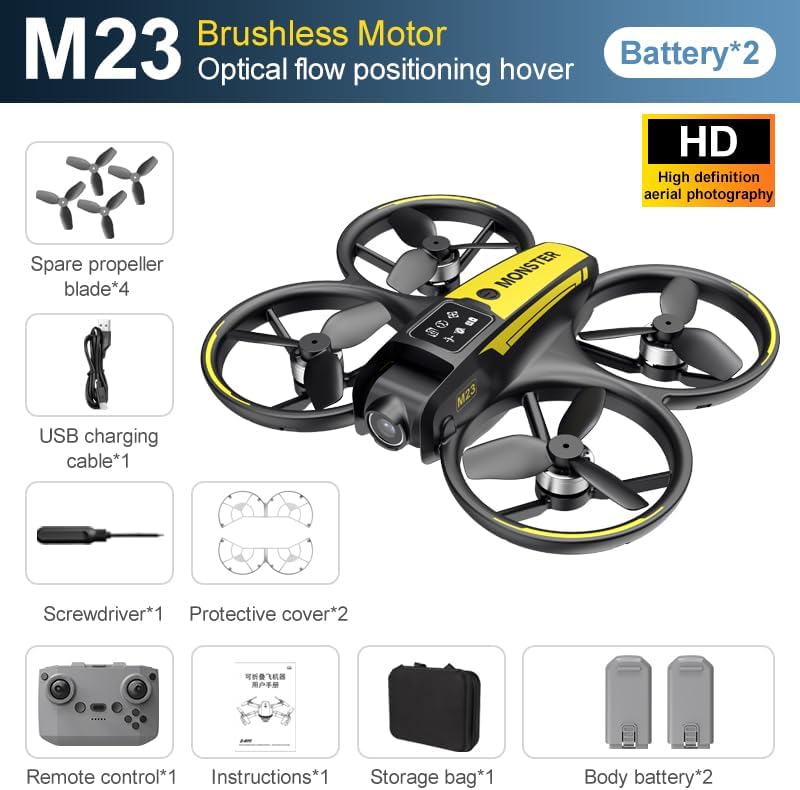
The following video demonstrates key flight features including one-key takeoff, optical flow positioning, 360-degree roll, and speed switching.
Бір кілтпен ұшу және қону
- Ұшу: Place the drone on a flat surface. Press the One-Key Takeoff button on the remote control. The drone will automatically ascend and hover at a stable altitude.
- Қону: Press the One-Key Landing button. The drone will slowly descend and land automatically.
Ұшу режимдері мен мүмкіндіктері
- Бассыз режим: Press the Headless Mode button. In this mode, the drone's orientation is relative to the pilot, making it easier to control without worrying about the drone's front direction.
- Жылдамдықты реттеу: Use the speed adjustment button (or switch) on the remote control to cycle through low, medium, and high speeds. This allows for adaptable flight control based on skill level and environment.
- 360° орам: Press the 360° Roll button and then move the right joystick in any direction to perform an aerial flip. Ensure sufficient altitude before attempting.
- Оптикалық ағынды орналастыру: The drone utilizes a bottom camera for optical flow positioning, which helps maintain stable hovering, especially indoors or in areas with good ground texture. This feature assists in precise altitude hold.
- Ұшу траекториясы: Through the mobile application, you can draw a desired flight path on your screen. The drone will then follow this trajectory automatically.

Камераның жұмысы
The M23 drone is equipped with an HD camera with a 90-degree adjustable lens for capturing photos and videos.

- Фото/бейне жазу: Use the dedicated buttons on the remote control or the mobile app to start/stop video recording or take photos.
- Нақты уақыттағы кескінді жіберу: Connect your smartphone to the drone's Wi-Fi network to view нақты уақыттағы footage from the drone's camera on your device.
Техникалық қызмет көрсету
Тазалау
- Regularly clean the drone body with a soft, dry cloth.
- Ensure propellers are free from dust, dirt, or debris.
- Clean the camera lens gently with a microfiber cloth to maintain image quality.
Сақтау
- Store the drone and its components in the provided storage bag to protect them from dust and physical damage.
- Keep the drone in a cool, dry place, away from direct sunlight and extreme temperatures.
Батареяға күтім жасау
- Батареяларды шамадан тыс зарядтамаңыз немесе шамадан тыс разрядтамаңыз.
- Ұзақ уақыт сақтасаңыз, батареяларды шамамен 50-60% сыйымдылыққа дейін зарядтаңыз.
- Avoid exposing batteries to high temperatures or direct sunlight.
Ақаулықтарды жою
If you encounter issues with your SuperRC M23 drone, refer to the following common problems and solutions:
| Мәселе | Ықтимал себебі | Шешім |
|---|---|---|
| Дрон қашықтан басқару пультіне жауап бермейді | Low battery on drone or remote; Not paired correctly; Interference | Charge batteries; Re-pair drone and remote (refer to physical manual for pairing steps); Move to an area with less interference |
| Ұшу кезінде дрон дрейф жасайды | Not calibrated; Wind interference; Damaged propeller | Perform calibration (refer to physical manual); Fly in calm conditions; Replace damaged propellers |
| Камерадағы сурет сапасы нашар | Dirty lens; Low light conditions; Wi-Fi interference | Clean camera lens; Fly in well-lit areas; Ensure strong Wi-Fi connection |
| Қысқа ұшу уақыты | Батарея толық зарядталмаған; Ескі батарея; Агрессивті ұшу | Ensure battery is fully charged; Consider replacing old batteries; Practice smoother flight maneuvers |
Техникалық сипаттамалар
Key technical specifications for the SuperRC M23 Mini RC Drone:
| Ерекшелік | Мәлімет |
|---|---|
| Модель атауы | M23-Drone |
| Бренд | SuperRC |
| Элемент салмағы | 0.2 Kilograms (Under 250g) |
| Элемент өлшемдері (L x W x H) | Ұзындығы 7" x Ені 6" x Биіктігі 2" (шамамен 18 x 15 x 5 см) |
| Материал | Пластмасса |
| Дағды деңгейі | Бастаушы |
| Жас аралығы (сипаттама) | Ересек |
| Камера | HD Camera with 90° Adjustable Lens |
| Бейне түсіру рұқсаты | 720p |
| Бейне шығыс ажыратымдылығы | 720 XNUMX пиксель |
| Бейне түсіру пішімі | MP4 |
| Қолдау көрсетілетін кескін форматы | JPEG |
| Оптикалық сенсор технологиясы | CMOS |
| Қосылу технологиясы | Wi-Fi, радиожиілік |
| Басқару түрі | Қашықтан басқару құралы |
| Батарея сыйымдылығы | 1050 мАч (әр батарея үшін) |
| Батарея ұяшығының құрамы | Литий-ион |
| Арнайы мүмкіндіктер | Adjustable, One Button Return, One Key Rotation, Rechargeable, Speed Adjustment, Headless Mode, Optical Flow Positioning |
Кепілдік және қолдау
SuperRC provides a standard warranty for the M23 Mini RC Drone against manufacturing defects. Please retain your proof of purchase for warranty claims.
Кепілдік туралы ақпарат
- The warranty period typically covers defects in materials and workmanship under normal use.
- Damage resulting from misuse, accidents, unauthorized modifications, or improper maintenance is not covered.
- For specific warranty terms and conditions, please refer to the warranty card included in your product packaging or contact SuperRC customer service.
Тұтынушыларды қолдау
If you require further assistance, have questions, or need to report an issue, please contact SuperRC customer support through the following channels:
- Желідегі қолдау: Visit the official SuperRC webЖиі қойылатын сұрақтар, қолдау ресурстары және байланыс формалары сайты.
- Электрондық поштаны қолдау: Refer to your product packaging or the SuperRC webтұтынушыларға қызмет көрсету электрондық пошта мекенжайына арналған сайт.
- Сатушыға қолдау көрсету: If purchased from a retailer, you may also contact their customer service for assistance.
When contacting support, please provide your product model (M23) and a detailed description of the issue.