
Кіріспе
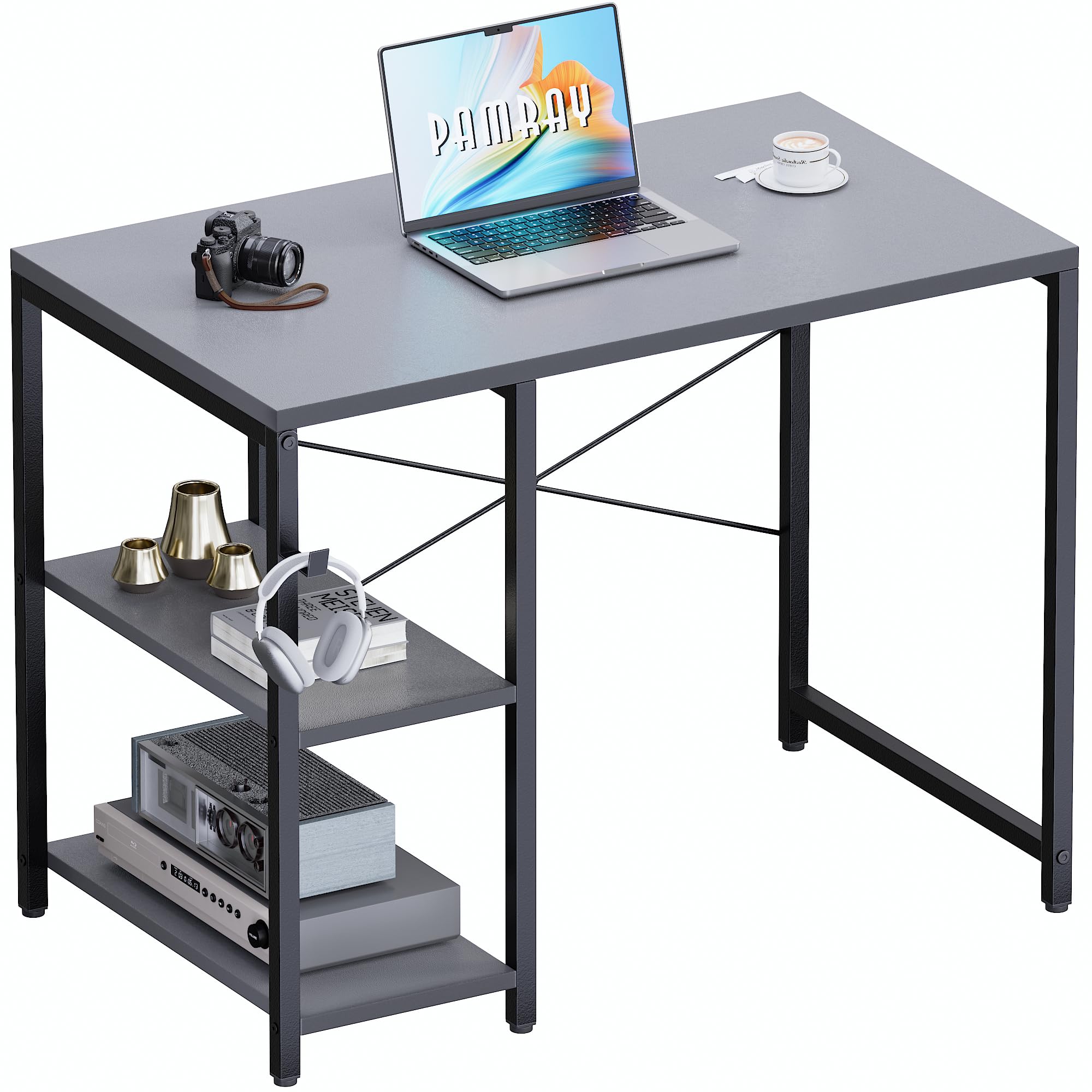
This manual provides detailed instructions for the assembly, operation, and maintenance of your Pamray 32 Inch Small Computer Desk with Shelves. Please read all instructions carefully before beginning assembly and retain this manual for future reference.
Қауіпсіздік туралы ақпарат
- Ensure the desk is properly assembled with the 'X' shaped back brace for enhanced stability.
- Do not exceed the maximum weight recommendation of 150 pounds (68 kg) on the desktop to prevent tipping or damage.
- Do not exceed the maximum weight recommendation of 60 pounds (27 kg) per shelf.
- Құрастыру кезінде кішкентай бөлшектерді балалардан алыс ұстаңыз.
Орнату нұсқаулары
Your Pamray computer desk is designed for straightforward assembly. All necessary tools and clear instructions are included in the accessory bag. For visual guidance, comprehensive installation videos are available via a QR code on the product packaging or on the product page.
Өлшемдері
Құрастыру қадамдары
- Барлық құрамдастарды қаптамадан шығарып, нұсқаулықта берілген бөлшектер тізіміне сәйкес келетінін тексеріңіз.
- Attach the frame components using the provided hardware. Ensure all screws are tightened securely.
- Install the 'X' shaped back brace. This brace is crucial for the desk's overall stability and prevents wobbling.
- Mount the desktop onto the assembled frame.
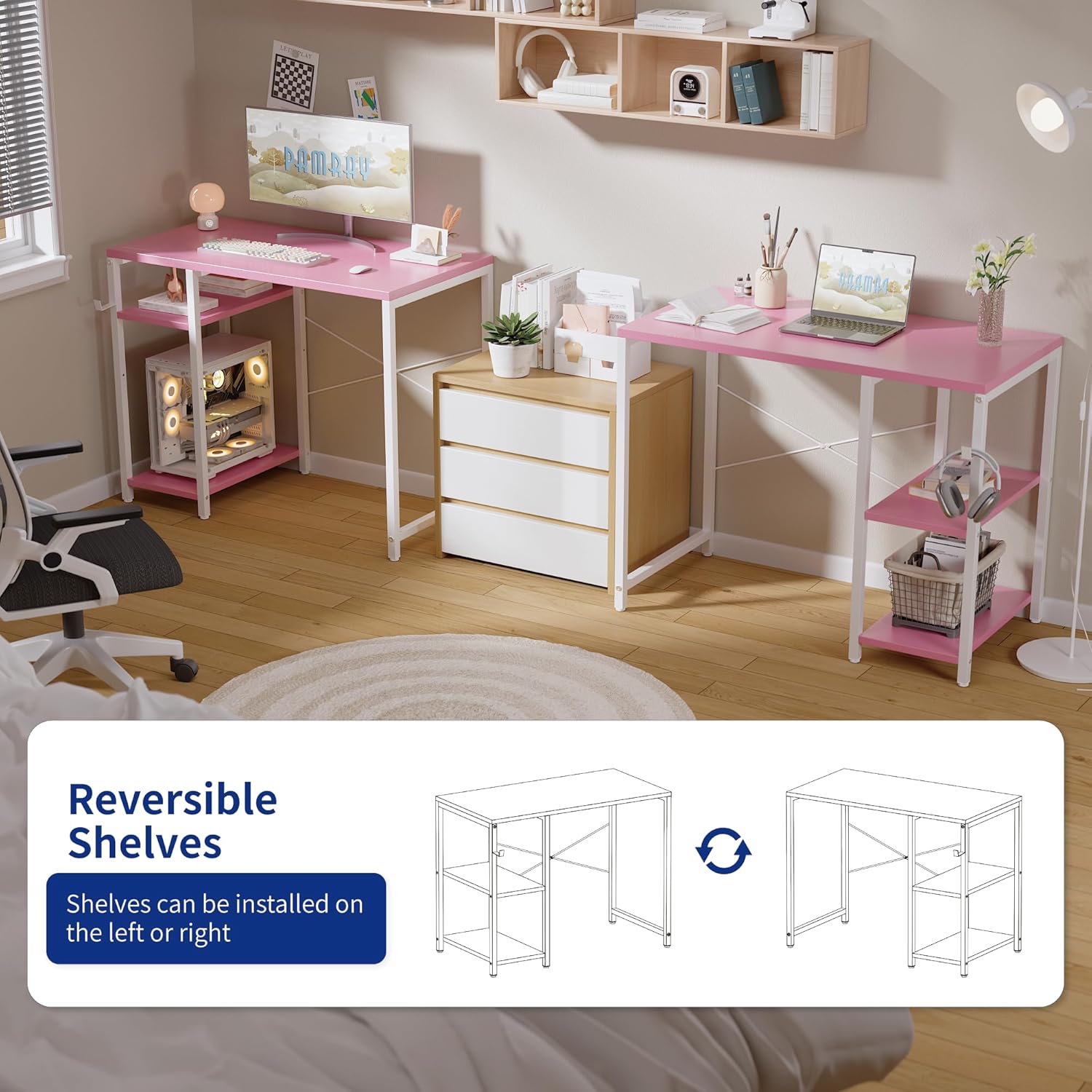
- Install the shelves. The shelves can be positioned on either the left or right side of the desk to suit your preference. The middle shelf is also height-adjustable.
- Attach the headphone hook to the desired side of the desk.
- Adjust the leveling feet at the bottom of the desk legs to ensure stability on uneven surfaces.


Пайдалану нұсқаулары
The Pamray 32 Inch Small Computer Desk is designed for versatile use in various settings such as a home office, bedroom, or study area. Its compact size makes it suitable for small spaces.
Реттелетін сөрелер
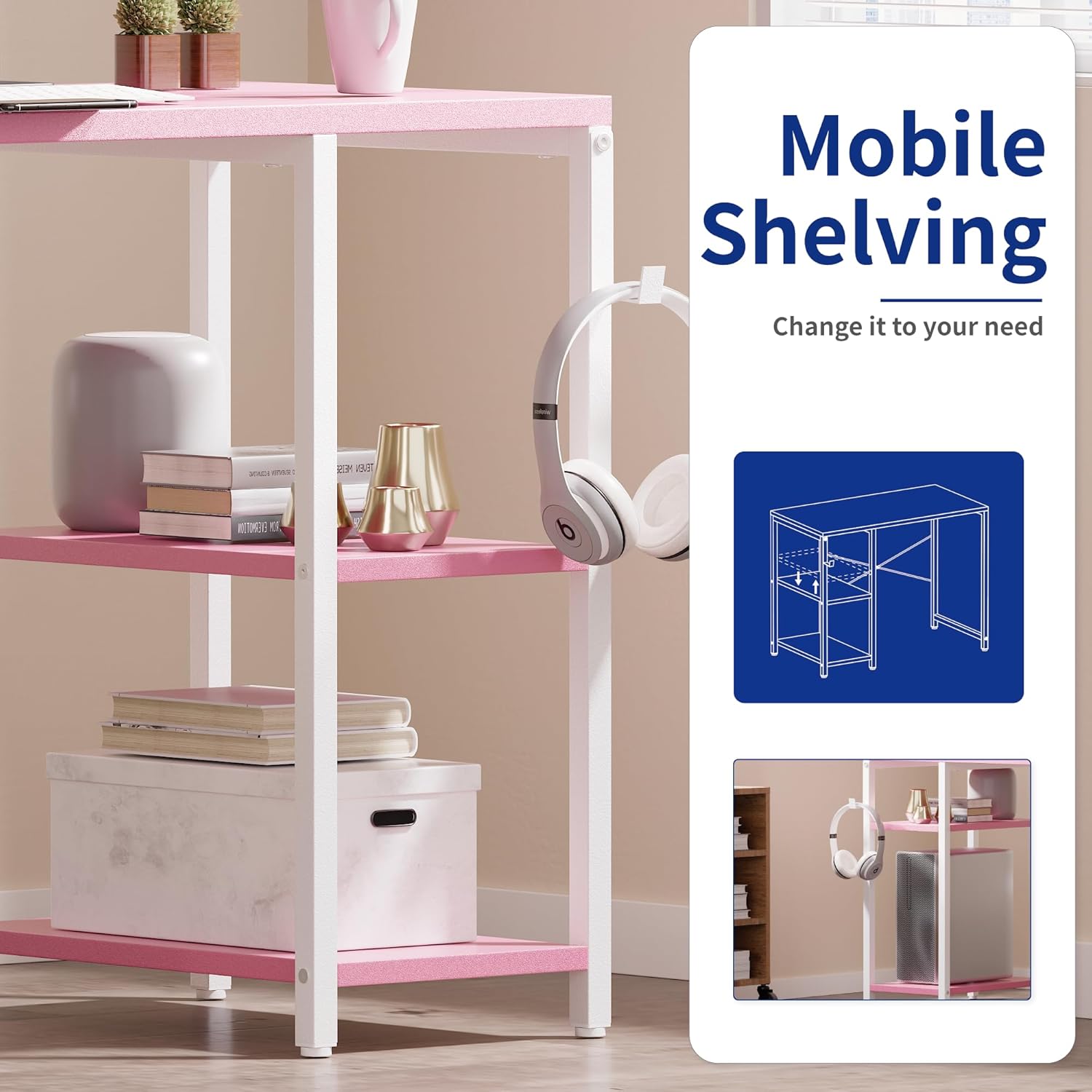
The desk features two shelves that can be used for storing books, documents, small electronics, or other accessories. These shelves can be installed on either the left or right side of the desk during assembly. The middle shelf's height is also adjustable, allowing you to customize the storage space according to your needs.

Құлаққап ілгегі
A convenient hook is included with the desk, perfect for hanging headphones, bags, or other accessories, keeping your workspace tidy and organized.
Техникалық қызмет көрсету
To ensure the longevity and appearance of your Pamray desk, follow these maintenance guidelines:
- Тазалау: Wipe the desk surface and metal frame with a soft, damp cloth. Avoid abrasive cleaners or harsh chemicals that could damage the powder-coated finish or the FSC-Certified Wood tabletop.
- Төгілулер: The tabletop is designed to be water-resistant. In case of spills, wipe them immediately with a dry cloth to prevent water damage.
- Аппараттық құрал: Барлық бұрандалар мен бекіткіштердің берік болуын қамтамасыз ету үшін мезгіл-мезгіл тексеріп отырыңыз. Құрылымдық тұтастықты сақтау үшін қажет болса, қайта қатайтыңыз.
- Орналастыру: Материалдың майысып немесе түсінің өзгеруіне жол бермеу үшін үстелді тікелей күн сәулесіне немесе жылу көздеріне жақын қоймаңыз.

Ақаулықтарды жою
Үстел тербеледі
If the desk feels unstable or wobbles after assembly:
- Check X-Brace: Ensure the 'X' shaped back brace is correctly installed and all its fasteners are securely tightened. This brace is essential for stability.
- Нивелирлеу аяқтарын реттеу: Use the adjustable feet at the bottom of each leg to compensate for uneven flooring. Rotate the feet clockwise or counter-clockwise until the desk is level and stable.
- Барлық қосылымдарды тексеріңіз: Double-check all screws and bolts throughout the desk frame and tabletop connections to ensure they are fully tightened.
Техникалық сипаттамалар
| Ерекшелік | Мәлімет |
|---|---|
| Бренд | Pamray |
| Үлгі нөмірі | S19Grey32 |
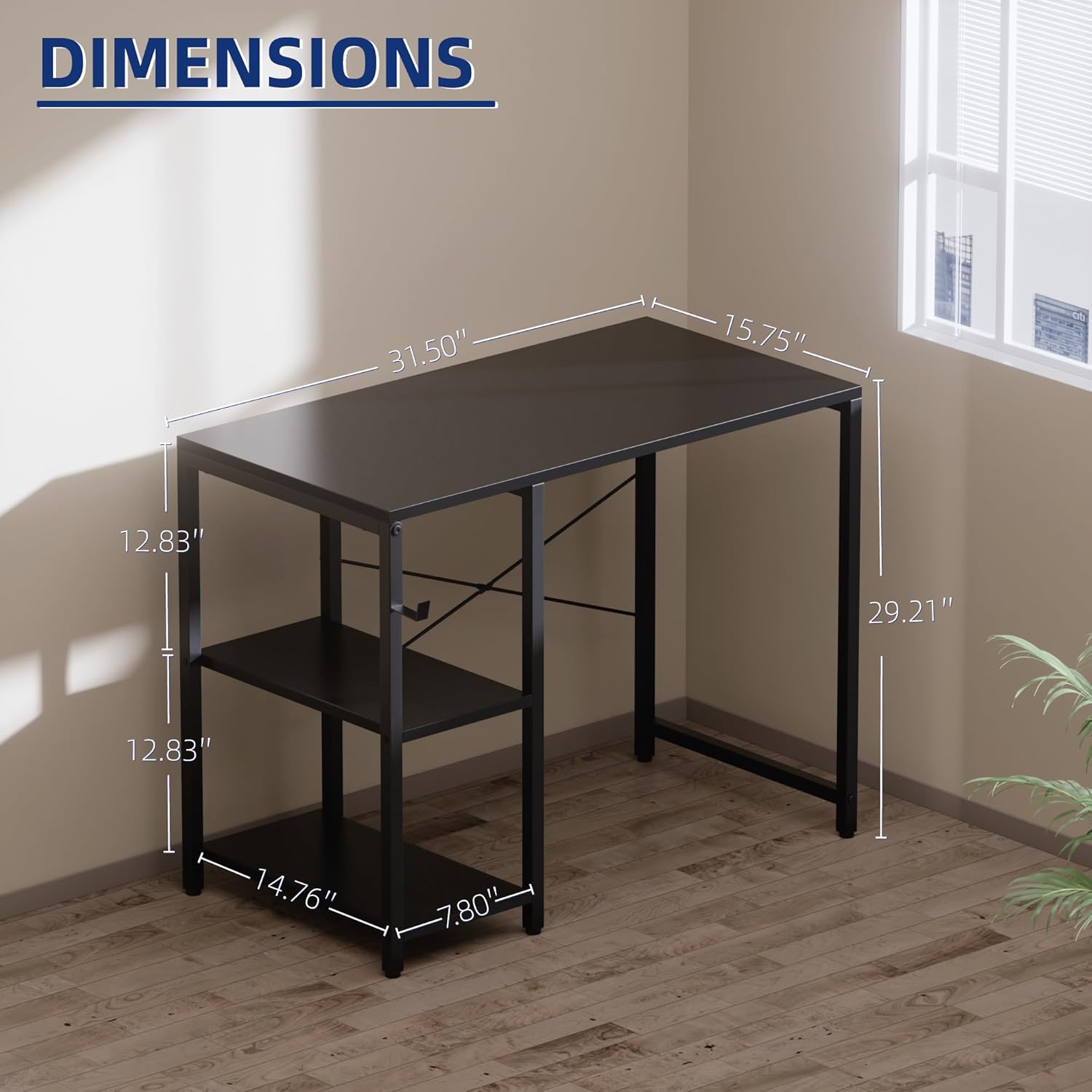
| Өнім өлшемдері (D x W x H) | 15.7" x 31.5" x 29.2" |
| Элемент салмағы | 6.57 келі |
| Максималды салмақ ұсынысы (үстел компьютері) | 150 фунт |
| Maximum Weight Recommendation (Shelves) | 60 фунт |
| Сөрелер саны | 2 (реттелетін) |
| Материал түрі | Metal, FSC-Certified Wood |
| Аяқтау түрі | Ұнтақпен қапталған |
| Түс | Сұр |
| Арнайы мүмкіндік | Compact, Headphone Hook, Reversible Shelves |
Кепілдік туралы ақпарат
Warranty details for the Pamray 32 Inch Small Computer Desk are not provided within this instruction manual. Please refer to the product packaging, the manufacturer's official website, or contact customer support for specific warranty terms and conditions.
Тұтынушыларды қолдау
For any questions, assistance with assembly, or to report missing/damaged parts, please contact Pamray customer support. You can typically find contact information on the product packaging or by visiting the official Pamray brand store online: