
Кіріспе
The Lexon Flip Classic Luminous Alarm Clock is an iconic, reversible alarm clock designed for intuitive use. This updated version features a rechargeable battery and a redesigned user interface, making it a practical addition to your bedside table. This manual provides instructions for setting up, operating, maintaining, and troubleshooting your device.

Image: Lexon Flip Classic Luminous Alarm Clock, showcasing оның дизайны мен дисплейі.
Орнату
- Бастапқы зарядтау: Before first use, fully charge the alarm clock using the included USB-C cable. Connect the USB-C cable to the charging port on the back of the device and plug the other end into a compatible USB power adapter (not included). The battery indicator on the display will show charging status. A full charge provides up to 6 months of battery life.
- Қуатты қосу/өшіру: Locate the power button on the back of the device. Press and hold to turn the alarm clock on or off.
- Уақыт пен дабылды орнату: Use the 'SET' button and the arrow buttons (up/down) on the back of the device to adjust the time, date, and alarm settings. Follow the on-screen prompts to cycle through hours, minutes, 12/24-hour format, date, and alarm time.
- Экран параметрлері: The arrow buttons can also be used to adjust the screen's light intensity. There are three light intensity settings available.

Image: Discreet control buttons located on the back of the alarm clock for power, charging, and settings.
Пайдалану нұсқаулары
Дабылды қосу және өшіру
- To activate the alarm, simply flip the clock so the side marked 'ON' is facing upwards. The alarm icon will appear on the display.
- To deactivate the alarm, flip the clock so the side marked 'OFF' is facing upwards. The alarm icon will disappear from the display.
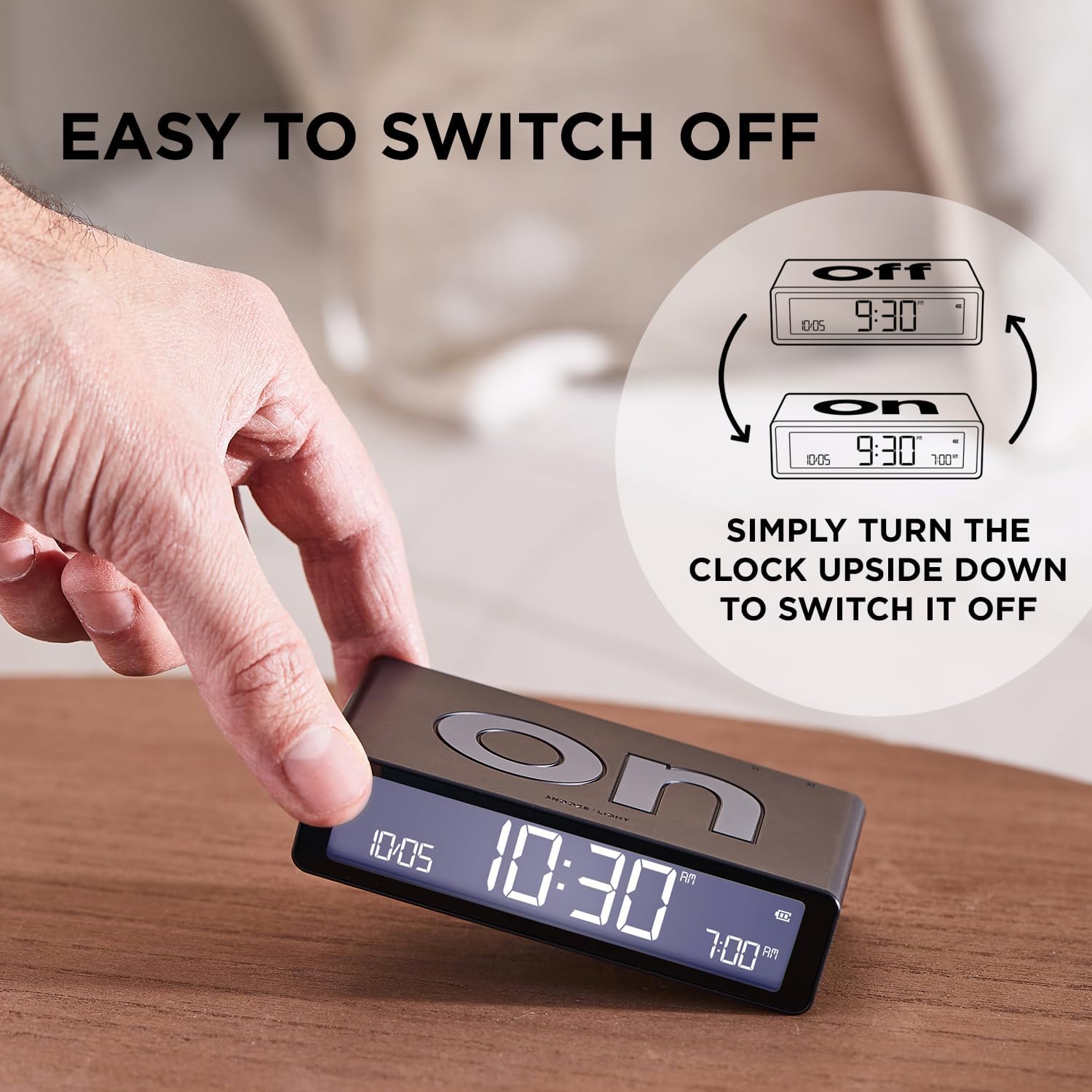
Image: Visual guide demonstrating the simple flip mechanism to switch the alarm on or off.
Snooze Function and Display Light
- When the alarm sounds, gently touch the top surface of the clock to activate the snooze function. The alarm will pause and sound again after a short interval.
- To illuminate the LCD display in the dark, touch the top surface of the clock. The display will light up at the set intensity.

Image: The alarm clock's display and features, including the touch sensor for snooze and light.
Дисплейді түсіну
The LCD display provides clear information at a glance:
- Ағымдағы уақыт: Shown prominently in the center.
- Күнді көрсету: Month and day are displayed.
- Дабыл дисплейі: The set alarm time is visible.
- Батарея Персенtage: An icon indicates the remaining battery life.
- 12/24 сағат пішімі: You can select your preferred time format during setup.

Image: An intuitive interface showing the date, current time, alarm time, and battery percentage.
Техникалық қызмет көрсету
- Тазалау: Wipe the surface of the alarm clock with a soft, dry, or slightly damp шүберек. Абразивті тазартқыштарды, еріткіштерді немесе қатты химиялық заттарды пайдаланбаңыз, себебі олар әрлеу және электрондық компоненттерді зақымдауы мүмкін.
- Батареяға күтім жасау: To prolong battery life, avoid fully discharging the device frequently. Recharge the clock when the battery indicator shows low power.
- Сақтау орны: If storing the alarm clock for an extended period, ensure it is fully charged and then turn it off. Store in a cool, dry place away from direct sunlight and extreme temperatures.
Ақаулықтарды жою
- Сағат қосылмайды: Ensure the device is charged. Connect it to a USB-C power source and allow it to charge for at least 30 minutes before attempting to power it on again.
- Дабыл естілмейді: Verify that the clock is flipped to the 'ON' side. Check that the alarm time is correctly set.
- Display not visible/dim: Touch the top surface to activate the backlight. If still dim, adjust the light intensity settings using the buttons on the back. Ensure the battery is sufficiently charged.
- Түймелер жауап бермейді: Try restarting the device by holding the power button until it turns off, then turn it back on. If the issue persists, ensure the device is charged.
Техникалық сипаттамалар
| Бренд | Лексон |
| Үлгі нөмірі | LR157PT-S |
| Өнім өлшемдері | 4.09"Е x 1.02"H |
| Элемент салмағы | 125 грамм |
| Арнайы мүмкіндіктер | Digital, Indoor, Multifaced, Luminous, Reversible, Touch Sensor |
| Қуат көзі | USB-C арқылы қайта зарядталады |
| Батарея Түрі | 1 литий полимерлі батарея (жинаққа кіреді) |
| Қосылған құрамдас бөліктер | USB-C cable, user manual |

Image: The compact dimensions and light weight of the Lexon Flip Classic alarm clock.
Кепілдік және қолдау
This Lexon product is covered by a manufacturer's warranty. For detailed warranty information, please refer to the documentation included with your purchase or visit the official Lexon webсайт.
For further assistance, support, or to explore other Lexon products, please visit the Lexon Store on Amazon.