
Өнім аяқталдыview
The Pamray 58-inch computer desk is designed for versatile use in home offices, gaming setups, or as a vanity table. It features integrated storage, a monitor stand, LED lighting, and convenient power outlets.
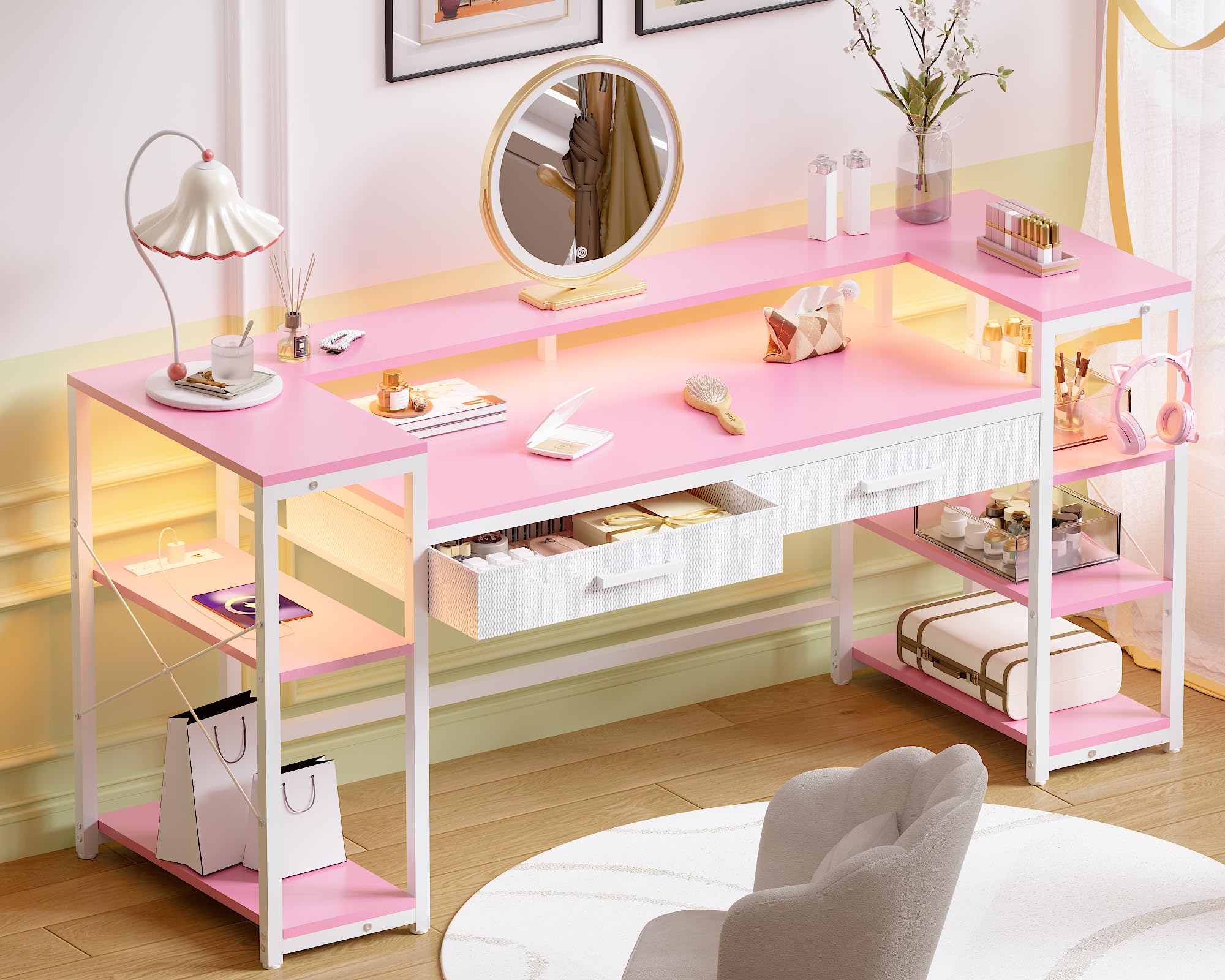
Image: The Pamray 58-inch computer desk in pink, showcasing its overall design with a monitor stand, shelves, and drawers.
Орнату және құрастыру
Before beginning assembly, ensure all components are present and undamaged. Refer to the included clear installation instructions and utilize all necessary tools provided in the accessory box. For additional guidance, comprehensive installation videos are available by scanning the Transparency QR code on the product packaging.
Негізгі құрастыру қадамдары:
- Барлық бөлшектерді қаптамадан шығарып, бөлшектер тізіміне сәйкес тексеріңіз.
- Assemble the main frame components, ensuring all screws are tightened securely.
- Attach the desktop and monitor stand.
- Install the side shelves, noting their adjustable and reversible design for customized placement.
- Мата тартпаларын белгіленген ұяшықтарға салыңыз.
- Connect the LED lights and power outlet unit according to the wiring diagram.
- Adjust the leg pads to ensure the desk is stable and level on your floor.
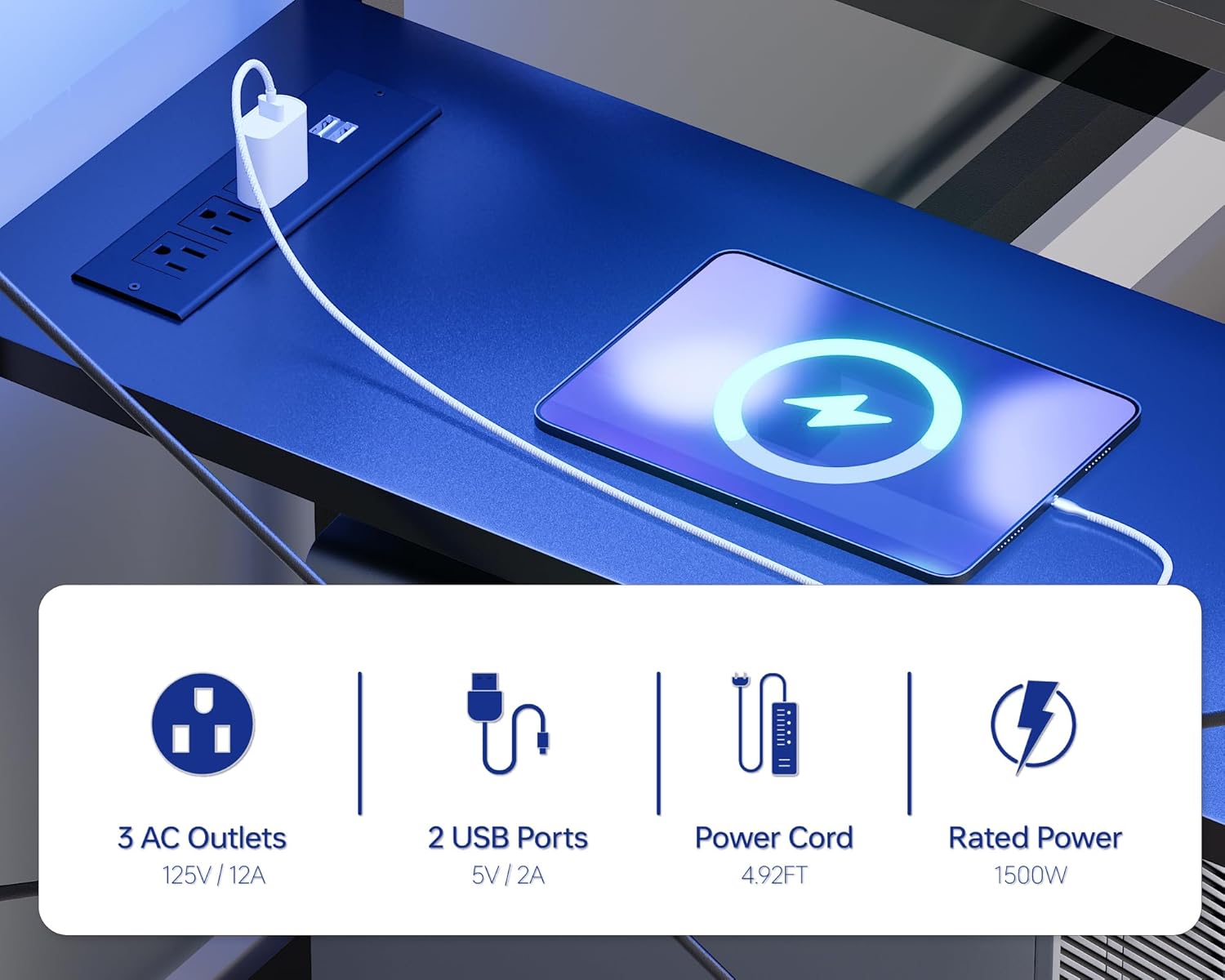
Image: Detailed dimensions of the Pamray 58-inch computer desk, including measurements for the desktop, monitor stand, and side shelves.
Пайдалану нұсқаулары
Сақтау және ұйымдастыру:
The desk provides ample storage with two drawers and two open side shelves. The shelves are adjustable and reversible, allowing you to configure them to suit your needs for books, gaming gear, or office supplies. The drawers are suitable for organizing smaller items.

Image: The desk featuring open storage shelves on the sides, with one side configured for a PC tower, demonstrating the reversible shelf design.

Сурет: жақыннан түсірілген view of one of the desk's non-woven drawers, open and containing various items like books, headphones, and files.
LED Lights and Power Outlets:
The desk includes a built-in power outlet strip with 3 AC outlets (125V/12A) and 2 USB ports (5V/2A) for convenient device charging. The integrated LED light strip offers 213 dynamic multicolor lighting modes and over 10,000 color options, controllable via a dedicated app. Adjust brightness and hues to create your desired ambiance.

Image: The desk illuminated by its RGB LED light strip, with an overlay showing the mobile app interface for controlling colors and modes.

Image: A close-up of the desk's built-in power strip, showing 3 AC outlets and 2 USB ports, with a tablet charging via one of the USB ports.
Монитор стенді:
The sturdy U-shaped monitor stand is designed to hold two monitors or laptops, elevating them to an ergonomic viewing height. This feature helps free up valuable desktop space and aids in improved cable management, keeping your workspace neat.

Image: The desk featuring its U-shaped monitor stand, supporting two monitors, with an illustration demonstrating proper ergonomic posture.
Техникалық қызмет көрсету және күту
To ensure the longevity and appearance of your Pamray computer desk, follow these maintenance guidelines:
- Тазалау: Жұмыс үстелінің беттерін жұмсақ шүберекпен сүртіңіз, damp мата. Аяқтауға зақым келтіруі мүмкін күшті химиялық заттардан немесе абразивті тазартқыштардан аулақ болыңыз.
- Тұрақтылықты тексеру: Барлық бұрандалар мен қосылымдардың берік екеніне көз жеткізу үшін мезгіл-мезгіл тексеріп отырыңыз. Құрылымдық тұтастықты сақтау үшін қажет болса, қайта қатайтыңыз.
- Салмақ сыйымдылығы: Do not exceed the maximum weight recommendation of 200 pounds (90.7 kg) for the desktop.
- Жылу көздері: Keep the desk away from direct heat sources, such as radiators or direct sunlight, to prevent material warping or discoloration.
- Реттелетін аяқ төсеніштері: Ensure the adjustable leg pads are properly set to keep the desk stable and prevent wobbling.

Сурет: жақыннан түсірілген view of a desk surface, illustrating its smooth finish suitable for easy cleaning.
Ақаулықтарды жою
If you encounter any issues with your Pamray computer desk, please refer to the following common solutions:
- Тербелетін үстел: Check that all screws are securely tightened. Adjust the leveling feet at the bottom of the desk legs to compensate for uneven floor surfaces.
- Жарықдиодты шамдар жұмыс істемейді: Ensure the LED light strip is properly connected to the power source and the app is correctly paired. Check for any loose connections.
- Қуат розеткалары жұмыс істемейді: Verify that the desk's power cord is securely plugged into a working wall outlet. Check for any tripped circuit breakers.
- Жапсырмалар: Ensure the fabric drawers are correctly inserted and not overloaded. Check for any obstructions in the drawer slots.
If problems persist after attempting these solutions, please contact Pamray customer support for further assistance.
Техникалық сипаттамалар
| Бренд | Pamray |
| Үлгі нөмірі | S15 |
| Өнім өлшемдері (D x W x H) | 18.9" x 58.27" x 36.38" (48 см x 148 см x 92.4 см) |
| Түс | Қызғылт |
| Пішін | Тікбұрышты |
| Үстел дизайны | Компьютерлік үстел |
| Жоғарғы материал түрі | FSC-Certified Wood |
| Негізгі материал | Metal (Steel Frame) |
| Аяқтау түрі | Ұнтақпен қапталған |
| Максималды салмақ бойынша ұсыныс | 200 фунт (90.7 кг) |
| Тартпалардың саны | 2 |
| Сөрелер саны | 2 |
| Элемент салмағы | 21.55 келі |
| Міндетті Ассамблея | Иә |
| Барлық құрастыру құралдарын қамтиды | Иә |
Кепілдік және қолдау
This Pamray computer desk comes with a Limited Warranty. For specific details regarding warranty coverage, please refer to the documentation included with your product or contact Pamray customer support.
Тұтынушыларды қолдау:
For any questions, missing parts, or assistance with assembly or operation, please contact Pamray customer support. Contact information can typically be found on the product packaging or the official Pamray webсайт.