
Кіріспе
This manual provides comprehensive instructions for the setup, operation, and maintenance of your V7 Dual Bay Docking Station USB 3.0. This device is designed to provide convenient access to 2.5-inch and 3.5-inch SATA hard disk drives (HDDs) and solid-state drives (SSDs), offering high-speed data transfer and a standalone cloning function.
Өнімнің дұрыс жұмыс істеуін қамтамасыз ету және зақымдануды болдырмау үшін қолданбас бұрын осы нұсқаулықты мұқият оқып шығыңыз.
Пакет мазмұны

Image: The side of the V7 Dual Bay Docking Station packaging, detailing the included items.
Төменде тізімделген барлық заттардың бумаңызда бар екенін тексеріңіз:
- 1x V7 Dual Bay Docking Station
- 1x USB 3.0 A to B Cable
- 1x тұрақты ток 12В/3А қуат адаптері
- 1x Пайдаланушы нұсқаулығы (осы құжат)
Өнім аяқталдыview
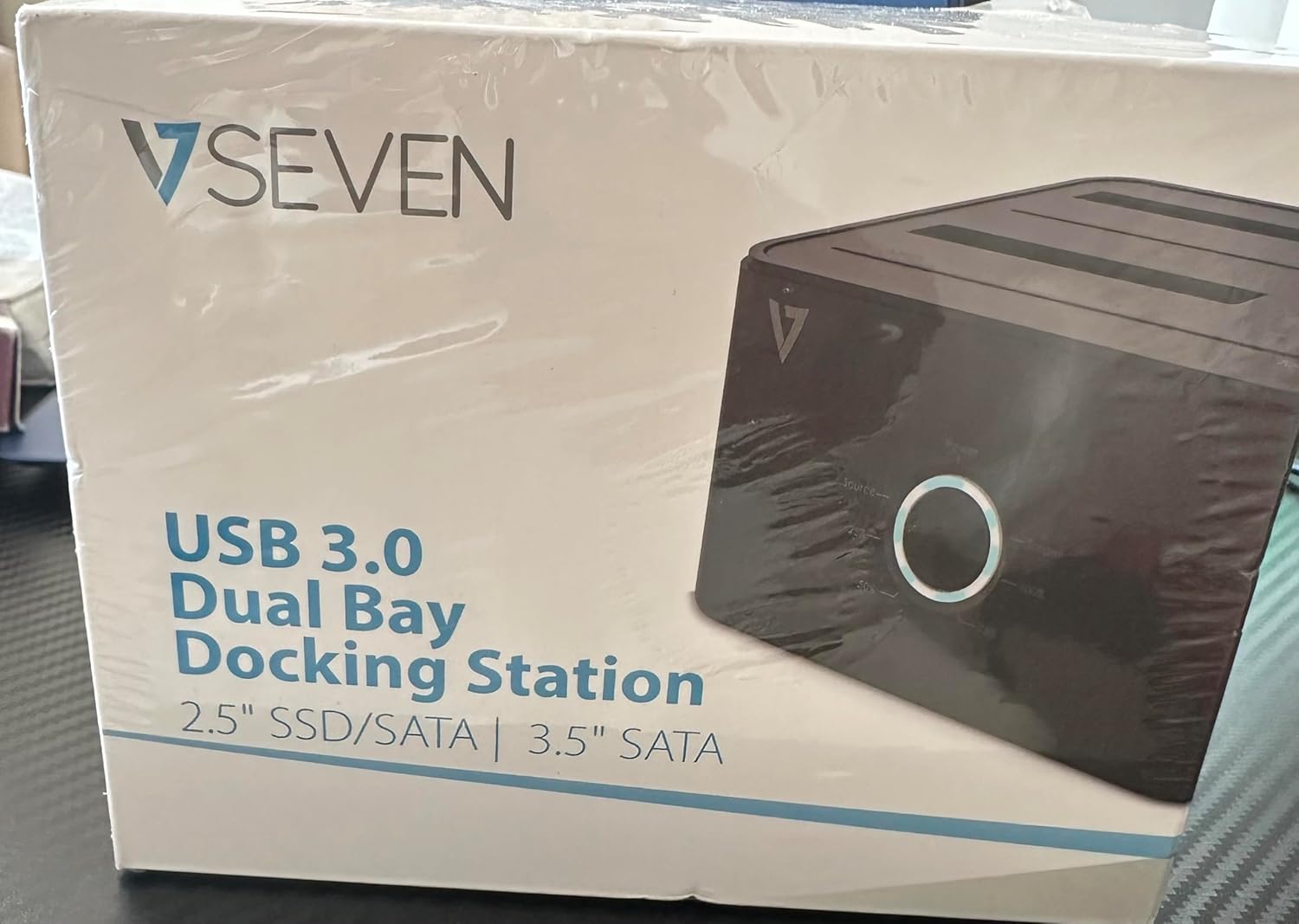
Image: The front of the V7 Dual Bay Docking Station packaging, displaying the product and its name.
The V7 Dual Bay Docking Station provides a versatile solution for managing your 2.5-inch and 3.5-inch SATA drives. Key features include:
- USB 3.0 Super-Speed Data Transfer: Achieves speeds up to 5 Gbps, significantly faster than USB 2.0.
- Dual Bay дизайны: Supports two SATA I/II/III HDDs or SSDs simultaneously.
- Standalone Clone Function: Allows direct cloning of one drive to another without requiring a computer.
- Жарықдиодты дисплей: Provides status indication during operation, especially for cloning.
- Қайта өңделген материалдар: Constructed with recycled materials, contributing to environmental sustainability.

Image: The back of the V7 Dual Bay Docking Station packaging, illustrating key features and benefits, including the use of recycled materials.
Порттар мен индикаторлар:
- USB-B Port (1x): Connects the docking station to your computer.
- SATA Drive Bays (2x): For inserting 2.5-inch or 3.5-inch SATA HDDs/SSDs.
- DC Power Input (1x): For connecting the 12V/3A power adapter.
- Power Button/LED: Қуатты басқарады және жұмыс күйін көрсетеді.
- Clone Button/LEDs: Initiates the cloning process and indicates progress.
Орнату
- Қуатты қосу: Insert the DC 12V/3A power adapter into the "DC Power Input" port on the docking station, then plug the adapter into a wall outlet.
- Дискілерді кірістіру:
- Gently slide your 2.5-inch or 3.5-inch SATA HDD/SSD into the drive bay(s) until it is securely seated. Ensure the SATA connector aligns correctly.
- For cloning, insert the source drive into Bay 1 (Source) and the target drive into Bay 2 (Target). The target drive must be equal to or larger in capacity than the source drive.
- Компьютерге қосылу (деректерді тасымалдау үшін): If you intend to use the docking station for data transfer with a computer, connect one end of the USB 3.0 A to B cable to the USB-B port on the docking station and the other end to an available USB 3.0 port on your computer.
- Қуат қосулы: Press the power button on the docking station. The power LED should illuminate.
Пайдалану нұсқаулары
A. Data Transfer Mode (Connected to Computer)
- Қондыру станциясының қуат көзіне қосылғанына және компьютеріңізге USB 3.0 кабелі арқылы қосылғанына көз жеткізіңіз.
- Insert one or two SATA drives into the bays.
- Your operating system should detect the drives as external storage. You may need to initialize and format new drives through Disk Management (Windows) or Disk Utility (macOS) before use.
- You can now access, read, and write data to the inserted drives as you would with any external storage device.
- Always safely eject the drives from your operating system before powering off the docking station or removing the drives.
B. Standalone Clone Function (Without Computer)
The clone function allows you to duplicate a source drive to a target drive without a computer connection. The target drive must have a capacity equal to or greater than the source drive.
- Дайындық:
- Қондыру станциясының кез келген компьютерден ажыратылғанына көз жеткізіңіз.
- енгізіңіз Бастапқы диск (көшіріп алғыңыз келетін дискіге). 1 шығанағы.
- енгізіңіз Мақсатты диск (TO көшіргіңіз келетін дискіге). 2 шығанағы.
- Warning: All data on the target drive will be erased during the cloning process. Back up any important data on the target drive before proceeding.
- Клонды іске қосыңыз:
- Док-станцияны қосыңыз.
- Press and hold the "Clone" button for approximately 3-5 seconds until the clone progress LEDs begin to flash.
- Клондауды растау:
- Release the "Clone" button. The 25% progress LED should start blinking.
- Press the "Clone" button again briefly to confirm and start the cloning process.
- Прогресті бақылау: The progress LEDs (25%, 50%, 75%, 100%) will illuminate sequentially to indicate the cloning status.
- Аяқталу: When the 100% LED remains solid, the cloning process is complete.
- Қуатты өшіру және жою: Дискілерді шығармас бұрын қондыру станциясын өшіріңіз.
Техникалық қызмет көрсету
- Қондыру станциясын таза және шаңсыз ұстаңыз. Тазалау үшін жұмсақ, құрғақ матаны пайдаланыңыз.
- Құрылғыны шектен тыс температураға, ылғалдылыққа немесе тікелей күн сәулесінің әсеріне ұшыратпаңыз.
- Құрылғыны өзіңіз бөлшектеуге немесе жөндеуге тырыспаңыз. Бұл кепілдікті жарамсыз етеді.
- Жұмыс кезінде құрылғының айналасында дұрыс желдетуді қамтамасыз етіңіз.
Ақаулықтарды жою
| Мәселе | Ықтимал себебі | Шешім |
|---|---|---|
| Құрылғы қосылмайды. | Қуат адаптері қосылмаған немесе ақаулы. | Қуат адаптерінің док-станцияға да, жұмыс істеп тұрған розеткаға да мықтап қосылғанына көз жеткізіңіз. Басқа розетканы қолданып көріңіз. |
| Drives not detected by computer. | USB cable not connected properly; drive not seated correctly; drive uninitialized/unformatted. | Check USB cable connection. Re-seat the drive(s). For new drives, initialize and format them via Disk Management (Windows) or Disk Utility (macOS). Try a different USB port on your computer. |
| Clone function not starting. | Incorrect drive placement; target drive too small; clone button not held long enough. | Ensure source drive is in Bay 1 and target drive in Bay 2. Verify target drive capacity is equal to or larger than source. Hold the clone button for 3-5 seconds until LEDs flash. |
| Баяу деректерді беру жылдамдығы. | Connected to USB 2.0 port; faulty USB cable. | Ensure the docking station is connected to a USB 3.0 port on your computer. Try a different USB 3.0 cable. |
Техникалық сипаттамалар
- Үлгі: 9UDBBS-BLK
- Аппараттық интерфейс: USB 3.0 (USB 2.0 арқылы кері үйлесімді)
- Деректерді тасымалдау жылдамдығы: Up to 5 Gbps (USB 3.0 Super-Speed)
- Drive үйлесімділігі: 2.5" and 3.5" SATA I/II/III HDDs and SSDs
- Айдау орындары: 2
- Порттар: 1x USB-B (Host), 2x SATA (Internal), 1x DC Power Input
- Қуат кірісі: DC 12V/3A (12 Watts)
- UPC: 662919116557
- Өндіруші: Ingram Micro Inc
- Материал: Made from Recycled Materials
Кепілдік және қолдау
For warranty information and technical support, please refer to the official V7 webсайтына немесе сатушыға хабарласыңыз. Кепілдік шағымдары үшін сатып алуды растайтын құжатты сақтаңыз.
Қосымша көмек алу үшін мына сайтқа кіріңіз: www.v7world.com/support (Мысampсілтеме, нақты сілтеме әртүрлі болуы мүмкін)