
1. Кіріспе
This manual provides essential information for setting up, operating, and maintaining your OnePlus Nord 5 smartphone. Please read this guide thoroughly to ensure optimal performance and longevity of your device.

1-сурет: Алдыңғы және артқы view of the OnePlus Nord 5 smartphone.
2. Қораптың мазмұны
Upon unboxing your OnePlus Nord 5, verify that all the following items are included:
- OnePlus Nord 5 Smartphone
- Қуат адаптері (80 Вт)
- USB кабелі (C түрі)
- SIM науасын шығарғыш
- Экран қорғағышы (алдын ала жағылған немесе қорапта)
- Телефон корпусы
- Жылдам бастау нұсқаулығы
- Кепілдік картасы
Video 1: Unboxing the OnePlus Nord 5 and reviewing its contents.

2-сурет: Алдыңғы view of the OnePlus Nord 5.

3-сурет: Артқа view of the OnePlus Nord 5.
3. Орнату
3.1 SIM картасын орнату
- Құрылғының бүйіріндегі SIM науасын табыңыз.
- SIM шығару құралын науаның жанындағы кішкене тесікке салып, науа шыққанша қатты басыңыз.
- Nano-SIM карталарын науадағы белгіленген ұяшықтарға салыңыз. Алтын түйіспелердің төмен қарағанына көз жеткізіңіз.
- SIM науасын телефонға орнына түскенше абайлап қайта салыңыз.
3.2 Бастапқы қуат қосу
Press and hold the Power button on the side of the device until the OnePlus logo appears. Follow the on-screen instructions to complete the initial setup, including language selection, Wi-Fi connection, and Google account setup.
4. Құрылғыны пайдалану
4.1 Өнімділік
The OnePlus Nord 5 is equipped with the Snapdragon 8s Gen 3 processor and LPDDR5X RAM, designed for demanding applications and gaming. The device features a 7300mm² VC cooling system to maintain optimal temperatures during extended use.
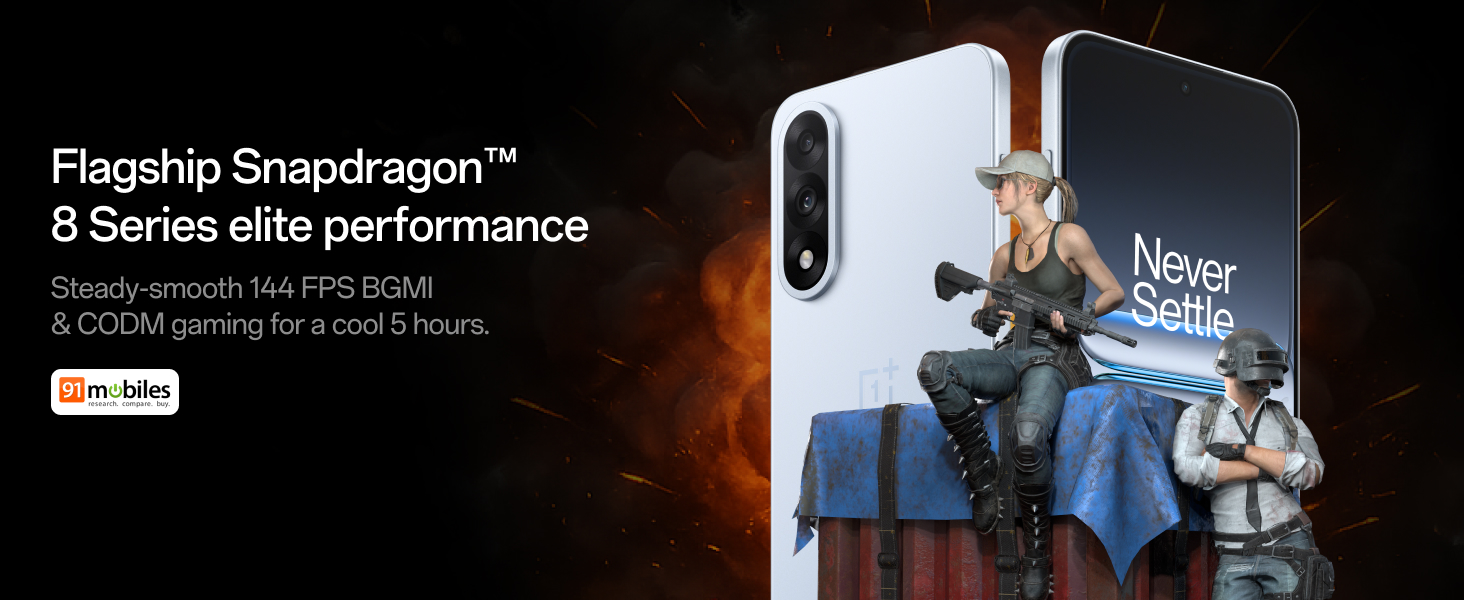
Figure 4: Snapdragon 8s Gen 3 processor for elite performance.
Video 2: Demonstration of gaming performance on the OnePlus Nord 5.
4.2 Камера мүмкіндіктері
The device features a dual 50MP camera system, including a 50MP front camera (ISOCELL JN5 with hardware autofocus) and a 50MP Sony LYT-700 back camera with Optical Image Stabilization (OIS). It supports 4K 60 FPS video capture.
AI Camera Enhancements:
- AI өшіргіш: Removes unwanted objects or people from photos.
- AI Detail Boost: Enhances image clarity and detail.
- AI Unblur: Corrects blurry images.
- AI Reframe: Suggests improved compositions for photos.
- AI Perfect Shot: Adjusts facial expressions and corrects blinked eyes in group photos.

Figure 5: Dual 50MP camera system overview.

Figure 6: AI features for photo enhancement.
4.3 Батарея және зарядтау
The OnePlus Nord 5 features a 6800 mAh battery and supports 80W ultra-fast charging. It also includes an all-new Bypass Charging feature, which powers the phone directly from the charger during gaming to reduce heat and maintain performance.

Figure 7: Illustration of Bypass Charging technology.
4.4 Дисплей
Experience visuals on a 144Hz 1.5K AMOLED display with Aqua Touch 2.0 technology, offering a resolution of 2800 x 1272 pixels and up to 1400 nits brightness. Aqua Touch 2.0 improves touch responsiveness, even with wet or oily fingers.

Figure 8: Details of the 144Hz AMOLED display.
4.5 AI мүмкіндіктері
The OnePlus Nord 5 integrates various AI functionalities to enhance user experience:
- AI Voice Scribe: Transcribe, translate, and summarize meetings or content.
- Іздеу үшін шеңбер: Экрандағы мазмұнды айналдыру арқылы ақпаратты жылдам іздеңіз.
- Gemini Live: An AI assistant for queries and information.
- AI іздеу: Intuitively understands natural language prompts for searching device content.

Figure 9: AI VoiceScribe interface.
4.6 Multitasking with Open Canvas
The Open Canvas feature allows for enhanced split-screen multitasking, enabling flexible resizing of applications and drag-and-drop functionality between apps. This improves productivity by extending split-screen capabilities beyond physical display limits.
Video 3: Demonstration of multitasking features on the OnePlus Nord 5.

Figure 10: Open Canvas for advanced multitasking.
4.7 Қосылу мүмкіндігі
The Nord 5 supports 5G-Advanced networking, offering faster internet speeds and improved signal stability, particularly in congested areas.

Figure 11: 5G-Advanced network features.
4.8 бағдарламалық жасақтамасы
The device runs on OxygenOS 15, based on Android 15. It is guaranteed to receive 4 Android version upgrades and 6 years of security updates, ensuring long-term software support and system smoothness.
5. Техникалық қызмет көрсету
- Бағдарламалық құрал жаңартулары: Regularly install system updates to ensure optimal performance, security, and access to new features.
- Батареяға күтім жасау: To prolong battery life, avoid extreme temperatures and frequent full discharges. The device includes a 4-year healthy battery promise.
- Тазалау: Экранды және корпусты тазалау үшін жұмсақ, талшықсыз матаны пайдаланыңыз. Абразивті материалдардан немесе қатты химиялық заттардан аулақ болыңыз.
- Сақтауды басқару: Мерзімді түрде анық қажет емес fileҚұрылғы жылдамдығын сақтау және сақтау орнын босату үшін s және қолданбалар.
6. Ақаулықтарды жою
If you encounter issues with your OnePlus Nord 5, consider the following general troubleshooting steps:
- Құрылғыны қайта іске қосу: Қарапайым қайта іске қосу бағдарламалық құралдың көптеген кішігірім ақауларын шеше алады.
- Жаңартуларды тексеріңіз: Құрылғыңыздың бағдарламалық жасақтамасы жаңартылғанына көз жеткізіңіз.
- Кэшті тазалау: For app-specific issues, try clearing the app's cache in Settings.
- Зауыттық параметрлерді қалпына келтіру: Соңғы шара ретінде зауыттық параметрлерді қалпына келтіру бағдарламалық құралдың тұрақты мәселелерін шеше алады. Ескерту: Бұл құрылғыдағы барлық деректерді жояды. Жалғастырмас бұрын маңызды ақпараттың сақтық көшірмесін жасаңыз.
- Қолдау қызметіне хабарласыңыз: If the issue persists, refer to the support section for contact information.
7. Техникалық сипаттамалар
| Ерекшелік | Мәлімет |
|---|---|
| Операциялық жүйе | Android 15, OxygenOS 15 |
| Процессор | Snapdragon 8s Gen 3 (CPU Speed: 2, 2.8, 3 GHz) |
| Жедел Жадтау Құрылғысы | 12 ГБ (ағымдағы үлгі бойынша) |
| Дисплей | 144Hz 1.5K AMOLED, 2800 x 1272 Resolution |
| Артқы камера | 50MP Sony LYT-700 with OIS |
| Алдыңғы камера | 50MP ISOCELL JN5 with Autofocus |
| Батарея | 6800 мАч, 80 Вт жылдам зарядтау |
| Қосылу мүмкіндігі | 5G-Advanced, Bluetooth, NFC, USB, Wi-Fi |
| Өлшемдері | 16.41 x 7.7 x 0.81 см |
| Салмағы | 211 г |
| Үлгі нөмірі | CPH2707 |
| Өндіруші | Oppo Mobiles India Private Limited компаниясы |
8. Кепілдік және қолдау
The OnePlus Nord 5 comes with a Lifetime Display Warranty, covering green line issues. For detailed terms and conditions, please refer to the official OnePlus website or the warranty card included in the box.

Figure 12: Lifetime Display Warranty information.
For customer service and technical support, you can contact OnePlus using the following information:
- Customer Service Contact Number: 1800 102 8411
- WhatsApp қолдауы: +91-9289606888
- Өндірушінің мекенжайы: PLOT-NO.1, SECTOR ECOTECH-VII, GREATER, NOIDA, UTTAR PRADESH, India-201306