
Кіріспе
This user manual provides detailed instructions for the C idea CM817 Pro Max 8-inch Tablet. Please read this manual thoroughly before using your device to ensure proper operation and to maximize its features. Keep this manual for future reference.
Пакет мазмұны
Барлық элементтер пакетте бар екенін тексеріңіз:
- C idea CM817 Pro Max 8-inch Tablet
- Зарядтау адаптері
- USB-C кабелі
- Пайдаланушы нұсқаулығы (бұл құжат)
- Stylus Pen (if included in your specific package)
- Keyboard (if included in your specific package)
- Mouse (if included in your specific package)

Image: The C idea CM817 Pro Max tablet shown with its common accessories, which may include a keyboard, mouse, charging adapter, USB-C cable, and stylus pen.
Өнім аяқталдыview
Familiarize yourself with the physical components of your C idea CM817 Pro Max tablet.

Image: A diagram illustrating the various ports and buttons on the C idea CM817 Pro Max tablet, including the front camera, rear camera, power button, volume controls, speakers, TF/SIM card slot, USB-C port, and headphone jack.
- Алдыңғы камера: Бейне қоңыраулар мен селфи үшін.
- Артқы камера: Фотосуреттер мен бейнелерді түсіруге арналған.
- Қосу / өшіру түймесі: Press and hold to power on/off or restart. Press briefly to wake/sleep the screen.
- Дыбыс деңгейі түймелері: Adjust the tablet's audio volume.
- Спикерлер: Output audio.
- TF/SIM Slot: Insert a TF (MicroSD) card for expandable storage or a SIM card for cellular connectivity.
- USB-C порты: For charging the tablet and connecting to a computer for data transfer.
- Құлаққап ұясы: 3.5 мм құлаққапты қосыңыз.
Орнату
1. Планшетті зарядтау
Before first use, fully charge the tablet. Connect the USB-C cable to the tablet's USB-C port and the other end to the charging adapter. Plug the adapter into a power outlet. The battery indicator on the screen will show charging status.
2. Қосу / Өшіру
- Қуат қосулы: Press and hold the Power On/Off button until the C idea logo appears.
- Қуат көзін өшіру: Press and hold the Power On/Off button until the power options menu appears, then select "Power off".
- Қайтадан қосу: Қуат параметрлері мәзірінен «Қайта іске қосу» тармағын таңдаңыз.
3. Бастапқы орнату
Upon first power-on, follow the on-screen prompts to configure your tablet:
- Қалаған тілді таңдаңыз.
- Wi-Fi желісіне қосылыңыз.
- Google есептік жазбаңызбен кіріңіз немесе жаңасын жасаңыз. Бұл Google Play дүкенінен қолданбаларды жүктеп алу үшін қажет.
- Экран құлпын орнату (PIN коды, үлгі немесе құпия сөз).
- Review және шарттарды қабылдайды.
4. SIM және MicroSD карталарын салу
Locate the TF/SIM slot on the side of the tablet. Use the provided SIM ejector tool (if applicable) to open the tray. Carefully place your SIM card and/or MicroSD card into the designated slots, ensuring correct orientation. Close the tray securely.
Пайдалану нұсқаулары
1. Негізгі шарлау
- Түрту: Қолданбаны ашу немесе элементті таңдау үшін белгішені түртіңіз.
- Сырғыту: Беттер немесе мазмұн бойынша жылжу үшін саусағыңызды экран бойымен сүйреңіз.
- Шымшу: Суреттерді үлкейту немесе кішірейту үшін екі саусақты пайдаланыңыз web беттер.
- Негізгі экран: Қолданбалар мен виджеттерге қол жеткізуге болатын негізгі экран.
- Хабарландыру тақтасы: Хабарландырулар мен жылдам параметрлерге қол жеткізу үшін экранның жоғарғы жағынан төмен сырғытыңыз.

Image: The C idea CM817 Pro Max tablet showcasing its Android home screen, featuring various application icons and a clean user interface.
2. Wi-Fi and Cellular Connectivity
Wi-Fi желісіне қосылу үшін өтіңіз Параметрлер > Желі және интернет > Wi-Fi. Turn Wi-Fi on and select your desired network. Enter the password if prompted. For cellular data, ensure a SIM card is inserted and go to Параметрлер > Желі және интернет > Ұялы желі to configure data settings.
3. Камераны пайдалану
Open the Camera app from the home screen or app drawer. Tap the shutter button to take a photo. Switch between the 5MP front camera and 8MP rear camera using the camera switch icon. You can also record videos.
4. Сақтауды басқару
Your tablet comes with 512GB of internal storage and supports up to 512GB expandable storage via a MicroSD card. To view жадты пайдалану, өтіңіз Параметрлер > Сақтау. Regularly clear unnecessary files and uninstall unused apps to maintain performance.

Image: Multiple C idea tablets demonstrating the ample storage capacity, highlighting 8GB RAM, 512GB internal ROM, and support for an additional 512GB via TF (MicroSD) card.
5. Батареяның қызмет ету мерзімі
The 8000mAh battery provides extended usage. To optimize battery life, reduce screen brightness, disable Wi-Fi/Bluetooth when not in use, and close background apps. You can monitor battery usage in Параметрлер > Батарея.
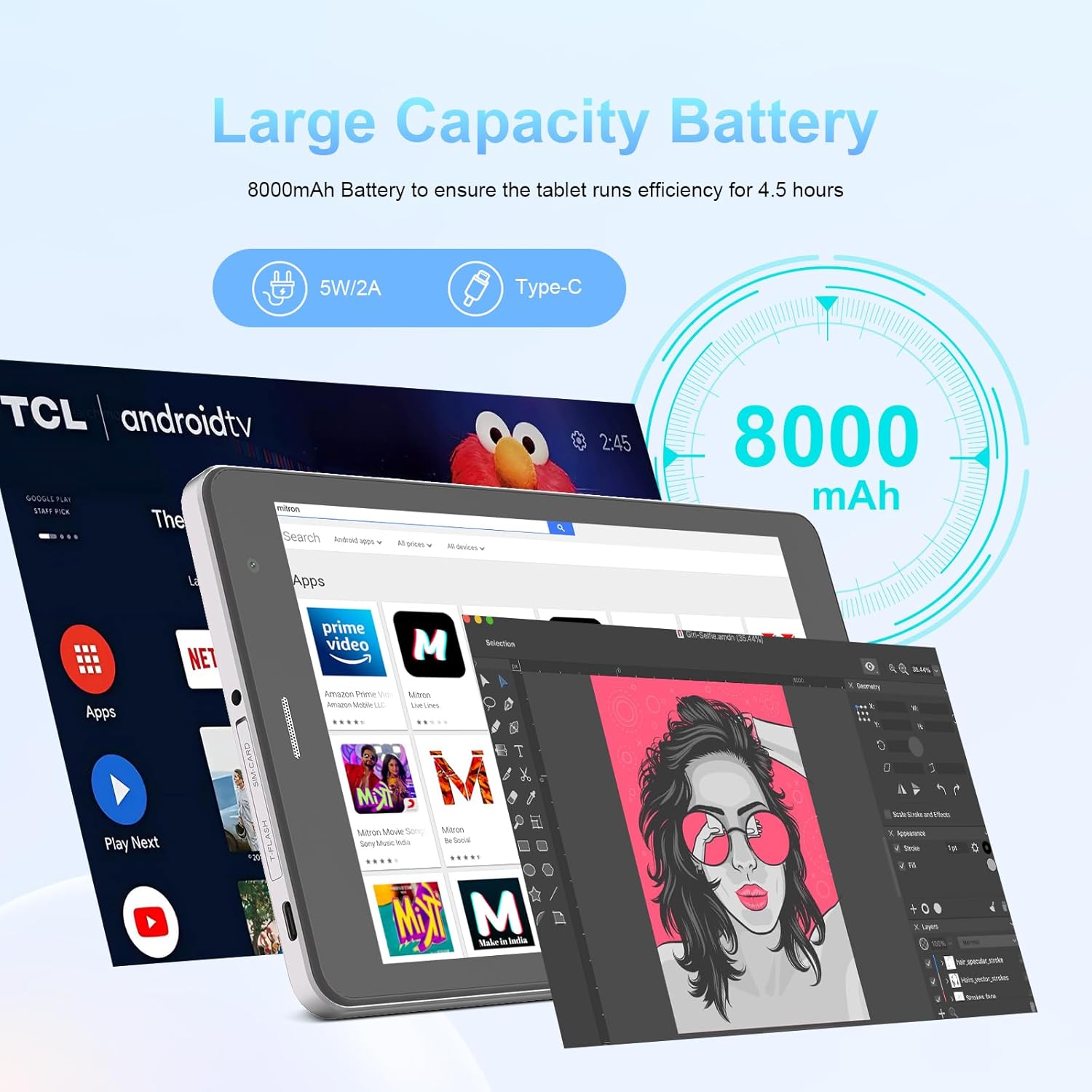
Image: The C idea CM817 Pro Max tablet, emphasizing its 8000mAh large capacity battery, designed for extended operational hours.
6. Дисплей параметрлері
The tablet features an 8-inch 1280x800 IPS HD display. Adjust brightness, font size, and display timeout in Параметрлер > Дисплей ыңғайлы болу үшін viewтәжірибесі.

Image: The C idea CM817 Pro Max tablet showcasing its 8-inch IPS HD screen with a resolution of 800x1280 pixels, providing clear visuals.
Техникалық қызмет көрсету
1. Тазалау
Use a soft, lint-free cloth to clean the screen and body of the tablet. Do not use abrasive cleaners or solvents, as they may damage the surface. Avoid getting moisture into ports.
2. Бағдарламалық құралды жаңарту
Планшетіңізде ең соңғы мүмкіндіктер мен қауіпсіздік патчтары бар екеніне көз жеткізу үшін жүйелік жаңартуларды үнемі тексеріп отырыңыз. Өту бөліміне өтіңіз. Параметрлер > Жүйе > Жүйені жаңарту жаңартуларды тексеру және орнату үшін.
3. Батареяны күту
To prolong battery lifespan, avoid exposing the tablet to extreme temperatures. Do not let the battery completely drain frequently. Use the original charger or a certified compatible charger.
Ақаулықтарды жою
- Планшет қосылмайды: Ensure the tablet is charged. Press and hold the Power On/Off button for at least 10-15 seconds to force a restart.
- Wi-Fi байланысы мәселелері: Wi-Fi маршрутизаторы мен планшетті қайта іске қосыңыз. Wi-Fi параметрлерінде желіні ұмытып, қайта қосылыңыз.
- Баяу өнімділік: Close unused apps, clear cache (Settings > Storage), and restart the tablet. Consider uninstalling large or unnecessary applications.
- Камера жұмыс істемейді: Ensure the Camera app has necessary permissions (Settings > Apps > Camera > Permissions). Restart the tablet.
- Сақтау орны толы: Delete old photos/videos, uninstall unused apps, or move files to an inserted MicroSD card.
- Қолданбалар бұзылады: Clear the app's cache and data (Settings > Apps > [App Name] > Storage > Clear cache/Clear data). If the issue persists, uninstall and reinstall the app.
Техникалық сипаттамалар
| Ерекшелік | Мәлімет |
|---|---|
| Бренд | C идеясы |
| Модель атауы | CM817 Pro Max |
| Операциялық жүйе | Android 15 |
| Процессор | Octa-core (MediaTek) |
| Жедел Жадтау Құрылғысы | 8 ГБ |
| Ішкі жад (ROM) | 512 ГБ |
| Кеңейтілетін сақтау орны | Up to 512GB (via TF/MicroSD card) |
| Экран өлшемі | 8 дюйм |
| Экран ажыратымдылығы | 1280 x 800 pixels (IPS HD) |
| Алдыңғы камера | 5 МП |
| Артқы камера | 8 МП |
| Батарея сыйымдылығы | 8000 мАч (литий полимері) |
| Қосылу мүмкіндігі | Wi-Fi, 5G SIM, Bluetooth |
| Порттар | USB-C, 3.5mm Headphone Jack |
| Элемент салмағы | 1 кг 80 г |
| Пакет өлшемдері | 29.8 x 18 x 6.4 см |
Кепілдік және қолдау
For warranty information and technical support, please refer to the warranty card included in your package or contact C idea customer service. Keep your purchase receipt as proof of purchase.