
ILEBYGO B0F83Q1HHT
ILEBYGO Mini Projector B0F83Q1HHT User Manual
Model: B0F83Q1HHT
1. Кіріспе
Thank you for choosing the ILEBYGO Mini Projector B0F83Q1HHT. This portable projector is designed to provide a versatile entertainment experience with its Android 13 operating system, WiFi 6, Bluetooth 5.0, 1080P Full HD resolution with 4K support, 320 ANSI lumens brightness, 270-degree rotation, auto keystone correction, and autofocus. This manual provides essential information for setting up, operating, and maintaining your projector.
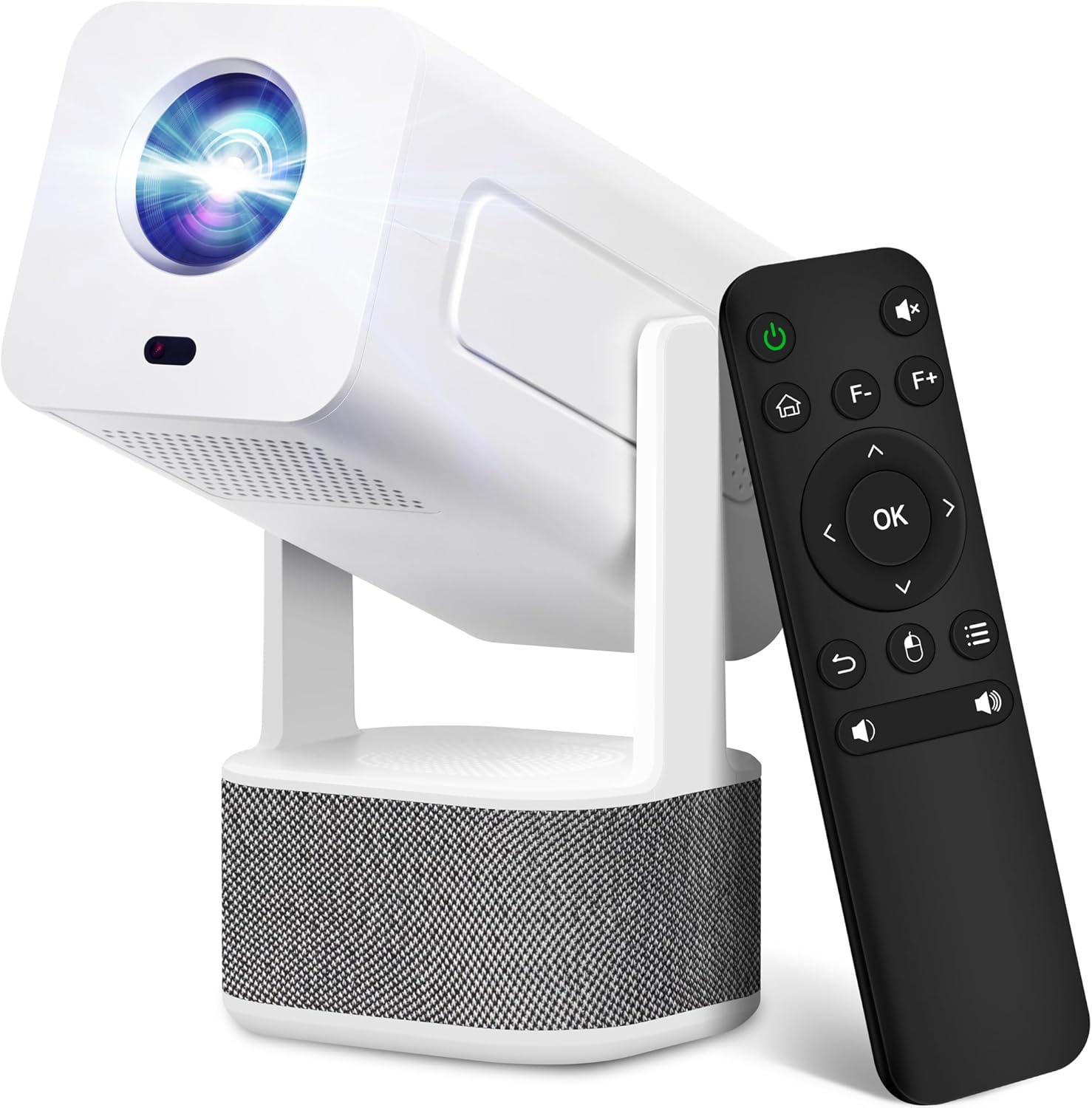
Image 1.1: ILEBYGO Mini Projector and Remote Control
The ILEBYGO Mini Projector B0F83Q1HHT offers a projection size ranging from 30 to 200 inches, making it suitable for various environments from small rooms to outdoor settings. Its dual 5W speakers deliver integrated audio, and multiple connectivity options ensure compatibility with a wide range of devices.
2. Қорапта не бар
Пакеттің мазмұнын тексеріңіз. Егер қандай да бір элементтер жоқ немесе зақымдалған болса, тұтынушыларды қолдау қызметіне хабарласыңыз.
- 1x ILEBYGO Mini Projector
- 1x Пайдаланушы нұсқаулығы
- 1x қуат адаптері
- 1x қашықтан басқару пульті
3. Орнату нұсқаулығы
3.1. Қосу
- Қуат адаптерін проектордағы тұрақты ток кіріс портына қосыңыз.
- Қуат адаптерін қабырғадағы розеткаға қосыңыз.
- Құрылғыны қосу үшін проектордағы немесе қашықтан басқару пультіндегі қуат түймесін басыңыз.

Image 3.1: Projector Connectivity Ports (DC, HDMI, USB, Audio)
3.2. Initial Placement and Adjustment
The projector features a 270-degree rotatable design, allowing flexible placement.
- Проекторды тұрақты бетке қойыңыз.
- Adjust the projector's angle to direct the image onto your desired projection surface (wall, screen, ceiling).
- The projector will automatically perform keystone correction and autofocus to optimize the image clarity and shape.
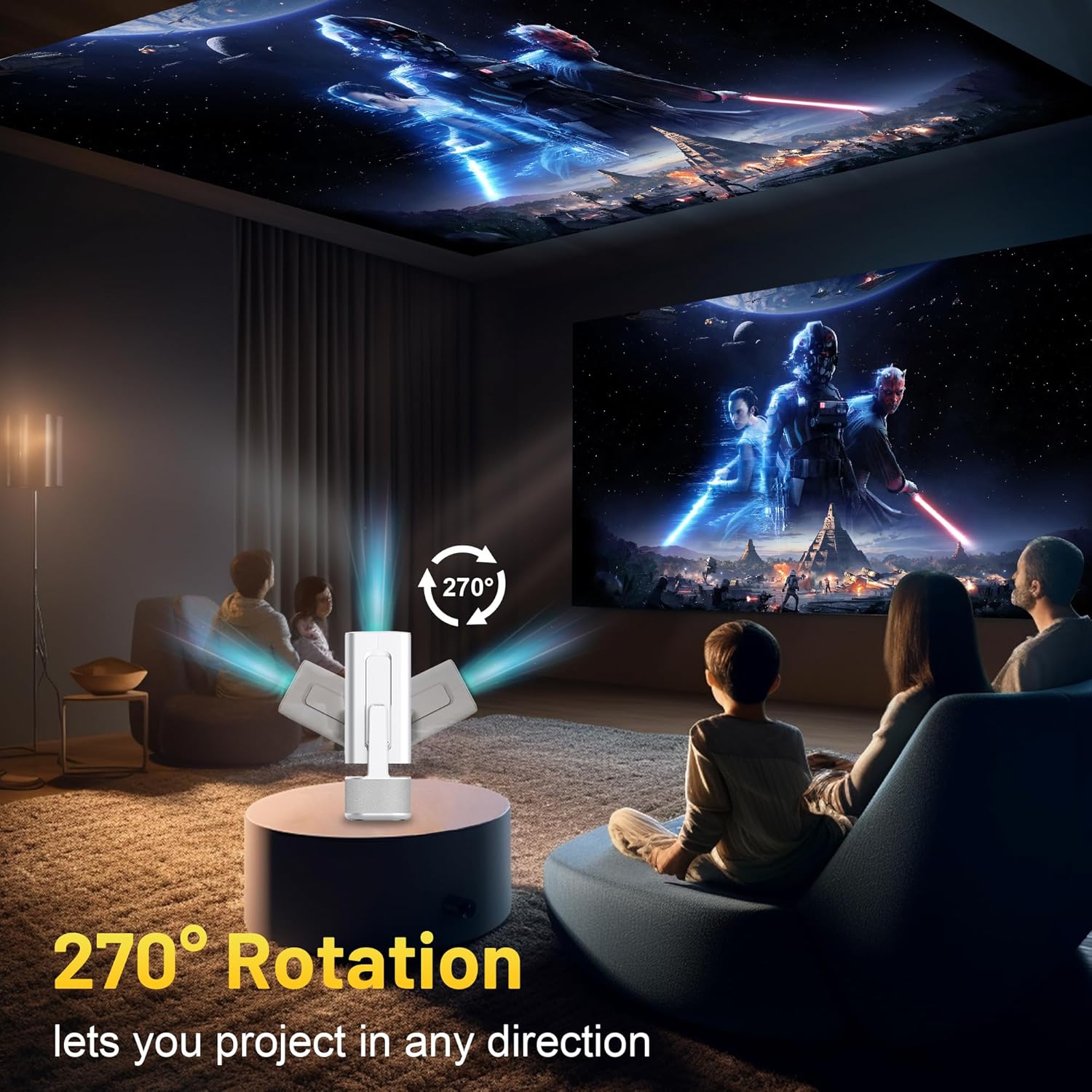
Image 3.2: 270-Degree Rotation Capability
3.3. Network Connection (WiFi)
To access online content and streaming services, connect the projector to a Wi-Fi network.
- Басты экраннан «Параметрлер» бөліміне өтіңіз.
- «Желі және Интернет» тармағын таңдаңыз.
- Wi-Fi қосыңыз және тізімнен қажетті желіні таңдаңыз.
- Сұралған жағдайда Wi-Fi құпия сөзін енгізіп, қосылыңыз.

Image 3.3: Dual Band WiFi 6 and Bluetooth 5.0
3.4. Bluetooth жұптастыру
Pair Bluetooth devices like external speakers or headphones for enhanced audio.
- Басты экраннан «Параметрлер» бөліміне өтіңіз.
- Select 'Connected Devices' or 'Bluetooth'.
- Bluetooth қосыңыз.
- Bluetooth құрылғысын жұптастыру режиміне қойыңыз.
- Select your device from the list of available devices on the projector screen to pair.
4. Пайдалану нұсқаулары
4.1. Навигация
Use the included remote control to navigate the projector's interface. The directional buttons, 'OK' button, 'Back' button, and 'Home' button are primary controls.
4.2. App Usage (Android 13)
The projector runs on Android 13 and comes with pre-installed streaming applications.
- From the home screen, select the desired application (e.g., Netflix, YouTube, Prime Video).
- Қажет болса, тіркелгі деректерімен кіріңіз.
- Browse and play content as you would on any Android smart device.
- Additional apps can be downloaded from the Google Play Store.

Image 4.1: Built-in Android 13 System with Apps
4.3. Screen Mirroring/Casting
Mirror content from your smartphone, tablet, or computer wirelessly.
- Ensure both the projector and your device are connected to the same Wi-Fi network.
- On the projector, select the screen mirroring/casting application (e.g., Miracast, AirPlay).
- On your mobile device, enable screen mirroring or casting and select the projector from the list of available devices.
4.4. External Device Connection (HDMI, USB)
Connect external devices such as laptops, gaming consoles, or USB drives.
- HDMI: Connect an HDMI cable from your device to the HDMI port on the projector. Select the HDMI input source from the projector's input menu.
- USB: Insert a USB drive into the USB port. The projector's file manager will typically open automatically, allowing you to browse and play media files.

Image 4.2: Multi-Device Compatibility
4.5. Кескінді реттеу
The projector features automatic adjustments for convenience.
- Автоматты негізгі тасты түзету: The projector automatically corrects vertical image distortion. If manual adjustment is needed, navigate to 'Settings' > 'Projection Settings' > 'Keystone Correction'.
- Автофокус: The image will automatically focus when the projector is moved or powered on. Manual focus adjustment can be found in 'Settings' > 'Projection Settings' > 'Focus'.
- Масштабтау: Adjust the projection size from 50% to 100% without moving the projector. This setting is typically found in 'Settings' > 'Projection Settings' > 'Zoom'.

Image 4.3: Auto Keystone Correction and Autofocus
5. Техникалық қызмет көрсету
5.1. Тазалау
- Объектив: Оптикалық линзалар үшін арнайы жасалған жұмсақ, түксіз матаны пайдаланыңыз. Абразивті материалдардан немесе қатты химиялық заттардан аулақ болыңыз.
- Сыртқы: Проектордың сыртын жұмсақ, құрғақ шүберекпен сүртіңіз. Сұйық тазалағыштарды тікелей құрылғыда қолданбаңыз.
- Желдету: Қызып кетудің алдын алу үшін желдету саңылауларының шаң мен кедергілерден таза болуын қамтамасыз етіңіз.
5.2. Сақтау
When not in use, store the projector in a cool, dry place away from direct sunlight and extreme temperatures. Use the original packaging or a protective case to prevent dust accumulation and physical damage.
6. Ақаулықтарды жою
Жалпы мәселелер және олардың шешімдері үшін төмендегі кестені қараңыз.
| Мәселе | Ықтимал себебі | Шешім |
|---|---|---|
| Қуат жоқ | Power cable not connected; Power outlet malfunction | Қуат кабелінің сенімді жалғанғанына көз жеткізіңіз. Басқа қуат розеткасын қолданып көріңіз. |
| Сурет жоқ | Incorrect input source; Device not connected; Projector in standby mode | Select correct input source (HDMI, USB). Ensure external device is powered on and connected. Press power button to wake projector. |
| Бұлыңғыр кескін | Out of focus; Keystone not corrected | Allow autofocus to adjust. Manually adjust focus in settings if needed. Check keystone correction settings. |
| Дыбыс жоқ | Volume too low; Muted; External audio device not connected/paired | Increase volume. Unmute projector. Ensure Bluetooth audio device is paired and connected, or external speakers are properly connected via audio jack. |
| Wi-Fi қосылымы мәселелері | Incorrect password; Network interference; Router issues | Wi-Fi құпия сөзін растаңыз. Проекторды маршрутизаторға жақындатыңыз. Маршрутизаторды қайта іске қосыңыз. |
| Bluetooth жұптау қатесі | Device not in pairing mode; Interference; Device too far | Ensure Bluetooth device is in pairing mode. Keep devices close. Turn off other Bluetooth devices to reduce interference. |
7. Техникалық сипаттамалар
| Ерекшелік | Мәлімет |
|---|---|
| Бренд | ILEBYGO |
| Үлгі | B0F83Q1HHT |
| Дисплей ажыратымдылығы | 1920 x 1080 (Full HD), 4K Support |
| Жарықтық | 320 ANSI люмендері |
| Қосылу технологиясы | Bluetooth 5.0, HDMI, USB, Wi-Fi 6 (2.4G+5G) |
| Операциялық жүйе | Android 13 |
| Арнайы мүмкіндіктер | Auto Keystone Correction, Autofocus, 270° Rotation, Built-in Dual 5W Speakers |
| Проекция өлшемі | 30''-200'' |
| Аспект қатынасы | 16:9 / 4:3 |
| Элемент салмағы | 2.72 фунт |
| Пакет өлшемдері | 13.54 x 5.39 x 5.2 дюйм |
8. Кепілдік және қолдау
The ILEBYGO Mini Projector B0F83Q1HHT comes with a standard manufacturer's warranty. Please refer to the warranty card included in your package for specific terms and conditions.
For technical support, troubleshooting assistance, or warranty claims, please contact ILEBYGO customer service through the retailer's platform or the contact information provided in your product documentation.
Ask a question about this manual
Ask about setup, troubleshooting, compatibility, parts, safety, or missing instructions. Manuals+ will review the question and use this page’s manual context to help answer it.