
1. Кіріспе
Thank you for choosing the CREATE WIND CLEAR STUDIO S Ceiling Fan with Light. This manual provides essential information for the safe installation, operation, and maintenance of your new ceiling fan. Please read it thoroughly before use and retain it for future reference.
The WIND CLEAR STUDIO S is a silent ceiling fan featuring a 40W DC motor, a summer/winter function, and 6 speed settings. It includes retractable blades and an integrated LED light with 3 adjustable color temperatures. A programmable timer allows for automatic shut-off.

Image 1.1: The CREATE WIND CLEAR STUDIO S Ceiling Fan with Light, featuring a white body and light wood trim, with its remote control.
2. Қауіпсіздік нұсқаулары
- Орнату, техникалық қызмет көрсету немесе тазалау алдында қуат көзінің ажыратылғанына көз жеткізіңіз.
- Орнатуды жергілікті электр сымдарын орнату ережелеріне сәйкес білікті электрик орындауы керек.
- Бекіту құрылымы желдеткіштің салмағын (кемінде 15 кг) көтере алатындай болуы керек.
- Еденнен желдеткіш қалақшаларына дейін кемінде 2.3 метр (7.5 фут) арақашықтықты сақтаңыз.
- Айналмалы пышақтардың жолына заттарды салмаңыз.
- Бұл құрылғы тек үй ішінде пайдалануға арналған.
- Қашықтан басқару пультін балалардың қолы жетпейтін жерде сақтаңыз.
3. Пакет мазмұны
Verify that all components are present and undamaged before proceeding with installation. If any parts are missing or damaged, contact customer support.
- Ceiling Fan Motor Unit with Integrated LED Light
- Retractable Fan Blades (3 units)
- Қашықтан басқару құралы
- Бекіту кронштейні
- Downrods (2 lengths for adjustable height)
- Hardware Kit (screws, washers, wire nuts)
- Пайдаланушы нұсқаулығы және құрастыру нұсқаулығы
4. Орнату және орнату
Detailed installation instructions are provided in the separate assembly guide included with your product. Please follow those instructions carefully. This fan includes two suspension rods, allowing for flexible installation height to suit your space.
Ensure the fan is securely mounted to a ceiling joist or a suitable support structure. All electrical connections must be made correctly and safely.

Image 4.1: The ceiling fan installed in a room, demonstrating its aesthetic integration.

4.2-сурет: Басқа view of the ceiling fan installed, highlighting its design and lighting capabilities.
5. Пайдалану нұсқаулары
Your CREATE WIND CLEAR STUDIO S fan is controlled via the included remote control. Ensure batteries are correctly inserted into the remote.
5.1 Қашықтан басқару құралының функциялары
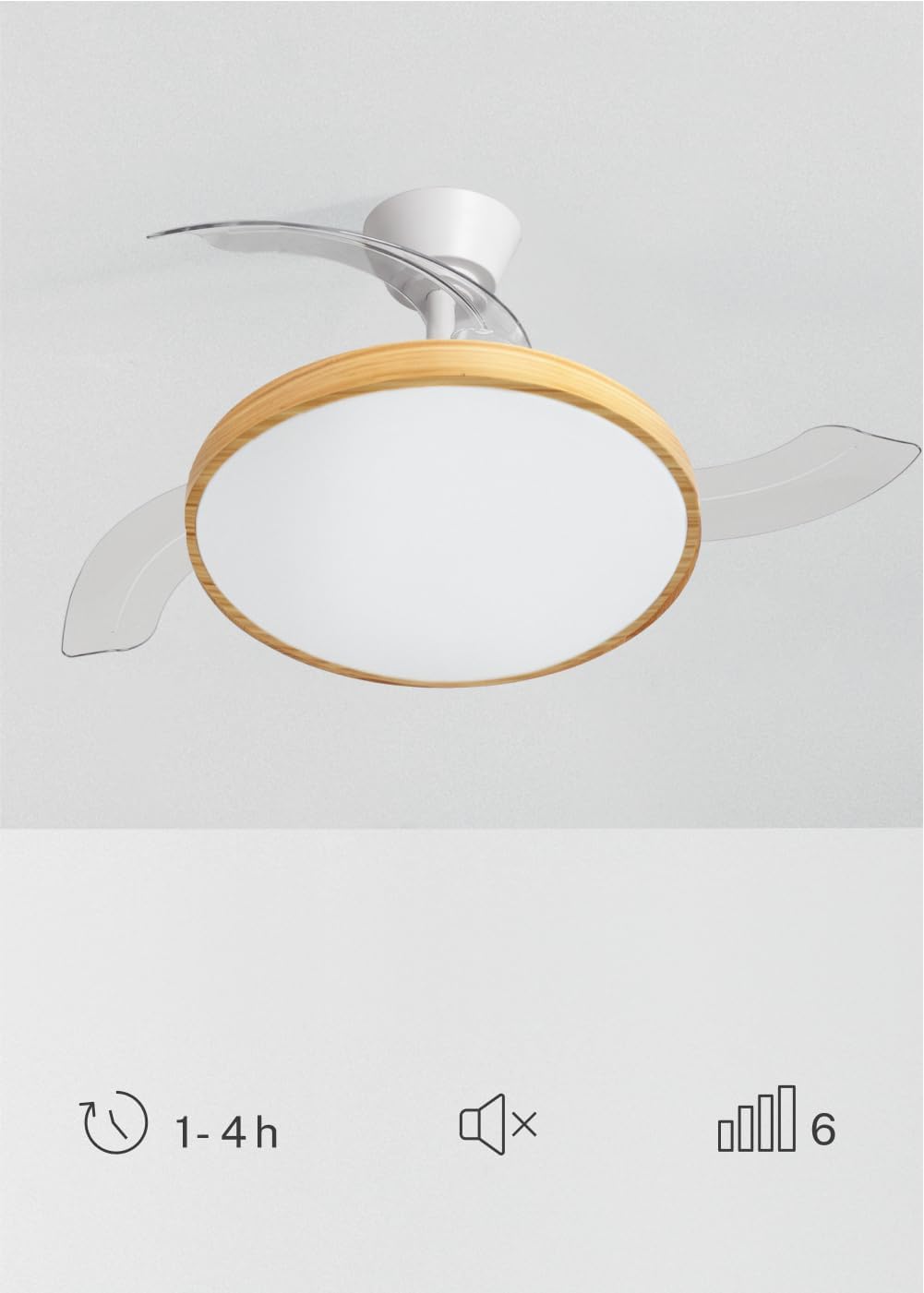
Image 5.1: The remote control for the ceiling fan, illustrating buttons for light control, fan speed adjustment (1-6), timer settings (1H, 2H, 4H), and a mute function.
- Қуатты қосу/өшіру: Желдеткіш пен шамды қосу немесе өшіру үшін қуат түймесін басыңыз.
- Желдеткіш жылдамдығы: Use the speed buttons (1-6) to adjust the fan's rotation speed. There are 6 available speeds.
- Жарықты басқару: Жарықдиодты шамды қосу немесе өшіру үшін жарық түймесін басыңыз.
- Ашық түс температурасы: Cycle through the 3 available light color temperatures (Warm White 2700K, Natural White 3300K, Cool White 4000K) by pressing the light temperature button.
- Таймер функциясы: Set the fan to automatically turn off after 1, 2, or 4 hours using the respective timer buttons.
- Дыбысты өшіру функциясы: Press the mute button to silence operational beeps.
5.2 Жаз/қыс функциясы
The fan features a reversible motor for year-round use. This function helps optimize air circulation for both cooling and heating.

Image 5.2: Diagram showing air circulation for summer mode (downward airflow for cooling) and winter mode (upward airflow to redistribute warm air).
- Жазғы режим (сағат тіліне қарсы айналу): Төмен қарай ауа ағынын жасайды, салқындату желін жасайды.
- Қысқы режим (сағат тілімен айналу): Creates an upward airflow, circulating warm air trapped near the ceiling throughout the room.
Refer to your assembly guide for instructions on how to switch between summer and winter modes, typically via a switch on the fan body or remote control.
5.3 Light Color Temperature Adjustment
The integrated LED light offers three distinct color temperatures to suit different moods and activities.

Image 5.3: Illustration of the three adjustable light color temperatures: 2700K for warm light, 3300K for natural light, and 4000K for cool light.
- 2700K (жылы ақ): Демалуға және жайлы атмосфераны құруға өте ыңғайлы.
- 3300K (табиғи ақ): Suitable for general illumination and daily activities.
- 4000K (салқын ақ): Best for tasks requiring clear visibility and concentration.
6. Техникалық қызмет көрсету
Тұрақты техникалық қызмет көрсету оңтайлы өнімділікті қамтамасыз етеді және төбелік желдеткіштің қызмет ету мерзімін ұзартады.
- Тазалау: Желдеткіш қалақтары мен мотор корпусының шаңын жүйелі түрде жұмсақ шүберекпен сүртіңіз, damp мата. Абразивті тазартқыштарды немесе еріткіштерді қолданбаңыз. Тазалау алдында желдеткіштің өшірілгеніне және қуат ажыратылғанына көз жеткізіңіз.
- Пышақтарды тексеру: Periodically check the fan blades for any signs of damage or imbalance.
- Бұрандалардың тығыздығы: Over time, screws may loosen. Check and tighten all screws on the mounting bracket and blade attachments annually.
- Жарық көзі: Біріктірілген жарықдиодты жарық көзі ұзақ қызмет етуге арналған және әдетте оны пайдаланушы ауыстырмайды. Шам өшіп қалса, тұтынушыларға қолдау көрсету орталығына хабарласыңыз.
7. Ақаулықтарды жою
If you encounter issues with your fan, refer to the following common problems and solutions before contacting customer support.
| Мәселе | Ықтимал себебі | Шешім |
|---|---|---|
| Желдеткіш іске қосылмайды | Қуат көзі жоқ; бос сымдар; қашықтан басқару пультінің батареясы төмен. | Check circuit breaker; ensure all connections are secure; replace remote control batteries. |
| Жарық жұмыс істемейді | No power supply; loose wiring; LED failure. | Check power; ensure connections are secure; contact support if LED is faulty. |
| Желдеткіш шамадан тыс тербеледі | Loose mounting screws; unbalanced blades; incorrect installation. | Tighten all mounting screws; ensure blades are securely attached and balanced; re-check installation steps. |
| Қашықтан басқару пульті жұмыс істемейді | Low or dead batteries; remote not paired (if applicable); obstruction. | Replace batteries; ensure clear line of sight to receiver; refer to assembly guide for pairing instructions. |
8. Техникалық сипаттамалар
| Ерекшелік | Мәлімет |
|---|---|
| Бренд | ЖАСАУ |
| Үлгі | WIND CLEAR STUDIO S |
| Түс | Blanco Y Madera Clara (White and Light Wood) |
| Диаметрі | 91 сантиметр |
| Қуат | 40 Вт (тұрақты ток қозғалтқышы) |
| Тtage | 240 вольт |
| Жылдамдықтардың саны | 6 |
| Энергия тиімділігі | А-дан Г |
| Шу деңгейі | 40 децибел |
| Жарық көзі түрі | LED (3 Color Temperatures) |
| Бақылау әдісі | Қашықтан басқару құралы |
| Орнату түрі | Жартылай жууға арналған қондырғы |
| Ішкі/сыртқы пайдалану | Ішкі |
| Таймер | 1 сағ, 2 сағ, 4 сағ |
| Арнайы мүмкіндіктер | Retractable Blades, Summer/Winter Function |

Image 8.1: The fan is suitable for rooms up to approximately 13 square meters.
9. Кепілдік және қолдау
Your CREATE WIND CLEAR STUDIO S Ceiling Fan with Light comes with a manufacturer's warranty. Please refer to the warranty card included in your package for specific terms and conditions.
For technical assistance, troubleshooting beyond this manual, or to inquire about replacement parts, please contact CREATE customer support. You can find more information and contact details on the official CREATE brand store: