
1. Өнім аяқталдыview
The WVX Gaming Laptop R9-6900HX (Model A02) is a high-performance portable computer designed for demanding tasks such as gaming, content creation, and multitasking. It features an AMD Ryzen 9 6900HX processor, AMD Radeon 680M integrated graphics, and fast DDR5 memory.
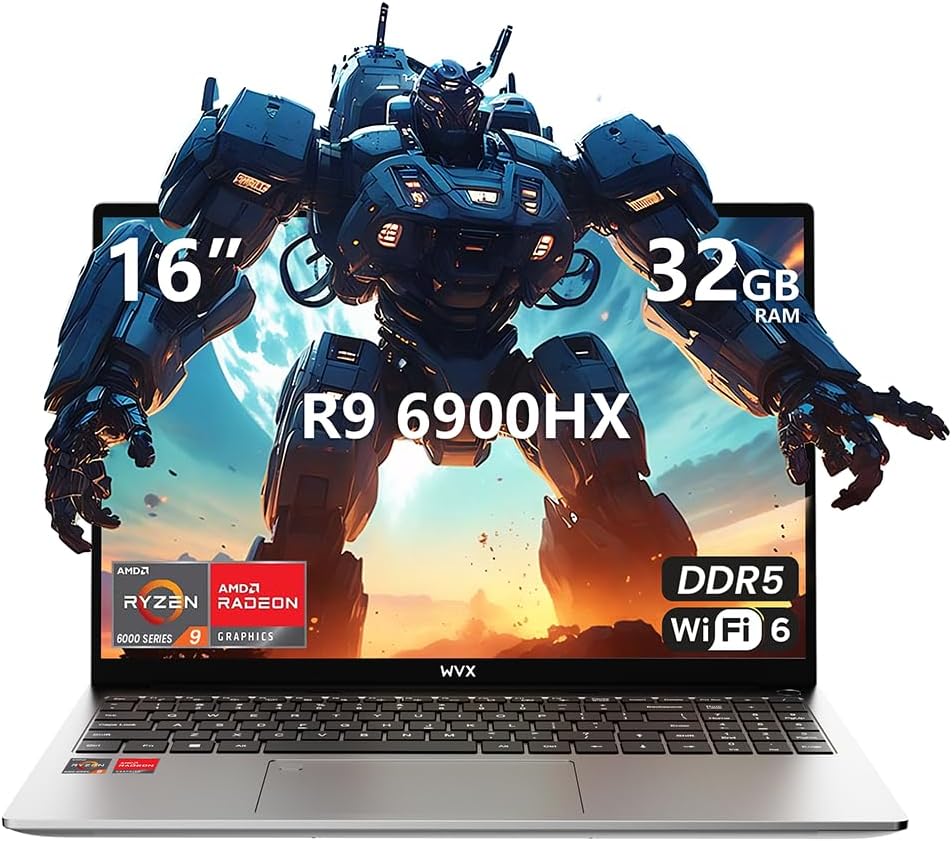
Image 1.1: WVX Gaming Laptop R9-6900HX
Негізгі ерекшеліктері:
- High-Performance CPU: AMD Ryzen 9 6900HX with 8 cores and 16 threads, up to 4.9 GHz.
- Біріктірілген графика: AMD Radeon 680M, delivering strong visual performance.
- Жылдам есте сақтау: 32GB DDR5 RAM, expandable up to 64GB.
- AmpСақтау орны: 512 ГБ SSD, 2 ТБ дейін кеңейтуге болады.
- Жанды дисплей: 16-inch Full HD (1920x1200) screen.
- Жетілдірілген қосылым: Wi-Fi 6 және Bluetooth 5.2.
- Операциялық жүйе: Windows 11 Pro жүйесінде алдын ала орнатылған.
2. Орнату
2.1 Қораптан шығару және бастапқы тексеру
Carefully remove the laptop and its accessories from the packaging. Ensure all components listed in the 'What's in the Box' section are present and undamaged.
- R9-6900HX laptop
- PD100W adapter (charger)
2.2 Қуат адаптерін қосу
Connect the PD100W adapter to the laptop's power input port and then plug it into a power outlet. It is recommended to fully charge the laptop before its first use.
2.3 Бастапқы жүктеу және Windows орнату
Press the power button located on the laptop. The system will guide you through the initial Windows 11 Pro setup process. Follow the on-screen instructions to configure your language, region, network, and user account.
3. Пайдалану нұсқаулары
3.1 Пернетақта және сенсорлық тақта
The laptop features a full-size keyboard with a numeric keypad and a responsive touchpad. The keyboard is backlit for comfortable use in low-light conditions. The touchpad supports multi-touch gestures for enhanced navigation.

Image 3.1: Laptop keyboard and touchpad layout.
3.2 Дисплей және графика
The 16-inch FHD display offers a resolution of 1920x1200 pixels, providing clear and vibrant visuals. The AMD Radeon 680M graphics processor handles demanding visual tasks efficiently.

Image 3.2: Display features including 300 nits brightness, IPS, and low blue light.
3.3 Порттар және қосылу мүмкіндігі
The laptop is equipped with various ports for external devices and connectivity:
- 4x USB 3.0 порттары
- HDMI порты
- Full-function Type-C Port (supports charging, data transfer, external 4K monitor)
- 3.5 мм құлаққап ұясы
- SD картасын оқу құралы
For wireless connectivity, the laptop supports Wi-Fi 6 for high-speed internet and Bluetooth 5.2 for connecting peripherals.
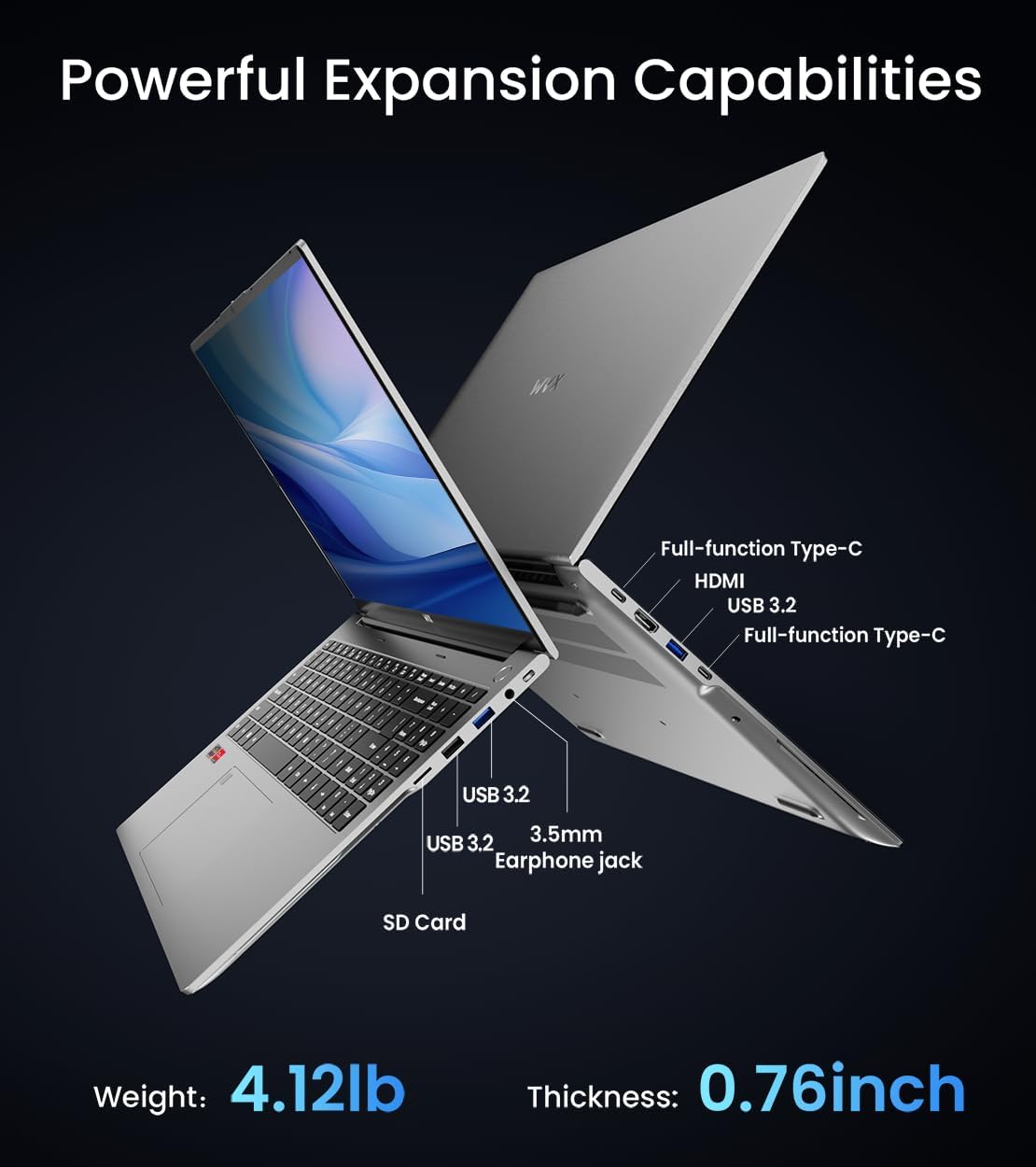
3.3-сурет: аяқталдыview of available ports and physical dimensions.
4. Техникалық қызмет көрсету
4.1 Тазалау
Оңтайлы жұмыс істеуі мен сыртқы түрін сақтау үшін ноутбугыңызды үнемі тазалап отырыңыз. Экран мен сыртқы жағын жұмсақ, мамықсыз шүберекпен сүртіңіз. Қиын дақтарды кетіру үшін аздап тазалаңыз.ampened cloth with water or a specialized screen cleaner can be used. Avoid harsh chemicals.
4.2 Бағдарламалық құралды жаңарту
Regularly update your Windows operating system and drivers to ensure system stability, security, and optimal performance. Windows Update can be accessed through the Settings menu.
4.3 Жад және жад жаңартулары
The laptop's RAM can be upgraded to a maximum of 64GB, and the SSD storage can be expanded up to 2TB. Consult a qualified technician for hardware upgrades to avoid voiding your warranty.

Image 4.1: Illustration of memory and storage upgrade capabilities.
5. Ақаулықтарды жою
5.1 Қуат мәселелері
- Ноутбук қосылмайды: Қуат адаптерінің сенімді жалғанғанын және батареяның заряды жеткілікті екеніне көз жеткізіңіз. Басқа қуат розеткасын қолданып көріңіз.
- Батарея зарядталмай жатыр: Verify the power adapter is functioning correctly. Check the charging port for any obstructions.
5.2 Дисплей ақаулары
- Бос экран: Мәселе ноутбуктың дисплейінде екенін тексеру үшін сыртқы мониторды қосыңыз. Ноутбукті қайта іске қосыңыз.
- Жыпылықтайтын экран: Графикалық драйверлерді жаңарту. Windows параметрлерінде дисплейді жаңарту жылдамдығын реттеңіз.
5.3 Өнімділік мәселелері
- Баяу өнімділік: Қажет емес қолданбаларды жабыңыз. Зиянды бағдарламаны тексеріңіз. Жеткілікті бос сақтау орнын қамтамасыз етіңіз.
- Қызып кету: Ensure ventilation vents are clear. Consider using a cooling pad.

Image 5.1: Illustration of the laptop's cooling system with pure copper heat pipes and fan speed.
6. Техникалық сипаттамалар
| Ерекшелік | Техникалық сипаттама |
|---|---|
| Бренд | WVX |
| Модель атауы | R9-6900HX (A02) |
| Процессор | AMD Ryzen 9 6900HX (4.9 GHz, 8 Cores, 16 Threads) |
| Графикалық сопроцессор | AMD Radeon 680M |
| Жедел Жадтау Құрылғысы | 32 ГБ DDR5 (макс. 64 ГБ) |
| Қатты диск | 512 GB SSD (Max 2TB) |
| Экран өлшемі | 16 дюйм |
| Максималды экран ажыратымдылығы | 1920x1200 пиксель |
| Операциялық жүйе | Windows 11 Pro |
| Сымсыз түрі | 802.11ax (Wi-Fi 6) |
| Блютез | 5.2 |
| USB 3.0 порттарының саны | 4 |
| Өнім өлшемдері | 14 x 9.7 x 0.78 дюйм |
| Элемент салмағы | 5.89 фунт |
| Батарея | 58 Вт сағ |
| Арнайы мүмкіндіктер | Backlit Keyboard, Fingerprint Reader, HD Audio |
7. Кепілдік және қолдау
WVX offers comprehensive support for your laptop:
- Техникалық көмек: Enjoy unlimited technical support.
- Жөндеу қызметі: 12 months of repair service for all customers.
- Жауап беру уақыты: Online connection within 24 hours for inquiries.
For any questions or concerns, please reach out to the WVX support team.

7.1-сурет: аяқталдыview of WVX customer support services.
8. Өнімнің ресми бейнесі
Бейне 8.1: Ресми бейне көрсетілімasing the WVX R9 6900HX Laptop, highlighting its features and design.