
1. Кіріспе
This manual provides essential instructions for the FINGEREVO R36S Plus Handheld Game Console. It covers product features, setup, operation, maintenance, and technical specifications to ensure optimal use of your device. Please read this manual thoroughly before using the console.
2. Өнім аяқталдыview
2.1 Негізгі мүмкіндіктер
- High-resolution 4.0-inch 720x720 1:1 IPS screen for clear visuals.
- Equipped with a powerful RK3326 quad-core 1.5GHz Cortex-A35 chipset for efficient game performance.
- Built-in 3200mAh 3.7V LiPo battery providing approximately 3-5 hours of gameplay.
- Features an OTG-port, 3.5mm earphone port, and dual TF-card slots for expanded functionality and storage.
- Supports various game platform formats; users can download and add their own games.
2.2 Пакет мазмұны
Пакетті ашқаннан кейін келесі элементтердің барлығының қамтылғанын тексеріңіз:
- 1x R36S Plus Handheld Game Console (Lake Blue-64GBVer.)
- 1x Portable Case by FINGEREVO
- 1x экран қорғаушысы
- 1x USB-C Charge Cable
- 1x Нұсқаулық (осы құжат)

1-сурет: The FINGEREVO R36S Plus Handheld Game Console in Lake Blue, shown with its included portable case, USB-C charging cable, and screen protector.
3. Орнату
3.1 Бастапқы зарядтау
- Connect the provided USB-C charge cable to the console's USB-C port.
- Кабельдің екінші ұшын үйлесімді 5V/1.5A USB қуат адаптеріне қосыңыз (жинаққа кірмейді).
- Allow approximately 2 hours for a full charge. The charging indicator light will change to indicate a full charge.
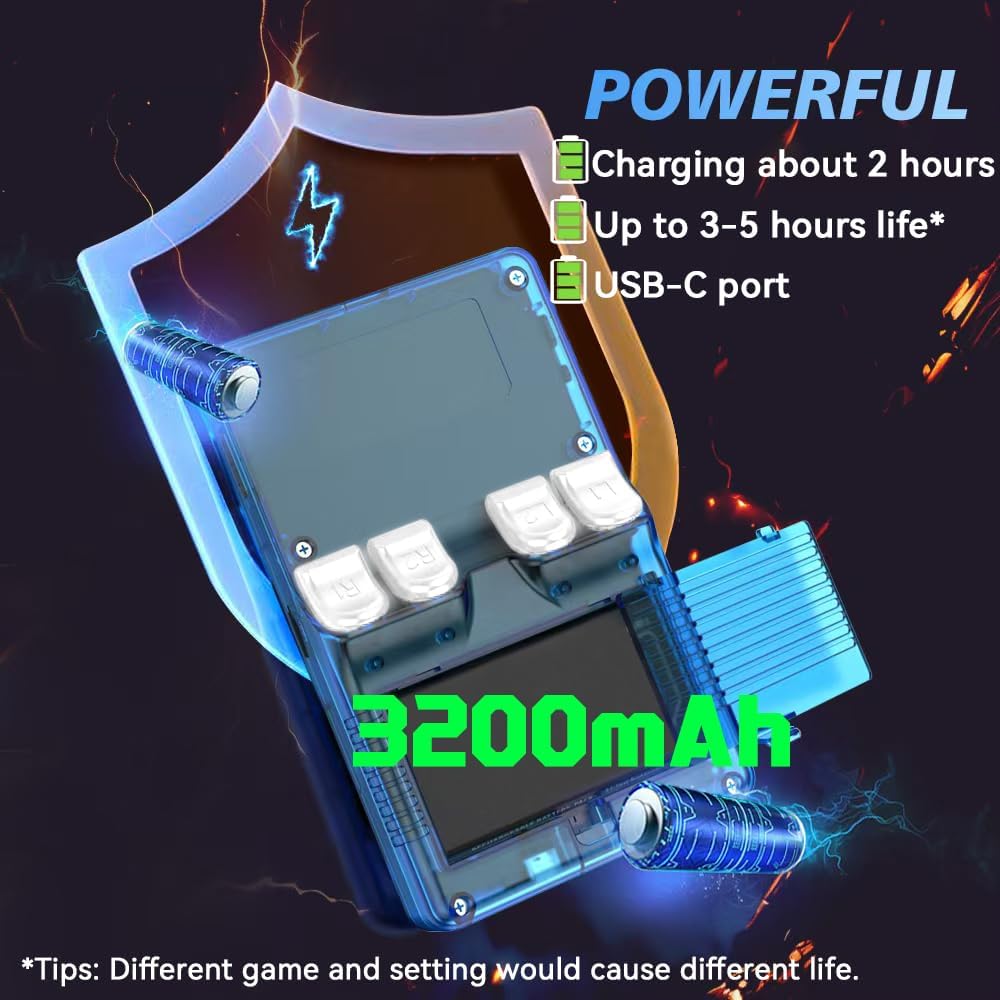
2-сурет: Illustration highlighting the 3200mAh battery, USB-C charging port, and approximate charging time of 2 hours for 3-5 hours of life.
3.2 Inserting the TF/MicroSD Card
The console comes with one TF/MicroSD card pre-installed with the operating system and some games. If you wish to add more games or use a different card:
- Locate the TF/MicroSD card slot(s) on the console.
- Gently insert the TF/MicroSD card into the slot until it clicks into place. Ensure the card is oriented correctly.
- Шығару үшін картаны сыртқа шыққанша ішке қарай ақырын итеріңіз.
Ескерту: The console supports users to download games in related formats. Please prepare your own game files.
4. Пайдалану нұсқаулары
4.1 Қуатты қосу/өшіру
- Қосу үшін: Press and hold the Power button located on the side of the console until the screen illuminates.
- Қуатты өшіру үшін: Press and hold the Power button until a power-off menu appears on the screen. Select "Shut Down" or "Power Off" to safely turn off the device. Avoid simply holding the power button until it forces off, as this can lead to data corruption.
4.2 Негізгі басқару элементтері
The R36S Plus features standard handheld gaming controls:
- D-Pad: Ойындардағы бағыттау қозғалысы және мәзір шарлауы үшін.
- Аналогтық таяқшалар: For 360-degree movement in supported games.
- Әрекет түймелері (A, B, X, Y): Ойын ішіндегі әрекеттер мен мәзір таңдаулары үшін.
- БАСТАУ/ТАҢДАУ түймелері: For pausing games, accessing in-game menus, or making selections.
- Иық түймелері (L1, L2, R1, R2): Located on the top of the console for additional in-game controls.

3-сурет: A user holding the R36S Plus console, demonstrating the ergonomic design and button placement during gameplay.
4.3 Интерфейсті шарлау
The console runs on a Linux-based operating system. Use the D-Pad or analog sticks to navigate through game libraries and system settings. The A button typically confirms selections, while the B button usually cancels or goes back.
4.4 Loading and Playing Games
- Ensure your game files are correctly placed on the TF/MicroSD card in the designated folders for each system.
- From the main menu, select the desired game system (e.g., PSP, PS1, GBA).
- Browse the list of available games and select the one you wish to play.
- Press the A button to launch the game.
Маңызды ескерту: This console does not include Nin10do-games. Users are responsible for providing their own game ROMs in compatible formats.
5. Техникалық қызмет көрсету
5.1 Консольді тазалау
- Use a soft, dry, lint-free cloth to wipe the console's exterior.
- Экран үшін электроника үшін арнайы жасалған микроталшықты матаны пайдаланыңыз. Қатты химиялық заттардан немесе абразивті материалдардан аулақ болыңыз.
- Сұйықтықтың кез келген саңылауларға түсуіне жол бермеңіз.
5.2 Батареяға күтім жасау
- Батареяның қызмет ету мерзімін ұзарту үшін батареяны жиі толық зарядсыздандырудан аулақ болыңыз.
- Store the console in a cool, dry place when not in use for extended periods.
- Use only the provided USB-C cable and a compatible 5V/1.5A power adapter for charging.
5.3 Экран қорғағышын қолдану
A screen protector is included to prevent scratches. Follow these general steps for application:
- Clean the console screen thoroughly with a microfiber cloth to remove dust and smudges.
- Carefully peel off the protective film from the screen protector.
- Align the screen protector with the console's screen, ensuring it is centered.
- Gently lay the protector onto the screen, pressing out any air bubbles from the center outwards.
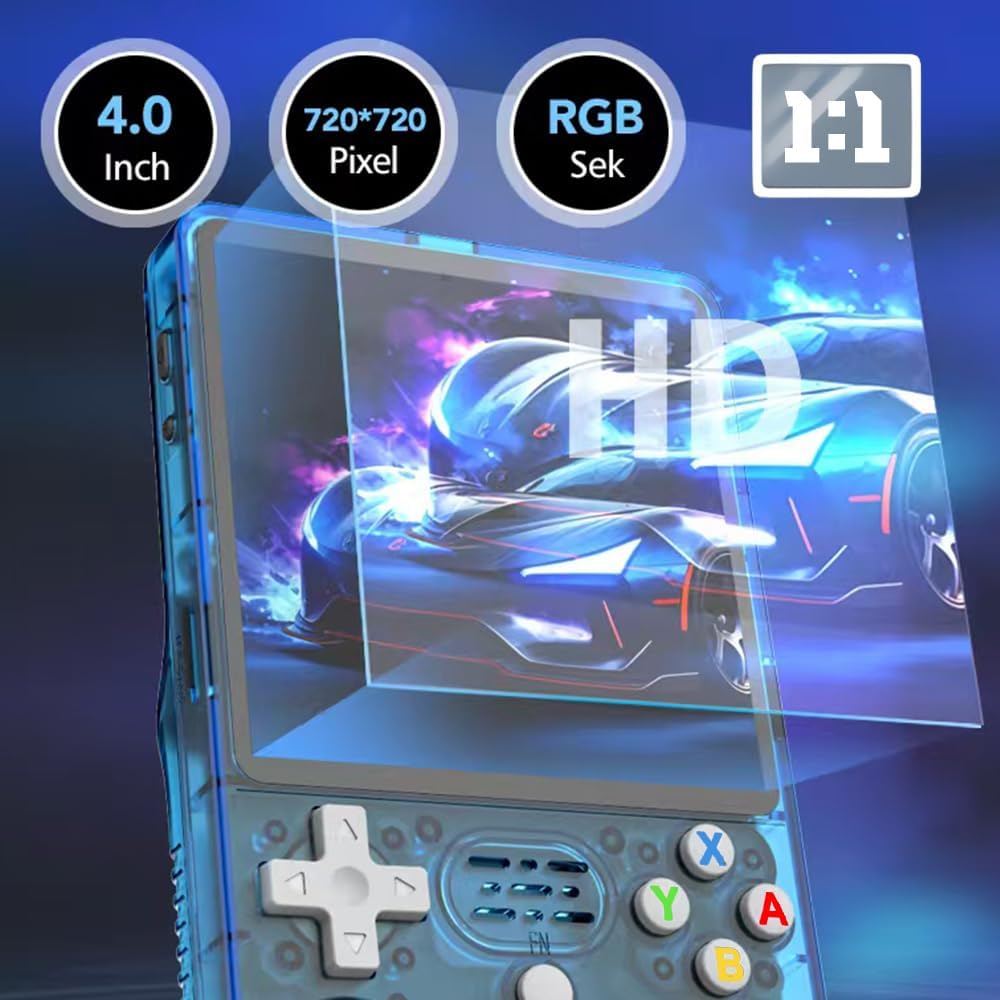
4-сурет: Close-up of the R36S Plus screen, highlighting its 4.0-inch, 720x720 pixel IPS display and the application of a screen protector.
6. Ақаулықтарды жою
- Консоль қосылмайды:
- Батареяның жеткілікті зарядталғанына көз жеткізіңіз. Консольді қуат көзіне қосып, қайта қосуға әрекет жасамас бұрын кем дегенде 30 минут зарядтаңыз.
- Games are not loading or performing poorly:
- Verify that the game files are in the correct format and placed in the appropriate directories on the TF/MicroSD card.
- Some advanced systems (e.g., Dreamcast, PSP) may experience performance limitations due to hardware constraints. Adjust in-game settings or emulator settings if available.
- Ensure the TF/MicroSD card is properly inserted.
- Батареяның қысқа қызмет ету мерзімі:
- Battery life can vary based on game intensity, screen brightness, and volume settings. Reduce screen brightness and volume to extend playtime. Ensure the console is fully charged before use.
- Дыбыс жоқ:
- Check the volume settings on the console. If using headphones, ensure they are properly plugged into the 3.5mm jack.
7. Техникалық сипаттамалар

5-сурет: The R36S Plus console, emphasizing the RK3326 processor and various ports like USB-C and 3.5mm audio jack.
| Ерекшелік | Мәлімет |
|---|---|
| Модель атауы | R36S Plus |
| Элемент үлгі нөмірі | W8SE6C48491OCI3UB146Z |
| Бренд | FINGEREVO |
| Экран | 4.0-inch 1:1 IPS full viewing angle, OCA full lamination 720*720 |
| CPU | RK3326 quad-core 1.5GHz Cortex-A35 |
| GPU | Mali-G31MP2 |
| Жедел Жадтау Құрылғысы | 1 ГБ |
| Сақтау | 64GB TF/MicroSD (one card version) |
| Батарея | Ли-полимер 3200 мАч 3.7 В |
| Батареяның қызмет ету мерзімі | Шамамен 3-5 сағат |
| Зарядталуда | 5V/1.5A, approx. 2 hours for full charge |
| Порттар | USB-C (charging/OTG), 3.5mm audio jack, dual TF card slots |
| Консоль өлшемі | 142 x 82 x 28 мм (5.6 x 3.2 x 1.1 дюйм) |
| Консоль салмағы | 0.22 кг (0.49 фунт) |
| Материал | Пластмасса |
| UPC | 784227930912 |
| ASIN | B0F21F83FD |
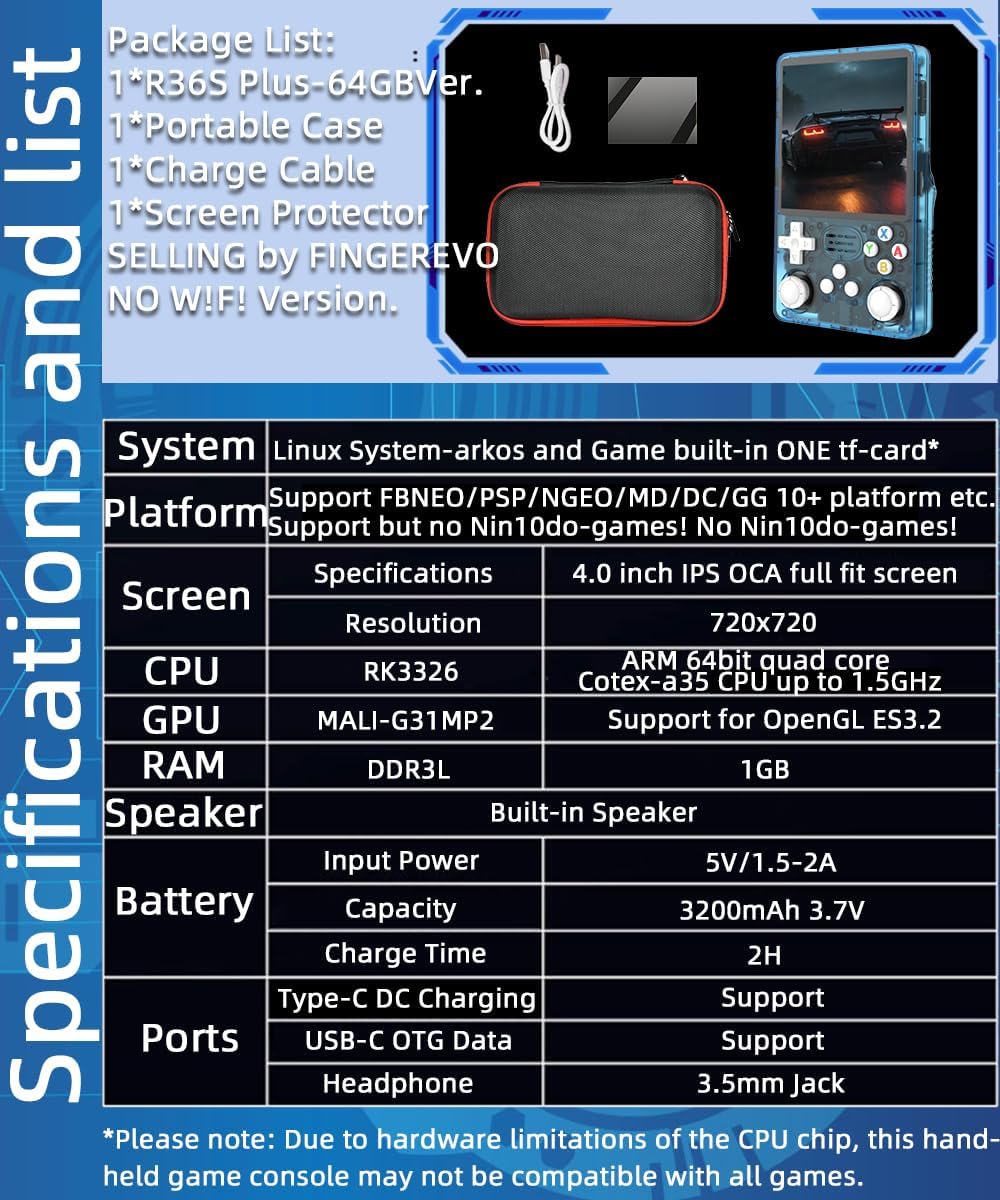
6-сурет: A visual representation of the R36S Plus specifications, including system, platform support, screen, CPU, GPU, RAM, speaker, battery, charge time, and ports.
8. Кепілдік және қолдау
For warranty information or technical support, please contact FINGEREVO directly through their official channels or the retailer from whom the product was purchased. Keep your proof of purchase for warranty claims.
You can visit the FINGEREVO Store on Amazon for more information: FINGEREVO Amazon Store.