
Кіріспе
Thank you for choosing the Pro Breeze 25L Smart Dehumidifier. This appliance is designed to efficiently remove excess moisture from your indoor environment, helping to prevent mold, mildew, and dampness. Featuring smart Wi-Fi connectivity, a digital display, and multiple operating modes, this dehumidifier offers advanced control and convenience. Please read this manual thoroughly before operation to ensure safe and optimal performance.
Маңызды қауіпсіздік нұсқаулары
Өрт, электр тогының соғуы және жарақат алу қаупін азайту үшін электр құрылғыларын пайдалану кезінде әрқашан негізгі қауіпсіздік шараларын орындаңыз.
- Қуат көзінің дыбыс деңгейіне сәйкес келетініне көз жеткізіңізtage рейтинг жапсырмасында көрсетілген.
- Зақымдалған сым немесе ашамен ылғалдандырғышты пайдаланбаңыз.
- Keep the appliance at least 20 cm (8 inches) away from walls and other objects to ensure proper airflow.
- Құрылғыны, қуат сымын, суға немесе басқа сұйықтықтарға батырмаңыз.
- Тазалау, техникалық қызмет көрсету немесе пайдаланбаған кезде ылғалдандырғышты розеткадан ажыратыңыз.
- Бұл құрылғы тек үй ішінде пайдалануға арналған.
- Ауа кіретін немесе шығатын жерді жаппаңыз.
- Балаларды қадағалаңыз және олардың құрылғымен ойнамауын қадағалаңыз.
- Құрылғыны өзіңіз жөндеуге немесе өзгертуге әрекеттенбеңіз. Білікті қызмет көрсету қызметкерлеріне хабарласыңыз.
Өнім ерекшеліктері

Image: The Pro Breeze 25L Smart Dehumidifier, showcasing its compact design and highlighting features such as Wi-Fi compatibility, 25L extraction rate, energy efficiency, and laundry mode. Dimensions are also indicated.
- Қуатты ылғалдандыру: Extracts up to 25 liters of moisture per day, effectively combating persistent humidity, mold, and condensation in large rooms.
- Үлкен су ыдысы: Features a 5.5-liter water tank with automatic shut-off when full. A drainage hose is included for continuous operation.
- Энергия тиімді: Utilizes a high-performance compressor, 24-hour timer, and automatic stop system to reduce energy consumption.
- Тыныш жұмыс: Designed with silent technology, making it suitable for use in bedrooms, living rooms, offices, and other quiet environments.
- Қолданба арқылы смарт басқару: Manage all functions remotely using the free Pro Breeze app or voice commands with Alexa and Google Home (compatible with iPhone and Android).
- Digital Display & Humidity Sensor: An intuitive LED screen allows selection of fan speed and humidity levels between 30% and 80%. The smart sensor displays real-time humidity and automatically stops the dehumidifier once the target is reached.
- Бірнеше жұмыс режимдері: Includes a 24-hour timer and 4 operating modes, including a dedicated Кірді кептіру режимі. Also features a Балалар құлпы, Automatic Defrost Mode, және Түнгі дисплей.

Image: The Pro Breeze dehumidifier positioned next to a large 25-liter water bottle, visually representing its daily moisture extraction capacity and the benefit of fewer tank emptying cycles.
Пакет мазмұны
Келесі элементтер үшін құсбелгіні қойыңыз:
- Pro Breeze 25L Smart Dehumidifier Unit
- Үздіксіз су төгетін түтік
- Пайдаланушы нұсқаулығы
Орнату
- Қаптаманы ашу: Ылғалдандырғышты қаптамасынан абайлап алыңыз. Қаптаманы болашақта сақтау немесе тасымалдау үшін сақтаңыз.
- Орналастыру: Place the dehumidifier on a firm, level surface. Ensure there is at least 20 cm (8 inches) of clear space around the air inlet and outlet to allow for efficient airflow. Avoid placing it near heat sources or in direct sunlight.
- Қуат қосылымы: Қуат сымын жерге тұйықталған электр розеткасына қосыңыз. томды қамтамасыз етіңізtage құрылғының талаптарына сәйкес келеді.
- Су ыдысын орнату: Ensure the water tank is correctly inserted into the unit. The dehumidifier will not operate if the tank is not properly seated or is full.
- Үздіксіз дренаж (міндетті емес): For continuous operation without emptying the tank, connect the provided drainage hose to the continuous drainage port on the back of the unit. Route the hose to a suitable drain, ensuring it is sloped downwards to allow water to flow freely.
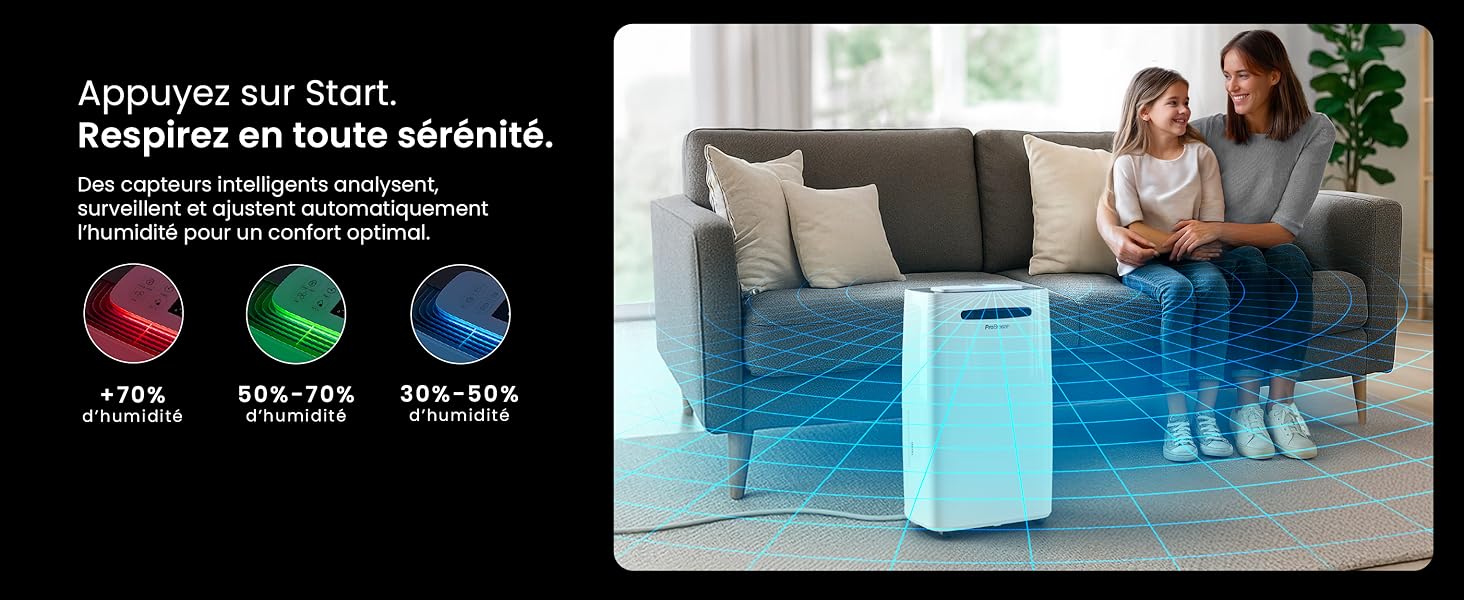
Image: The dehumidifier shown in different environments such as a garage, home office, and laundry room, illustrating its versatility and suitability for various spaces. Icons for continuous drainage and automatic defrost are also present.
Пайдалану нұсқаулары
Басқару тақтасы аяқталдыview

Сурет: егжей-тегжейлі view of the dehumidifier's illuminated digital control panel, showing buttons for power, mode, fan speed, timer, child lock, and humidity settings, along with the LED display.
The intuitive LED display and touch controls allow for easy operation.
- Қуат түймесі: Құрылғыны ҚОСУ немесе ӨШІРУ үшін басыңыз.
- Режим түймесі: Cycle through available operating modes: Қалыпты, Кірді кептіру, және Түнгі режим.
- Желдеткіш жылдамдығы түймесі: Adjust the fan speed between Төмен және Жоғары.
- Humidity Setting (SET %): Use the up/down arrows to set your desired humidity level (30% - 80%). The unit will operate until this level is reached.
- Таймер түймесі: Set a 24-hour timer for automatic power ON or OFF.
- Балалардан қорғау түймесі: Press and hold to activate/deactivate the child lock, preventing accidental changes to settings.
- Көрсету түймесі: Turn the LED display lights ON or OFF, useful for night mode.
Wi-Fi and App Control

Image: A user interacting with the Pro Breeze mobile application on a smartphone, demonstrating remote control capabilities for the dehumidifier. The app shows current humidity and temperature settings.
The Pro Breeze 25L Smart Dehumidifier can be controlled remotely via the Pro Breeze app. Download the app from your smartphone's app store and follow the in-app instructions to connect your device to your home Wi-Fi network. Once connected, you can control all functions, set schedules, and monitor humidity levels from anywhere.
The unit is also compatible with Amazon Alexa and Google Home for voice control. Refer to the app's help section for detailed instructions on integrating with these smart home platforms.
Техникалық қызмет көрсету
Су ыдысын босату
When the water tank is full, the dehumidifier will automatically shut off and an indicator light will illuminate. Carefully remove the water tank from the unit, empty the collected water, and reinsert the tank securely. The unit will resume operation.
Ауа сүзгісін тазалау
A clogged filter can reduce efficiency. It is recommended to clean the air filter every two weeks or more frequently depending on usage and air quality.
- Ылғалдандырғышты өшіріп, оны розеткадан ажыратыңыз.
- Locate and remove the air filter (usually on the back or side of the unit).
- Сүзгіні шаңсорғышпен тазалаңыз немесе жылы, сабынды сумен ақырын жуыңыз.
- Жақсылап шайыңыз және сүзгіні құрылғыға қайта салмас бұрын, оны толығымен құрғатыңыз.
Сыртын тазалау
Ылғалдандырғыштың сыртын жұмсақ шүберекпен сүртіңіз, damp мата. Қатты химиялық заттарды, абразивті тазартқыштарды немесе еріткіштерді пайдаланбаңыз, себебі олар бетті зақымдауы мүмкін.
Сақтау
Егер құрылғыны ұзақ уақыт сақтасаңыз, су ыдысының бос және таза екеніне, ал сүзгінің таза және құрғақ екеніне көз жеткізіңіз. Ылғалдандырғышты салқын, құрғақ жерде, жақсырақ бастапқы қаптамасында сақтаңыз.
Ақаулықтарды жою
| Мәселе | Ықтимал себебі | Шешім |
|---|---|---|
| Ылғалдандырғыш қосылмайды. | No power; water tank full or incorrectly inserted; ambient temperature too low. | Check power connection; empty and reinsert water tank; ensure room temperature is above 5°C (41°F). |
| Құрылғы жұмыс істеп тұр, бірақ су жинамайды. | Humidity level too low; air filter clogged; room temperature too low; unit size too small for space. | Adjust desired humidity setting lower; clean air filter; ensure room temperature is adequate; consider if unit is appropriate for room size. |
| Құрылғы шулы. | Unit not on a level surface; air filter clogged; internal components vibrating. | Place on a flat, stable surface; clean air filter; if noise persists, contact support. |
| Wi-Fi байланысы мәселелері. | Incorrect Wi-Fi password; unit too far from router; router issues; app issues. | Verify Wi-Fi password; move unit closer to router; restart router; reinstall Pro Breeze app. |
| Аяз катушкаларда пайда болады. | Төмен қоршаған орта температурасы. | The unit has an automatic defrost function. If frost persists, increase room temperature. |
Техникалық сипаттамалар
| Техникалық сипаттама | Мәлімет |
|---|---|
| Үлгі нөмірі | PB-D-37W-W-EU |
| Бренд | Pro Breeze |
| Moisture Extraction Capacity | 25 литр/тәулігіне |
| Су ыдысының сыйымдылығы | 5.5 литр |
| Өлшемдері (L x W x H) | 38.6 см x 26 см x 50 см |
| Салмағы | 15.1 келі |
| Желдеткіш жылдамдығы | 2 |
| Арнайы мүмкіндіктер | Adjustable Humidity Control, Night Mode, Continuous Drainage, Wi-Fi Connectivity, Digital Display, 24h Timer, Laundry Drying Mode, Child Lock, Automatic Defrost |
| Ұсынылатын еден ауданы | 322 шаршы футқа дейін (30 м²) |

Image: The Pro Breeze dehumidifier highlighting its elegant and discreet design, along with its dimensions (50cm H, 38.6cm L, 26cm P) and four easy-to-move caster wheels.
Кепілдік және қолдау
Pro Breeze products are manufactured to the highest standards. This product comes with a standard manufacturer's warranty. For specific warranty details, please refer to the warranty card included in your package or visit the official Pro Breeze webсайт.
If you encounter any issues or have questions regarding your dehumidifier, please contact Pro Breeze customer support. Contact information can typically be found on the Pro Breeze webсайтында немесе өнімнің қаптамасында.