
VTech 80-576300
VTech жөндеу құралдары бар моторлы монстр жүк көлігі пайдаланушы нұсқаулығымен бұрғылап, үйреніңіз
Үлгі: 80-576300
Кіріспе
The VTech Drill and Learn Motorized Monster Truck is an interactive toy designed for young mechanics aged 2-5 years. It allows children to explore vehicle parts, engage in repair activities, and learn about colors, counting, and traffic safety through play. This manual provides essential information for setup, operation, and maintenance of the product.
Негізгі ерекшеліктері:
- Interactive play modes for discovering colors, counting, and traffic safety.
- Repair mode with nine wreck and repair mini-games to fix the engine.
- Detachable hood and front bumper for repair scenarios.
- Includes a toy drill and screws for assembly and disassembly.
- Motorized drive function with lights and sounds activated by the "Go!" button.

Image: The VTech Drill and Learn Motorized Monster Truck, a red toy truck with blue wheels and a yellow toy drill attached to the back.
Не кіреді
Please ensure all the following components are present in the package:
- 1x Motorized Monster Truck
- 1x Toy Drill
- 1x Hood (detachable)
- 1x Front Bumper (detachable)
- 4x Tires (detachable)
- 5x бұрандалар
- 1x Label Sheet
- 1x Quick Start Guide (this document)

Image: All components of the VTech Monster Truck laid out, including the red truck body, yellow drill, blue tires, red hood, black bumper, and green screws.
Орнату
1. Батареяны орнату
The Monster Truck requires 3 AA batteries. Batteries are included for demonstration purposes only. For regular use, new batteries are recommended.
- Locate the battery compartment on the underside of the truck.
- Бұрағышты (жинаққа кірмейді) пайдаланып, батарея бөлімінің қақпағындағы бұранданы босатыңыз.
- Remove the cover and insert 3 new AA batteries, ensuring correct polarity (+/-).
- Қақпақты орнына салып, бұранданы мықтап бекітіңіз.
2. Бастапқы жиналыс
Attach the detachable parts to the Monster Truck using the provided toy drill and screws.
- Place the hood onto the front of the truck.
- Attach the front bumper to the front underside of the truck.
- Secure the four tires onto the axles.
- Use the toy drill to tighten the screws in the designated spots on the hood and tires.
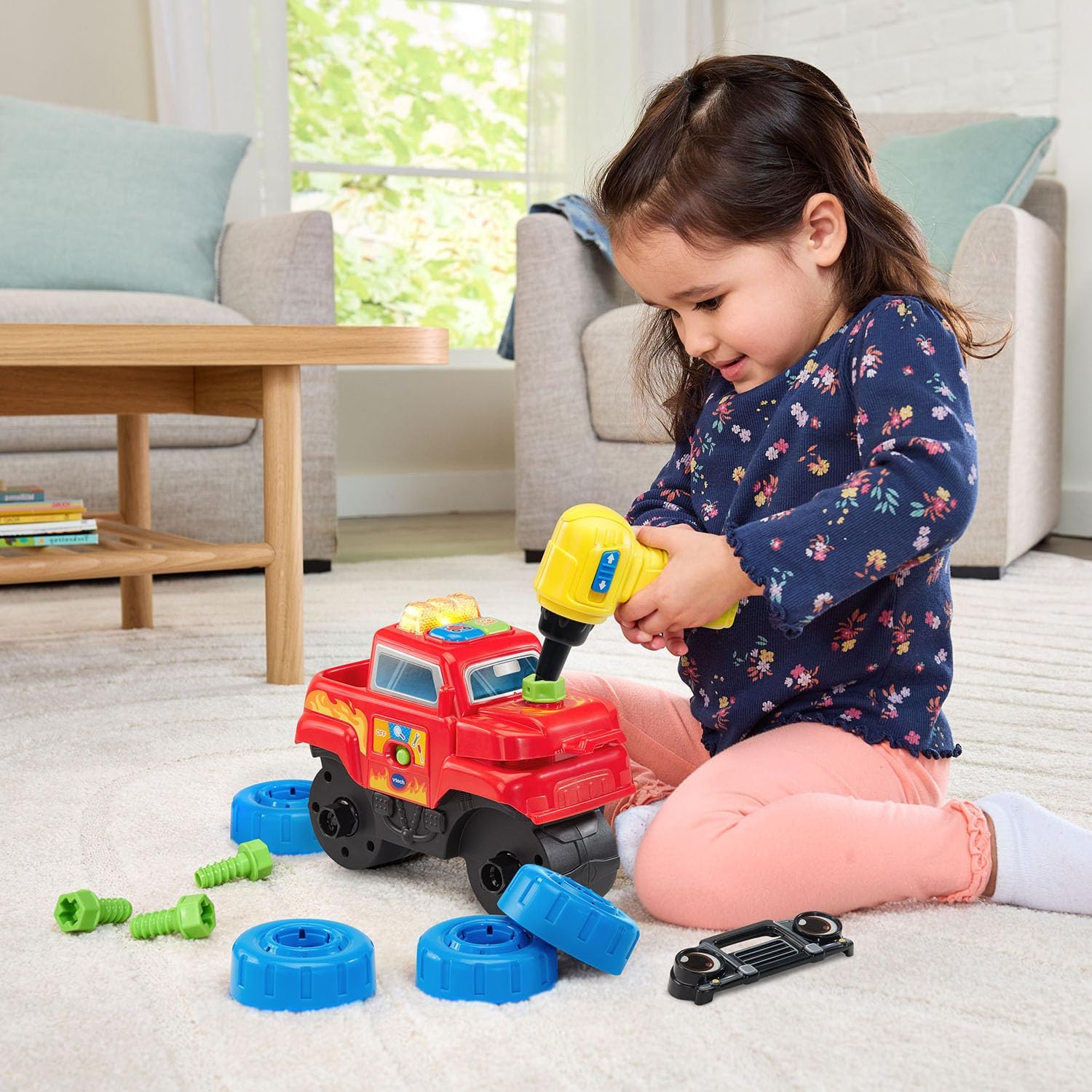
Image: A child kneeling on a rug, actively using the yellow toy drill to attach a green screw to the red monster truck's hood.
Пайдалану нұсқаулары
1. Қуатты қосу/өшіру
Locate the On/Off switch on the side of the truck. Slide the switch to the "On" position to activate the toy. Slide to "Off" to conserve battery life.
2. Ашу режимі
In Discovery Mode, the truck introduces various concepts:
- Жарық жолағы түймесі: Press the light bar to hear sounds and count from 1-5, promoting counting skills.
- Жүк машинасының түймесі: Press the blue truck button to explore different monster truck parts, colors, and learn about traffic safety.
3. Жөндеу режимі
When the truck indicates an issue, enter Repair Mode to fix it:
- Follow the truck's verbal instructions to identify the problem (e.g., engine, hood, tires).
- Use the toy drill to remove or tighten screws, or reattach parts like the hood or bumper.
- Complete nine different wreck and repair mini-games to get the truck back in working order.
Video: Official VTech demonstration of the Drill & Learn Motorized Monster Truck's interactive features and repair mode.
4. Go! Button
After repairs are complete, press the green "Go!" button. The Monster Truck will drive forward on its own with engaging lights and sounds, ready for its next adventure.

Image: A child on a rug, happily pushing the red VTech Monster Truck forward, demonstrating its playability.
Техникалық қызмет көрсету
Proper care will ensure the longevity of your VTech Drill and Learn Motorized Monster Truck.
- Тазалау: Ойыншықты аздап d шүберегімен сүртіңізamp шүберекті. Суға батырмаңыз. Қатты химиялық заттарды немесе абразивті тазартқыштарды пайдаланудан аулақ болыңыз.
- Сақтау орны: Store the toy in a cool, dry place away from direct sunlight. Remove batteries if the toy will not be used for an extended period to prevent leakage.
- Батареяға күтім жасау: Always use fresh batteries of the recommended type. Do not mix old and new batteries or different types of batteries. Dispose of exhausted batteries properly.
Ақаулықтарды жою
If you encounter any issues with your Monster Truck, please refer to the following table:
| Мәселе | Мүмкін шешім |
|---|---|
| Ойыншық қосылмайды немесе жауап бермейді. |
|
| Дыбыс бұрмаланған немесе тым төмен. |
|
| Motorized movement is weak or non-existent. |
|
| Parts (hood, bumper, tires) do not stay attached. |
|
Техникалық сипаттамалар
| Ерекшелік | Мәлімет |
|---|---|
| Үлгі нөмірі | 80-576300 |
| Өнім өлшемдері | 4.8 x 8.9 x 7.2 дюйм |
| Элемент салмағы | 1.9 фунт |
| Ұсынылатын жас | 24 ай - 5 жыл |
| Батареялар қажет | 3 AA batteries (included for demo, new recommended) |
| Өндіруші | VTech |
| Шығарылған күні | 4 жылғы 2025 маусым |

Image: The back of the product packaging, detailing features like Discovery Mode, Repair Mode, Light Bar, Go! Button, and Parent-Friendly Features.
Кепілдік және қолдау
For detailed warranty information, product registration, or customer support, please visit the official VTech webсайтына өтіңіз немесе тұтынушыларға қызмет көрсету бөліміне хабарласыңыз.
Қосымша ақпарат пен қолдауды мына жерден таба аласыз Amazon сайтындағы VTech дүкені.
Ask a question about this manual
Ask about setup, troubleshooting, compatibility, parts, safety, or missing instructions. Manuals+ will review the question and use this page’s manual context to help answer it.