
Кіріспе
This manual provides comprehensive instructions for the TKOWTB MK321U Programmable Macro Mini Keyboard. Please read this manual carefully before using the product to ensure proper operation and to maximize its functionality. This device is designed to enhance your computing experience through customizable key functions for various applications, including gaming, multimedia control, and office tasks.
Өнім ерекшеліктері
- Бағдарламаланатын пернелер: Customize button functions for keyboard, mouse, multimedia, character strings, game functions, and macro definitions.
- Механикалық қосқыштар: Features strong tactile feedback and crisp sound for a comfortable typing experience.
- Эргономикалық дизайн: Button curves are designed for comfortable use.
- Сырғаққа қарсы төсемдер: Equipped with anti-slip pads on the bottom to prevent movement during use.
- Кең қолданбалы: Suitable for various uses including office work, gaming, and multimedia control.
- Жүйенің үйлесімділігі: Key definition setting software is system-based and can be used across various operating systems after initial setup.
Пакет мазмұны
Қораптан шығарған кезде пакеттің мазмұнын тексеріңіз. Егер қандай да бір элементтер жоқ немесе зақымдалған болса, тұтынушыларды қолдау қызметіне хабарласыңыз.
- 1 x TKOWTB MK321U Mini Keyboard
- 1 x USB кабелі (C түрі)

Image: The TKOWTB MK321U Mini Keyboard shown with its included USB cable. The keyboard features three large, white mechanical keys and a Type-C port for connection.
Орнату нұсқаулары
- Пернетақтаны қосыңыз: Insert the Type-C end of the provided USB cable into the port on the mini keyboard.
- Компьютерге қосылу: Кабельдің стандартты USB-A ұшын компьютеріңіздегі қолжетімді USB портына қосыңыз.
- Драйверді орнату: The keyboard is typically plug-and-play. Your operating system should automatically detect and install the necessary drivers.
- Software Installation (for Programming): To customize key functions, you will need to download and install the dedicated key definition setting software from the manufacturer's official website. (Note: For Linux or macOS users, initial setup and programming must be done on a compatible system, then the device can be used on your preferred OS.)

Сурет: жақыннан түсірілген view of the TKOWTB MK321U Mini Keyboard's ports, showing the Type-C input and an adjacent switch. This illustrates where to connect the USB cable for power and data transfer.
Пайдалану нұсқаулары
Негізгі операция
Once connected, the mini keyboard will function according to its default settings or previously programmed configurations. Pressing a key will execute its assigned function.
Programming Key Functions
The primary feature of the MK321U is its programmability. Follow these steps to customize key functions:
- Бағдарламаны жүктеп алу: Obtain the key definition setting software from the official TKOWTB webсайт.
- Бағдарламалық құралды орнату: Бағдарламалық жасақтаманы компьютеріңізге орнату үшін экрандағы нұсқауларды орындаңыз.
- Бағдарламалық құралды іске қосу: Open the installed programming software.
- Пернетақтаны қосу: Ensure your MK321U keyboard is connected to the computer. The software should detect the device.
- Кілтті таңдаңыз: Within the software interface, select the key you wish to program.
- Assign Function: Choose from the available function types:
- Пернетақта функциясы: Assign standard keyboard keys (e.g., A, Ctrl, Shift, Enter).
- Mouse Function: Assign mouse clicks (left, right, middle), scroll up/down, etc.
- Мультимедиа функциясы: Assign media controls (e.g., Play/Pause, Volume Up/Down, Mute).
- Character String Function: Assign a sequence of characters to be typed with a single press.
- Game Function: Assign specific game commands.
- Macro Definition Function: Record and assign a complex sequence of key presses and delays.
- Конфигурацияны сақтау: After assigning functions, save the configuration to the keyboard's onboard memory. This allows the settings to persist even when connected to different computers without the software.

Image: The TKOWTB MK321U Mini Keyboard with graphical overlays indicating its key features: good-quality material, multifunctional use, and ease of use. A prominent note highlights that all keys are programmable.

Image: A hand interacting with the TKOWTB MK321U Mini Keyboard, emphasizing its standard as a mini keyboard. Icons illustrate its sensitive switches, smooth linear typing experience, and lower sound profile.
Техникалық қызмет көрсету
Proper maintenance ensures the longevity and optimal performance of your mini keyboard.
- Тазалау: Пернетақта бетін сүрту үшін жұмсақ, құрғақ шүберекті пайдаланыңыз. Қатты кір үшін, аздап dampшүберекті сумен немесе жұмсақ тазалау ерітіндісімен жағыңыз. Шамадан тыс ылғалдан аулақ болыңыз.
- Сұйықтықтан аулақ болыңыз: Do not spill liquids directly onto the keyboard. If liquid contact occurs, immediately disconnect the keyboard and allow it to dry completely before reconnecting.
- Сақтау орны: Пернетақтаны салқын, құрғақ жерде, тікелей күн сәулесінен және төтенше температурадан алыс жерде сақтаңыз.
- Мұқият ұстаңыз: Пернетақтаны құлатып алудан немесе қатты соққыларға ұшыраудан аулақ болыңыз.
Ақаулықтарды жою
If you encounter issues with your TKOWTB MK321U, refer to the following common problems and solutions:
- Пернетақта жауап бермейді:
- USB кабелінің пернетақтаға да, компьютерге де сенімді жалғанғанына көз жеткізіңіз.
- Пернетақтаны компьютердегі басқа USB портына қосып көріңіз.
- Жүйеге қатысты мәселелерді болдырмау үшін пернетақтаны басқа компьютерде тексеріңіз.
- Компьютеріңізді қайта іске қосыңыз.
- Keys Not Performing Assigned Functions:
- Verify that the key definition setting software was used to save the configuration to the keyboard.
- Бағдарламалық жасақтаманың жаңартылғанына көз жеткізіңіз.
- If using on Linux or macOS, confirm that the programming was done on a compatible Windows system first.
- Try resetting the keyboard to factory defaults via the software and reprogram the keys.
- Бағдарламалық жасақтама пернетақтаны анықтамайды:
- Make sure the keyboard is properly connected via USB.
- Close and reopen the programming software.
- Reinstall the programming software.
- Пернетақтаның танылғанын білу үшін компьютердің құрылғы менеджерін тексеріңіз.
Техникалық сипаттамалар
| Бренд | TKOWTB |
| Модель атауы | MK321U (500757523) |
| Түс | Ақ |
| Материал | Пластмасса |
| Өнім өлшемдері | 3.15 x 2.36 x 1.57 дюйм (8 x 6 x 4 см) |
| Элемент салмағы | 2.47 унция (70 грамм) |
| Қосылу мүмкіндігі | USB Type-C |
| Бағдарламалану мүмкіндігі | All keys programmable via dedicated software |

Image: A close-up of the TKOWTB MK321U Mini Keyboard next to a laptop, highlighting its Type-C charging port and rechargeable design, indicating modern connectivity and power options.

Image: A collage showing the TKOWTB MK321U Mini Keyboard being used in different environments: an office setting, a laboratory, and a gaming setup, demonstrating its wide scope of application.
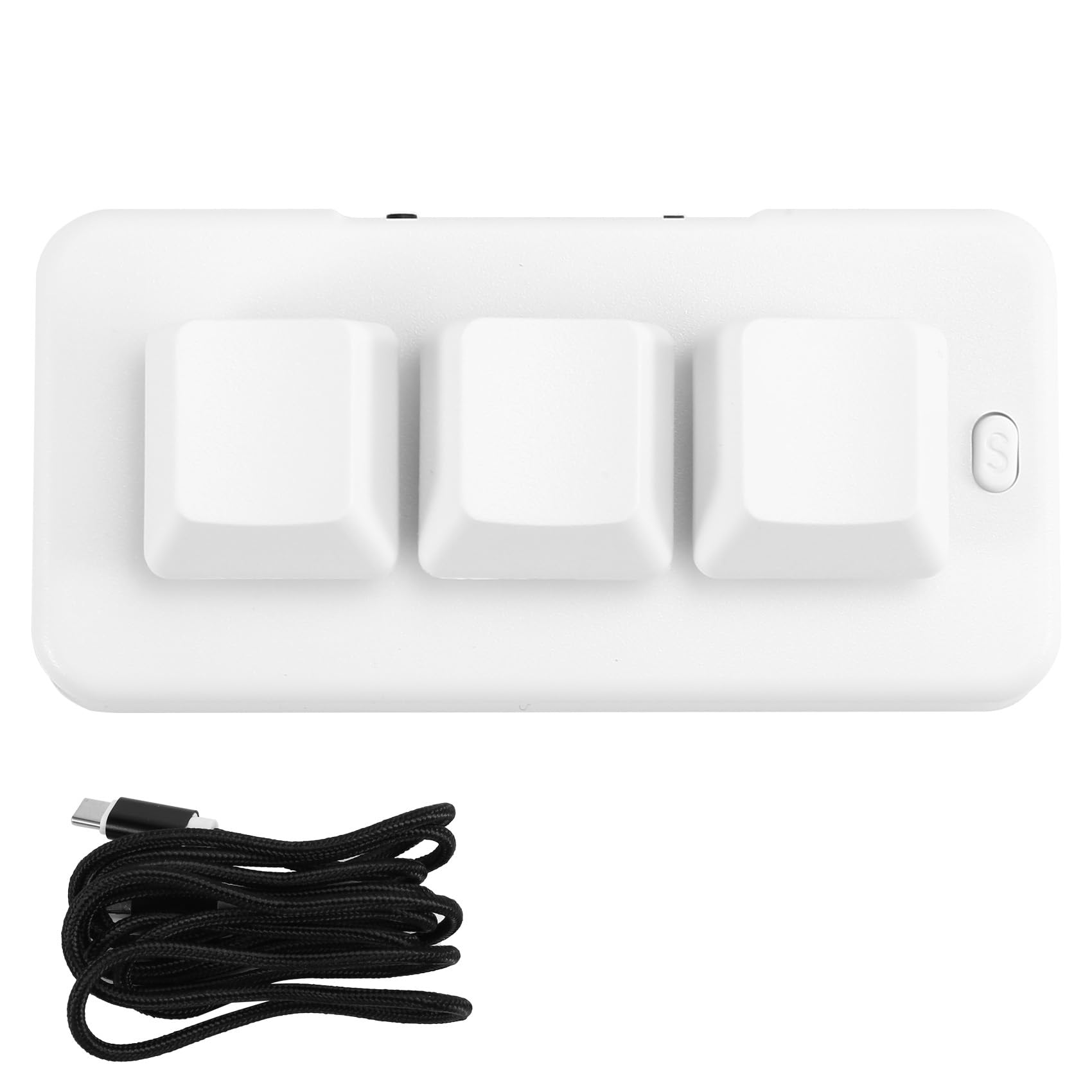
Image: A person placing the TKOWTB MK321U Mini Keyboard into a small carrying pouch, illustrating its compact and portable design, making it easy to transport.
Кепілдік және қолдау
For warranty information, please refer to the documentation included with your purchase or visit the official TKOWTB website. Support resources, including FAQs and contact information, can also be found on the manufacturer's webсайт.
Өндіруші: TKOWTB
Webсайт: TKOWTB Official Page (via Amazon)