
1. Өнім аяқталдыview
This manual provides detailed instructions for the installation, operation, and maintenance of your podofo 9-inch Android 13 Car Stereo. This unit is designed to enhance your driving experience with advanced features such as wireless CarPlay, Android Auto, GPS navigation, Wi-Fi connectivity, Bluetooth, and an HD backup camera.
Үйлесімділік
This car head unit is compatible with the following Mercedes Benz models:
- Mercedes Benz E Class W211 (2002-2009)
- Mercedes Benz CLS W219 (2002-2009)
2. Орнату және орнату
Careful installation is crucial for optimal performance. It is recommended that installation be performed by a qualified professional.
Пакет мазмұны
Қаптамада барлық компоненттер бар екенін тексеріңіз:
- Android Car Stereo Unit
- GPS антеннасы
- Сыртқы микрофон
- HD сақтық көшірме камерасы
- Қуат кабелі
- RCA кабелі
- USB кабелі
- Radio Antenna & Canbus
- Орнату құралы
- Пайдаланушы нұсқаулығы

Image: Dimensions of the 9-inch car stereo and a visual representation of all included accessories.
Орнату алдындағы тексеру
Before proceeding with installation, carefully check your vehicle's existing radio line interface. If your vehicle's radio line interface matches the one shown in the 'Before Installation' diagram below, a separate car optical fiber box will be required for proper functionality. This box is not included and must be purchased separately.
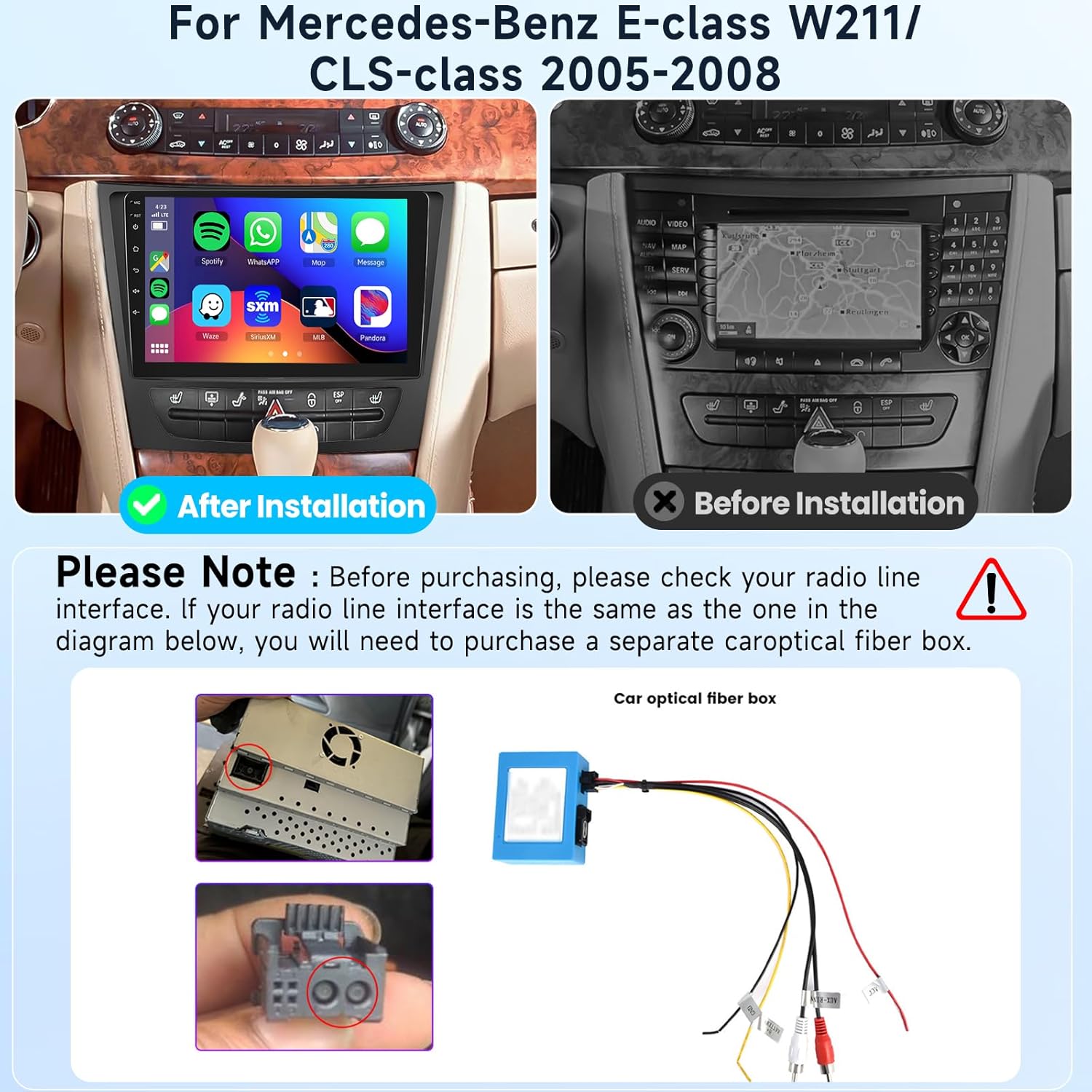
Image: Visual guide for checking the radio line interface and the appearance of the stereo before and after installation.
Backup Camera Wiring
Follow these steps for connecting the HD backup camera:
- Connect the red wire (labeled +12V) to the car's reversing light positive terminal.
- Connect the black wire (labeled GND) to the car's reversing light negative terminal.
- No additional connections are needed for the video signal cable.
- The reverse trigger wire (labeled "Reverse/back") connects to the vehicle's reverse light positive. If your vehicle does not have this wire, no connection is needed.

Image: Detailed wiring diagram for the HD backup camera.
3. Пайдалану нұсқаулары
Your podofo car stereo runs on the Android 13 operating system, offering a wide range of functionalities.
Жүйе сипаттамалары
- Операциялық жүйе: Android 13.0
- Процессор: Төрт ядролы процессор
- ЖЕДЕЛ ЖАДТАУ ҚҰРЫЛҒЫСЫ: 2 ГБ
- Ішкі жад: 64 ГБ

Сурет: аяқталдыview of the smart Android system features.
Дисплей мүмкіндіктері
- Экран өлшемі: 9 дюйм
- Ажыратымдылық: 1080P
- Дисплей түрі: IPS
- Сенсорлық экран түрі: Capacitive 2.5D Glass
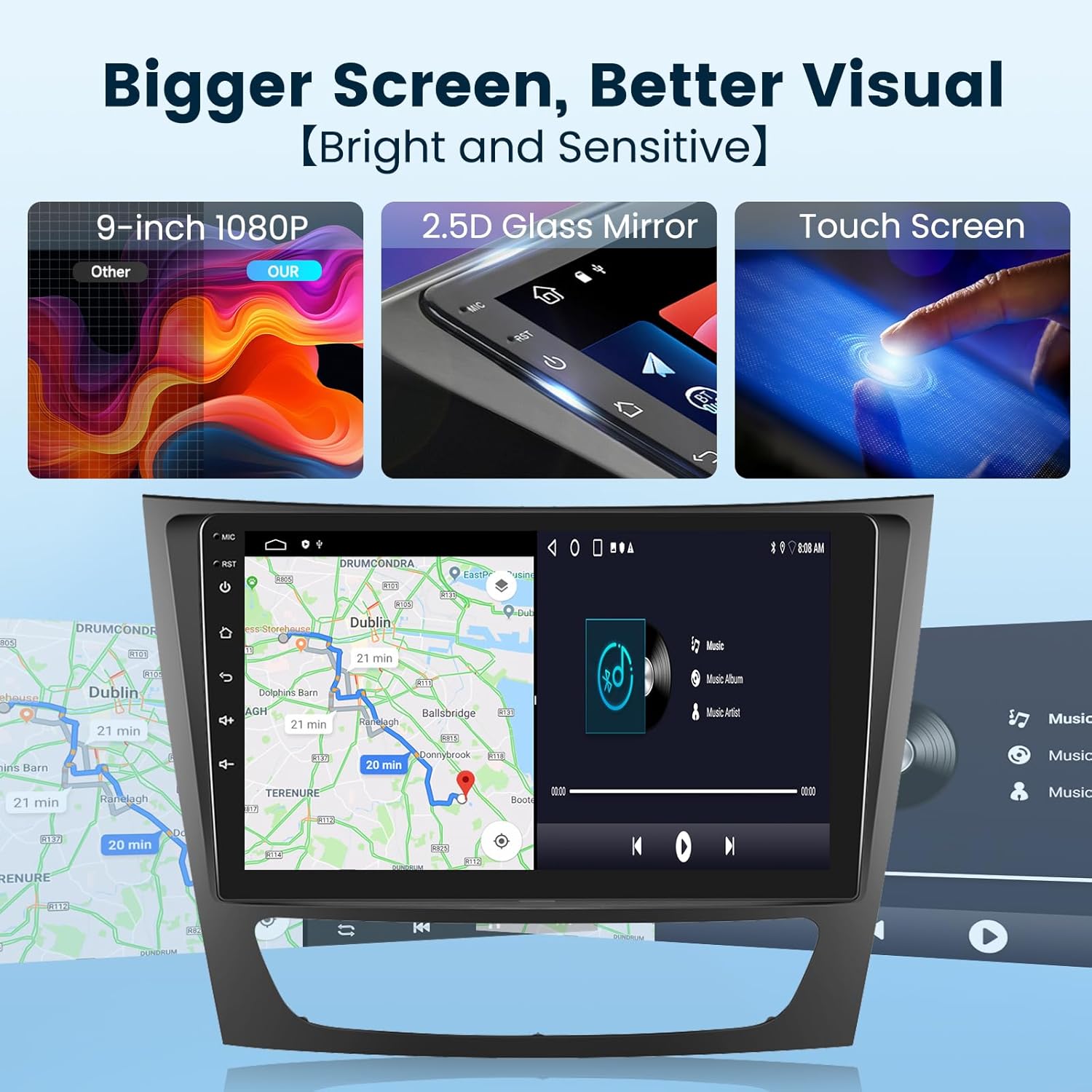
Image: Visual details of the car stereo's display.
Сымсыз CarPlay / Android Auto
Connect your smartphone wirelessly or via USB to access apps like navigation, music, and calls directly on the stereo screen. Supports voice control for enhanced driving safety.

Image: Wireless CarPlay and Android Auto interface.
GPS Navigation & Wi-Fi
The unit includes a built-in offline map application, allowing you to download worldwide map data. Connect to Wi-Fi or a mobile hotspot for online navigation and to install or manage Android applications from the Application Store.

Image: Online and offline GPS navigation features.

Image: Built-in Wi-Fi connectivity for app downloads and online services.
Bluetooth функциясы
Equipped with a built-in noise-canceling microphone and an external microphone jack, the stereo ensures clear hands-free calls. Bluetooth wireless audio streaming allows for a superior music listening experience.

Image: Bluetooth call and music streaming features.
Руль дөңгелегін басқару
Utilize your vehicle's existing steering wheel buttons to control the car audio system, providing convenient and safer operation while driving.

Image: Steering wheel control integration.
Mirror Link (Screen Casting)
Connect your smartphone to the car stereo via USB or Bluetooth to mirror its screen, allowing you to enjoy videos and other content on the larger display.
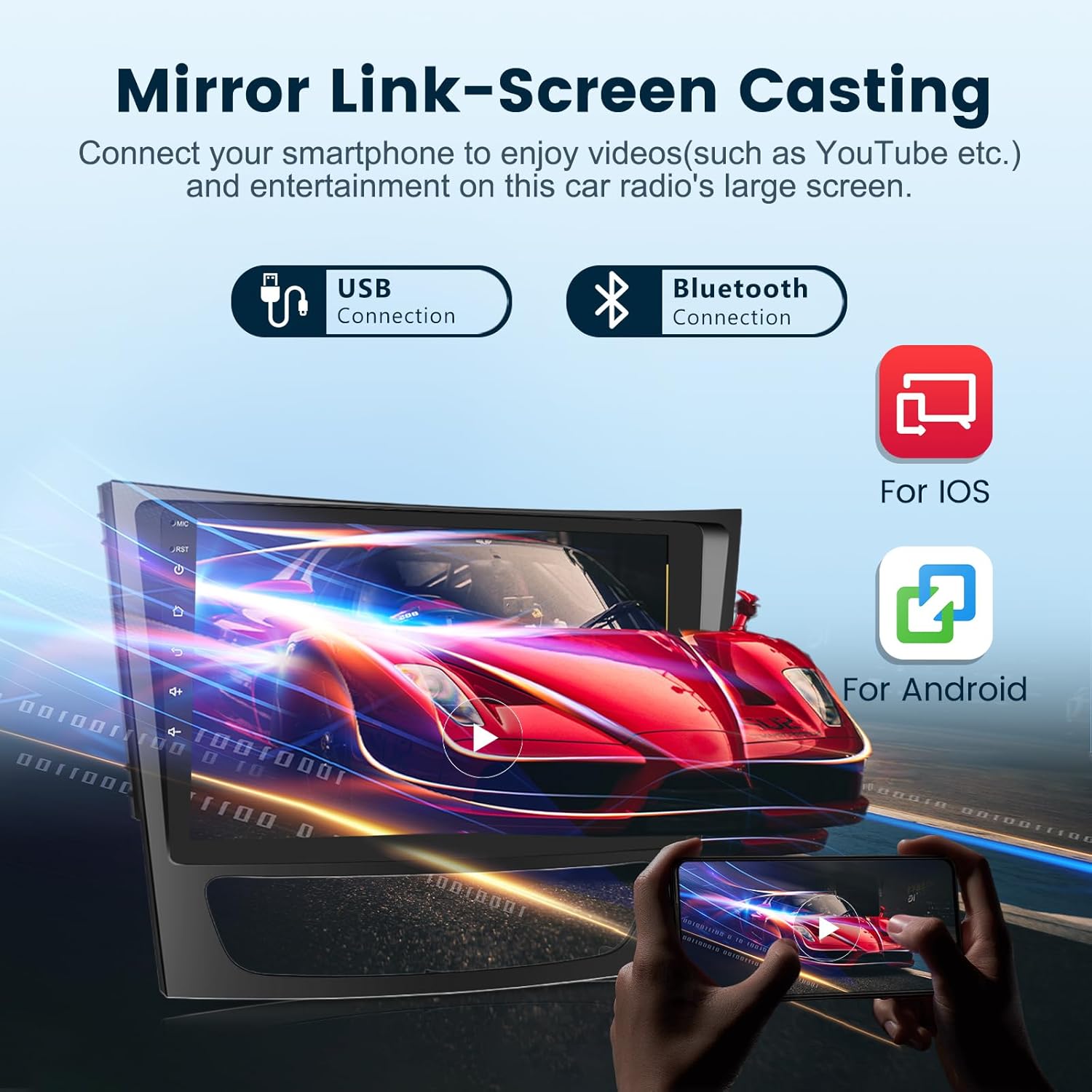
Image: Mirror Link functionality for screen casting.
FM/RDS Radio
Access FM radio stations with RDS (Radio Data System) support, providing information such as station name and song titles where available.

Сурет: FM/RDS радио интерфейсі.
HiFi Audio & EQ Settings
Experience advanced HiFi high-fidelity audio technology. Customize your sound experience with built-in EQ settings, allowing adjustments for various music genres and personal preferences.

Image: HiFi Audio and Equalizer settings.
HD сақтық көшірме камерасы
The included HD backup camera provides a clear, wide-angle view (170°) with night vision capabilities, assisting with safe parking and reversing. The camera is IP69 waterproof.

Image: HD Backup Camera view және ерекшеліктері.
4. Техникалық қызмет көрсету
To ensure the longevity and optimal performance of your car stereo, follow these general maintenance guidelines:
- Regularly clean the screen with a soft, lint-free cloth. Avoid abrasive cleaners.
- Құрылғыны шаң мен қоқыстардан таза ұстаңыз.
- Қызып кетудің алдын алу үшін құрылғының айналасында дұрыс желдетуді қамтамасыз етіңіз.
- Құрылғыны ұзақ уақыт бойы шамадан тыс температураға немесе тікелей күн сәулесінің әсеріне ұшыратпаңыз.
5. Ақаулықтарды жою
If you encounter any issues with your car stereo, please refer to the following basic troubleshooting steps. For more complex problems, contact customer support.
Жалпы мәселелер мен шешімдер:
- Қуат жоқ: Check all power connections and fuses. Ensure the car's ignition is on.
- Дыбыс жоқ: Динамиктердің қосылымдарын тексеріңіз. Дыбыс деңгейлерін және дыбысты өшіру параметрлерін тексеріңіз. Дұрыс дыбыс көзінің таңдалғанына көз жеткізіңіз.
- GPS жұмыс істемейді: GPS антеннасының дұрыс жалғанғанын және таза екеніне көз жеткізіңіз view аспанның. Жүйедегі GPS параметрлерін тексеріңіз.
- Bluetooth қосылым мәселелері: Стерео жүйеде де, құрылғыңызда да Bluetooth қосулы екеніне көз жеткізіңіз. Құрылғыларды ажыратып, қайта жұптастырыңыз.
- CarPlay/Android Auto қосылмайды: Check USB cable connection (if wired). Ensure Wi-Fi and Bluetooth are enabled for wireless connection. Update phone and stereo software if necessary.
6. Техникалық сипаттамалар
| Ерекшелік | Техникалық сипаттама |
|---|---|
| Бренд | podofo |
| Экран өлшемі | 9 дюйм |
| Операциялық жүйе | Android 13 |
| Жад сақтау сыйымдылығы | 64 ГБ |
| Қосылу технологиясы | Bluetooth, USB, Wi-Fi |
| Арнайы мүмкіндіктер | Navigation, Wired/Wireless CarPlay, Wired/Wireless Android Auto |
| Карта түрі | Worldwide (Offline/Online) |
| Қосылған құрамдас бөліктер | Android Car Stereo, External Microphone, GPS Antenna, HD Backup Camera |
| Элемент салмағы | 1 келі |
| Сенсорлық экран түрі | Сыйымдылық |
| Дисплей түрі | IPS |
| Үйлесімді құрылғылар | Смартфон |
| Бақылау әдісі | түртіңіз |
| Қолдау көрсетілетін спутниктік навигация жүйесі | GPS |
7. Кепілдік туралы ақпарат
This podofo car stereo comes with a 2 жылдық кепілдік сатып алған күннен бастап. Бұл кепілдік қалыпты пайдалану кезіндегі өндірістік ақаулар мен ақауларды қамтиды. Кепілдік шағымдары үшін сатып алуды растайтын құжатты сақтаңыз.
8. Тұтынушыларға қолдау көрсету
podofo is committed to providing professional technical support. For any concerns regarding installation, operation, or troubleshooting, please contact us directly via Amazon. Our team is available to assist you.
Қолдау қызметіне қалай хабарласуға болады:
You can reach our support team through the Amazon platform:
- Navigate to the product page on Amazon.
- Find the 'Sold by Podofo US' section.
- Click on 'Ask a question' to send a message to our support team.


Images: Steps to contact podofo customer support via Amazon.