

1. Өнім аяқталдыview
The OWON HDS241 is a versatile 3-in-1 handheld device integrating a single-channel oscilloscope, a 24000-count digital multimeter, and a 100kHz signal generator. Designed for both outdoor and indoor use, it offers a compact form factor with powerful measurement capabilities for various electrical and electronic applications.

Image 1.1: The OWON HDS241 device, highlighting its oscilloscope, multimeter, and signal generator functions.
2. Қауіпсіздік туралы ақпарат
Before using the OWON HDS241, please read and understand all safety instructions to prevent electric shock, injury, or damage to the device. Keep this manual for future reference.
- Жалпы қауіпсіздік: Құрылғыны әрқашан көрсетілген көлемде пайдаланыңызtage and current limits. Do not operate the device in wet or damp шарттар.
- Зонд қауіпсіздігі: Ensure probes are correctly connected and rated for the measurement being performed. Avoid touching exposed wiring or components when the device is powered on.
- Батарея қауіпсіздігі: Use only the specified battery type. Do not disassemble, crush, or expose the battery to extreme temperatures.
- Техникалық қызмет көрсету: Refer all servicing to qualified personnel. Do not attempt to repair the device yourself.
3. Негізгі мүмкіндіктер
- Сандық мультиметр: 4 1/2 digit True RMS digital multimeter for measuring AC/DC voltage/current, resistance, diode, capacitance, and continuity. Maximum input voltage is AC 750V, DC 1000V.
- Signal Waveform Generator: 1-channel 100 kHz generator supporting sine, square, ramp, and pulse wave outputs. Maximum output amplitude is 2.5 Vpp.
- Осциллограф: Waveform refresh rate up to 10,000 wfms/s, 40MHz bandwidth, and real-time sampling rate up to 250MSa/s. Features auto-setup, multiple measurement functions, 8K record length, cursor measurement, and slow scan mode for long-term signal monitoring.
- Шағын дизайн: Portable form factor with a 3.5-inch high-definition color LCD screen, suitable for various environments.
- Батареяның ұзақ қызмет ету мерзімі: Low-power design with a 2000 mAh high-capacity lithium battery and standard Type-C port for charging and power bank compatibility.
4. Пакет мазмұны
The standard package for the OWON HDS241 includes:
- OWON HDS241 Handheld Oscilloscope Unit
- Test Leads for Multimeter
- Осциллограф зонд
- USB түрі-C кабелі
- Пайдаланушы нұсқаулығы (бұл құжат)
Note: Additional accessories such as a BNC-to-alligator clip cable or carrying case may need to be purchased separately.
5. Құрылғының орналасуы және басқару элементтері
Familiarize yourself with the physical components and controls of the HDS241.

Сурет 5.1: алдыңғы және бүйірлік view of the OWON HDS241 with key controls and ports labeled. Labels include: signal input connector, display area, multifunction keys, channel key, mode switching key, system settings, save settings, power button, relative value/activation menu key, multimeter input port, horizontal time base setting/signal adjustment, return key, range switch/measurement menu key, arrow keys, auto range/auto setting key, hold value/Stop/Run key, probe compensation output (2.5V/1kHz square wave or signal generator output), USB charging/communication interface, approximate weight (0.6 kg host, excluding battery), gross weight (1.2 kg).
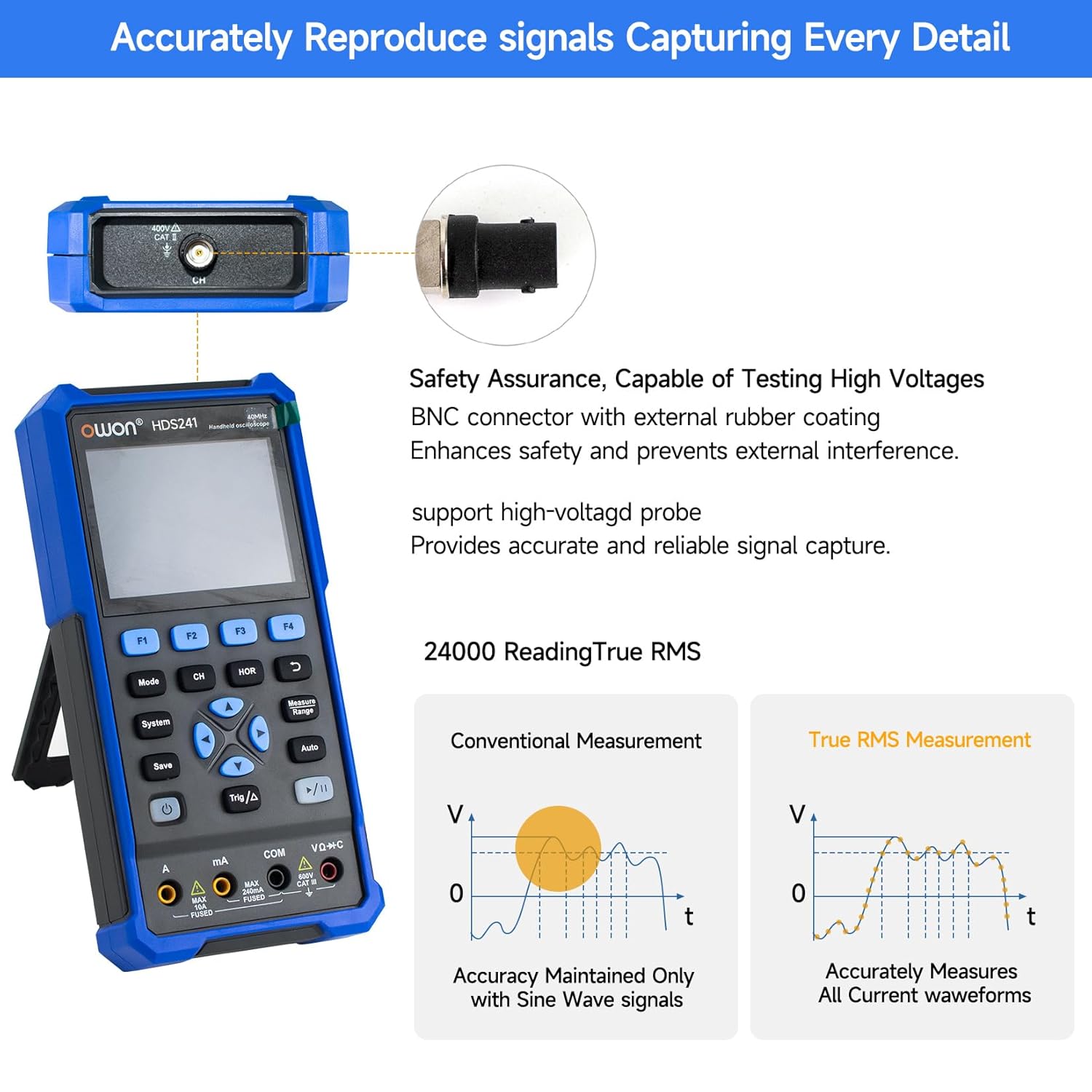
Image 5.2: Detail of the BNC connector, designed for safety and signal integrity, with external rubber coating.
6. Бастапқы орнату
6.1 Құрылғыны зарядтау
The HDS241 is equipped with a built-in 2000 mAh lithium battery. Before first use, fully charge the device using the provided USB Type-C cable and a compatible power adapter (not included) or a computer USB port.
- Connect the USB Type-C cable to the device's Type-C port.
- Кабельдің екінші ұшын USB қуат көзіне жалғаңыз.
- Зарядтау индикаторы зарядтау күйін көрсетеді.

Image 6.1: The USB Type-C charging port and internal battery compartment, emphasizing long-lasting performance.
6.2 Қуатты қосу/өшіру
түймесін басып тұрыңыз Қуат құрылғыны қосу немесе өшіру үшін түймесін басыңыз.
7. Жұмыс режимдері
The HDS241 features three primary operating modes: Oscilloscope, Multimeter, and Signal Generator. Press the Режим button to switch between these functions.
7.1 Осциллограф режимі
In Oscilloscope mode, the device displays real-time waveforms, allowing for detailed analysis of electrical signals. Connect the oscilloscope probe to the BNC connector on the top of the device.
- Auto-Setup: түймесін басыңыз Авто button for automatic scaling and positioning of the waveform.
- Өлшемдері: пайдаланыңыз Өлшеу menu (accessed via F1) to select automatic measurements like Frequency, Period, Amplitude, Max, Min, Peak-to-Peak, and RMS.
- Курсор өлшемдері: Activate cursor measurements (accessed via F2) to manually measure voltage (ΔV) and time (ΔT) differences between points on the waveform.
- Триггер параметрлері: Adjust trigger type, level, and mode using the Trig/Δ түймесі.
- Horizontal/Vertical Controls: Use the navigation arrows to adjust time base (horizontal) and voltage scale (vertical).

Сурет 7.1.1: Мысалыamples of oscilloscope display features including dual sampling mode, high refresh rate, 8 types of auto-measurements, and cursor measurements.

Сурет 7.1.2: Мысалыamples of actual measured waveforms, demonstrating the oscilloscope's signal capture capabilities for different signal types.
7.2 Мультиметр режимі
In Multimeter mode, the HDS241 functions as a digital multimeter. Connect the test leads to the appropriate input ports (VΩ+C, COM, A, mA) at the bottom of the device.
- Функция таңдау: пайдаланыңыз Режим button to cycle through measurement types (Voltage, Current, Resistance, Capacitance, Diode, Continuity).
- Автоматты диапазон: The device supports auto-ranging for convenient measurement.
- Деректерді сақтау: пайдаланыңыз Сақтау button or a dedicated hold function (if available) to freeze the current reading.
7.3 Signal Generator Mode
The Signal Generator mode allows the device to output various waveforms. Connect the output to the circuit under test using the appropriate cable (e.g., BNC to alligator clips, not included).
- Waveform Selection: Use the F-keys to select sine, square, ramp, or pulse waveforms.
- Параметрді реттеу: Adjust frequency and amplitude using the navigation arrows. The maximum output amplitude is 2.5 Vpp.
8. Деректерді басқару
The HDS241 supports data transfer to a computer via its USB Type-C port for further analysis and record-keeping.
- Компьютерге қосылу: Use the provided USB Type-C cable to connect the device to your computer.
- Бағдарламалық қамтамасыз ету: Refer to the OWON website for any necessary drivers or software to facilitate data transfer and analysis.
- Деректерді сақтау: пайдаланыңыз Сақтау button to store waveform images, settings, or measurement data directly on the device.
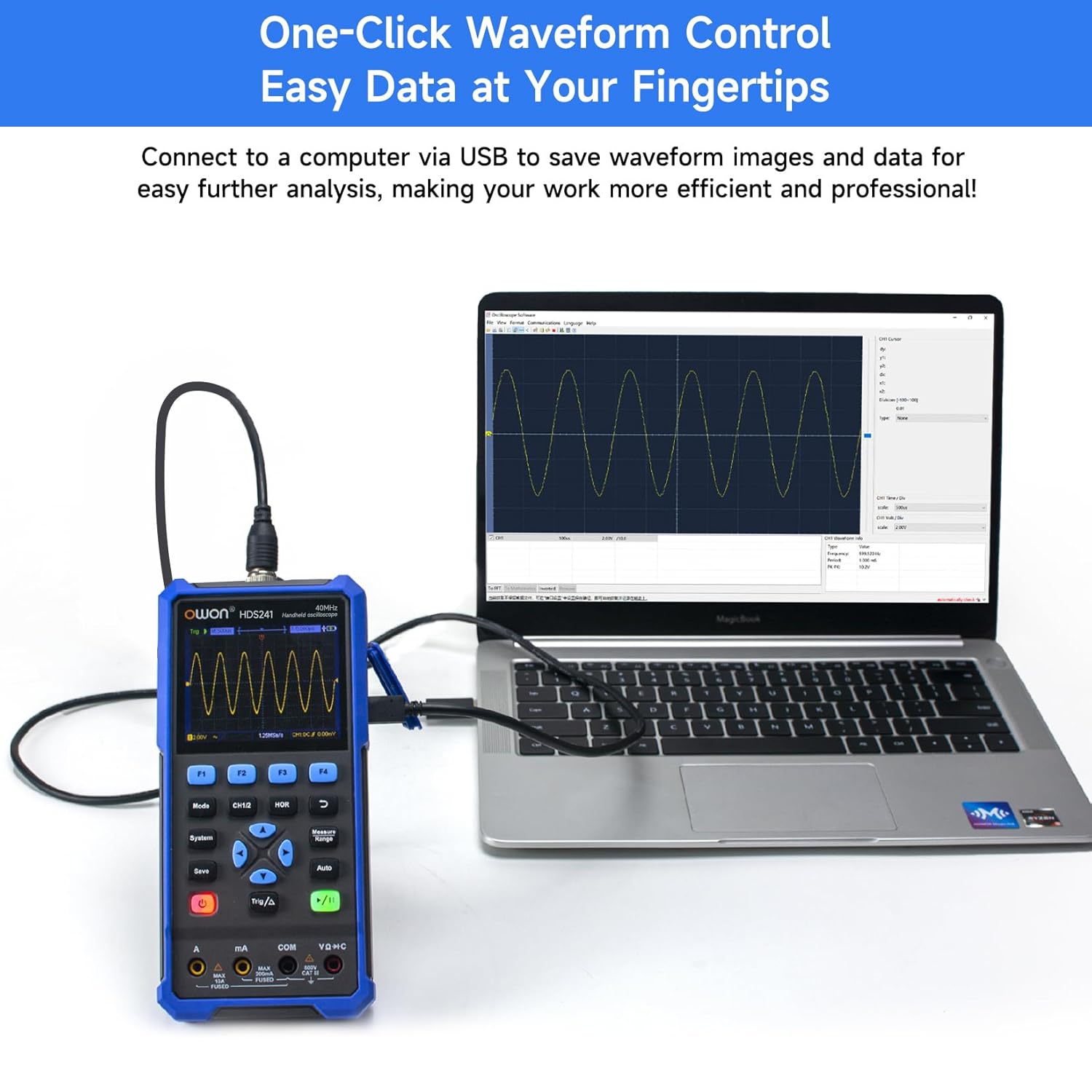
Image 8.1: The OWON HDS241 connected to a computer for data transfer and analysis, enabling easy waveform control.
9. Техникалық қызмет көрсету
- Тазалау: Құрылғыны жұмсақ, құрғақ шүберекпен тазалаңыз. Абразивті тазартқыштарды немесе еріткіштерді қолданбаңыз.
- Сақтау орны: Құрылғыны салқын, құрғақ жерде, тікелей күн сәулесінен және төтенше температурадан алыс жерде сақтаңыз.
- Батареяға күтім жасау: Ұзақ мерзімді сақтау үшін батареяның жартылай зарядталғанына (шамамен 50%) көз жеткізіңіз және батареяның қызмет ету мерзімін сақтау үшін оны бірнеше ай сайын қайта зарядтаңыз.
- Зондты калибрлеу: Periodically calibrate the oscilloscope probe using the dedicated probe compensation output to ensure accurate measurements.
10. Ақаулықтарды жою
| Мәселе | Ықтимал себебі | Шешім |
|---|---|---|
| Құрылғы қосылмайды. | Төмен немесе таусылған батарея. | Connect the device to a power source using the USB Type-C cable and allow it to charge. |
| Осциллограф режимінде толқын пішіні көрсетілмейді. | Probe not connected correctly; signal too small or too large; incorrect time base or voltage масштабы. | Ensure probe is securely connected. Press Авто for automatic setup. Adjust vertical and horizontal scales manually. Check trigger settings. |
| Multimeter readings are inaccurate. | Test leads not properly connected; incorrect measurement function selected; external interference. | Verify test lead connections. Ensure the correct measurement mode (voltage, current, resistance) is selected. Minimize external electrical noise. |
| Signal generator output is not as expected. | Incorrect waveform type, frequency, or amplitude set. | Check the selected waveform, frequency, and amplitude settings in the signal generator menu. |
11. Техникалық шарттар
Осциллографтың сипаттамалары:
| Параметр | Мән |
|---|---|
| Өткізу қабілеті | 40 МГц |
| Арна | 1 |
| Sampling Rate | 250МСа / с |
| Қабылдау режимі | Sample, Peak Detect |
| Жазба ұзындығы | Max. 8K |
| Дисплей | 3.5 дюймдік СКД |
| Толқын пішінінің жаңарту жиілігі | 10,000 XNUMX вфм/с |
| Кіріс муфтасы | DC, AC, Ground |
| Кіріс кедергісі | 1 MΩ±2%, in parallel with 16 pF±10 pF |
| Зондтың әлсіреуі | 1X, 10X, 100X, 1000X |
| Максималды кіріс көлеміtage | 400V (DC + AC, PK-PK) |
| Sensitivity Resolution | 10мВ/див-10В/див |
| Тік ажыратымдылық | 8 бит |
| Көлденең масштаб | 5ns/div-1000s/div, step 1-2-5 |
| Триггер түрі | Жиек |
| Триггер режимі | Авто, Қалыпты, Жалғыз |
| Автоматты өлшеу | Period, Frequency, Mean, PK-PK, Max, Min, Amplitude, RMS |
| Меңзерді өлшеу | ΔV, ΔT |

Image 11.1: Detailed oscilloscope specifications.
Digital Multimeter Specifications:
| Параметр | Мән |
|---|---|
| Дисплей саны | 4½ digits (max 24000 counts) |
| Сынақ режимдері | Тtage, Current, Resistance, Capacitance, Diode, Continuity |
| Максималды кіріс көлеміtage | Айнымалы ток 750 В, тұрақты ток 1000 В |
| Максималды кіріс тогы | Айнымалы ток 10А, тұрақты ток 10А |
| Автокөлік | Иә |
| Нағыз RMS | Иә |

Image 11.2: Detailed digital multimeter specifications.
Signal Waveform Generator Specifications:
| Параметр | Мән |
|---|---|
| Толқын пішіндері | Синус, шаршы, Рamp, Импульс |
| Шығару жиілігі | 10Гц-100КГц |
| Ampбойлық | 2Vpp-2.5Vpp |

Image 11.3: Detailed signal waveform generator specifications.
Жалпы сипаттамалар:
- Өлшемдері: 9.6 x 3.8 x 19.8 см
- Элемент салмағы: 1.2 келі
- Қуат көзі: Батареямен жұмыс істейді (2000 мАч литий батареясы)
- Түсі: Көк
- Сертификаттар: CE, True RMS
12. Кепілдік және қолдау
OWON products are designed for reliability and performance. For warranty information, technical support, or service inquiries, please refer to the official OWON webсайтына немесе жергілікті дистрибьюторға хабарласыңыз.
- Кепілдік мерзімі: Standard manufacturer's warranty applies. Please check your purchase documentation for specific terms and duration.
- Техникалық көмек: Visit the OWON official website for FAQs, software downloads, and contact information for technical assistance.
- Қайтарулар: Refer to the retailer's return policy for details on product returns and exchanges.