
1. Кіріспе
The Audizio Avola is a comprehensive audio system designed to provide a wide range of listening options. It integrates Internet Radio, DAB+, FM radio, a CD player, and Bluetooth connectivity into a single, elegant unit. This manual will guide you through the setup, operation, and maintenance of your Avola system, ensuring you can fully utilize its features for an optimal audio experience.
2. Қауіпсіздік нұсқаулары
- Нәр беруші: Тек берілген қуат адаптерін пайдаланыңыз.tage аймағыңыздың талаптарына сәйкес келеді.
- Су және ылғал: Do not expose the unit to rain, moisture, or liquids. Avoid placing objects filled with liquids, such as vases, on the unit.
- Желдету: Құрылғының айналасында тиісті желдетуді қамтамасыз етіңіз. Желдету саңылауларын жаппаңыз.
- Жылу көздері: Құрылғыны радиаторлар, жылу регистрлері, пештер немесе жылу шығаратын басқа құрылғылар сияқты жылу көздерінен алыс ұстаңыз.
- Тазалау: Disconnect the unit from the power supply before cleaning. Use a soft, dry cloth. Do not use liquid cleaners or aerosol cleaners.
- Қызмет көрсету: Құрылғыны өзіңіз жөндеуге тырыспаңыз. Барлық қызмет көрсетуді білікті қызмет көрсету қызметкерлеріне тапсырыңыз.
- Cd ойнатқышы: Do not insert foreign objects into the CD tray. Handle CDs by their edges to avoid scratches.
3. Пакет мазмұны
Қаптамада барлық заттардың бар екенін тексеріңіз:
- 1x Audizio Avola Internet Radio
- 1x қашықтан басқару пульті
- 1x қуат адаптері
- 1x Пайдаланушы нұсқаулығы (жылдам бастау нұсқаулығы)

Image: Audizio Avola unit shown with its remote control and power adapter.
4. Өнім аяқталдыview
4.1 Алдыңғы панель

Сурет: алдыңғы view of the Audizio Avola with the CD tray closed.
The front panel features the main display, control buttons, a CD tray, and input ports.
- Көрсеткіш: Color display for navigation and information.
- Басқару түймелері: MENU, INFO, REC/DEL, PRESET/REPEAT, STANDBY, I/R, Play/Pause, Stop, Skip/Fast Forward/Rewind.
- CD науасы: Аудио ықшам дискілерді салуға арналған.
- TUNE/SELECT Knob: Rotate to navigate menus, press to select.
- VOLUME тұтқасы: Дыбыс шығысының деңгейін реттейді.
- USB порты: USB сақтау құрылғыларын қосуға арналған.
- SD картасы ұясы: SD жад карталарын салуға арналған.
- AUX кірісі: 3.5mm jack for external audio sources.
- Құлаққап ұясы: Жеке тыңдауға арналған 3.5 мм ұясы.

Image: Close-up of the Audizio Avola front panel showing USB, SD, AUX, and headphone ports.
4.2 Артқы панель
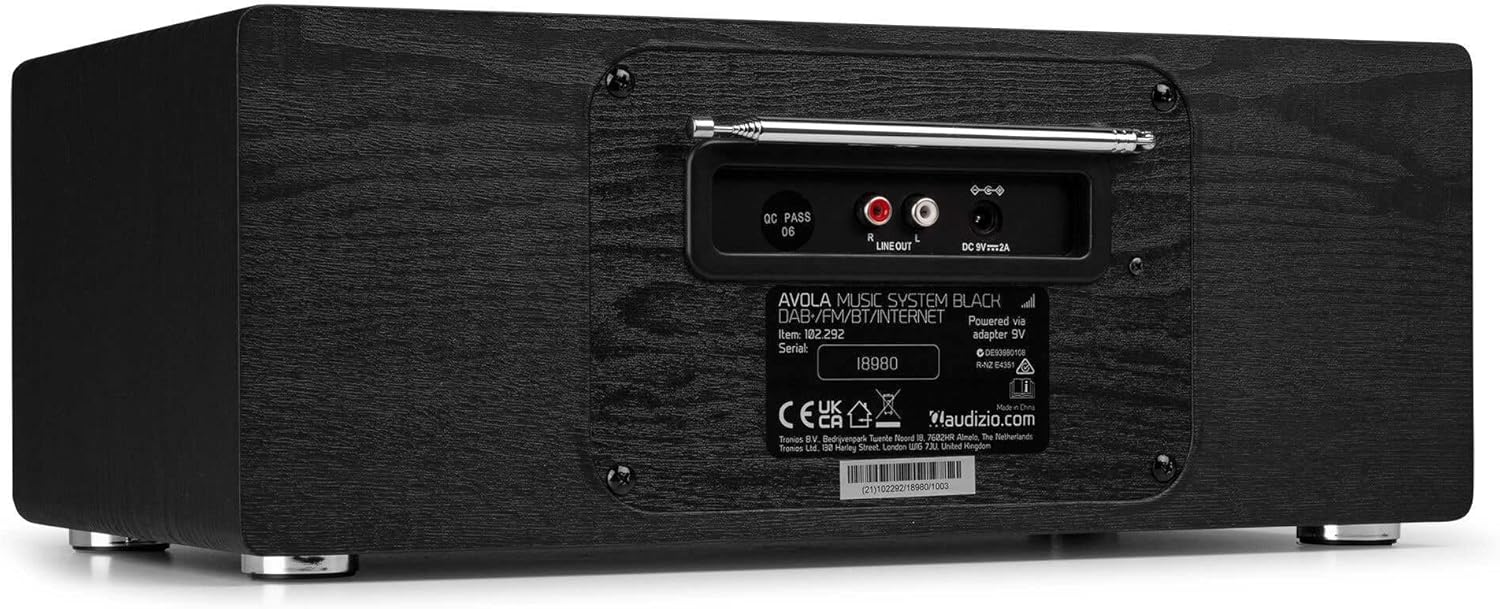
Сурет: артқы view of the Audizio Avola, highlighting the antenna and connection ports.
The rear panel houses essential connections:
- Телескопиялық антенна: For DAB+ and FM radio reception. Extend fully for best signal.
- ЖЕЛІ ШЫҒЫСЫ (RCA): Сыртқы желіге қосылу үшін ampкөтергіштер немесе динамиктер.
- DC 9V 2A Power Input: Қуат адаптерін қосу үшін.
5. Орнату
5.1 Қуат қосылымы
- Connect the power adapter to the DC 9V 2A input on the rear of the Avola unit.
- Қуат адаптерін қолайлы қабырға розеткасына қосыңыз.
- The unit will enter standby mode. Press the STANDBY button on the unit or remote control to power on.
5.2 Антеннаны орнату
For optimal DAB+ and FM radio reception, fully extend the telescopic antenna located on the rear panel. Adjust its position for the best signal quality.
5.3 Initial Setup (WLAN Connection)
To access Internet Radio features, the Avola must be connected to a Wi-Fi network.
- Upon first power-on, the unit may prompt you to set up the network connection. If not, press MENU, navigate to 'System Settings' and then 'Network'.
- Select 'Wi-Fi Network' and choose 'Scan' to find available networks.
- Тізімнен Wi-Fi желісін таңдаңыз.
- Enter your Wi-Fi password using the TUNE/SELECT knob to navigate characters and press to confirm each character.
- Once connected, the display will show a Wi-Fi icon.
6. Жұмыс режимдері
6.1 Интернет радиосы
Access thousands of radio stations worldwide via your Wi-Fi connection.
- Press the MENU button and select 'Internet Radio'.
- Сіз станцияларды орналасқан жері, жанры бойынша шолуға немесе нақты станцияларды іздеуге болады.
- Use the TUNE/SELECT knob to navigate and select.
- To save a station as a preset, press and hold the PRESET/REPEAT button until the preset menu appears, then select a preset number.

Image: The Audizio Avola display showing the Internet Radio interface.
6.2 DAB+ радиосы
Digital Audio Broadcasting Plus offers high-quality digital radio.
- Press the MENU button and select 'DAB Radio'.
- Құрылғы қолжетімді DAB+ станцияларын автоматты түрде сканерлейді.
- Use the TUNE/SELECT knob to browse and select stations.
- Save presets as described for Internet Radio.
6.3 FM радиосы
Listen to traditional analog FM radio broadcasts.
- Press the MENU button and select 'FM Radio'.
- Use the TUNE/SELECT knob to manually tune or press and hold to auto-scan for stations.
- Save presets as described for Internet Radio.
6.4 CD ойнатқышы
Play your favorite audio CDs.
- Press the MENU button and select 'CD Player'.
- Press the 'Open' button next to the CD tray to open it.
- Carefully place an audio CD onto the tray with the label side facing up.
- Press the 'Open' button again to close the tray. The unit will begin playing the CD automatically.
- Use the Play/Pause, Stop, and Skip buttons for playback control.
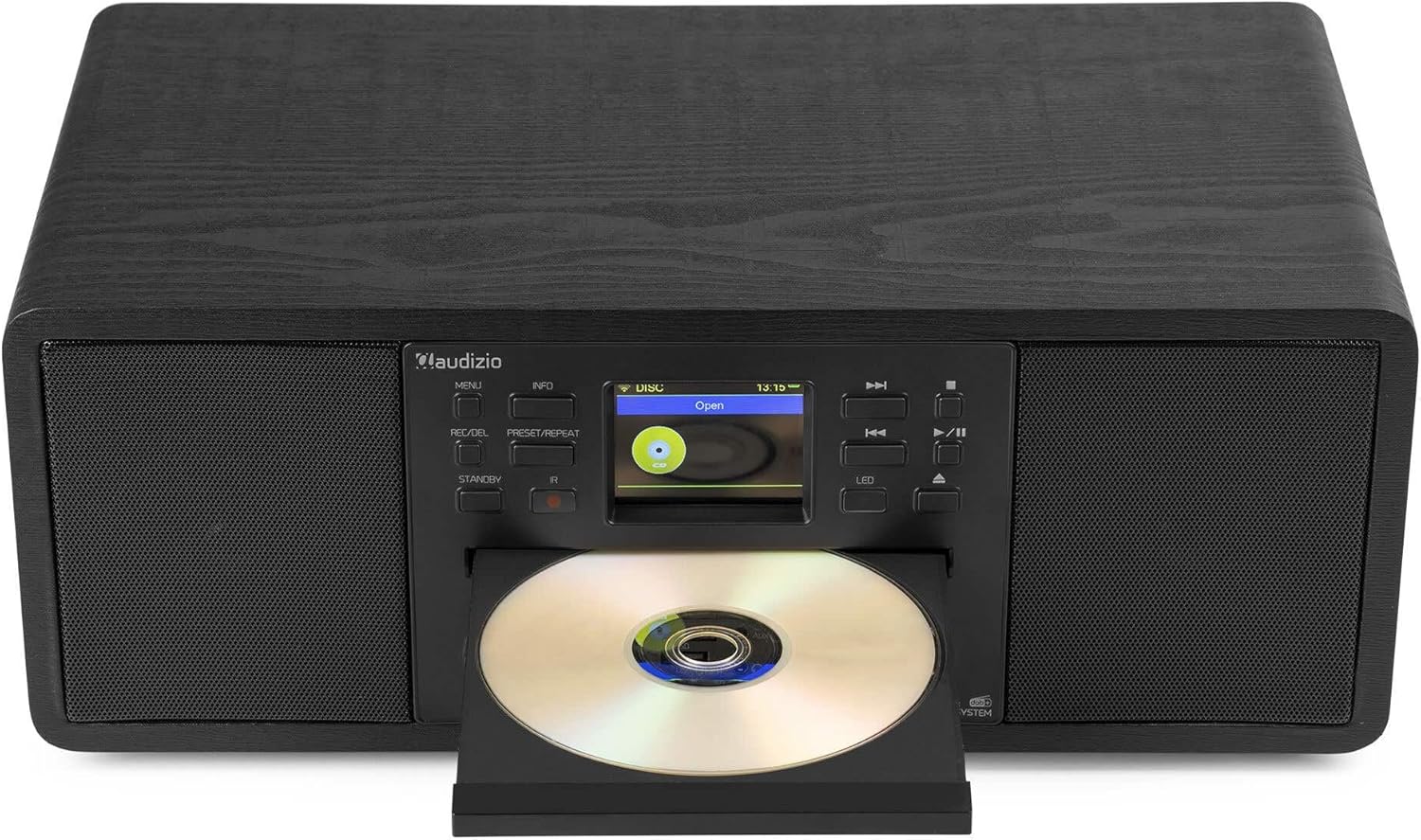
Image: The Audizio Avola with its CD tray open, ready for disc insertion.
6.5 Bluetooth қосылымы
Смартфоныңыздан, планшетіңізден немесе басқа Bluetooth қосылған құрылғыларыңыздан дыбысты сымсыз түрде ағынмен жіберіңіз.
- Press the MENU button and select 'Bluetooth'.
- The Avola will enter pairing mode and become discoverable.
- On your Bluetooth device, search for 'Audizio Avola' in the Bluetooth settings and select it to pair.
- Once connected, the display will show 'BT Connected'. You can now play audio from your device through the Avola.

Image: The Audizio Avola display indicating a successful Bluetooth connection.
6.6 USB/SD ойнату
Аудионы ойнату fileUSB дискілерінен немесе SD карталарынан s.
- Insert a USB drive into the USB port or an SD card into the SD card slot on the front panel.
- Press the MENU button and select 'USB' or 'SD' (the unit may automatically switch to the correct mode).
- Өзіңіз арқылы шарлаңыз files and folders using the TUNE/SELECT knob.
- Press the TUNE/SELECT knob to play a selected track.
7. Техникалық қызмет көрсету
- Құрылғыны тазалау: Use a soft, dry, lint-free cloth to clean the exterior of the unit. Do not use abrasive cleaners, waxes, or solvents.
- CD линзасын тазалау: If CD playback becomes erratic, use a commercially available CD lens cleaner disc to clean the laser lens.
- Сақтау орны: Құрылғыны ұзақ уақыт сақтасаңыз, оны қуат көзінен ажыратып, салқын, құрғақ жерде сақтаңыз.
8. Ақаулықтарды жою
| Мәселе | Ықтимал себебі | Шешім |
|---|---|---|
| Қуат жоқ | Қуат адаптері қосылмаған немесе ақаулы розетка. | Қуат қосылымдарын тексеріңіз. Басқа розеткаға кіріп көріңіз. |
| Дыбыс жоқ | Volume too low, mute activated, or incorrect source selected. | Increase volume. Check if mute is active. Ensure correct input source is selected. |
| Internet Radio not connecting | Қате Wi-Fi құпия сөзі, әлсіз сигнал немесе желі мәселесі. | Re-enter Wi-Fi password. Move unit closer to router. Check router status. |
| DAB+/FM reception poor | Антенна ұзартылмаған немесе сигнал аймағы нашар. | Телескопиялық антеннаны толығымен созып, реттеңіз. Құрылғының орнын ауыстырып көріңіз. |
| CD ойнатылмайды | CD inserted incorrectly, dirty/scratched CD, or unsupported format. | Ensure CD is inserted label-side up. Clean or replace CD. Verify CD format (supports CD-DA, MP3). |
| Bluetooth жұптаспайды | Device not in pairing mode, or Avola not discoverable. | Ensure both devices are in pairing mode. Check Bluetooth settings on your device. |
9. Техникалық сипаттамалар
| Ерекшелік | Техникалық сипаттама |
|---|---|
| Модель атауы | Avola |
| Элемент нөмірі | 102.292 |
| Өлшемдері (LxWxH) | 45.8 x 25.8 x 19.7 см |
| Салмағы | 4 кг |
| Қуат кірісі | 220 Volt (via power adapter) |
| Speaker Output Power (Max) | 60 Вт |
| Дыбысты шығару режимі | Стерео |
| Қолдау көрсетілетін аудио пішімдері | CD-DA, MP3 |
| Қосылу технологиясы | WLAN, Bluetooth, AUX, RCA |
| Үйлесімді құрылғылар | MP3 Player, PC, Smartphone, Tablet |
| Түс | Қара |
10. Кепілдік және қолдау
Audizio products are designed and manufactured to the highest standards. In the unlikely event of a problem with your product, please contact your retailer for assistance. Keep your proof of purchase for warranty claims. For further support or inquiries, please refer to the official Audizio webсайтына өтіңіз немесе тұтынушыларға қызмет көрсетуге хабарласыңыз.