
1. Кіріспе
This manual provides detailed instructions for the setup, operation, and maintenance of your THOMSON 8-inch Digital Photo Frame (Model: TRDF-8001C). Please read this manual thoroughly before using the device to ensure proper functionality and to maximize your enjoyment of its features. This digital photo frame is designed to display your cherished photos and videos with an 8-inch IPS HD screen, offering a clear and vibrant viewтәжірибесі.
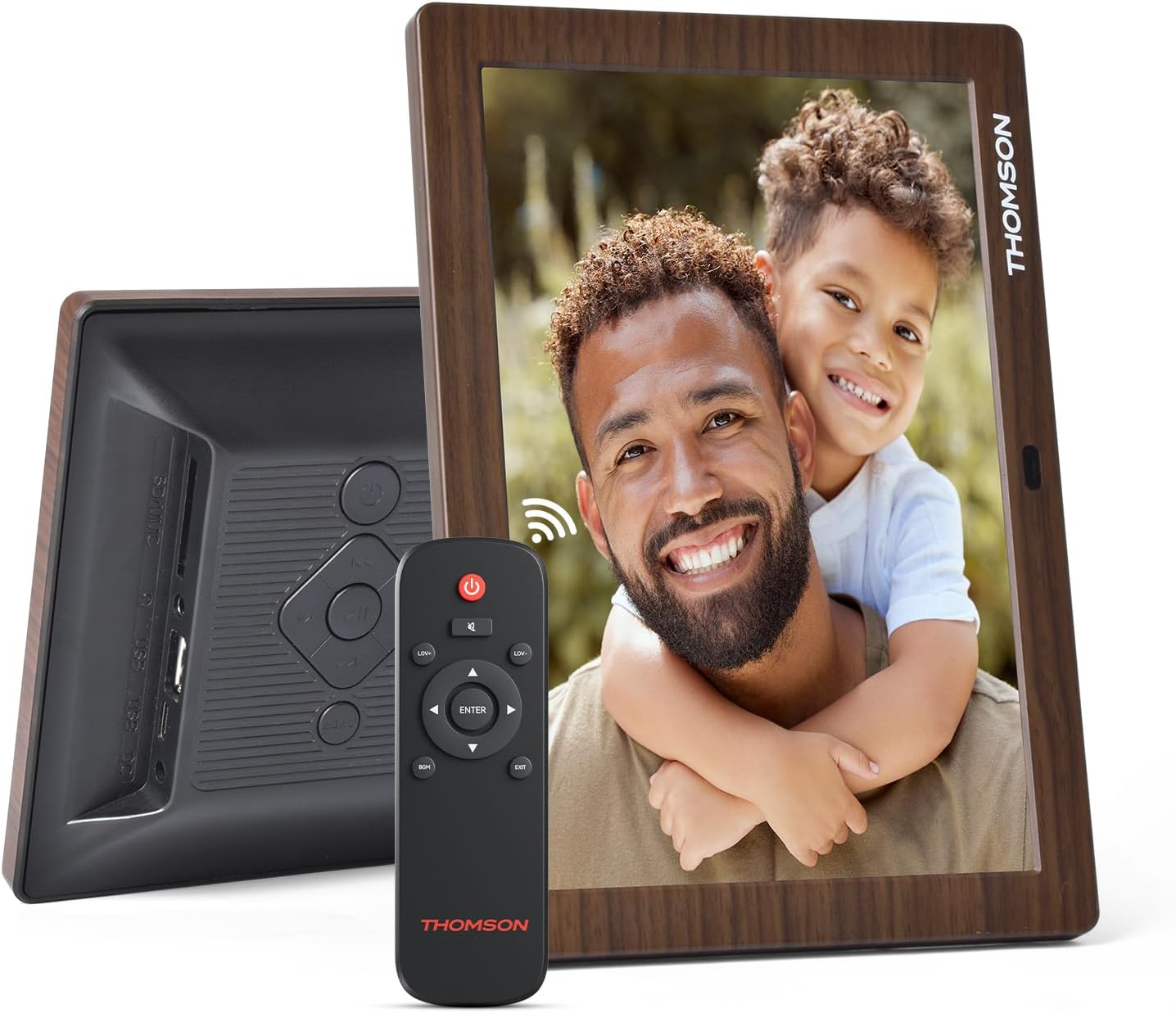
2. Қорапта не бар
Орамнан шығарған кезде төменде көрсетілген заттардың барлығының бар екеніне және жақсы күйде екеніне көз жеткізіңіз:
- THOMSON 8-inch Digital Photo Frame
- Қашықтан басқару құралы
- Қуат адаптері
- Фото жиектеме тіреуіші
- Пайдаланушы нұсқаулығы

Figure 2.1: Contents of the THOMSON Digital Photo Frame package.
3. Орнату
3.1 Қуат қосылымы
- Connect the power adapter to the DC-IN port on the back of the digital photo frame.
- Қуат адаптерін стандартты электр розеткасына қосыңыз.
- Рамка автоматты түрде қосылады.
3.2 Бастапқы орнату
- Upon first startup, you will be prompted to select your preferred language. Use the navigation buttons on the remote control or the physical buttons on the back of the frame to select and confirm.
- Ағымдағы күн мен уақытты орнатыңыз.
3.1-сурет: Артқы view of the frame with power input and physical controls.
3.3 Тұғырды орнату
The digital photo frame can be placed on a flat surface using the included stand. Insert the stand into the designated slot on the back of the frame. The frame also supports wall mounting using the integrated mounting holes.
4. Пайдалану нұсқаулары
4.1 Дисплей мүмкіндіктері
- 8-inch IPS HD Screen: Enjoy clear and vibrant images with a 1280x800 resolution from various viewбұрыштар.
- Автоматты айналдыру: The built-in gravity sensor automatically adjusts the photo orientation (landscape or portrait) for optimal viewing.

Figure 4.1: The 8-inch IPS HD screen provides a high-quality display for your memories.
4.2 Медиа ойнату
The frame supports playback of photos, music, and videos. You can navigate through your media using the remote control or the physical buttons.
- Фото слайдшоу: Configure slideshow intervals and transition effects in the settings.
- Музыканы ойнату: Фондық музыканы ойнату кезінде viewфотоларды түсіру.
- Бейнені ойнату: Enjoy your favorite video clips directly on the frame.

Figure 4.2: User interface for media selection and playback options.
4.3 Remote Control and Physical Buttons
Control your digital photo frame conveniently using the included remote control or the physical buttons located on the back of the frame.
- Қашықтан басқару функциялары: Power on/off, adjust volume, navigate images, control background music, and access menus.
- Физикалық түймелер: Provide direct control for essential functions, useful for elderly users.

Figure 4.3: Remote control for convenient operation of the frame.
4.4 Expansion Modes
The frame supports various expansion options for storing your media:
- SD/SDHC/MMC Card: Expand storage up to 32 GB.
- USB-A/Type-C/U-disk: Connect USB drives for additional media.
- Ескерту: This frame does not have built-in storage. An external memory card or USB drive is required for media storage.

Figure 4.4: Memory expansion slots on the back of the frame.
4.5 Автоматты түрде қосу/өшіру
You can set a customized automatic start and stop time for the frame to conserve energy and manage display times.

Figure 4.5: Setting automatic power on/off times for convenience.
5. Техникалық қызмет көрсету
- Экранды тазалау: Use a soft, dry, lint-free cloth to gently wipe the screen. For stubborn marks, slightly dampшүберекті сумен немесе экранды тазалау ерітіндісімен құйыңыз. Қатты химиялық заттардан аулақ болыңыз.
- Жақтауды тазалау: Wipe the frame with a soft, dry cloth.
- Сақтау орны: When not in use for extended periods, disconnect the power adapter and store the frame in a cool, dry place away from direct sunlight.
6. Ақаулықтарды жою
| Мәселе | Ықтимал себебі | Шешім |
|---|---|---|
| Жақтау қосылмайды. | Қуат адаптері қосылмаған немесе ақаулы. | Қуат адаптерінің жақтауға және жұмыс істейтін розеткаға мықтап қосылғанына көз жеткізіңіз. Басқа розетканы қолданып көріңіз. |
| No images/videos displayed. | No memory card/USB drive inserted or media files are corrupted/unsupported. | Insert a memory card or USB drive with supported media fileс. Тексеру file formats (JPEG for photos, MP4 for videos). Ensure the memory card/USB drive is properly inserted. |
| Қашықтан басқару пульті жұмыс істемейді. | Батарея заряды аз немесе кедергі бар. | Replace the remote control battery. Ensure there are no obstructions between the remote and the frame's IR receiver. |
| Images are distorted or incorrect orientation. | Incorrect display settings or disabled auto-rotation. | Check display settings in the menu. Ensure the auto-rotation feature is enabled if desired. |
7. Техникалық сипаттамалар
- Модель нөмірі: TRDF-8001C
- Экран өлшемі: 8 дюйм
- Ажыратымдылық: 1280x800 (WXGA)
- Аспект арақатынасы: 16:10
- Көрсету технологиясы: IPS HD
- Қосылу мүмкіндігі: DC-4.0, USB-A, Type-C, SD Card, 3.5MM earphone jack
- Жадты кеңейту: SD/SDHC/MMC card up to 32GB, U-disk
- Қуат көзі: Сымды электр
- Пайдаланушы интерфейсінің кірісі: Buttons, Remote Control
- Жақтау материалы: Пластмасса
- Өнім өлшемдері: 24.4 x 18 x 2.51 см
- Өнім салмағы: 240 грамм
8. Кепілдік және қолдау
For warranty information and customer support, please refer to the documentation included in your product packaging or visit the official Thomson webсайт. Сатып алу түбіртегін кез келген кепілдік талаптары үшін сатып алудың дәлелі ретінде сақтаңыз.