
1. Кіріспе
Thank you for choosing the ROTAI 4D Massage Chair A68PRO-DE. This manual provides essential information for the safe and effective use of your massage chair. Please read it thoroughly before operation and retain it for future reference. This chair is designed to provide a comprehensive deep tissue massage experience with advanced features such as 4D dual motors, an extended SL rail, Zero-Gravity recline, back heating, and Bluetooth connectivity.
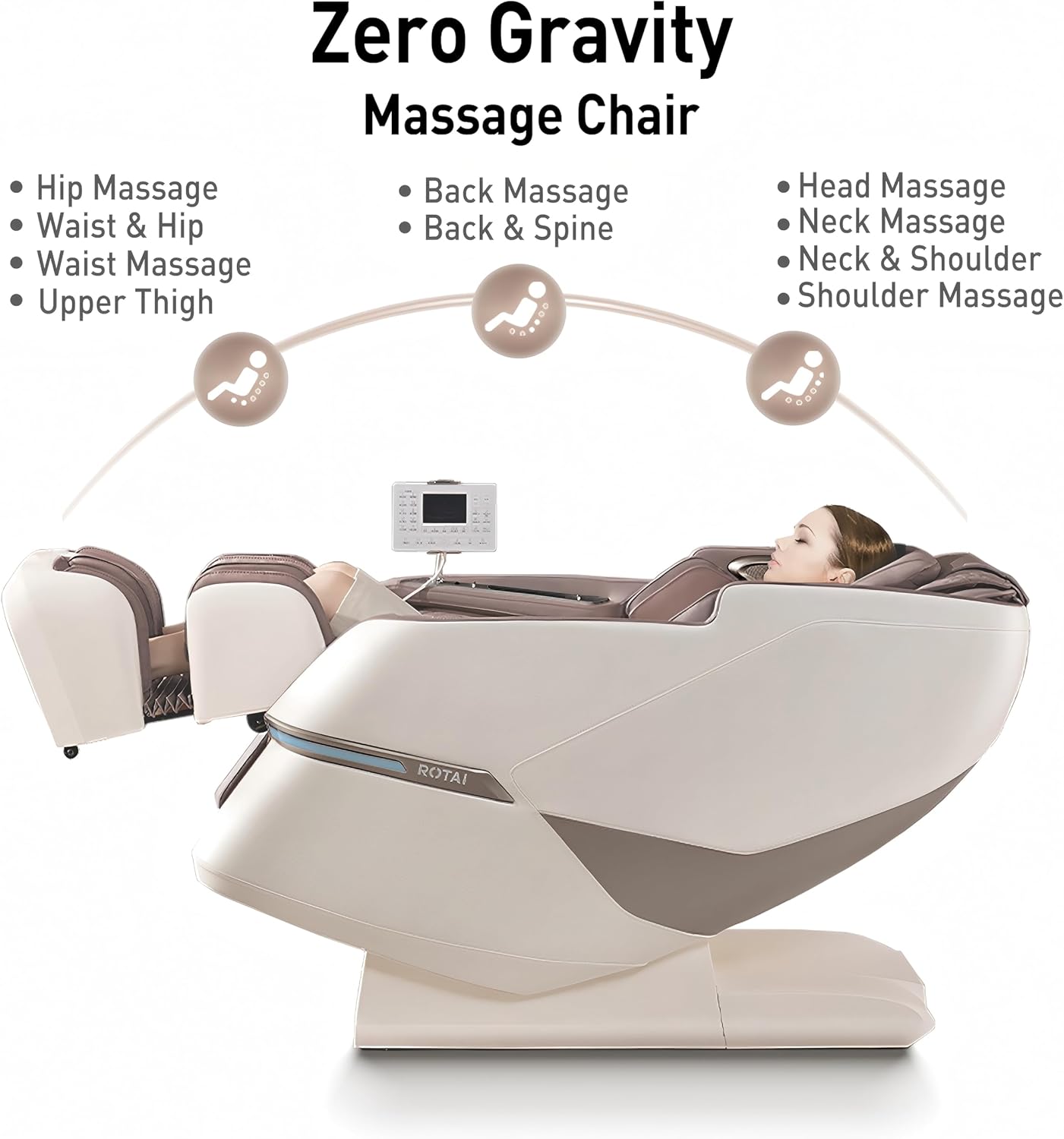
Image 1.1: The ROTAI 4D Massage Chair in a living room setting, with a person comfortably seated.
2. Қауіпсіздік туралы маңызды ақпарат
To reduce the risk of electric shock, burns, fire, or injury, always follow these basic precautions:
- Массаж орындығын пайдаланғаннан кейін және тазалау алдында әрқашан розеткадан ажыратыңыз.
- Орындықты дымқыл немесе сулы күйде пайдаланбаңызamp environments. Keep away from water.
- Бұл құрылғыны балалар, мүгедектер немесе мүгедектер, олардың жанында немесе жанында пайдаланған кезде мұқият қадағалау қажет.
- Бұл құралды тек осы нұсқаулықта сипатталғандай мақсаты бойынша пайдаланыңыз. Өндіруші ұсынбаған қосымшаларды қолданбаңыз.
- Never operate the appliance if it has a damaged cord or plug, if it is not working properly, if it has been dropped or damaged, or dropped into water. Contact customer support for examination and repair.
- Сымды қыздырылған беттерден алыс ұстаңыз.
- Ешқашан кез келген саңылауға кез келген затты түсірмеңіз немесе салмаңыз.
- Аэрозольдық (спрей) өнімдер қолданылып жатқан немесе оттегі енгізіліп жатқан жерде жұмыс істемеңіз.
- Ажырату үшін барлық басқару элементтерін өшірулі күйге бұрыңыз, содан кейін ашаны розеткадан шығарыңыз.
- Массаж креслосында немесе үстінде тұрмаңыз. Тек отырғанда пайдаланыңыз.
- Consult your doctor before using this product if you have any medical conditions, are pregnant, or have a pacemaker.
3. Пакет мазмұны
Қаптаманы ашқан кезде, барлық компоненттердің бар екеніне және зақымдалмағанына көз жеткізіңіз:
- Негізгі массаж орындығы
- Leg and Foot Section
- Қуат сымы
- Remote Control / Tablet Controller
- Пайдаланушы нұсқаулығы (бұл құжат)
- Any additional accessories (e.g., lumbar pillow, headrest pad)
4. Орнату және құрастыру
The ROTAI 4D Massage Chair A68PRO-DE requires minimal assembly. Follow these steps:
- Қаптаманы ашу: Қаптамадан барлық құрамдас бөліктерді мұқият алып тастаңыз. Қаптама материалдарын болашақта тасымалдау немесе қайтару үшін сақтаңыз.
- Орналастыру: Place the main massage chair unit in your desired location. Ensure there is sufficient space around the chair for reclining and movement (refer to product dimensions).
- Attach Leg and Foot Section: Connect the leg and foot section to the main chair unit according to the alignment guides. Secure with the provided fasteners.
- Қуат қосылымы: Plug the power cord into the chair's power inlet, then into a suitable electrical outlet.

Image 4.1: Diagram illustrating the product dimensions (182cm L x 75cm W x 115cm H) and the packaged box size, alongside a standard door for reference.
5. Пайдалану нұсқаулары
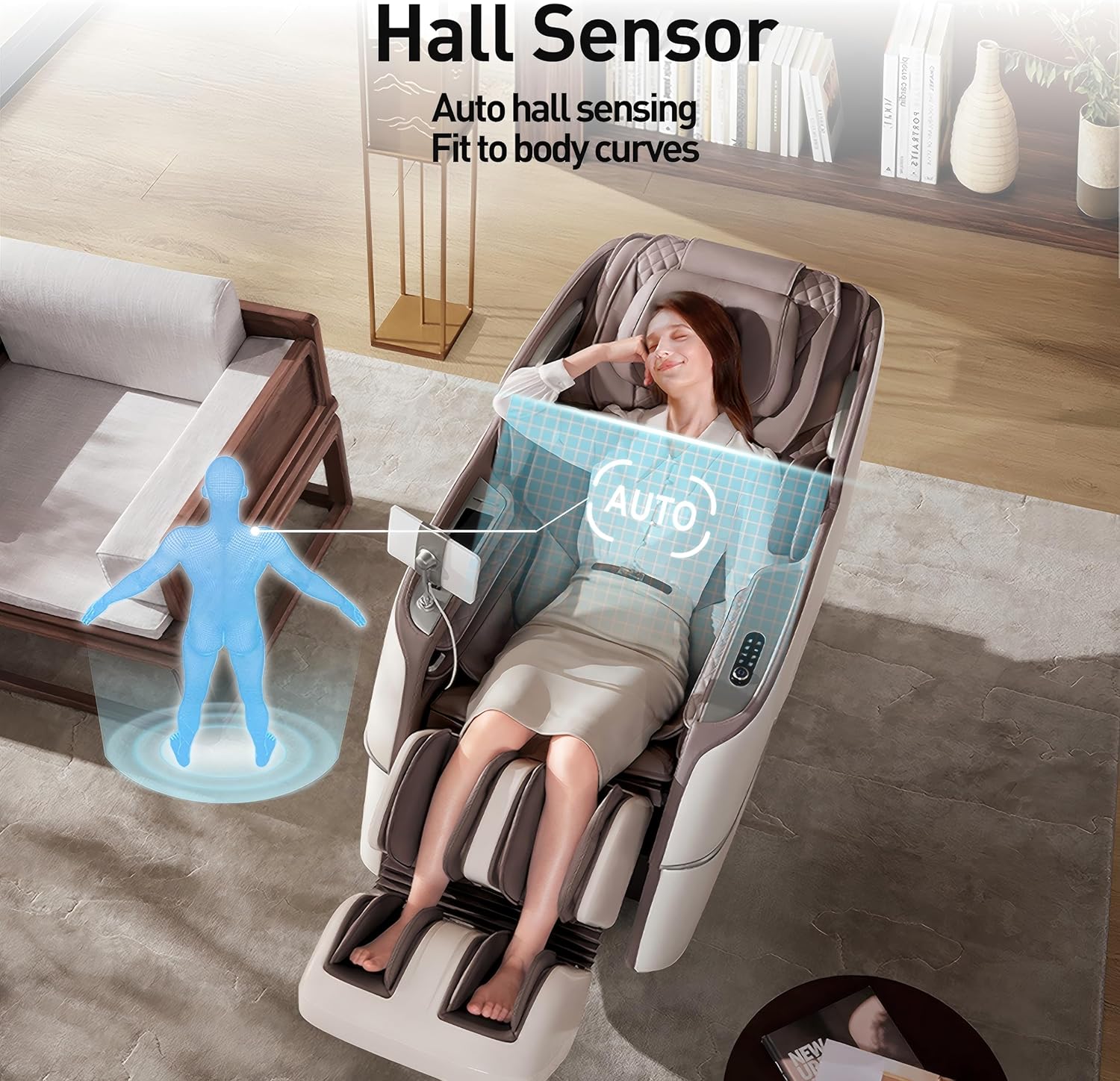
5.1. Initial Power On and Body Scan
After connecting to power, press the power button on the remote control or side panel. The chair will typically perform an automatic body scan to detect your body shape and adjust the massage rollers for optimal coverage. This intelligent personalized adaptation ensures the massage is tailored to your physique.

Image 5.1: Illustration of the Hall sensor performing an automatic body scan to fit body curves for a personalized massage.
5.2. Басқару тақтасы үстіндеview
The chair is controlled via a tablet-style remote control, which provides access to all functions and settings. Familiarize yourself with the layout and icons.
5.3. Zero-Gravity Recline
Activate the Zero-Gravity function for a weightless sensation that enhances the massage experience. This position elevates your legs above your heart, reducing pressure on the spine.

Image 5.2: Diagram showing the Zero Gravity recline feature, highlighting massage areas for hip, waist, back, head, neck, and shoulders.
5.4. Massage Programs and Customization
The chair offers 15 automatic massage programs and over 22+N intelligent programs designed to address various needs and fatigue levels. You can also customize your massage:
- 4D Dual Motors: Experience advanced 4D massage with rollers that move not only up/down, left/right, and in/out, but also vary in speed and rhythm to mimic human hands.
- SL Track: The extra-long SL track provides comprehensive massage coverage from your head to your thighs.
- Ауа компрессиясы: Adjust 5 levels of air cushion intensity for compression massage on various body parts.
- Roller Speed: Select from 3 levels of roller speed adjustment.
5.3-сурет: Кесілген бөлік view illustrating the internal 4D and 3D mechanism rollers along the SL track, showing their range of motion.
5.5. Heat and Lumbar Airflow Functions
Enjoy enhanced comfort with integrated heating functions for the back, shoulders, and legs, providing soothing warmth. The lumbar airflow feature offers cooling comfort, making the chair suitable for all seasons.

Image 5.4: Visual representation of the heat (red glow) and cooling (blue airflow) functions within the massage chair's backrest and leg areas.
5.6. Bluetooth Connectivity and Voice Control
Connect your smartphone via Bluetooth to enjoy music through the integrated speakers during your massage. The chair also features offline voice control for convenient operation without needing the remote.
6. Күтім және техникалық қызмет көрсету
Proper care ensures the longevity of your massage chair:
- Тазалау: Unplug the chair before cleaning. Wipe surfaces with a soft, damp мата. Абразивті тазартқыштарды немесе еріткіштерді қолданбаңыз.
- Сақтау орны: When not in use for extended periods, store the chair in a clean, dry environment. Avoid direct sunlight and extreme temperatures.
- Орындықты жылжыту: The chair is equipped with small wheels for easy movement. Tilt the chair slightly backward and roll it to the desired location.
7. Ақаулықтарды жою
Мәселелерге тап болсаңыз, келесі жалпы мәселелер мен шешімдерді қараңыз:
| Мәселе | Ықтимал себебі | Шешім |
|---|---|---|
| Орындық қосылмайды. | Қуат сымы дұрыс қосылмаған; Розетканың ақаулығы. | Ensure power cord is securely plugged into both the chair and the wall outlet. Test the outlet with another device. |
| Массаж роликтері қозғалмайды. | Chair is in standby mode; Program not selected. | Press the power button to activate. Select an automatic program or manual massage function. |
| No heat from heating function. | Heating function not activated; Low setting. | Ensure the heating function is turned on via the remote. Adjust to a higher heat level if available. Note that warmth can be subtle. |
| Bluetooth қосылымы сәтсіз аяқталды. | Bluetooth on device is off; Chair's Bluetooth is off; Device too far. | Ensure Bluetooth is enabled on your smartphone. Activate Bluetooth on the massage chair. Keep your device within range. |
Мәселе шешілмесе, тұтынушыларды қолдау қызметіне хабарласыңыз.
8. Өнімнің техникалық сипаттамалары
| Ерекшелік | Мәлімет |
|---|---|
| Бренд | ROTAI |
| Үлгі нөмірі | A68PRO-DE |
| Өлшемдері (L x W x H) | 182 x 75 x 115 см |
| Элемент салмағы | 86 келі |
| Массаж технологиясы | 4D Dual Motors, SL Rail |
| Арнайы мүмкіндіктер | Heated, Ergonomic, Electric Recliner, Zero-Gravity, Bluetooth Speaker, Lumbar Airflow |
| Автоматты бағдарламалар | 15 (plus 22+N intelligent programs) |
| Air Cushion Intensity Levels | 5 |
| Roller Speed Adjustment | 3 деңгей |
9. Кепілдік және қолдау
ROTAI provides a manufacturer's warranty for this product. Please refer to the warranty card included with your purchase for specific terms and conditions, including warranty duration and coverage details. For technical support, service, or parts inquiries, please contact ROTAI customer service through the official webсайт немесе сіздің сатушы.
Spare parts availability information is currently unavailable. Please contact customer support for any specific part requirements.