
1. Кіріспе
Thank you for choosing the MOUNTUP Dual Monitor Arm MU8012-W-07. This instruction manual provides essential information for the safe and correct installation, operation, and maintenance of your new monitor arm. Please read this manual thoroughly before installation and keep it for future reference.
Қауіпсіздік шаралары
- Құрастыру алдында барлық компоненттердің бар екеніне және зақымдалмағанына көз жеткізіңіз. Бөлшектер жоқ немесе ақаулы болса, қолданбаңыз.
- Verify that your desk surface is strong enough to support the combined weight of the monitor arm and your monitors.
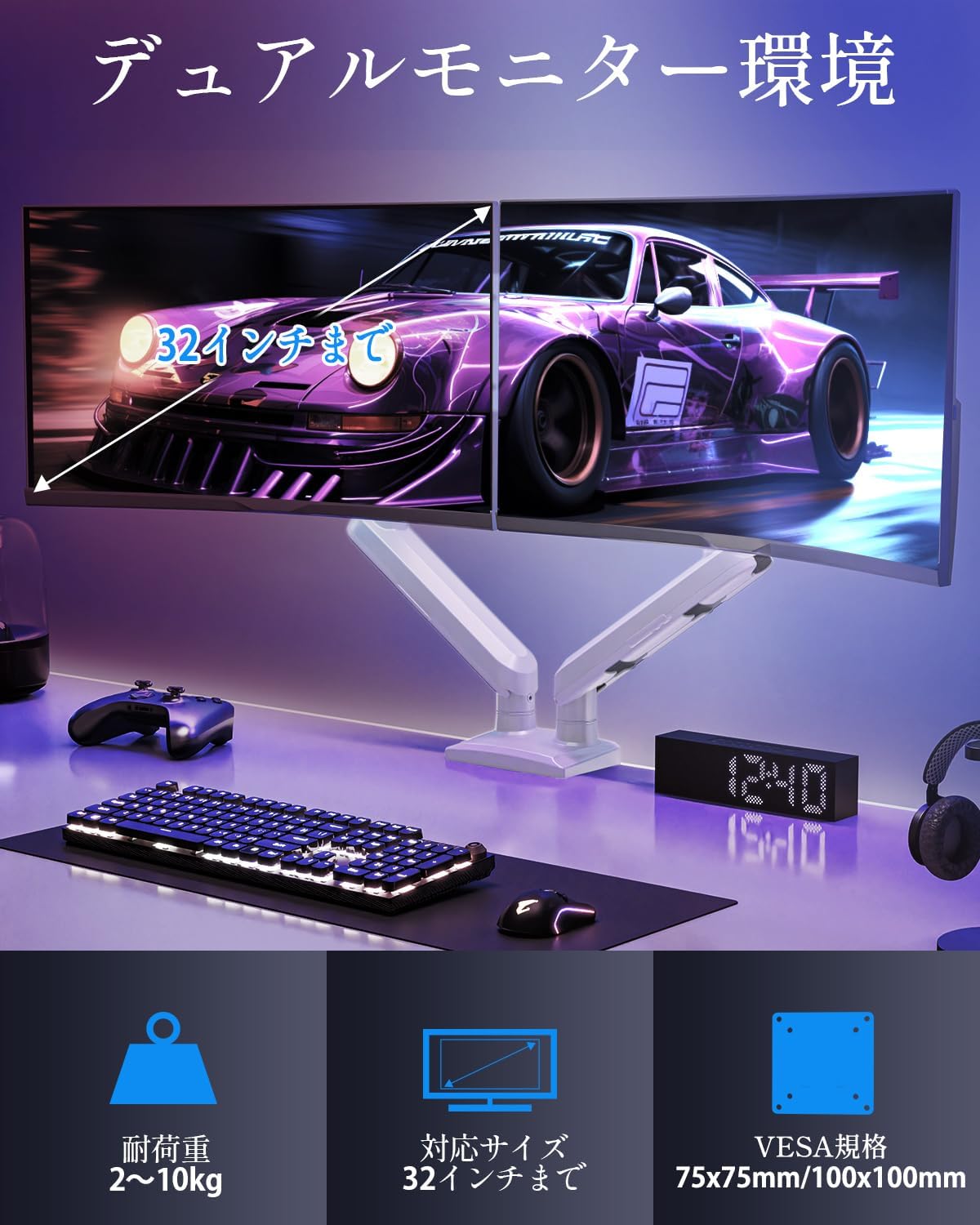
- Do not exceed the maximum weight capacity of 10kg (22 lbs) per arm.
- Always follow the installation steps carefully. Improper installation may result in product damage or personal injury.
- Keep children away from the product during assembly. Small parts may be a choking hazard.
2. Пакет мазмұны
Қаптамаңызда келесі компоненттердің барлығы бар екеніне көз жеткізіңіз:
- Monitor Arm Assembly (x1)
- VESA тақтасы (x2)
- Үстел клamp Негіз (x1)
- Түтікше негізі (x1)
- Монтаждау жабдықтары жинағы (бұрандалар, шайбалар, аралық бөлшектер)
- Hex Wrenches (various sizes)
- Нұсқаулық (x1)
3. Техникалық сипаттамалар
| Ерекшелік | Техникалық сипаттама |
|---|---|
| Үлгі | MU8012-W-07 |
| Материал | Легірленген болат |
| Түс | Ақ |
| Экран өлшемінің үйлесімділігі | 13 - 32 дюйм |
| Салмақ сыйымдылығы (бір қолға) | 2 - 10 кг (4.4 - 22 фунт) |
| VESA үйлесімділігі | 75х75мм, 100х100мм |
| Орнату опциялары | Clamp, Громмет |
| Еңкейту диапазоны | +85° -45° |
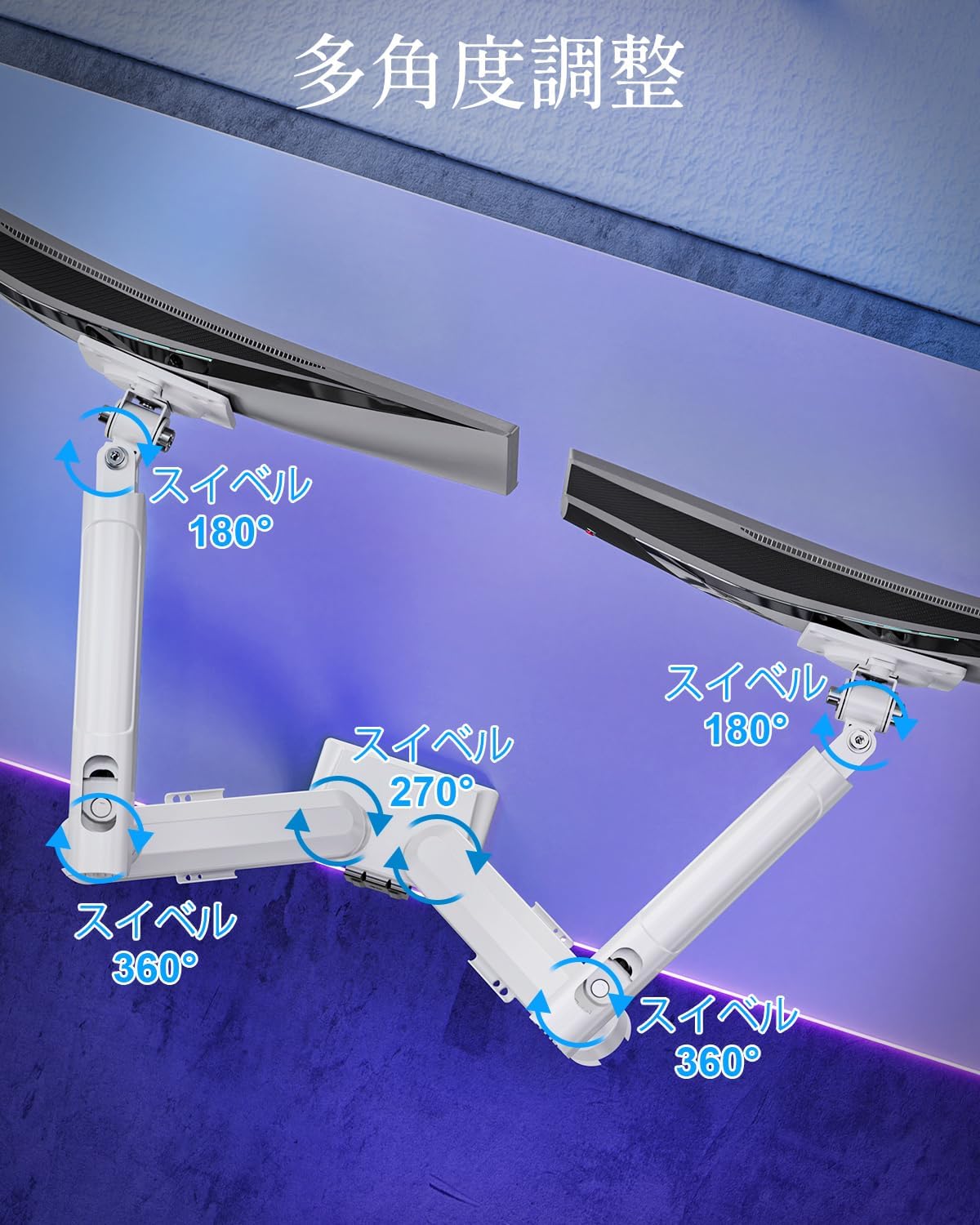
| Айналмалы аралық | 180° (monitor plate), 270° (middle joint), 360° (base) |
| Rotation (Pivot) | 360° |
| Максималды биіктікті реттеу | 44 см (17.3 дюйм) |
| Max Arm Extension | 50 см (19.7 дюйм) |
| Өнімнің салмағы | 3.1 кг (6.8 фунт) |

4. Орнату және орнату
1-қадам: орнату әдісін таңдаңыз
The MOUNTUP Dual Monitor Arm supports two installation methods: Clamp Mount and Grommet Mount. Choose the method that best suits your desk.

Clamp Монтаждау
- cl бекітіңізamp негізін монитор тұтқасының негізгі полюсіне бекітіңіз.
- cl қойыңызamp onto the edge of your desk. Ensure the desk thickness is between 10-70mm (0.4-2.7 inches).
- clamp Тұтқаны үстелге мықтап бекіткенше бұраңыз. Оның тұрақты және шайқалмайтынына көз жеткізіңіз.

Бекіткішті орнату
- If your desk has a grommet hole, ensure its diameter is between 10-60mm (0.4-2.4 inches) and the desk thickness is between 10-70mm (0.4-2.7 inches).
- Attach the grommet base to the main pole.
- Insert the grommet bolt through the desk hole and secure it from underneath with the provided plate and nut.
- Tighten the nut until the arm is firmly attached to the desk.
2-қадам: VESA тақталарын мониторларға бекітіңіз
- Carefully lay your monitor face down on a soft, clean surface.
- VESA тақтасын монитордың артындағы бекіту саңылауларымен туралаңыз.
- Use the appropriate screws (M4 or M5) and washers from the hardware kit to secure the VESA plate to the monitor. Do not overtighten.
3-қадам: Мониторларды қару-жараққа орнатыңыз
- Slide the monitor (with the attached VESA plate) onto the VESA head of the monitor arm.
- Ensure the monitor clicks into place or is securely fastened by the quick-release mechanism.
- Екінші монитор үшін қайталаңыз.

4-қадам: Кабельді басқару
Route your monitor cables through the integrated cable management clips on the underside of the arms. This helps maintain a tidy workspace.

5. Пайдалану және реттеулер
The MOUNTUP Dual Monitor Arm offers flexible adjustments to optimize your viewтәжірибесі.

Adjusting Arm Tension (Gas Spring)
The gas spring mechanism allows for smooth height adjustments. If your monitor sags or is difficult to move, you may need to adjust the tension.

- To increase tension (if monitor sags): Use the provided hex wrench to turn the adjustment screw clockwise.
- To decrease tension (if arm is too stiff): Turn the adjustment screw counter-clockwise.
- Always adjust tension with the arm held horizontally. Test the movement after each small adjustment until the monitor holds its position freely.
Монитор реттеулері
- Биіктікті реттеу: Gently push or pull the monitor up or down to your desired height. The gas spring will assist in holding the position. Max height is 44cm (17.3 inches).
- Еңкейтуді реттеу: Tilt the monitor screen up to +85° or down to -45° to reduce glare and optimize viewing angles. Loosen the tilt bolt, adjust, then re-tighten.
- Айналуды реттеу: The arm allows for 180° swivel at the monitor plate, 270° at the middle joint, and 360° at the base, providing wide range of motion.
- Rotation (Pivot): Rotate your monitor 360° to switch between landscape and portrait orientations.

6. Техникалық қызмет көрсету
- Тазалау: Монитор тұтқасын жұмсақ шүберекпен сүртіңіз, damp мата. Аяқтауға зақым келтіруі мүмкін абразивті тазартқыштардан немесе еріткіштерден аулақ болыңыз.
- Мерзімді тексерулер: Барлық бұрандалар мен қосылымдардың берік және сенімді екеніне көз жеткізу үшін мезгіл-мезгіл тексеріп отырыңыз. Қажет болса, қайта қатайтыңыз.
- Gas Spring Longevity: The high-quality gas spring is tested for over 20,000 cycles. Proper tension adjustment will help maintain its performance over time.

7. Ақаулықтарды жою
- Төмен түсуді бақылаңыз немесе ұйықтай алмайсыз: The gas spring tension is too low. Refer to the "Adjusting Arm Tension" section and turn the adjustment screw clockwise to increase tension.
- Arm is Too Stiff or Difficult to Move: The gas spring tension is too high. Refer to the "Adjusting Arm Tension" section and turn the adjustment screw counter-clockwise to decrease tension.
- Monitor Wobbles: Ensure all mounting screws (VESA plate to monitor, arm to desk) are securely tightened. Check that the desk clamp or grommet mount is firm.
- Monitor Tilt Angle Won't Hold: The tilt bolt may be loose. Tighten the tilt bolt on the VESA head.
8. Кепілдік және қолдау
MOUNTUP provides a 2 жылдық сапа кепілдігі from the date of purchase for this product. This warranty covers manufacturing defects and issues arising from normal use.
If you encounter any problems with your MOUNTUP Dual Monitor Arm, or if you have questions regarding installation or operation, please contact our customer support. You can typically find seller contact information through your purchase history on the platform where you bought the product (e.g., Amazon order details).
Please have your model number (MU8012-W-07) and purchase date ready when contacting support to ensure a swift resolution.