
1. Кіріспе
Thank you for choosing the Cecotec Conga Windroid 1090 Robot Window Cleaner. This device is designed to simplify window cleaning with its advanced features, including double spray, 3-in-1 cleaning (spray, clean, dry), and smart control via app or remote. Please read this manual carefully before use to ensure proper operation and maintenance.
2. Қауіпсіздік нұсқаулары
To prevent damage or injury, always follow these basic safety precautions:
- Ensure the safety rope is securely attached before operating the robot on high windows.
- Do not use the robot on broken or cracked glass.
- Құрылғыны балалар мен үй жануарларынан алыс ұстаңыз.
- Құрылғымен бірге берілген түпнұсқа қуат адаптерін ғана пайдаланыңыз.
- Do not immerse the robot in water or other liquids.
- Тазалау немесе техникалық қызмет көрсету алдында әрқашан қуат көзінен ажыратыңыз.
- The robot has a 30-minute battery backup to prevent falls in case of power loss. However, always monitor its operation.
3. Өнім аяқталдыview
The Conga Windroid 1090 is equipped with several components for efficient window cleaning.

Негізгі ерекшеліктері:
- Double Spray System: Ensures thorough wetting of the surface for effective cleaning.
- 3-і 1 функциясы: Sprays, cleans, and dries windows in one pass.
- 8 тазалау режимі: Adaptable cleaning paths for various window types and dirt levels.
- Қолданба және қашықтан басқару пульті: Convenient control options for starting, stopping, and directing the robot.
- Қауіпсіздік арқан: Provides an extra layer of security to prevent falls.
- 7.5m Operating Range: Suitable for large windows and hard-to-reach areas.
- 12 Reusable Mops: A generous supply of washable microfiber mops for extended use.

4. Орнату
Follow these steps to prepare your Conga Windroid 1090 for its first use:
- Батареяны зарядтау: Connect the robot to the power adapter and allow it to fully charge before initial use. The indicator light will show charging status.
- Attach Cleaning Mops: Securely attach the provided microfiber cleaning mops to the rotating pads on the underside of the robot. Ensure they are properly aligned and cover the pads completely.
- Су ыдысын толтыру: Open the water tank cap and fill it with clean water or a suitable window cleaning solution. Do not overfill. Close the cap tightly.

Figure 4.1: A user filling the water tank of the robot window cleaner. - Қауіпсіздік арқанын бекітіңіз: Always attach the safety rope to a sturdy anchor point indoors, such as a heavy piece of furniture or a window frame, before placing the robot on the window.
5. Пайдалану нұсқаулары
Operating your Conga Windroid 1090 is straightforward:
- Орналастыру: Place the robot on the window surface, ensuring it adheres firmly. The suction will activate automatically.
- Қуат қосулы: Press the power button on the robot or the remote control to turn it on.
- Тазалау режимін таңдаңыз: Use the remote control or the Cecotec app to select one of the 8 available cleaning modes. These modes include various patterns like Z-shape, N-shape, or a combination for comprehensive coverage.

Figure 5.1: The robot illustrating different cleaning path options on a large window. - Тазалауды бастау: Press the 'Start' button on the remote or app. The robot will begin its cleaning cycle, utilizing its double spray function for optimal results.
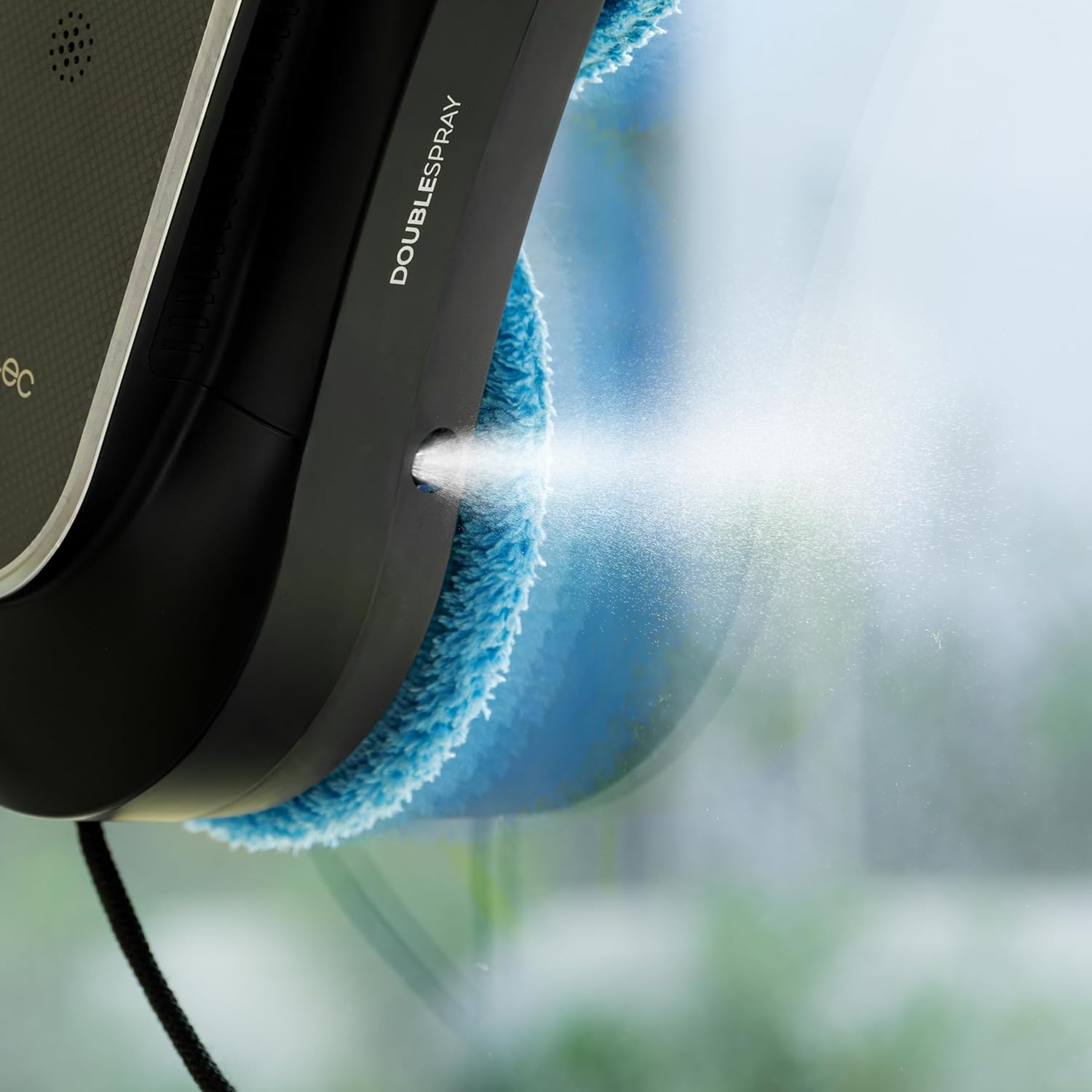
5.2-сурет: Жақын планда view of the robot's double spray system in operation. - Remote Control / App Usage: You can manually direct the robot's movement, change modes, or pause/resume cleaning using the remote control or the dedicated Cecotec app on your smartphone.

Figure 5.3: A user comfortably controlling the robot window cleaner with the remote control. - Аяқталу: The robot will return to its starting position upon completion of the cleaning cycle. Carefully remove it from the window.
6. Техникалық қызмет көрсету
Regular maintenance ensures optimal performance and extends the lifespan of your robot window cleaner.
- Таза сүрткіш жастықшалар: After each use, remove the microfiber mop pads and wash them. They are reusable and can be hand-washed or machine-washed according to fabric care instructions.
- Бос су ыдысы: Empty any remaining water or cleaning solution from the tank after each use to prevent residue buildup.
- Clean Spray Nozzles: Periodically check and clean the spray nozzles to ensure they are not clogged. Use a soft brush or cloth if necessary.
- Wipe Down Robot: Құрғақ немесе аздап пайдаланыңыз damp cloth to wipe the exterior of the robot, removing any dust or dirt. Do not use abrasive cleaners.
- Дұрыс сақтау: When not in use, store the robot and its accessories in a cool, dry place, away from direct sunlight.
7. Ақаулықтарды жою
If you encounter issues with your Conga Windroid 1090, refer to the table below for common problems and solutions.
| Мәселе | Ықтимал себебі | Шешім |
|---|---|---|
| Robot does not adhere to window | Insufficient suction; dirty window/pads; low battery | Ensure window and pads are clean. Charge battery fully. Check for obstructions. |
| Robot stops during cleaning | Low battery; power disconnected; obstacle detected | Check power connection. Recharge battery. Remove any obstacles. |
| Спрей функциясы жұмыс істемейді | Empty water tank; clogged nozzles | Refill water tank. Clean spray nozzles. |
| Нашар тазалау нәтижелері | Dirty mop pads; insufficient cleaning solution; incorrect mode | Replace/clean mop pads. Ensure adequate cleaning solution. Select appropriate cleaning mode. |
8. Техникалық сипаттамалар
| Ерекшелік | Мәлімет |
|---|---|
| Модель атауы | Conga Windroid 1090 қос спрей қосылған |
| Үлгі нөмірі | A01_EU01_100140 |
| Бренд | Cecotec |
| Өлшемдері (L x W x H) | 10L x 10W x 10H millimeters (Product); 1 x 1 x 1 cm (Package) |
| Салмағы | 2.63 келі |
| Қуат көзі | Батареямен жұмыс істейтін (литий-ион) |
| Батареяның қызмет ету мерзімі | 30 minutes (backup) |
| Тtage | 220 вольт |
| Бақылау әдісі | Қолдану, қашықтан басқару |
| Number of Cleaning Modes | 8 |
| Ұсынылатын беттер | Glass, concrete, linoleum, laminate, engineered wood, marble, vinyl, tiles |
| Қосылған құрамдас бөліктер | 12 mops, safety rope, remote control, app |
| Түс | Қара |
9. Кепілдік және қолдау
For warranty information, technical support, or service requests, please refer to the official Cecotec webсайтына өтіңіз немесе тұтынушыларға тікелей хабарласыңыз. Сатып алу түбіртегін кепілдік талаптары үшін сатып алудың дәлелі ретінде сақтаңыз.