
1. Кіріспе
Thank you for choosing the Nikai 85-inch 4K QLED Smart TV, model NIK85MEU4QLED. This manual provides essential information for the safe and efficient use of your new television. Please read it thoroughly before operating the device and retain it for future reference.
This television features a frameless design, 4K QLED display for stunning visuals, and runs on Web OS with built-in Wi-Fi, offering access to various streaming services and smart functionalities.

Image: The Nikai 85-inch 4K QLED Smart TV showcasing a crystal clear 4K image with vibrant colors.
2. Қауіпсіздік туралы ақпарат
- Нәр беруші: Ensure the TV is connected to a power source matching the voltage specified on the product label (220V AC, 50Hz).
- Желдету: Желдету саңылауларын жаппаңыз. Қызып кетудің алдын алу үшін дұрыс ауа ағыны үшін теледидардың айналасында жеткілікті орын қалдырыңыз.
- Су және ылғал: Теледидарды жаңбырға, ылғалға ұшыратпаңыз немесе сұйықтық толтырылған заттарды теледидардың үстіне немесе жанына қоймаңыз.
- Тазалау: Тазалау алдында теледидарды розеткадан ажыратыңыз. Жұмсақ, құрғақ шүберекті пайдаланыңыз. Сұйық тазалағыштарды немесе аэрозольді тазартқыштарды қолданбаңыз.
- Орналастыру: Place the TV on a stable, level surface or mount it securely to a wall. Keep it away from direct sunlight, heat sources, and strong magnetic fields.
- Балалар: Балалардың теледидарға өрмелеп шығуына немесе қашықтан басқару пульті арқылы ойнауына жол бермеу үшін оларды бақылаңыз.
- Қызмет көрсету: Бұл өнімге өзіңіз қызмет көрсетуге тырыспаңыз. Барлық қызмет көрсетуді білікті қызмет көрсетуші қызметкерлерге тапсырыңыз.
3. Пакет мазмұны
Барлық элементтер пакетте бар екенін тексеріңіз:
- Nikai 85-inch 4K QLED Smart TV Unit
- Стандартты қашықтан басқару құралы
- Сиқырлы қашықтан басқару құралы
- Қуат кабелі
- Пайдаланушы нұсқаулығы (бұл құжат)
- Теледидар тұғырының құрамдас бөліктері (бар болса)
- Screws for TV Stand (if applicable)
4. Орнату
4.1 Қаптаманы ашу
Теледидарды қаптамасынан абайлап алыңыз. Теледидардың өлшемі мен салмағына байланысты бұл процесті екі адам орындауы ұсынылады.
4.2 Тұғырды орнату (қосымша)
If you plan to place the TV on a tabletop, attach the stand according to the instructions provided with the stand components. Ensure all screws are tightened securely.
4.3 Қабырғаға орнату (қосымша)
If you plan to wall-mount the TV, use a VESA-compatible wall mount (VESA standard: 75 x 100 mm). Consult a professional for wall mounting to ensure safety and proper installation. Note: The VESA standard provided (75x100mm) is unusually small for an 85-inch TV. Please verify the correct VESA pattern with your wall mount manufacturer or the TV's physical specifications before installation.
4.4 Қуатты қосу
Plug the power cable into the TV's power input, then into a wall outlet. Do not power on the TV yet.
4.5 Сыртқы құрылғыларды қосу
Connect your external devices (e.g., cable box, Blu-ray player, gaming console) to the TV's input ports:
- HDMI порттары (барлығы 3): Ажыратымдылығы жоғары аудио және бейне құрылғыларға арналған.
- USB Ports (3 total, 2 are USB 3.0): For USB storage devices or other compatible peripherals.
- Ethernet порты: Сымды интернет қосылымы үшін.
- Оптикалық сандық аудио шығысы: Сыртқы аудио жүйелеріне қосылу үшін.
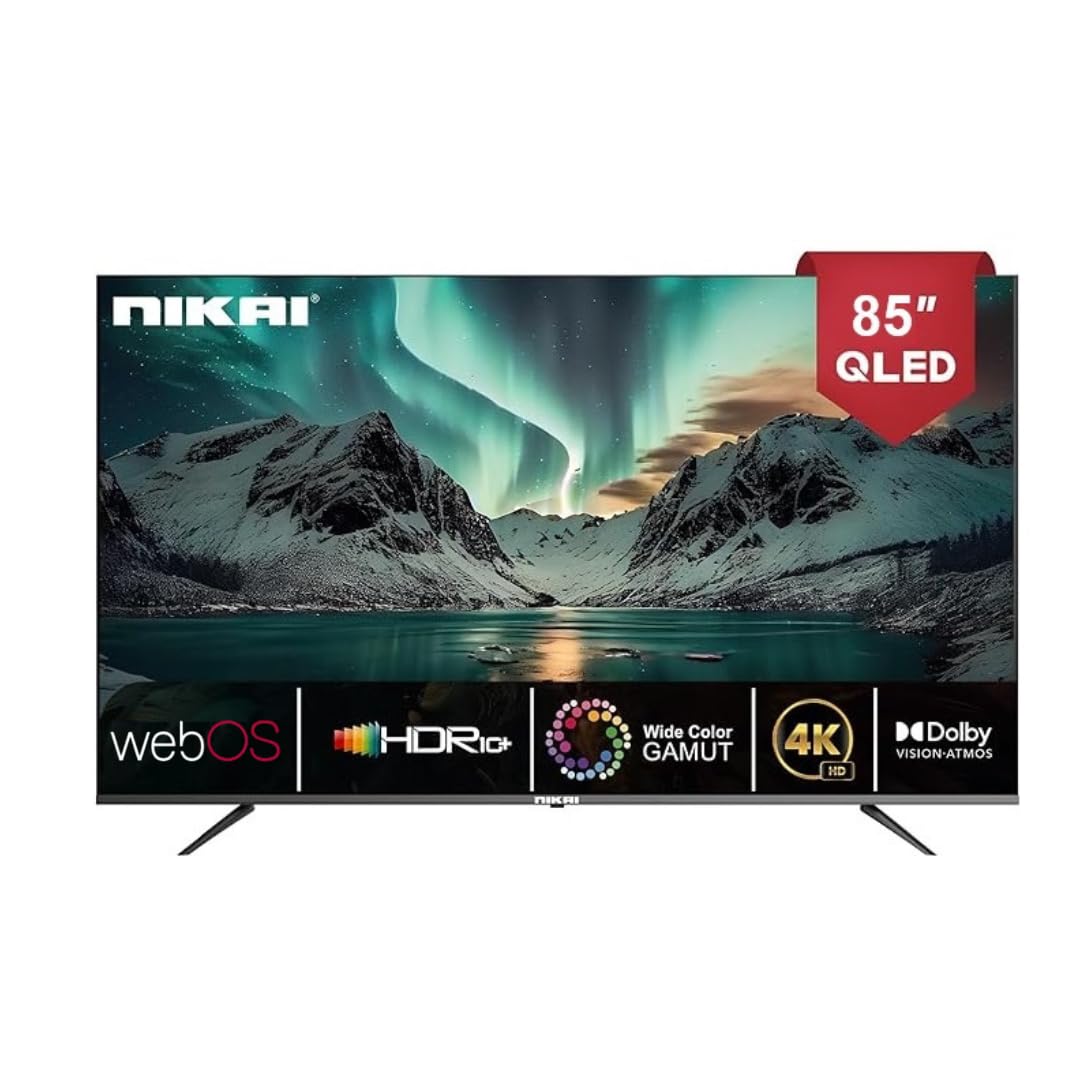
Image: The back of the Nikai 85-inch 4K QLED Smart TV, illustrating connection points for various devices.
4.6 Алғашқы қосу және бірінші рет орнату
After connecting all necessary cables, plug the TV into the power outlet and press the power button on the TV or remote control. Follow the on-screen instructions for initial setup, which typically includes language selection, network connection, and channel scanning.
5. Пайдалану нұсқаулары
5.1 Қашықтан басқару құралының функциялары
Your TV comes with two remote controls. The Magic Remote offers advanced features:

Image: A detailed diagram of the Magic Remote, highlighting its key functions such as Air Mouse, Voice Control, and Quick Access buttons.
- Қуат түймесі: Теледидарды қосады немесе өшіреді.
- Сандық түймелер: Арнаны тікелей таңдау үшін.
- Дыбыс деңгейін жоғарылату/төмендету: Дыбыс деңгейін реттейді.
- Арна жоғары/төмен: Телеарналарды өзгертеді.
- Кіріс/көз: Кіріс көзін таңдайды (HDMI, USB, т.б.).
- Navigation Buttons (Arrow Keys, OK/Enter): Мәзірді шарлау үшін.
- Magic Remote Specifics:
- Ауа тінтуірі: Use air gestures for convenient control.
- Әмбебап бақылау: Control your set-top box, speakers, and satellite TV.
- Дауыспен басқару: Command your remote to find desired content.
- Айналдыру дөңгелегі: Use to scroll vertically and horizontally, and adjust zoom level.
- Жылдам кіру түймелері: Netflix және Prime Video сияқты танымал ағындық қызметтерге арналған арнайы түймелер.
5.2 Теледидардың негізгі функциялары
- Қуатты қосу/өшіру: Қашықтан басқару пультіндегі немесе теледидардағы қуат түймесін басыңыз.
- Кіріс көзін таңдау: Press the 'Input' or 'Source' button on the remote and select the desired input (e.g., HDMI 1, USB).
- Сурет параметрлерін реттеу: Navigate to the TV's settings menu to adjust brightness, contrast, color, and picture modes.
- Дыбыс параметрлерін реттеу: Access the sound settings to modify bass, treble, balance, and select sound modes. This TV supports Dolby Atmos for immersive audio.

Image: A family enjoying content on the Nikai 85-inch 4K QLED Smart TV, highlighting the Dolby Audio feature for rich sound.
6. Смарт мүмкіндіктер және қосылым
6.1 Web OS Interface
Your TV operates on Web OS, providing an intuitive and user-friendly interface for accessing apps, settings, and content.
6.2 Желіге қосылу
- Сымсыз дәлдiк: Navigate to Network Settings to connect to your home Wi-Fi network.
- Ethernet: Connect an Ethernet cable from your router to the TV's Ethernet port for a stable wired connection.
6.3 Streaming Services and Apps
Access a variety of pre-installed and officially licensed streaming applications directly from your TV, including:
- Netflix
- YouTube
- Prime Video
- Apple TV
- Disney+
- StarzPlay Arabia
- OSN Stream
- MBC Shahid
- Viu
- Sony Liv
- HBO макс
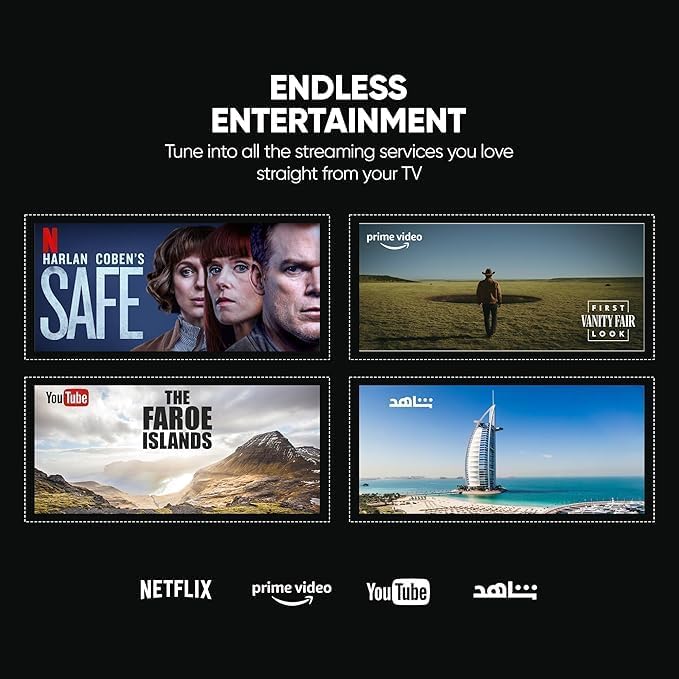
Image: The Nikai Smart TV displaying various streaming service interfaces, demonstrating its entertainment capabilities.
6.4 Экран шағылыстыру
Share content from your mobile devices to the TV using:
- AirPlay: Apple құрылғылары үшін.
- Миракаст: For compatible Android devices.
6.5 Voice Control and AI Features
Utilize voice commands for easy control and content search through integrated AI features. The TV supports Google Assistant, Amazon Alexa, and Apple AirPlay for smart home integration.

Image: The Nikai Smart TV demonstrating ThinQ AI and voice control capabilities, compatible with various smart home ecosystems.
7. Техникалық қызмет көрсету
- Экранды тазалау: Экранды жұмсақ, талшықсыз шүберекпен ақырын сүртіңіз. Қыңыр белгілер үшін аздап dampшүберекті сумен немесе арнайы экран тазалағышпен (экранға тікелей шашпаңыз).
- Теледидардың денесін тазалау: Use a soft, dry cloth to clean the TV's frame and back panel.
- Бағдарламалық құрал жаңартулары: Оңтайлы өнімділікті және жаңа мүмкіндіктерге қол жеткізуді қамтамасыз ету үшін теледидардың параметрлер мәзірі арқылы бағдарламалық құрал жаңартуларын мезгіл-мезгіл тексеріп, орнатыңыз.
- Сақтауды басқару: The TV has 16GB of internal storage (ROM). Manage installed apps and media to ensure sufficient space for smooth operation.
8. Ақаулықтарды жою
Теледидарға қатысты мәселелерге тап болсаңыз, келесі жалпы мәселелер мен шешімдерді қараңыз:
| Мәселе | Ықтимал себебі | Шешім |
|---|---|---|
| Қуат жоқ | Қуат кабелі ажыратылған, қуат розеткасының ақауы. | Қуат кабелінің қосылымын тексеріңіз. Басқа розеткаға кіріп көріңіз. |
| Сурет жоқ, бірақ дыбыс бар | Incorrect input source selected, faulty HDMI cable. | Verify input source. Check/replace HDMI cable. |
| Дыбыс жоқ, бірақ сурет бар | Дыбыс деңгейі өшірілген немесе тым төмен, сыртқы аудио жүйеде ақау бар. | Дыбысты қосыңыз, дыбыс деңгейін арттырыңыз. Сыртқы аудио қосылымдарын тексеріңіз. |
| Қашықтан басқару құралы жұмыс істемейді | Batteries depleted, obstruction, remote not paired. | Replace batteries. Remove obstructions. Re-pair Magic Remote if necessary. |
| Желіге қосылу мәселелері | Wi-Fi сигналы әлсіз, дұрыс емес құпия сөз, маршрутизатор мәселесі. | Check Wi-Fi signal strength. Re-enter password. Restart router. Try wired Ethernet connection. |
| Қолданбалар жүктелмейді/іске қосылмайды | Insufficient memory, app error, outdated software. | Close other apps. Clear app cache. Update TV software. Reinstall app. |
Осы шешімдерді қолданып көргеннен кейін мәселе жойылмаса, тұтынушыларды қолдау қызметіне хабарласыңыз.
9. Техникалық сипаттамалар
| Ерекшелік | Техникалық сипаттама |
|---|---|
| Модель атауы | NIK85MEU4QLED |
| Экран өлшемі | 85 дюйм |
| Көрсету технологиясы | QLED |
| Ажыратымдылық | 4K (3840 x 2160) |
| Жаңарту жылдамдығы | 60 Гц |
| Операциялық жүйе | Web OS |
| Жедел Жадтау Құрылғысы | 2 ГБ |
| Ішкі жад (ROM) | 16 ГБ |
| HDR қолдауы | HDR10, HDR10+, Dolby Vision Atmos |
| Motion Enhancement | MEMC (Motion Estimation, Motion Compensation) |
| Аудио шығысы | 2.1 Channel, Dolby Atmos |
| Қосылу мүмкіндігі | Wi-Fi, Bluetooth, Ethernet |
| Кіріс порттары | 3 x HDMI, 3 x USB (2 x USB 3.0), Ethernet, Optical Audio |
| Экранды көрсету | AirPlay, Miracast |
| Дауыспен басқару | Google Assistant, Amazon Alexa, Apple AirPlay |
| Өнімнің өлшемдері (W x H x D) | 189 cm x 114 cm x 15 cm (approximate, based on 15D x 189W x 114H cm) |
| Элемент салмағы | 35 кг |
| Нәр беруші | 220 В айнымалы, 50Гц |
| VESA орнату стандарты | 75 x 100 mm (Please verify with wall mount manufacturer) |
10. Кепілдік және қолдау
10.1 Кепілдік туралы ақпарат
This Nikai 85-inch 4K QLED Smart TV comes with a two-year agent warranty. Please retain your proof of purchase for warranty claims. The warranty covers manufacturing defects under normal use conditions. It does not cover damage caused by misuse, accidents, unauthorized repairs, or natural disasters.
10.2 Тұтынушыларды қолдау қызметі
For technical assistance, troubleshooting beyond this manual, or warranty service, please contact your local Nikai authorized service center or the retailer where you purchased the product. Refer to your warranty card or Nikai's official webнақты байланыс мәліметтері үшін сайт.