
1. Кіріспе
Сатып алғаныңыз үшін рахметasing the CYBORIS Foldable Phone Stand with Speaker, Model T203. This device combines a versatile phone and tablet stand with a wireless Bluetooth speaker, offering enhanced audio and hands-free convenience. This manual provides detailed instructions for setup, operation, and maintenance to ensure optimal performance and longevity of your device.
2. Өнім аяқталдыview
The CYBORIS T203 features a compact, foldable design with an integrated Bluetooth speaker. It includes an adjustable stand for various viewing angles and heights, and control buttons for power, light, playback, and mode selection.
2.1 Пакет мазмұны
- 1 x CYBORIS Foldable Phone Stand with Speaker (Model T203)
- 1 x USB зарядтау кабелі
- 1 x Пайдаланушы нұсқаулығы
2.2 Құрылғының құрамдас бөліктері
Familiarize yourself with the main parts and controls of your device:

Image: The CYBORIS Foldable Phone Stand with Speaker, illustrating its compact folded form and its ready-to-use unfolded configuration with a phone in place. This image highlights the device's dual functionality and portability.
- Adjustable Phone/Tablet Holder: Securely holds devices from 4 to 13 inches.
- Динамик торы: Аудио шығысы.
- Басқару түймелері:
- Қуат/жарық түймесі: Power on/off, cycle LED light modes.
- Алдыңғы трек/дыбыс деңгейін төмендету түймесі: Дыбыс деңгейін төмендету үшін қысқа басыңыз, алдыңғы трек үшін ұзақ басыңыз.
- Ойнату/Кідірту/Қоңырау шалу түймесі: Музыканы ойнату/кідірту, қоңырауларға жауап беру/аяқтау.
- Келесі трек/дыбысты арттыру түймесі: Дыбыс деңгейін көтеру үшін қысқа басыңыз, келесі трекке ұзақ басыңыз.
- Режим түймесі (M): Switch between Bluetooth and TF card modes.
- Жарықдиодты жарық жолағы: Provides ambient lighting.
- TF картасының ұясы: TF (MicroSD) картасынан тікелей музыка ойнату үшін.
- Type-C зарядтау порты: Құрылғыны зарядтау үшін.
- Сырғаққа қарсы төсемдер: Located on the base and device holder for stability and protection.
3. Орнату
3.1 Тұғырды ашу
To prepare the stand for use:
- Gently unfold the main arm of the stand from its compact position.
- Adjust the angle of the phone/tablet holder to your desired viewартықшылық.
- Extend the telescopic arm to achieve the desired height.

Image: The phone stand adjusted to different angles, demonstrating its flexibility for various viewing positions. The image shows a phone placed vertically on the stand.
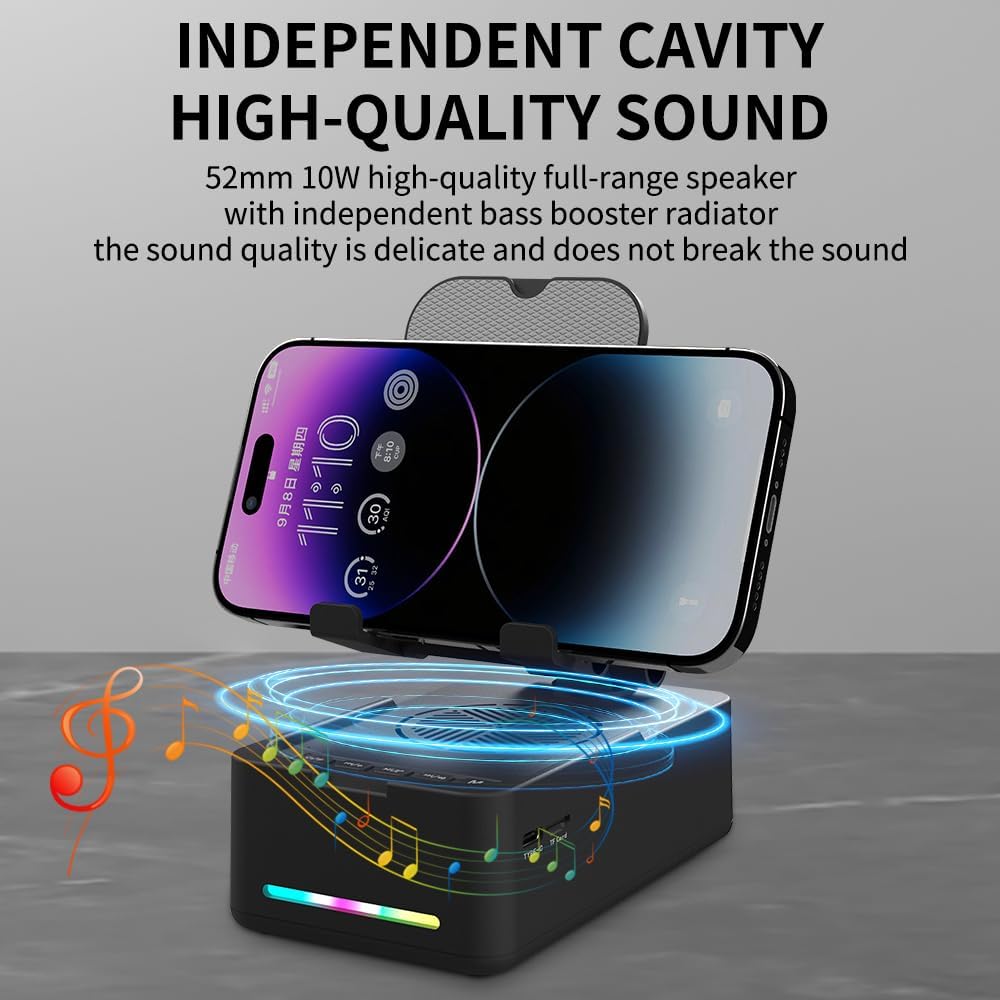
Image: The phone stand with its telescopic arm extended to a higher position, illustrating the adjustable height feature. A phone is shown on the stand at an elevated level.
The sturdy hook and anti-slip pads ensure your device remains secure and protected from scratches.
3.2 Қуатты қосу/өшіру
- Қосу үшін: Press and hold the Power/Light button (⏻ / ✱) for approximately 3 seconds until you hear an audible prompt and the LED light bar illuminates.
- Қуатты өшіру үшін: Press and hold the Power/Light button (⏻ / ✱) for approximately 3 seconds until you hear an audible prompt and the LED light bar turns off.
4. Пайдалану нұсқаулары
4.1 Bluetooth жұптастыру
Құрылғыны Bluetooth арқылы қосу үшін:
- Ensure the speaker is powered on. The LED light bar will indicate it is in pairing mode (often a flashing blue light).
- Смартфонда, планшетте немесе басқа Bluetooth қосылған құрылғыда Bluetooth параметрлеріне өтіңіз.
- Іздеу available devices and select "CYBORIS T203" (or similar name) from the list.
- Once connected, you will hear a confirmation sound, and the LED light bar will typically show a solid blue light.
- The device will automatically attempt to reconnect to the last paired device when powered on.
4.2 Медиа ойнату
Control your audio playback using the buttons on the speaker:
- Ойнату/кідірту: Short press the Play/Pause/Call button (▶ / ⏸ / 📞) ағымдағы тректі ойнату немесе кідірту үшін.
- Дыбыс деңгейі: Short press the Next Track/Volume Up button (⏭ / 🔊+).
- Дыбыстың төмендеуі: Short press the Previous Track/Volume Down button (⏮ / 🔊-).
- Келесі трек: Long press the Next Track/Volume Up button (⏭ / 🔊+).
- Алдыңғы трек: Long press the Previous Track/Volume Down button (⏮ / 🔊-).
Note: Some instructions may incorrectly state the long press functions for track control. Please follow the above corrected instructions for proper operation.
4.3 Шақыру функциялары
Кірістірілген микрофон қолдарсыз қоңырау шалуға мүмкіндік береді:
- Қоңырауға жауап беру: Short press the Play/Pause/Call button (▶ / ⏸ / 📞) when an incoming call is received.
- Қоңырауды аяқтау: Short press the Play/Pause/Call button (▶ / ⏸ / 📞) during a call to hang up.
- Қоңырауды қабылдамау: Long press the Play/Pause/Call button (▶ / ⏸ / 📞) when an incoming call is received.
4.4 жарықдиодты жарық режимі
To cycle through the LED light modes:
- Short press the Power/Light button (⏻ / ✱) to change the LED light pattern or turn it off.
4.5 TF картасын ойнату
To play music directly from a TF (MicroSD) card:
- MP3 дыбысы бар TF картасын салыңыз fileTF картасының ұясына салыңыз.
- Режим түймесін басыңыз (M) to switch to TF card mode. The speaker will automatically begin playing music from the card.
- Use the media playback buttons (Play/Pause, Next/Previous Track, Volume Up/Down) to control the audio.

Сурет: жақыннан түсірілген view of the side of the speaker base, clearly showing the TF card slot and the Type-C charging port, indicating multiple music playback options.
5. Зарядтау
To charge your CYBORIS T203 speaker:
- Connect the provided USB charging cable to the Type-C charging port on the speaker.
- USB кабелінің екінші ұшын үйлесімді USB қуат көзіне қосыңыз (мысалы, қабырға адаптері, компьютердің USB порты).
- The LED indicator will show charging status (e.g., red while charging, off or blue when fully charged).
- Толық зарядтау әдетте шамамен 2-3 сағатты алады.
Note: The device has a battery capacity of 1800mAh and requires a DC 5V/1A input for charging.

Image: The phone stand with a phone displaying battery life estimates: up to 6 hours at maximum volume and 30 hours at 50% volume, highlighting its long-lasting battery.
6. Техникалық қызмет көрсету
- Құрылғыны құрғақ және ылғалдан аулақ ұстаңыз.
- Құрылғыны шектен тыс температураға ұшыратпаңыз.
- Құрылғыны жұмсақ, құрғақ шүберекпен тазалаңыз. Қатты химиялық заттарды немесе абразивті тазалағыштарды пайдаланбаңыз.
- Құрылғыны пайдаланбаған кезде салқын, құрғақ жерде сақтаңыз.
7. Ақаулықтарды жою
| Мәселе | Ықтимал себебі | Шешім |
|---|---|---|
| Құрылғы қосылмайды. | Батарея төмен. | Құрылғыны берілген USB кабелі арқылы зарядтаңыз. |
| Bluetooth арқылы жұптау мүмкін емес. | Bluetooth not enabled on source device; device too far; speaker not in pairing mode. | Ensure Bluetooth is on and the speaker is in pairing mode. Move devices closer. Restart both devices. |
| Дыбыс жоқ немесе төмен дыбыс. | Volume too low on speaker or source device; device not connected. | Динамиктің де, қосылған құрылғының да дыбыс деңгейін арттырыңыз. Bluetooth қосылымын тексеріңіз. |
| Track control buttons (Next/Previous) not working as expected. | Түймені басу ұзақтығы дұрыс емес. | For Next/Previous track, ұзақ басу the respective buttons. Short press is for volume control. |
| TF картасының музыкасы ойнатылмайды. | Incorrect mode selected; TF card not inserted correctly or corrupted. | Press the 'M' button to switch to TF card mode. Reinsert the TF card. Ensure fileс MP3 форматында. |
8. Техникалық сипаттамалар
- Модель атауы: T203
- Бренд: CYBORIS
- Үйлесімді құрылғылар: Smartphones, Tablets (4 to 13 inches)
- Форма факторы: Кронштейн
- Монтаждау түрі: Үстел үсті
- Батарея: 1800 мАч
- Енгізу: Тұрақты ток 5В/1А
- Элемент өлшемдері: 5.51 x 3.15 x 2.44 дюйм
- Элемент салмағы: 0.44 келі
- Қоршау материалы: Пластмасса, резеңке
- Кірістірілген медиа: Speaker, USB cable, Manual book
9. Кепілдік және қолдау
The CYBORIS Foldable Phone Stand with Speaker (Model T203) comes with a 1 жылдық кепілдік сатып алған күннен бастап. Бұл кепілдік қалыпты пайдалану кезіндегі өндірістік ақаулар мен ақауларды қамтиды.
For warranty claims, technical support, or any questions regarding your product, please contact CYBORIS customer service through the retailer where you purchased the product or visit the official CYBORIS webбайланыс ақпаратына арналған сайт.
Кепілдікті растау үшін сатып алуды растайтын құжатты сақтаңыз.