
1. Кіріспе
The LAUNCH Creader Elite 2.0 is a professional OBD2 diagnostic tool designed for BMW, Mercedes-Benz, and Audi group vehicles. It offers comprehensive system diagnostics, advanced reset services, bi-directional control (active tests), and ECU coding capabilities. This manual provides essential information for operating and maintaining your device.
2. Қауіпсіздік туралы ақпарат
- Always perform automotive testing in a well-ventilated area.
- Wear eye protection and safety gloves when working on vehicles.
- Құрылғыны құрғақ және таза ұстаңыз. Шамадан тыс температураға немесе ылғалдылыққа ұшыратпаңыз.
- Do not attempt to disassemble or modify the device. Refer to qualified personnel for repairs.
- Диагностикалық құралды қоспас немесе ажыратпас бұрын, көлік құралының тұтануы өшірілгеніне көз жеткізіңіз.
3. Құрылғы аяқталдыview
The LAUNCH Creader Elite 2.0 features a 4-inch Android 8.0 touchscreen display, providing an intuitive interface for diagnostics. It is equipped with a 3000 mAh battery and 2x16GB memory for efficient operation and data storage.

Сурет: алдыңғы view of the LAUNCH Creader Elite 2.0 diagnostic tool, showing its touchscreen interface and control buttons.
4. Орнату және бастапқы конфигурация
- Қуат қосулы: Құрылғыны қосу үшін қуат түймесін басып тұрыңыз.
- Тіл таңдау: Follow the on-screen prompts to select your preferred language. The device supports 10 languages.
- Wi-Fi қосылымы: Navigate to 'Settings' and connect to a stable Wi-Fi network. This is crucial for software updates and online features.
- Бағдарламалық құралды жаңарту: After connecting to Wi-Fi, check for available updates in the 'Upgrade' section. Perform a one-click update to ensure you have the latest software and vehicle coverage.
5. Пайдалану нұсқаулары
5.1. Connecting to the Vehicle
- Locate the vehicle's OBD2 port (usually under the dashboard).
- Connect the diagnostic cable from the Creader Elite 2.0 to the vehicle's OBD2 port.
- Көліктің тұтануын «ҚОСУЛЫ» күйіне қойыңыз (қозғалтқыш өшірілген).
- The device will automatically power on or prompt you to select 'Diagnose'.
5.2. Full System Diagnostics
This function allows you to scan all available electronic control systems in the vehicle, including Engine (ENG), Anti-lock Braking System (ABS), Supplemental Restraint System (SRS), Transmission, Tire Pressure Monitoring System (TPMS), Electronic Parking Brake (EPB), Battery Management System (BMS), and Fuel systems. The device supports Auto VIN for quick vehicle identification.

Image: Diagram illustrating the comprehensive system diagnostic capabilities, showing various vehicle systems like engine, ABS, SRS, and TPMS, and the device performing a scan.
5.3. OBDII Functions
The device provides standard OBDII functions for all OBDII/EOBD compliant vehicles (1994-2000 for EOBD/OBDII global vehicles, 1996-2025 for BBA group vehicles). These include:
- Read/Clear Diagnostic Trouble Codes (DTCs)
- View Live Data Stream (text and graph format)
- Retrieve Freeze Frame Data
- I/M дайындығы күйі
- O2 сенсорлық сынағы
- Борттық бақылау сынағы
- Компоненттік тест
- Vehicle Information Retrieval (VIN, CIN, CVN)
5.4. Special Functions (Reset Services)
The Creader Elite 2.0 offers over 100 reset functions specifically for Benz, BMW, and Audi group vehicles. These services assist in maintenance and repair tasks.

Image: A collage of icons representing various reset functions such as Oil Reset, ABS Bleeding, DPF Regeneration, Injector Coding, and TPMS Reset, available on the diagnostic tool.
Examples of supported reset functions include:
- Мұнайды ысыру
- ABS қан кетуі
- Дроссельді калибрлеу
- EPB қалпына келтіру
- DPF регенерациясы
- Инжекторды кодтау
- SAS калибрлеу
- BMS қалпына келтіру
- TPMS қалпына келтіру
- AdBlue қалпына келтіру
- Беріліс қорабын қалпына келтіру
- Люкті қалпына келтіру
- Орындық калибрлеу
Note: Specific reset functions may vary by vehicle model and year.
5.5. Bi-directional Control (Active Test)
This feature allows the diagnostic tool to send commands to vehicle components and modules to test their functionality directly, without using the vehicle's controls. This helps in quickly pinpointing faulty parts.
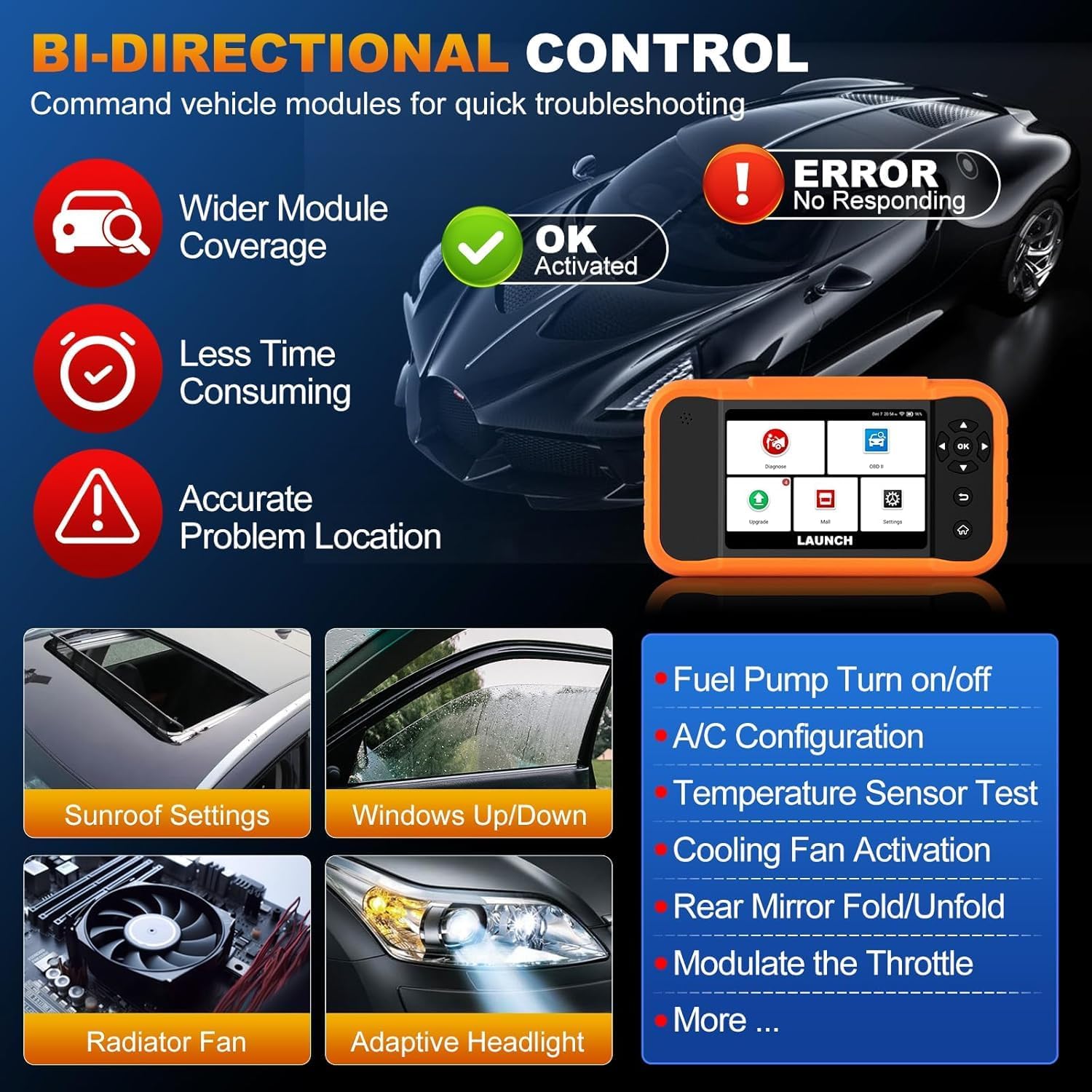
Image: Illustration of bi-directional control, showing the diagnostic tool sending commands to a car to test components like fuel pump, A/C, windows, and radiator fan, indicating successful activation or errors.
ExampБелсенді сынақтарға мыналар жатады:
- Fuel Pump Turn on/off
- A/C Configuration
- Temperature Sensor Test
- Cooling Fan Activation
- Windows Up/Down
- Sunroof Settings
5.6. ECU Coding
ECU Coding allows for customization of vehicle settings, re-flashing hidden functions, restoring data, and opening/closing comfort functions. It also supports adaptive data for replacement and complex ECU issue repair.
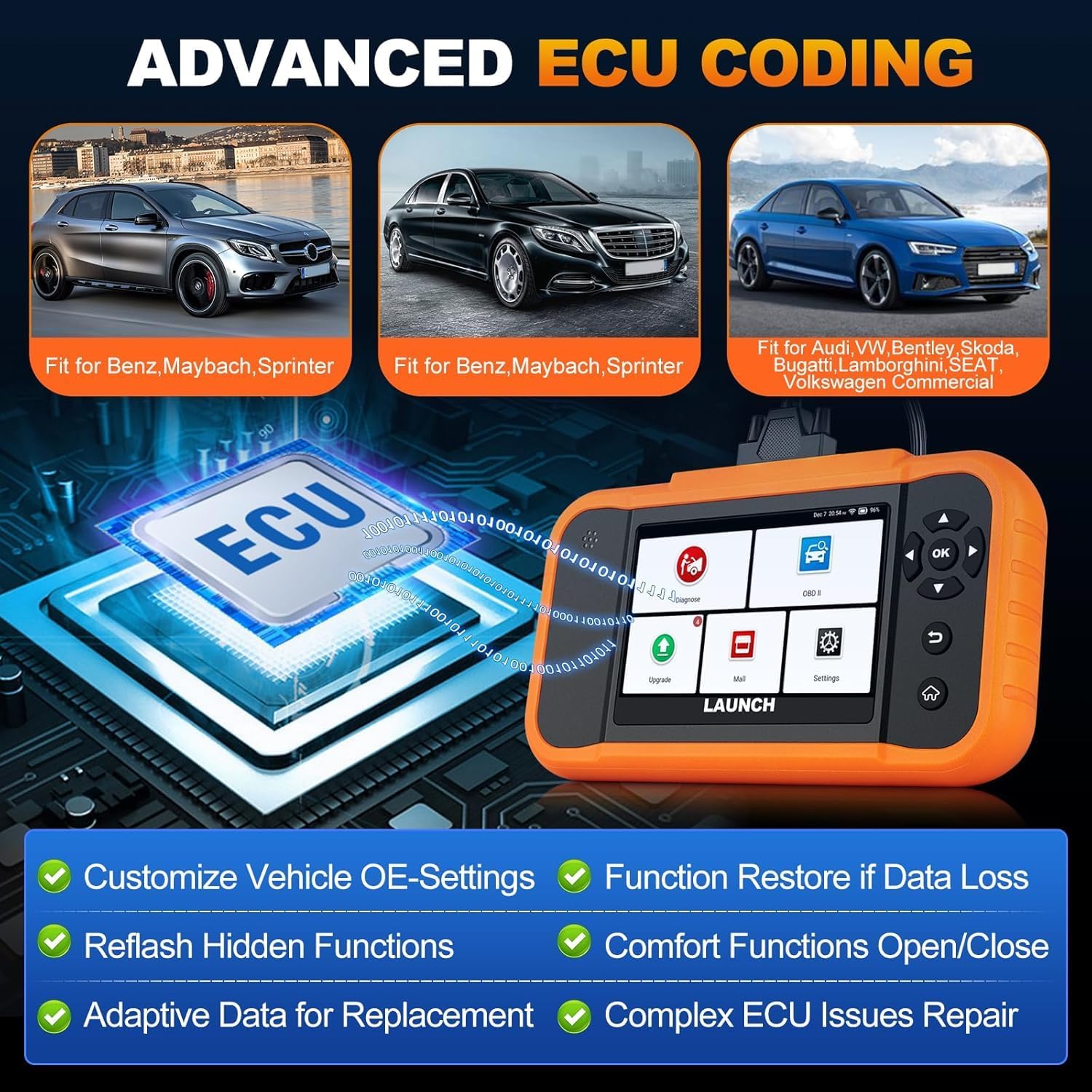
Image: A visual representation of ECU coding, showing a circuit board with 'ECU' text and the diagnostic tool, highlighting features like customizing OE-settings, re-flashing hidden functions, and restoring data.
5.7. Data Management and Reporting
The device facilitates efficient data handling:
- Автоматты VIN сканерлеу: Automatically identifies vehicle information for quick diagnostics.
- DTC іздеу: Диагностикалық ақаулық кодтарының анықтамаларын береді.
- 4-і 1 тікелей деректер ағыны: Displays multiple data parameters simultaneously for detailed analysis.
- Battery Registration: Supports battery registration functions.
- Диагностикалық есеп: Generates comprehensive health reports that can be shared or printed.
- Diagnostic History/Feedback: Stores diagnostic records and allows users to submit feedback to LAUNCH.

Image: A grid displaying various features of the diagnostic tool, including Auto VIN Scan, DTC Lookup, 4-in-1 Live Data Stream, Battery Registration, Online Diagnostic Feedback, and Diagnostic Report sharing.
6. Техникалық қызмет көрсету
- Тазалау: Жұмсақ пайдаланыңыз, damp cloth to clean the device. Avoid abrasive cleaners or solvents.
- Сақтау орны: Құрылғыны құрғақ, салқын жерде, тікелей күн сәулесінен және төтенше температурадан алыс жерде сақтаңыз.
- Батареяға күтім жасау: Батареяның қызмет ету мерзімін оңтайлы ету үшін батареяны жиі толығымен зарядсыздандырмаңыз. Құрылғыны үнемі зарядтаңыз.
7. Ақаулықтарды жою
- Құрылғы қосылмаған: Ensure the battery is charged or connect the device to the vehicle's OBD2 port for power.
- Көлікпен байланысты мәселелер: Verify the OBD2 cable is securely connected to both the device and the vehicle. Ensure the vehicle's ignition is on.
- Software update problems: Check your Wi-Fi connection. If issues persist, try restarting the device and attempting the update again.
- Дәл емес көрсеткіштер немесе функциялардың жұмыс істемеуі: Ensure the software is up to date. Verify the vehicle model and year are correctly selected.
8. Техникалық сипаттамалар
| Ерекшелік | Техникалық сипаттама |
|---|---|
| Үлгі | YZB23-1 |
| Элемент салмағы | 900 г |
| Пакет өлшемдері | 25 x 18 x 8 см |
| Батарея | 1 AAA (included), 3000 mAh capacity |
| Жад | 2 x 16 ГБ |
| Операциялық жүйе | Android 8.0 |
| Экран | 4 дюймдік сенсорлық экран |
| Тілдер | 10 тілге қолдау көрсетіледі |
| Қосылу мүмкіндігі | Сымсыз дәлдiк |
9. Кепілдік және қолдау
This product comes with a manufacturer's warranty. For warranty details, technical support, or any operational questions, please refer to the official LAUNCH website or contact your authorized dealer. Ensure you have your product model number (YZB23-1) and purchase information ready when seeking support.