
Sharp BNDL_4TC55FS1UR-WALTS-FM4390-SC
Sharp AQUOS OLED 4K UHD Roku TV User Manual
Model: 4T-C55FS1UR
Includes Walts TV Full Motion Mount and Screen Cleaner Kit
Кіріспе
This manual provides essential information for setting up, operating, maintaining, and troubleshooting your new Sharp 4T-C55FS1UR 55 Inch AQUOS OLED 4K Ultra HD Roku TV. It also covers the included Walts TV Large/Extra Large Full Motion Mount and Walts HDTV Screen Cleaner Kit. Please read this manual thoroughly before using your product to ensure optimal performance and safety.

The Sharp 55-inch AQUOS OLED 4K UHD Roku TV, bundled with a full motion mount and screen cleaner kit.
Орнату нұсқаулығы
1. Қораптан шығару және орналастыру
Carefully remove all components from the packaging. The TV weighs approximately 38.5 pounds and has product dimensions of 9.84"D x 48.27"W x 31.18"H. Ensure you have adequate space for placement.
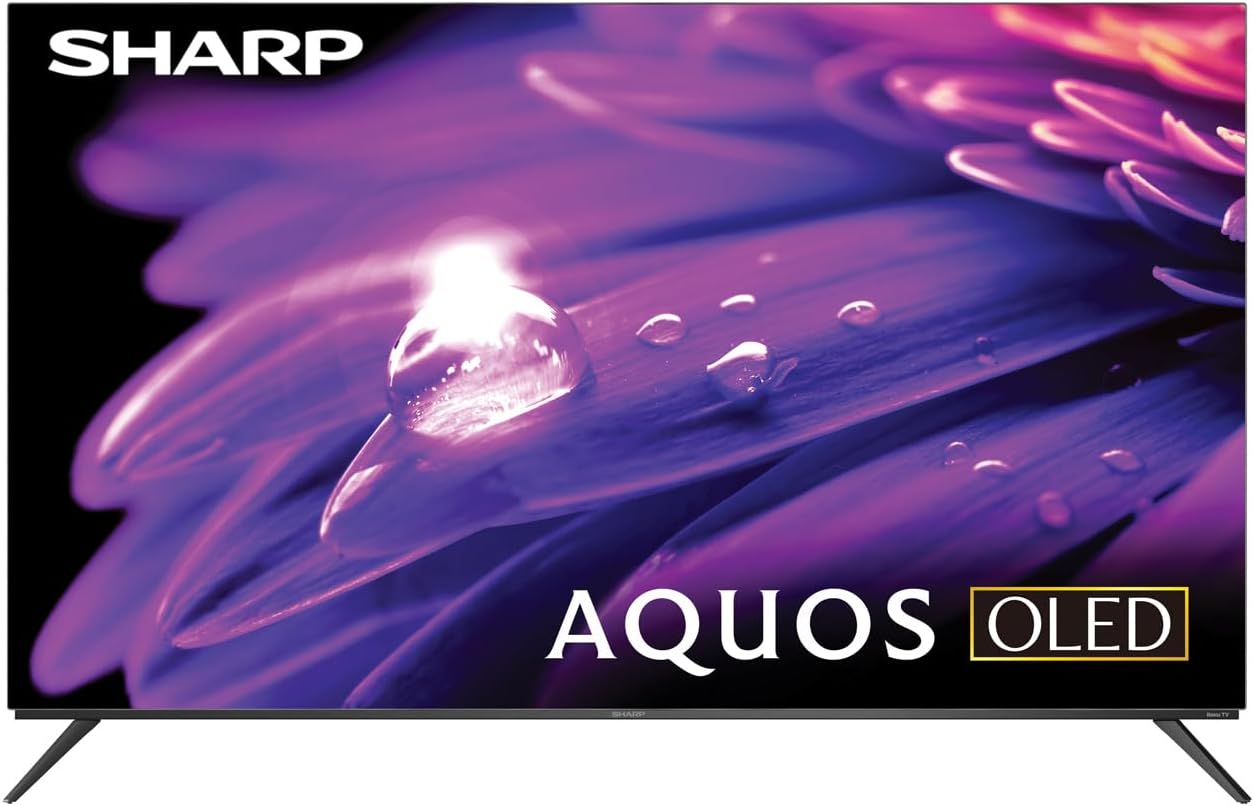
The Sharp AQUOS OLED TV, showcasing оның әдемі дизайны мен жанды дисплейі.
Стенд орнату
The TV comes with two legs that attach to the outer edges of the TV. These stands provide approximately 3.5 inches of clearance, allowing space for a soundbar or other accessories beneath the TV. Ensure the stands are securely fastened before placing the TV on a flat, stable surface.
Full Motion Mount Installation
The Walts TV Large/Extra Large Full Motion Mount is designed for 43-90 inch compatible TVs and supports VESA compatibility up to 700mm x 500mm. This articulating mount allows for extensive movement, including tilting up or down, angling side to side, and extending away from the wall. Refer to the separate mount instruction manual for detailed installation steps and safety guidelines.

The Walts TV Full Motion Mount, shown in an extended position, offering flexible viewбұрыштар.
2. Қосылымдар
The TV features side-angled inputs for easy access, whether wall-mounted or on a stand. Connect your devices to the appropriate ports:
- HDMI порттары: 4 HDMI inputs, including one with eARC for enhanced audio return channel functionality.
- USB порттары: 2 USB ports for media playback or connecting compatible devices.
- Ethernet: Сымды интернет қосылымы үшін.
- Antenna In: For connecting an over-the-air antenna.
- Сандық дыбыс шығысы: Сыртқы аудио жүйелеріне қосылу үшін.

Егжей-тегжейлі view of the conveniently located side-angled input ports on the Sharp TV.
3. Бастапқы қуат қосу және Roku орнату
Once all connections are made, plug in the TV and press the power button on the remote. Follow the on-screen instructions to complete the initial Roku TV setup, including connecting to your Wi-Fi network and logging into your Roku account. The intuitive Roku interface provides access to a wide range of streaming services.

The Sharp Roku TV home screen, showing popular streaming applications and navigation options.
Теледидарды пайдалану
Сурет сапасы
The Sharp AQUOS OLED TV delivers stunning visuals with its 4K Ultra HD resolution, providing 8.3 million pixels for incredible detail. It supports HDR10, HLG, and Dolby Vision IQ, enhancing contrast and color accuracy for a more immersive viewing experience. The OLED technology ensures true blacks and vibrant colors.
For gamers, the TV features a 120Hz refresh rate and Variable Refresh Rate (VRR) with Low Latency, ensuring smooth gameplay and reduced input lag, especially with next-gen consoles.
Ресми өнім қайтаview video for the Sharp FS1UR Series TV, highlighting its features and performance.
Аудио мүмкіндіктері
Experience rich and clear sound with Dolby Audio. The TV features built-in speakers designed to complement the visual experience. For enhanced audio, utilize the eARC HDMI port to connect a compatible soundbar or audio receiver.
Smart Features (Roku TV)
The integrated Roku TV platform provides access to a vast library of streaming content. Supported internet services include Netflix, Disney+, Apple TV, Roku Channel, Discovery+, HBO Max, Paramount+, and many more. The included voice remote control allows for convenient navigation and content search.
Viewing Angles and Reflection Handling
The Sharp AQUOS OLED TV offers excellent viewing angles, ensuring consistent picture quality even when viewed from the side. Its reflection handling is also exceptional, minimizing glare in most environments. However, in extremely bright rooms, some reflections may still be visible due to the nature of OLED panels.
Техникалық қызмет көрсету
Экранды тазалау
Use the included Walts HDTV Screen Cleaner Kit to keep your screen pristine. This non-ammonia and alcohol-free solution cleans without dripping, streaking, or staining, leaving no film or residue. It effectively removes dust, dirt, and fingerprints. Apply the solution to a soft, lint-free cloth (not directly to the screen) and gently wipe the display.

The Walts HDTV Screen Cleaner Kit, designed for safe and effective cleaning of display screens.
Жалпы күтім
- Қызып кетпес үшін теледидарды жақсы желдетілетін жерде сақтаңыз.
- Теледидарды тікелей күн сәулесінің немесе шектен тыс температураның әсеріне жол бермеңіз.
- Теледидардың үстіне ауыр заттарды қоймаңыз.
- Найзағай кезінде немесе ұзақ уақыт пайдаланбаған кезде теледидарды розеткадан ажыратыңыз.
Ақаулықтарды жою
If you encounter issues with your Sharp AQUOS OLED TV, refer to the following common troubleshooting tips:
- Қуат жоқ: Қуат сымының теледидарға да, жұмыс істейтін электр розеткасына да мықтап жалғанғанын тексеріңіз. Басқа розеткаға кіріп көріңіз.
- Сурет/дыбыс жоқ: Дұрыс кіріс көзі таңдалғанын тексеріңіз. Барлық кабель қосылымдарын (HDMI, антенна, т.б.) бос еместігін тексеріңіз.
- Қашықтан басқару пульті жұмыс істемейді: Қашықтан басқару пультіндегі батареяларды ауыстырыңыз. Қашықтан басқару пульті мен теледидардың инфрақызыл сенсоры арасында кедергілер жоқ екеніне көз жеткізіңіз.
- Желіге қосылу мәселелері: Restart your Wi-Fi router. Go to the Roku TV settings to re-establish the network connection or try a wired Ethernet connection.
- Сурет сапасына қатысты мәселелер: Adjust picture settings (brightness, contrast, color) in the TV's menu. Ensure your content source is high-quality (e.g., 4K content for 4K resolution).
Толығырақ ақаулықтарды жою немесе тұрақты мәселелер үшін тұтынушыларды қолдау қызметіне хабарласыңыз.
Техникалық сипаттамалар
| Ерекшелік | Сипаттама |
|---|---|
| Бренд атауы | Өткір |
| Модель атауы | 4T-C55FS1UR |
| Экран өлшемі | 55 дюйм |
| Көрсету технологиясы | OLED |
| Ажыратымдылық | 4K Ultra HD |
| Жаңарту жылдамдығы | 120 Гц |
| Арнайы мүмкіндіктер | HDR10, HLG, Dolby Vision IQ, Full Roku TV Experience, Dolby Digital Audio, Variable Refresh Rate (VRR) with Low Latency, Voice Remote Control |
| Қосылу мүмкіндігі | 4 HDMI (1 eARC), 2 USB, Wi-Fi Compatible, Ethernet |
| Қолдау көрсетілетін Интернет қызметтері | Netflix, Disney+, Apple TV, Roku Channel, Discovery+, HBO Max, Paramount+, and More |
| Өнім өлшемдері | 9.84"D x 48.27"W x 31.18"H |
| Элемент салмағы | 38.5 фунт |
| Түс | Қара |
Кепілдік және қолдау
Кепілдік туралы ақпарат және тұтынушыларды қолдау үшін өніміңізбен бірге берілген құжаттаманы қараңыз немесе ресми Sharp дүкеніне кіріңіз. webсайтында. Сондай-ақ, қосымша қолдау ресурстары мен жиі қойылатын сұрақтарды таба аласыз Amazon сайтындағы Sharp дүкені.

Dedicated customer support is available for assistance.
Ask a question about this manual
Ask about setup, troubleshooting, compatibility, parts, safety, or missing instructions. Manuals+ will review the question and use this page’s manual context to help answer it.