
Кіріспе
Thank you for choosing the KLIM K7 Cassette Tape Player and MP3 Converter. This device allows you to enjoy your classic cassette tapes and convert them into digital MP3 files for modern playback. It features a built-in microphone for recording, an integrated speaker, and a rechargeable battery for portability. This manual provides detailed instructions for setup, operation, and maintenance of your KLIM K7.
Өнім аяқталдыview
Негізгі мүмкіндіктер
- Cassette to MP3 Converter: Effortlessly convert cassette tapes to digital MP3 files directly onto an SD card.
- Портативті дизайн: Lightweight and compact for on-the-go listening.
- Кірістірілген микрофон: Record audio directly to the SD card.
- Кірістірілген динамик: Share your audio without external devices.
- Қайта зарядталатын батарея: Integrated 1000mAh battery provides extended playback.
- SD Card Player: MP3 ойнату files SD картасында сақталады.
- 3.5 мм құлаққап ұясы: For private listening with included earphones.
Құрылғы компоненттері және басқару элементтері
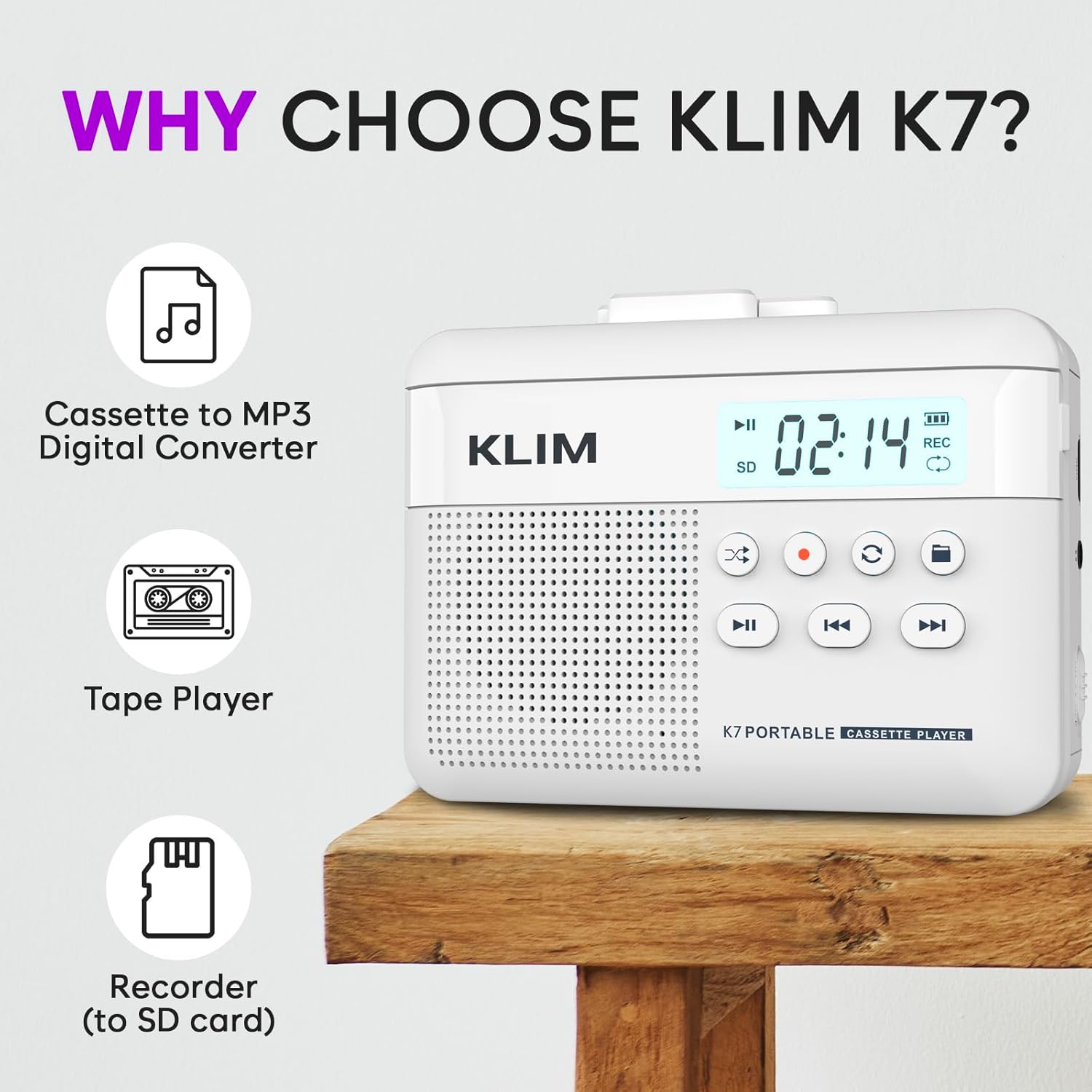
1-сурет: Алдыңғы view of the KLIM K7 Cassette Player, showing the speaker grille, LCD display, and control buttons (Play/Pause, Rewind, Fast Forward, Stop, Record, Mode, Folder, Loop).
- СКД дисплей: Shows track number, recording status, and battery level.
- Баяндамашы: Дыбысты ойнатуға арналған кіріктірілген динамик.
- Ойнату/Кідірту түймесі (►▮): Ойнатуды бастайды немесе тоқтатады.
- Rewind Button (◀◀): Rewinds the cassette tape or navigates backward through MP3 tracks.
- Fast Forward Button (►►): Fast forwards the cassette tape or navigates forward through MP3 tracks.
- Тоқтату түймесі (■): Ойнатуды немесе жазуды тоқтатады.
- Record Button (●): Initiates or stops recording.
- Mode Button (↻): Switches between cassette playback and SD card MP3 playback.
- Folder Button (🖿): Navigates through folders on the SD card.
- Loop Button (⟳): Ағымдағы тректі немесе барлық тректерді қайталайды.

2-сурет: Бүйір view of the KLIM K7 Cassette Player, highlighting the SD card slot, 3.5mm headphone jack, and On/Off switch.
- SD картасы ұясы: Insert your Micro SD card here for recording and MP3 playback.
- 3.5 мм құлаққап ұясы: Connect the included earphones or other standard headphones.
- Қосу/өшіру қосқышы: Құрылғыны қосады немесе өшіреді.
- Дыбыс деңгейін басқару: Дыбыс шығысының деңгейін реттейді.

3-сурет: Жоғарғы view of the KLIM K7 Cassette Player with the cassette compartment open, showing the tape mechanism.
- Кассета бөлімі: Insert your cassette tapes here.
- Cassette Door Release: Кассета бөлімін ашады.
Орнату
1. Батареяны зарядтау
Before first use, fully charge the KLIM K7. The device comes with a 1000mAh rechargeable battery.
- Locate the Type-C USB charging port on the side of the device.
- Connect the included Type-C USB cable to the charging port and the other end to a USB power adapter (not included) or a computer's USB port.
- The charging indicator on the LCD display will show charging status. A full charge typically takes approximately 2 hours.

4-сурет: The KLIM K7 connected to a Type-C USB cable for charging.
2. SD картасын салу
An SD card (16GB included) is required for converting tapes to MP3 and for recording with the built-in microphone.
- Locate the SD card slot on the side of the device (refer to Figure 2).
- Gently insert the Micro SD card into the slot with the gold contacts facing down until it clicks into place.
- To remove, push the SD card inward until it clicks, then release, and it will eject.

5-сурет: Inserting the Micro SD card into the KLIM K7.
3. Кассета таспасын салу
- Press the Cassette Door Release button to open the cassette compartment.
- Insert your cassette tape with the open side facing upwards and the tape reels aligned with the player's mechanism.
- Кассета бөлімінің есігін сырт еткенше мықтап жабыңыз.
Пайдалану нұсқаулары
1. Playing Cassette Tapes
- Ensure the device is powered on using the On/Off switch.
- Insert a cassette tape as described in the Setup section.
- түймесін басыңыз Ойнату/Үзіліс (►▮) ойнатуды бастау үшін
- Дыбыс деңгейін реттеу құралы арқылы дыбыс деңгейін реттеңіз.
- пайдаланыңыз Rewind (◀◀) және Fast Forward (►►) таспада шарлау үшін түймелер.
- түймесін басыңыз Тоқта (■) ойнатуды аяқтау үшін түймесін басыңыз.
2. Converting Cassette Tapes to MP3
The KLIM K7 allows direct conversion of cassette audio to MP3 files on the inserted SD card, without needing a computer or additional software.
- Ensure an SD card is inserted and the device is powered on.
- Түрлендіргіңіз келетін кассетаны салыңыз.
- түймесін басыңыз Ойнату/Үзіліс (►▮) button to start playing the tape.
- Ұзақ басыңыз the Record (●) button. The 'REC' indicator on the LCD display will illuminate, indicating that recording has started.
- Жазуды тоқтату үшін түймесін басыңыз Record (●) button again. The 'REC' indicator will turn off. The recorded audio will be saved as an MP3 file SD картасында.
- You can then remove the SD card and use the included SD card reader to transfer the MP3 files to a computer or other device.

6-сурет: Visual guide for converting cassette audio to MP3 files.
3. Using the Built-in Microphone for Recording
The KLIM K7 can also record audio directly from its built-in microphone to the SD card.
- Ensure an SD card is inserted and the device is powered on.
- түймесін басыңыз Mode (↻) button until the device is in SD card mode (no cassette playing).
- Ұзақ басыңыз the Record (●) button. The 'REC' indicator will light up, and the device will start recording audio from its microphone.
- Жазуды тоқтату үшін түймесін басыңыз Record (●) button again. The 'REC' indicator will turn off, and the recording will be saved as an MP3 file.

7-сурет: Using the KLIM K7's built-in microphone for recording.
4. Playing MP3 Files from SD Card
- Ensure an SD card with MP3 files is inserted and the device is powered on.
- түймесін басыңыз Mode (↻) button to switch to SD card playback mode. The LCD display will show track information.
- түймесін басыңыз Ойнату/Үзіліс (►▮) ойнатуды бастау үшін
- пайдаланыңыз Rewind (◀◀) және Fast Forward (►►) тректерді өткізіп жіберу түймелері.
- The Folder (🖿) button allows navigation through different folders on the SD card.
- The Loop (⟳) button can be used to repeat the current track or all tracks.
- Дыбыс деңгейін реттеу құралы арқылы дыбыс деңгейін реттеңіз.
- түймесін басыңыз Тоқта (■) ойнатуды аяқтау үшін түймесін басыңыз.

8-сурет: Enjoying audio with the KLIM K7 and included earphones.
Техникалық қызмет көрсету
Proper maintenance ensures the longevity and optimal performance of your KLIM K7.
- Тазалау: Құрылғының сыртын тазалау үшін жұмсақ, құрғақ шүберекті пайдаланыңыз. Сұйық тазалағыштарды немесе еріткіштерді пайдаланбаңыз.
- Кассета бөлімі: Таспа бастарын мезгіл-мезгіл тазалап, роликтерді мақта таяқшасымен ақырын қысып тұрыңызampened with isopropyl alcohol to prevent audio quality degradation. Ensure the device is off and dry before use.
- Сақтау орны: Құрылғыны салқын, құрғақ жерде, тікелей күн сәулесінен және төтенше температурадан алыс жерде сақтаңыз.
- Батареяға күтім жасау: Ұзақ мерзімді сақтау үшін батареяның денсаулығын сақтау үшін оны бірнеше ай сайын шамамен 50%-ға дейін зарядтаңыз.
Ақаулықтарды жою
If you encounter any issues with your KLIM K7, please refer to the following common solutions:
| Мәселе | Ықтимал себебі | Шешім |
|---|---|---|
| Құрылғы қосылмайды. | Батарея таусылды. | Charge the device using the provided Type-C USB cable. |
| No sound during cassette playback. | Дыбыс деңгейі тым төмен немесе құлаққаптар дұрыс жалғанбаған. | Increase the volume. Ensure headphones are fully plugged into the 3.5mm jack. |
| Recording to MP3 fails or produces no file. | SD картасы толы, дұрыс салынбаған немесе бүлінген. | Check SD card insertion. Ensure sufficient space on the SD card. Try reformatting the SD card (this will erase all data). |
| Poor audio quality from cassette. | Dirty tape heads or worn-out cassette tape. | Clean the tape heads and pinch rollers. Try a different cassette tape to determine if the issue is with the tape itself. |
| Құрылғы қатып қалады немесе жауап бермейді. | Уақытша бағдарламалық құрал ақауы. | Turn the device off and then on again. If the issue persists, allow the battery to fully discharge and then recharge. |
Техникалық сипаттамалар
- Өнім өлшемдері: 4.76 x 3.61 x 1.56 дюйм
- Элемент салмағы: 9.9 унция
- Батарея: 1 литий-ионды батарея (жинаққа кіреді), 1000 мАч
- Зарядтау уақыты: Шамамен 2 сағат
- Сақтау орны: Micro SD картасын қолдайды (16 ГБ кіреді)
- Аудио шығысы: Built-in speaker, 3.5mm headphone jack
- Жазу форматы: MP3

9-сурет: Dimensions of the KLIM K7 Cassette Player.
Кепілдік және қолдау
KLIM is committed to producing quality electronics. The KLIM K7 Cassette Tape Player comes with a 5 жылдық кепілдік. If you encounter any problems with your device, please contact KLIM customer support for assistance.
Қосымша қорғаныс жоспарларын сатып алуға болады:
- 2 жылдық қорғаныс жоспары: $3.99 (one-time)
- 3 жылдық қорғаныс жоспары: $5.99 (one-time)
- NEW Complete Protect: $16.99 (monthly)
Қосымша қолдау алу үшін мына сайтқа кіріңіз KLIM Store on Amazon.