
Кіріспе
This manual provides instructions for the VTech VG232-2 Cordless Phone with Digital Answering System. It covers setup, operation, maintenance, and troubleshooting to ensure optimal performance of your device. Please read these instructions carefully before using your phone.
Орнату
1. Қаптаманы ашу және құрамдастарды тексеру
Бастамас бұрын пакетте барлық компоненттер бар екеніне көз жеткізіңіз:
- 1 Негізгі блок
- 2 Сымсыз телефон тұтқалары
- 2 айнымалы ток адаптері
- 2 Қайта зарядталатын батареялар
- 1 Handset Charger
2. Батареяны орнату
Install the rechargeable battery into each cordless handset. Open the battery compartment cover on the back of the handset, connect the battery connector, and place the battery inside. Close the cover securely.

Сурет сипаттамасы: A VTech cordless phone handset is shown next to its base unit. The image highlights that the unit can be placed on a tabletop or mounted on a wall, demonstrating its versatile placement options. This image also shows the general form factor of the handset and base, relevant for battery installation.
3. Негізгі блок қосылымы
Connect the AC adapter to the base unit and plug it into a standard electrical outlet. Connect the telephone line cord to the base unit and then to your telephone wall jack.
4. Initial Handset Charging
Place each handset in its respective charger or the base unit. Allow the handsets to charge for at least 16 hours before initial use to ensure full battery capacity.
5. Күн мен уақытты орнату
After the initial charge, follow the on-screen prompts or refer to the handset menu to set the correct date and time. This is crucial for accurate caller ID and answering system timestamps.
Пайдалану нұсқаулары
1. Қоңырау шалу және қабылдау
- Қоңырау шалу үшін: түймесін басыңыз Сөйлесу / жарқыл, содан кейін телефон нөмірін теріңіз.
- Қоңырауды қабылдау үшін: Телефон шырылдаған кезде түймесін басыңыз Сөйлесу / жарқыл or any dial pad key (0-9, #, *).
- Қоңырауды аяқтау үшін: түймесін басыңыз ӨШІРУ/БОЛДЫРМАУ немесе телефонды қайтадан зарядтағышқа салыңыз.
2. Full-Duplex Speakerphone
The phone features a full-duplex speakerphone, allowing both parties to speak and be heard simultaneously for more natural conversations.
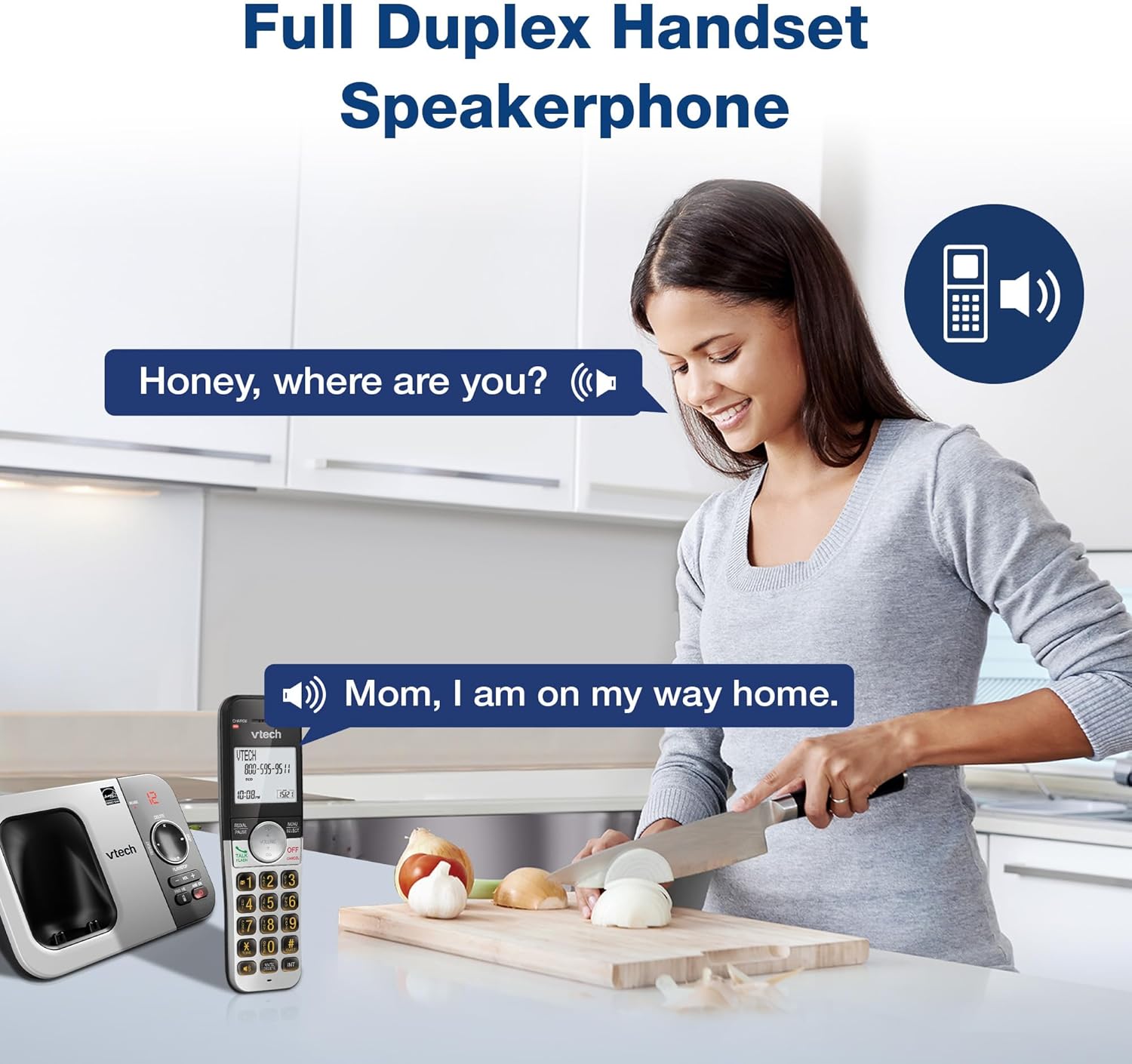
Сурет сипаттамасы: A woman is shown in a kitchen, talking on the VTech cordless phone which is placed on the counter. A speech bubble indicates a conversation, highlighting the full-duplex speakerphone feature that allows hands-free communication.
3. Caller ID and Call Waiting
The handset displays the name, number, time, and date of incoming calls. The system stores up to 50 caller ID entries.

Сурет сипаттамасы: The VTech cordless phone handset and base unit are displayed. The handset screen shows a list of phone numbers, demonstrating the Caller ID feature which stores up to 50 calls.
4. Сандық жауап беру жүйесі
The integrated digital answering system records messages for up to 14 minutes.

Сурет сипаттамасы: A man in a suit points to the VTech phone base unit, which has a digital display showing '12' (likely message count). A graphic bubble indicates 'Record 14 Mins', highlighting the answering system's recording capacity.
Message Counter
The base unit features a message counter that displays the number of new or saved messages.

Сурет сипаттамасы: A close-up of the VTech phone base unit's digital display, showing the number '12'. A text overlay explains that this displays the number of recorded messages.
Қашықтан қол жеткізу
You can access your answering system messages remotely by calling your phone number from an external line and entering your remote access code.

Сурет сипаттамасы: A woman is shown smiling while on a phone call, with arrows pointing between her and the VTech cordless phone. A speech bubble states 'You have 3 new messages...', illustrating the remote access feature for checking messages.
5. Телефон кітапшасы
Жылдам теру үшін телефон кітапшасында 50-ге дейін ат пен нөмірді сақтаңыз.

Сурет сипаттамасы: The VTech cordless phone handset is shown with a graphic illustrating a phonebook icon and the text '50 Name and Number Phonebook Contacts', indicating the capacity of the phone's contact list.
6. Last 10 Number Redial
Quickly redial any of the last 10 numbers called using the redial feature.

Сурет сипаттамасы: A hand is shown pressing the 'REDIAL/PAUSE' button on the VTech cordless phone handset. A graphic icon depicts two arrows circling, symbolizing the redial function for the last 10 numbers.
7. Intercom Between Handsets
Use the intercom feature to communicate between two handsets within the system.

Сурет сипаттамасы: Two VTech cordless phone handsets are displayed, with blue arrows pointing between them, symbolizing the intercom functionality that allows communication between handsets.
8. Тыныш режим
Activate Quiet Mode to silence the ringer on the handset and base unit for a specified period.

Сурет сипаттамасы: The VTech cordless phone handset is shown with the '# QUIET' button highlighted. The background shows a person sleeping, illustrating the benefit of the Quiet Mode feature.
9. ЭКО режимі
The phone utilizes ECO Mode power-conserving technology to optimize battery life and reduce power consumption.

Сурет сипаттамасы: The VTech cordless phone handset and base unit are shown. A green leaf icon with a recycling symbol represents 'ECO Mode Power-Conserving Technology', indicating the phone's energy efficiency.
10. Backlit Keypad and Display
The entire keypad and the 2-inch LCD screen are backlit for easier viewаз жарық жағдайында.
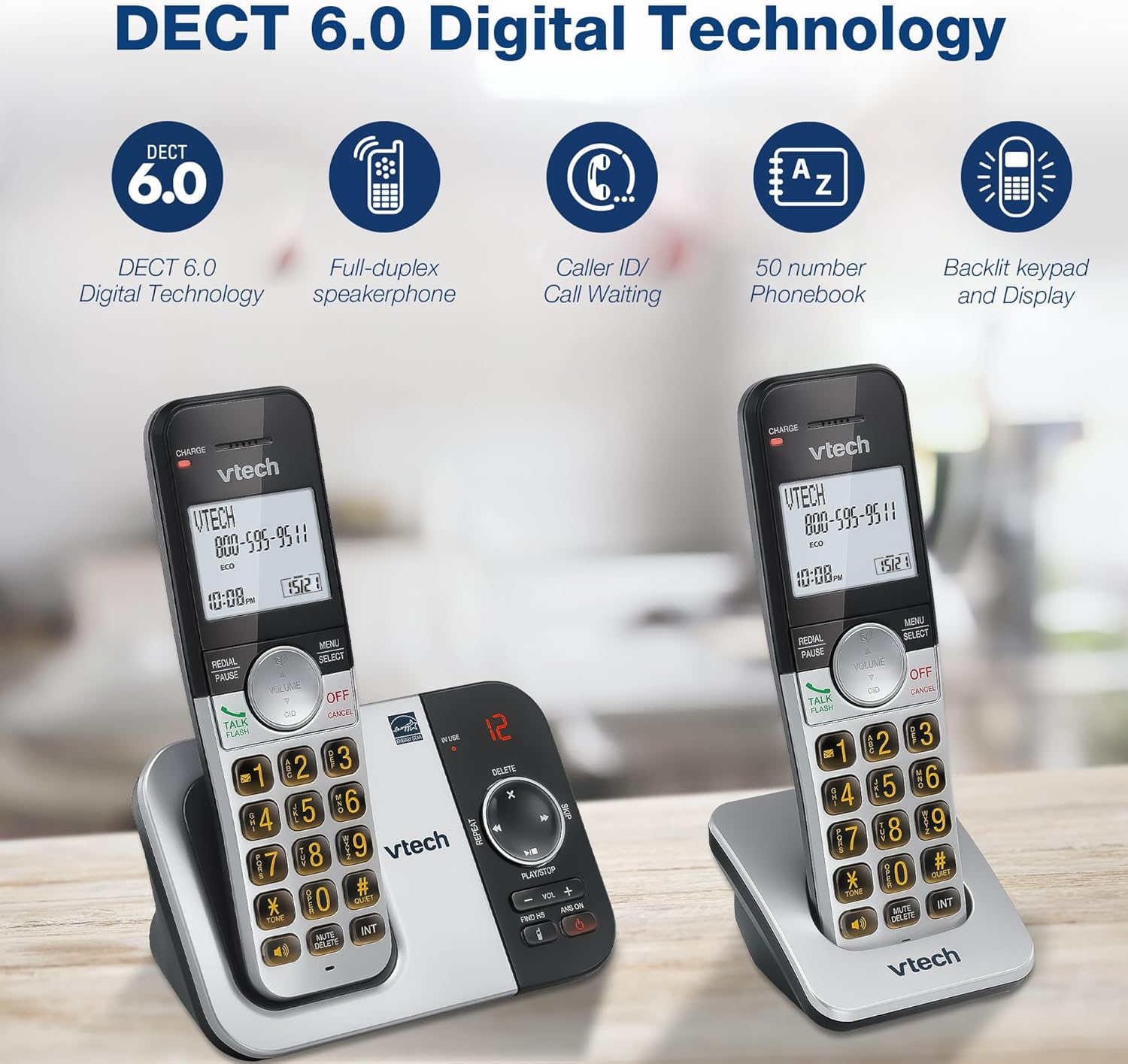
Сурет сипаттамасы: A close-up of the VTech cordless phone handset's keypad, showing the illuminated buttons, highlighting the 'Lighted Keypad' feature for visibility in the dark.
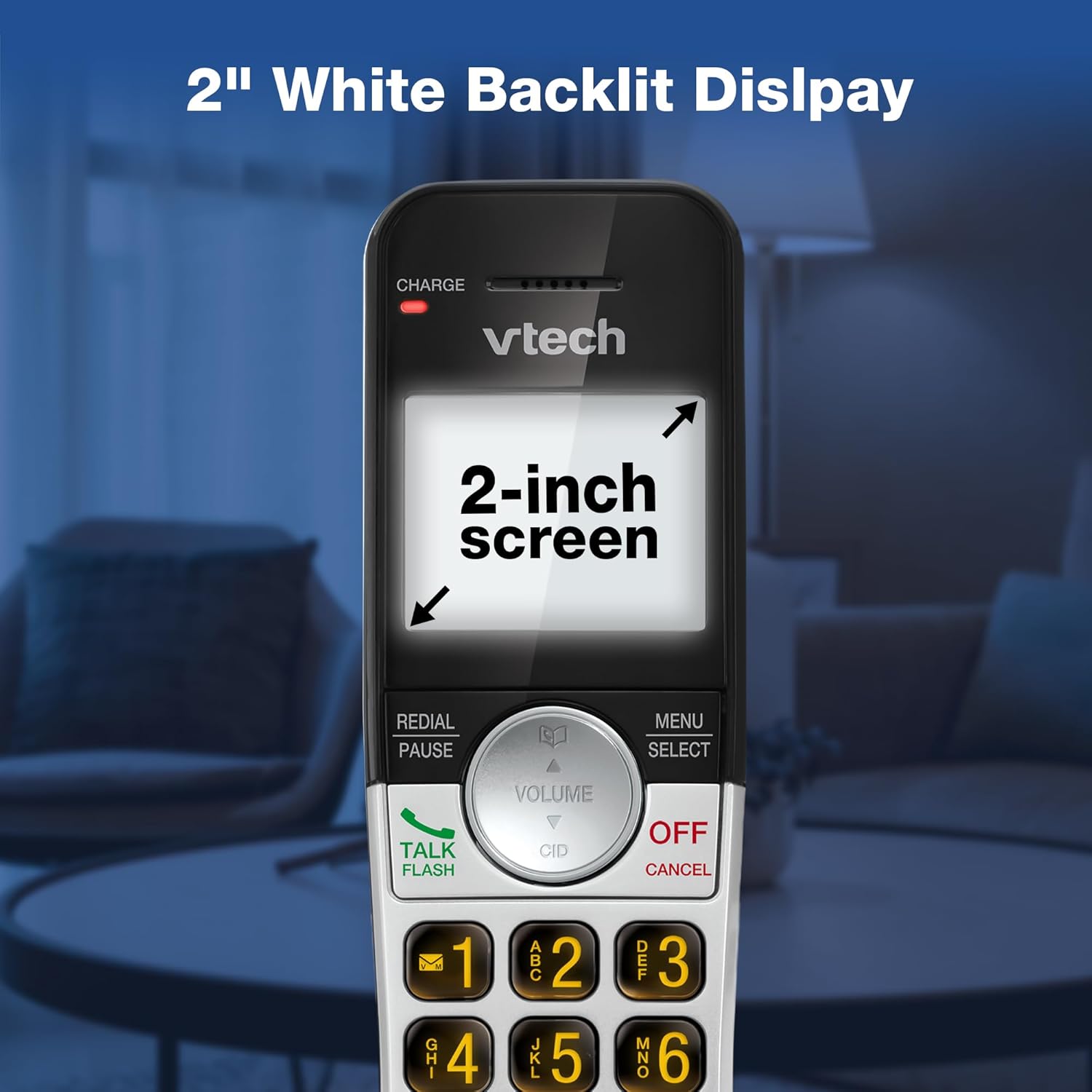
Сурет сипаттамасы: A close-up of the VTech cordless phone handset's screen, which is illuminated with a white backlight. Text on the screen indicates '2-inch screen', emphasizing the display size and backlighting.
Техникалық қызмет көрсету
To maintain your VTech VG232-2 phone, follow these guidelines:
- Тазалау: Телефонды және негізгі бөлікті жұмсақ шүберекпен сүртіңіз, damp шүберек. Тазалағыш спрейлерді немесе қатты химиялық заттарды пайдаланбаңыз.
- Батареяға күтім жасау: Replace batteries when they no longer hold a charge. Use only VTech approved replacement batteries.
- Орналастыру: Телефонды тікелей күн сәулесі түсетін жерге, жылу көздерінің жанына немесе ылғалдылығы жоғары жерлерге қоймаңыз.
Ақаулықтарды жою
| Мәселе | Шешім |
|---|---|
| Теру дыбысы жоқ | Ensure the telephone line cord is securely connected to both the base unit and the wall jack. Check if the AC adapter is properly connected. |
| Телефон тұтқасы зарядталмай жатыр | Ensure the handset is correctly seated in the charger. Clean the charging contacts on both the handset and charger with a dry cloth. Verify the charger is plugged into a working power outlet. |
| Аудио сапасы нашар | Move the handset closer to the base unit. Avoid placing the phone near other electronic devices that may cause interference. Check for any obstructions between the handset and base. |
| Автожауапбергіш жүйе жазбайды | Жауап беру жүйесінің ҚОСУЛЫ екеніне көз жеткізіңіз. Жадтың толғанын тексеріңіз; қажет болса, ескі хабарларды жойыңыз. |
| Date/Time incorrect | Manually reset the date and time through the handset menu. Ensure the phone has a stable power connection. |
Техникалық сипаттамалар
| Ерекшелік | Мәлімет |
|---|---|
| Бренд | VTech |
| Үлгі нөмірі | VG232-2 |
| Телефон түрі | Сымсыз |
| Түс | Күміс/Қара |
| Материал | Пластмасса |
| Қуат көзі | Сымды электр |
| Телефон тұтқаларының саны | 2 |
| Батарея Түрі | Product-specific (2 included) |
| Жауап беру жүйесінің түрі | Сандық |
| Жазу қабілеті | 14 минут |
| Қоңырау шалушы идентификаторы | Yes (stores 50 calls) |
| Динамик | Толық дуплекс |
| Телефон кітапшасының сыйымдылығы | 50 Name and Number Contacts |
| Конференция қоңырауы мүмкіндігі | 3 жақты |
| Телефонмен сөйлесу уақыты | 7 сағат |
| Телефонның күту уақыты | 5 күн |
| Элемент өлшемдері (L x W x H) | 14.1 x 8.5 x 18.4 см |
| UPC | 735078053824 |
| Қосылған құрамдас бөліктер | 1 handset charger, 2 AC adapters, 2 cordless handsets, 2 batteries, Base unit |
Өнім аяқталдыview Бейне
Бейне сипаттамасы: Бұл бейне жалпы мәлімет бередіview of the VTech VG232-2 cordless phone, showcasing its features and design. It offers a visual guide to the product's main functionalities.
Кепілдік туралы ақпарат
VTech products are manufactured with high-quality components and are subject to rigorous testing. This product is covered by a limited warranty against defects in material and workmanship. For specific warranty terms and conditions, please refer to the warranty card included in your product packaging or visit the official VTech webсайт.
Қолдау
If you require further assistance or have questions not covered in this manual, please visit the VTech support website or contact customer service. Contact details can typically be found on the VTech official webсайтында немесе өнімнің қаптамасында.


