
1. Кіріспе
Welcome to the user manual for your Thomson RT850BT Bluetooth Speaker, FM Radio, and Alarm Clock. This guide provides detailed instructions on how to set up, operate, and maintain your device. Please read this manual thoroughly before use to ensure proper functionality and to maximize your experience with the RT850BT.
2. Қауіпсіздік туралы ақпарат
Қауіпсіз жұмысты қамтамасыз ету және зақымдануды болдырмау үшін келесі қауіпсіздік шараларын орындаңыз:
- Құрылғыны жаңбырға, ылғалға немесе төтенше температураға ұшыратпаңыз.
- Құрылғыны жылу көздеріне жақын немесе тікелей күн сәулесі түсетін жерге қоймаңыз.
- Тиісті желдетуді қамтамасыз етіңіз; ешқандай желдету саңылауларын жаппаңыз.
- Тек берілген қуат адаптерін пайдаланыңыз.
- Құрылғыны бөлшектеуге немесе өзгертуге әрекет жасамаңыз. Барлық қызмет көрсетуді білікті мамандарға тапсырыңыз.
- Құрылғыны күшті магнит өрістерінен алыс ұстаңыз.
3. Пакет мазмұны
Барлық элементтер пакетте бар екенін тексеріңіз:
- Thomson RT850BT Unit
- Қуат адаптері
- Пайдаланушы нұсқаулығы

Image: Thomson RT850BT packaging, illustrating the product and its key features.
4. Өнім аяқталдыview
4.1 Алдыңғы панель
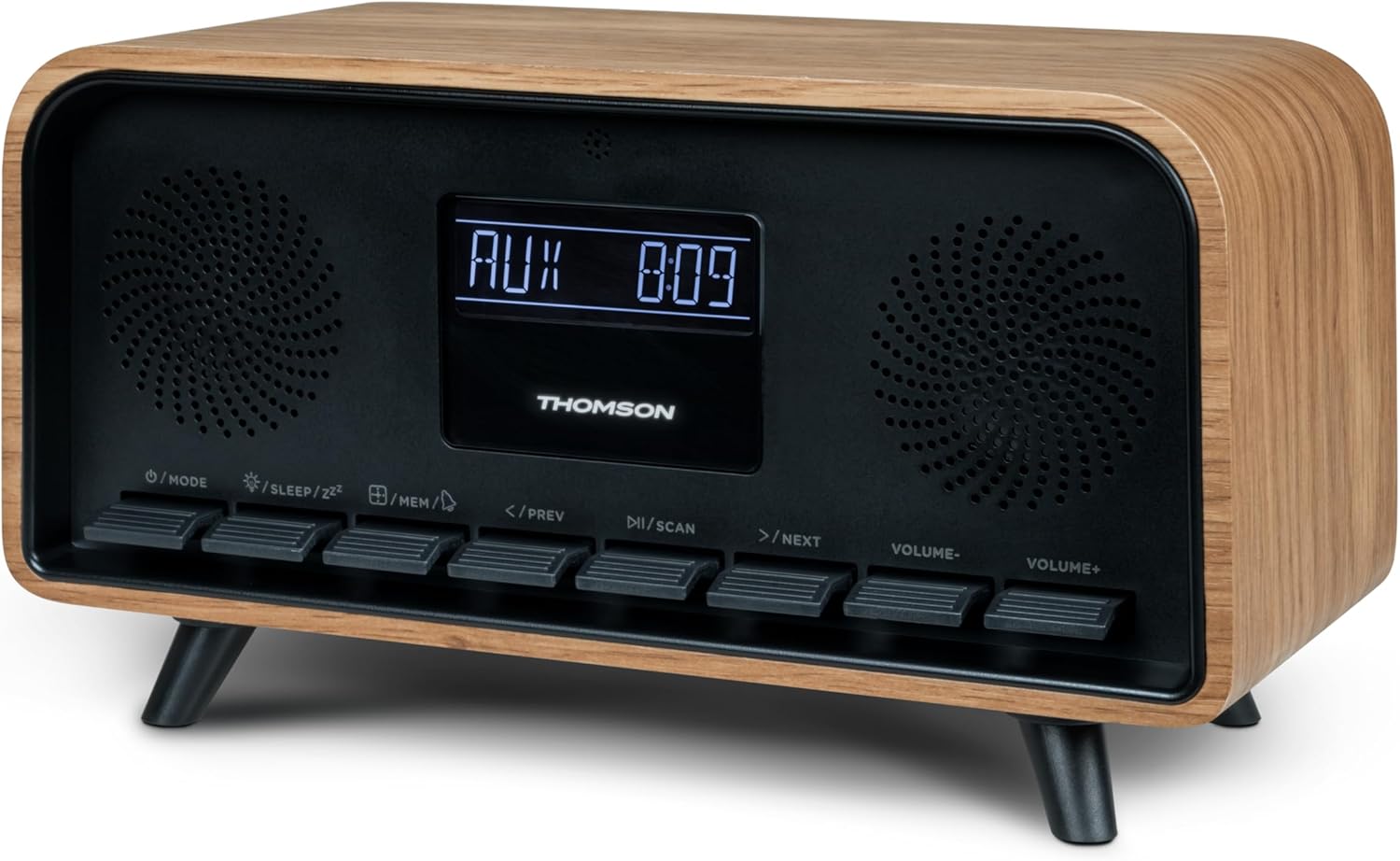
Сурет: алдыңғы view of the Thomson RT850BT unit, showing the LCD display, speakers, and control buttons.
- СКД дисплей: Shows time, mode, and other information.
- /MODE Button: Power On/Off, switch between modes (Bluetooth, FM, AUX).
- /SLEEP/ZZ Түйме: Set sleep timer, activate snooze.
- /MEM Button: Set alarm, save/recall radio stations.
- </PREV Button: Previous track (Bluetooth), tune down (FM).
- /SCAN Button: Play/Pause (Bluetooth), auto scan (FM).
- >/NEXT Button: Next track (Bluetooth), tune up (FM).
- VOLUME- Button: Дыбыс деңгейін азайту.
- VOLUME+ Button: Дыбыс деңгейін арттырыңыз.
4.2 Артқы панель

Сурет: артқы view of the Thomson RT850BT, highlighting the power supply, Line In (AUX-IN), and USB-C charge output ports.
- Power Supply (DC IN 5V): Берілген қуат адаптерін қосыңыз.
- Line In (AUX-IN): Сыртқы құрылғыларға арналған 3.5 мм аудио кіріс.
- Charge Output (USB-C): USB Type-C port for charging external devices.
5. Орнату
5.1 Қуат қосылымы
- Connect the power adapter to the DC IN 5V port on the rear of the RT850BT.
- Қуат адаптерін стандартты қабырға розеткасына қосыңыз.
- Құрылғы автоматты түрде қосылады немесе күту режиміне өтеді.
5.2 Initial Power On and Clock Setting
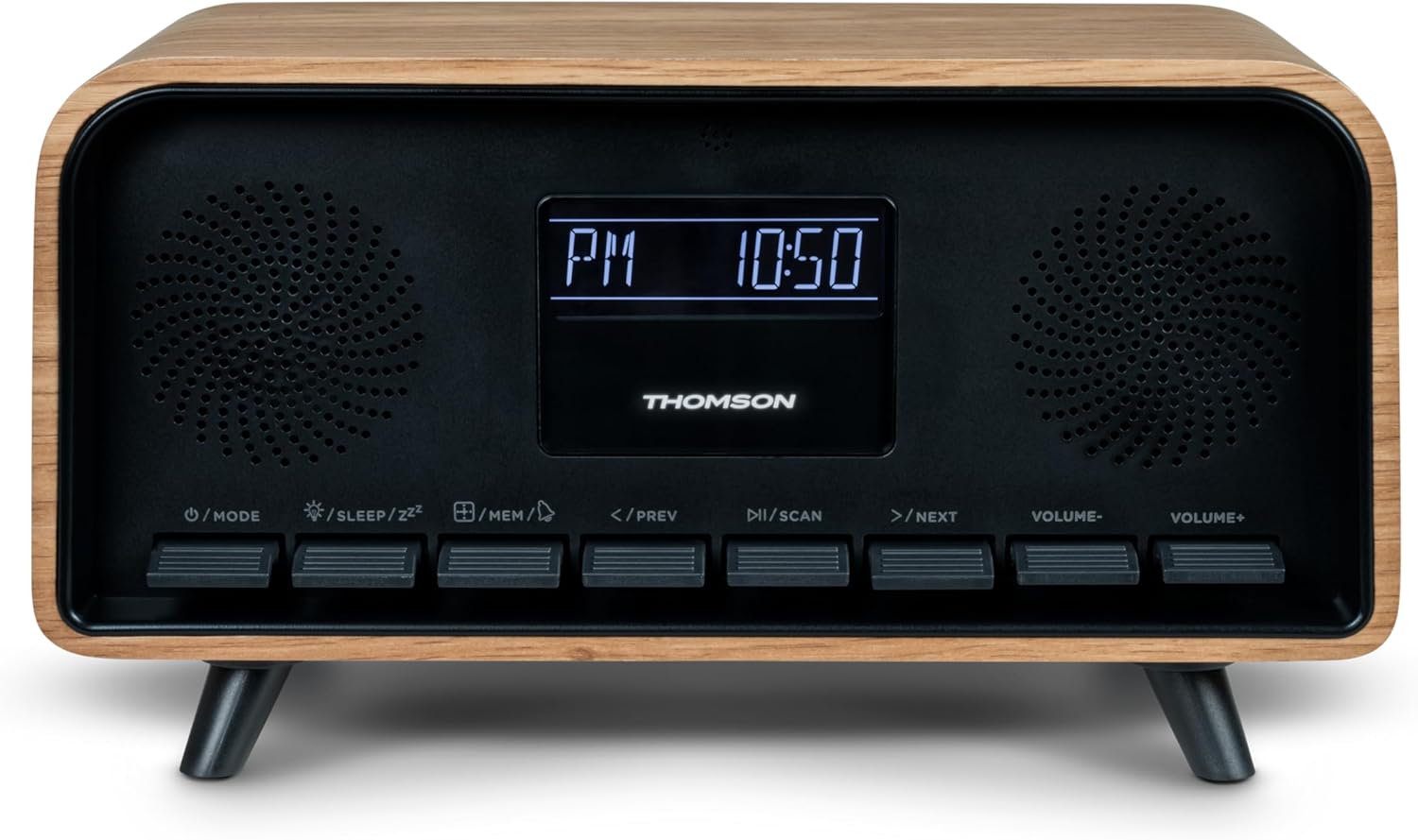
Image: Close-up of the RT850BT's LCD display showing the time, 10:50 PM, and the 'PM' indicator.
- If the unit is in standby, press the /РЕЖИМ қосу үшін түймесін басыңыз.
- Сағатты орнату үшін түймесін басып тұрыңыз /MEM түймешігін уақыт дисплейі жыпылықтағанша басыңыз.
- пайдаланыңыз </PREV және >/NEXT сағатты реттеу үшін түймелер. түймесін басыңыз /MEM растау үшін.
- пайдаланыңыз </PREV және >/NEXT минутты реттеу үшін түймелер. түймесін басыңыз /MEM растау үшін.
- Сағат орнатылды.
6. Пайдалану нұсқаулары
6.1 Bluetooth режимі

Image: Close-up of the RT850BT's LCD display indicating 'bt' for Bluetooth mode, along with the current time.
- түймесін басыңыз /РЕЖИМ button repeatedly until 'bt' appears on the display. The unit is now in Bluetooth pairing mode.
- Мобильді құрылғыда Bluetooth қосыңыз және қолжетімді құрылғыларды іздеңіз.
- Select 'RT850BT' from the list to pair. A confirmation tone will sound upon successful connection.
- You can now play audio from your device through the RT850BT.
- пайдаланыңыз /SCAN button to Play/Pause, and </PREV / >/NEXT тректерді өткізіп жіберу түймелері.
- Дыбыс деңгейін реттеңіз VOLUME- және VOLUME+ түймелері.
6.2 FM радио режимі
- түймесін басыңыз /РЕЖИМ button repeatedly until the FM frequency appears on the display.
- Автоматты сканерлеу: түймесін басып тұрыңыз /SCAN button to automatically scan and save available FM stations (up to 50 stations).
- Қолмен баптау: Қысқа басыңыз </PREV or >/NEXT to fine-tune the frequency. Press and hold to scan for the next available station.
- Сақталған станцияларды қайтарып алу: түймесін қысқаша басыңыз /MEM Сақталған станциялар арасында айналдыру үшін түймесін басыңыз.
6.3 Оятқыш функциясы
The RT850BT supports setting multiple alarms.
- Күту режимінде түймесін басып тұрыңыз /MEM button until 'AL1' or 'AL2' flashes.
- Қолдану </PREV және >/NEXT оятқыш сағатын орнату үшін түймесін басыңыз, содан кейін /MEM растау үшін.
- Бірнеше минут қайталаңыз.
- дабыл көзін (Zumzer немесе FM радиосы) пайдаланып таңдаңыз </PREV және >/NEXT, содан кейін түймесін басыңыз /MEM.
- To activate/deactivate an alarm, briefly press the /MEM button in standby mode to cycle through alarm settings (AL1 ON/OFF, AL2 ON/OFF).
- Оятқыш естілген кезде түймесін басыңыз /SLEEP/ZZ кейінге қалдыру үшін (дабыл 9 минуттан кейін қайтадан шырылдайды) немесе түймесін басыңыз /РЕЖИМ күні үшін дабылды өшіру.
6.4 AUX-IN режимі
- Connect an external audio device (e.g., MP3 player, smartphone) to the 'Line In' (AUX-IN) port on the rear panel using a 3.5mm audio cable (not included).
- түймесін басыңыз /РЕЖИМ түймесін дисплейде 'AUX' пайда болғанша қайта-қайта басыңыз.
- Audio from the connected device will now play through the RT850BT. Control playback from your external device.
6.5 Dimmer Function
The display brightness can be adjusted to three intensity levels.
- In any mode, briefly press the /SLEEP/ZZ button to cycle through the brightness levels.
6.6 Ұйқы функциясы
Құрылғының автоматты түрде өшуі үшін таймерді орнатыңыз.
- While the unit is on, press the /SLEEP/ZZ button repeatedly to select the desired sleep timer duration (e.g., 15, 30, 60, 90 minutes, OFF).
- The unit will automatically power off after the selected time.
6.7 USB-C зарядтау порты
The USB-C port on the rear panel is for charging external devices.
- Connect your compatible device's USB-C charging cable to the 'Charge output' port.
- Ensure the RT850BT is powered on or in standby mode for charging functionality.
7. Техникалық қызмет көрсету
To maintain the performance and appearance of your RT850BT:
- Тазалау: Use a soft, dry cloth to clean the exterior. Do not use abrasive cleaners, waxes, or solvents.
- Сақтау орны: Құрылғыны ұзақ уақыт сақтасаңыз, оны розеткадан ажыратып, салқын, құрғақ жерде сақтаңыз.
- Желдету: Ensure the ventilation grilles are free from dust and obstructions.
8. Ақаулықтарды жою
If you encounter issues with your RT850BT, refer to the following table for common problems and solutions:
| Мәселе | Ықтимал себебі | Шешім |
|---|---|---|
| Қуат жоқ | Қуат адаптері қосылмаған немесе ақаулы розетка. | Қуат адаптерінің мықтап жалғанғанына және розетканың жұмыс істеп тұрғанына көз жеткізіңіз. |
| Дыбыс жоқ | Volume too low, incorrect mode, or device not paired (Bluetooth). | Increase volume. Check if the correct mode (BT, FM, AUX) is selected. Re-pair Bluetooth device. |
| Bluetooth жұптау сәтсіз аяқталды | Device too far, Bluetooth not enabled on source, or RT850BT not in pairing mode. | Ensure devices are within range. Enable Bluetooth on your device. Set RT850BT to 'bt' mode. |
| FM қабылдаудың нашарлығы | Әлсіз сигнал. | Adjust the unit's position to improve reception. |
| Дабыл естілмейді | Дабыл қосылмаған немесе дұрыс орнатылмаған. | Verify alarm settings and ensure it is set to ON. |
9. Техникалық сипаттамалар
- Үлгі: RT850BT
- Bluetooth нұсқасы: 5.3
- Радио тюнер: FM (87.5-108 МГц)
- Station Memory: 50 FM станциялары
- Аудио кіріс: AUX-IN (3.5 мм)
- Көрсеткіш: LCD with 3-intensity dimmer
- Шығу қуаты: 30W Total Music Power
- Зарядтау порты: USB-C (for external devices)
- Қуат көзі: Сымды электрлік (тұрақты ток 5 В)
- Салмағы: 600 грамм
10. Кепілдік және қолдау
For warranty information and technical support, please refer to the documentation provided at the time of purchase or contact your local Thomson customer service. Keep your proof of purchase for warranty claims.